Įvadas
Ačiū, kad pirkoteasing the AZATOM Spitalfields 2 Portable DAB/DAB+ Digital FM Radio. This manual provides essential information for setting up, operating, and maintaining your new radio. Please read this manual thoroughly before use to ensure proper functionality and to maximize your listening experience.
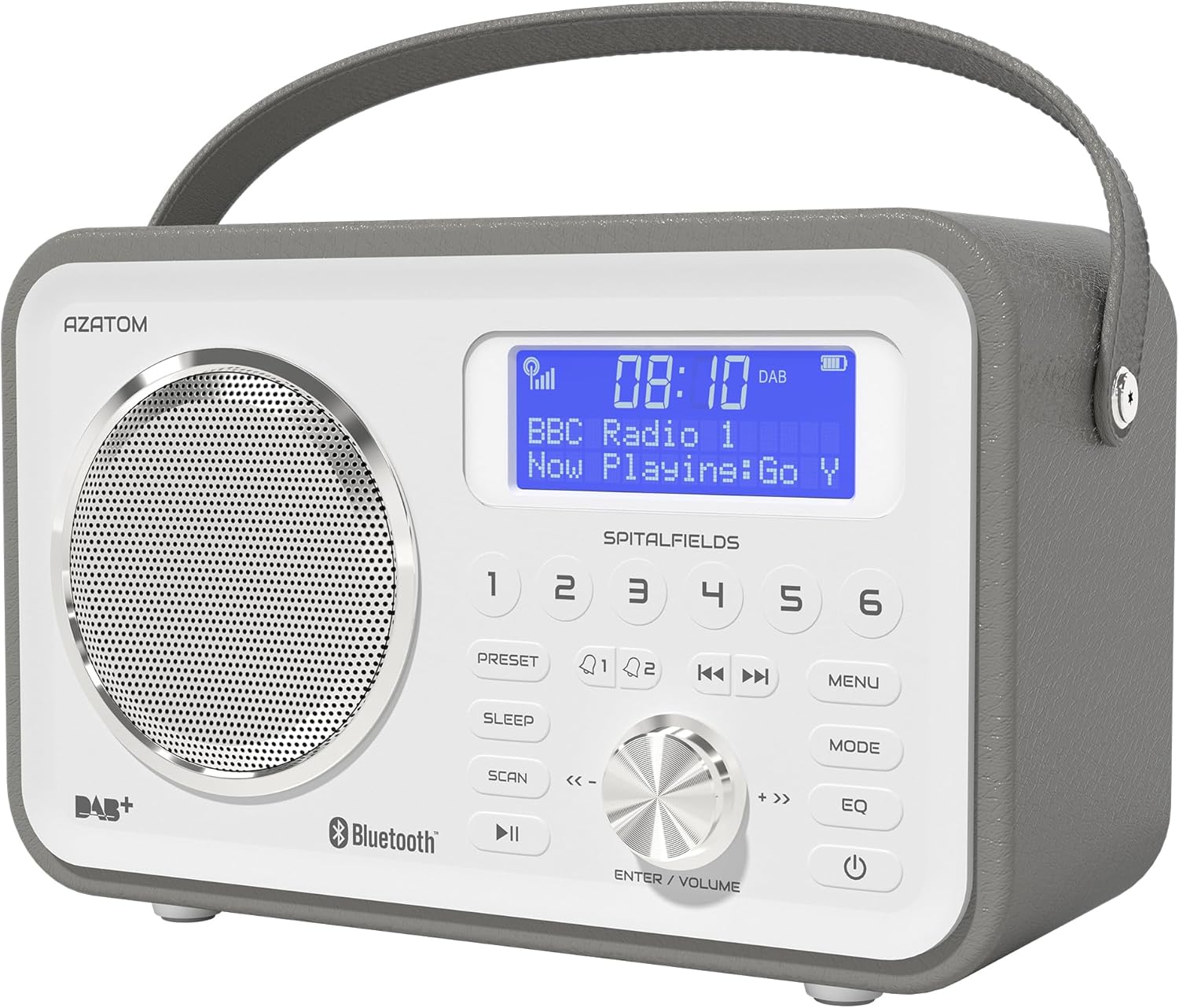
The AZATOM Spitalfields 2 radio features a classic retro design with a modern digital display and intuitive controls.
Svarbios saugos instrukcijos
Always follow these basic safety precautions when using your radio:
- Saugokite įrenginį nuo lietaus, drėgmės ar ekstremalių temperatūrų.
- Neardykite ir nemodifikuokite įrenginio. Visus techninės priežiūros darbus patikėkite kvalifikuotiems darbuotojams.
- Užtikrinkite tinkamą vėdinimą aplink įrenginį, kad išvengtumėte perkaitimo.
- Naudokite tik su įrenginiu pateiktą maitinimo adapterį.
- Saugokite įrenginį nuo stiprių magnetinių laukų.
- Venkite ilgai klausytis itin dideliu garsumu, kad nepažeistumėte klausos.
Pagrindinės savybės
- DAB/DAB+ ir FM radijas: Enjoy a wide range of digital and analog radio stations.
- Bluetooth 5.0 ryšys: Wirelessly stream audio from your compatible devices.
- Žadintuvo funkcija: Set multiple alarms with snooze and sleep timer features.
- Įkraunama baterija: Built-in battery for portable use.
- Iš anksto nustatytos stotys: Store your favorite DAB and FM stations for quick access.
- Nuotolinio valdymo pultas: Conveniently operate the radio from a distance.
- Quality Stereo Sound: Enhanced audio experience with a built-in subwoofer.
DAB/DAB+/FM Radio

Experience crystal-clear digital radio with DAB/DAB+ or tune into traditional FM broadcasts.
Bluetooth 5.0 Ryšys

Effortlessly stream music from your smartphone, tablet, or other Bluetooth-enabled devices.
Alarm Clock & Sleep Timer

Wake up to your favorite station or a buzzer with the integrated alarm clock, and drift off to sleep with the adjustable sleep timer.
Pre-set Stations

Quickly access your preferred radio stations by saving them to the dedicated preset buttons.
Įkraunama baterija

The built-in rechargeable battery allows for convenient portable use, perfect for any room or on the go.
Premier Control with Remote
Control all functions of your radio from the comfort of your couch using the included remote control.
Pakuotės turinys
Prašome patikrinti, ar yra visi daiktai:
- AZATOM Spitalfields 2 DAB/DAB+ Digital FM Radio
- Maitinimo adapteris
- Nuotolinio valdymo pultas
- Vartotojo vadovas (šis dokumentas)
Produktas baigtasview
Familiarize yourself with the controls and display of your Spitalfields 2 radio.
The front panel features a clear display, speaker, and various control buttons.
Priekinio skydelio valdikliai
- Ekranas: Shows time, station information, and menu options.
- Išankstinių nustatymų mygtukai (1–6): Išsaugokite ir iškvieskite mėgstamiausias stotis.
- PRESET mygtukas: Access preset memory.
- MIEGO mygtukas: Nustatykite miego laikmatį.
- SCAN mygtukas: Automatically scan for stations.
- PLAY/PAUSE mygtukas: Play/pause in Bluetooth mode.
- MENIU mygtukas: Pasiekite sistemos nustatymus.
- MODE mygtukas: Perjunkite DAB, FM ir Bluetooth režimus.
- EQ mygtukas: Sureguliuokite ekvalaizerio nustatymus.
- Įjungimo mygtukas: Įjunkite / išjunkite įrenginį.
- ENTER/VOLUME Knob: Rotate to adjust volume or navigate menus; press to confirm selection.
- SKIP Buttons (<<, >>): Navigate tracks in Bluetooth mode or stations in radio mode.
Sąranka
Įjungimas
- Optimaliam priėmimui visiškai ištieskite teleskopinę anteną.
- Connect the supplied power adapter to the DC IN port on the back of the radio and plug it into a wall outlet. The internal battery will begin charging.
- Paspauskite GALIA mygtuką, kad įjungtumėte radiją.
Initial Scan (DAB/FM)
Upon first power-on, the radio will automatically perform a full scan for DAB stations. This may take a few minutes. Once complete, the radio will tune to the first available station.
- To manually initiate a scan in DAB mode, press the NUSKAITYTI mygtuką.
- FM režimu paspauskite ir palaikykite NUSKAITYTI button to auto-scan for the next available station.
Laiko ir datos nustatymas
The time and date are usually automatically set via DAB signal. If not, or if you wish to adjust manually:
- Paspauskite MENIU mygtuką.
- Pasukite ENTER/VOLUME knob to navigate to 'System Settings' and press the knob to confirm.
- Navigate to 'Time/Date' and press to confirm.
- Select 'Set Time/Date' or 'Auto Update' as desired and follow the on-screen prompts.
Naudojimo instrukcijos
Radio Modes (DAB, FM)
Paspauskite REŽIMAS button to switch between DAB and FM radio modes.
DAB režimas
- Pasukite ENTER/VOLUME knob to browse available DAB stations. Press the knob to select a station.
- Paspauskite NUSKAITYTI to perform a full scan for new stations.
FM režimas
- Pasukite ENTER/VOLUME rankenėlę dažniui tiksliai sureguliuoti.
- Paspauskite ir palaikykite NUSKAITYTI button to automatically tune to the next strong station.
Bluetooth veikimas
- Paspauskite REŽIMAS mygtuką, kol pasirodys „Bluetooth“. Radijas įsijungs susiejimo režimu.
- On your Bluetooth-enabled device (e.g., smartphone), search for 'Spitalfields 2' in the Bluetooth settings and select it to pair.
- Once paired, you can stream audio from your device to the radio. Use the PALEISTI / PAUZĖ ir PRALEISTI buttons on the radio or remote to control playback.
Žadintuvo funkcija
- Paspauskite MENIU button and navigate to 'Alarms'.
- Pasirinkite „1 aliarmas“ arba „2 aliarmas“, kad sukonfigūruotumėte.
- Set the alarm time, duration, source (Buzzer, DAB, FM), and frequency (Daily, Once, Weekdays, Weekends).
- Ensure the alarm is set to 'On'.
- Kai suskamba žadintuvas, paspauskite GALIA button to snooze, or press any other button to turn off the alarm.
Miego laikmatis
Miego laikmatis leidžia radijui automatiškai išsijungti po nustatyto laiko.
- Paspauskite MIEGAS button repeatedly to cycle through sleep timer options (e.g., 15, 30, 45, 60, 90, 120 minutes, Off).
- The selected time will be displayed briefly.
Išankstiniai nustatymai
Išankstinio nustatymo saugojimas
- Nustatykite norimą DAB arba FM stotį.
- Press and hold one of the numbered NUSTATYMAS buttons (1-6) until 'Preset Stored' appears on the display.
Išankstinio nustatymo prisiminimas
- Briefly press the corresponding numbered NUSTATYMAS button (1-6) to recall a stored station.
Garso nustatymai (EQ)
Sureguliuokite garso profesionaląfile pagal jūsų pageidavimus.
- Paspauskite EQ button repeatedly to cycle through equalizer presets (e.g., Normal, Flat, Jazz, Rock, Classical, Pop, News, My EQ).
- If 'My EQ' is selected, you can customize bass and treble settings via the menu.
Nuotolinio valdymo pulto naudojimas
The remote control provides full functionality of the radio from a distance. Ensure the remote has working batteries and is pointed towards the front of the radio.
- All buttons on the remote correspond to functions available on the radio's front panel.
- Use the numeric buttons (0-9) to directly enter preset numbers or navigate menus.
Priežiūra ir priežiūra
- Valymas: Radijo imtuvą valykite minkštu, sausu skudurėliu. Nenaudokite abrazyvinių valiklių ar tirpiklių.
- Akumuliatoriaus priežiūra: For optimal battery life, avoid fully discharging the battery frequently. If storing the radio for an extended period, charge it fully every few months.
- Antena: Handle the telescopic antenna with care to prevent damage.
- Saugykla: Radijo imtuvą laikykite vėsioje, sausoje vietoje, toliau nuo tiesioginių saulės spindulių ir ekstremalių temperatūrų.
Trikčių šalinimas
| Problema | Galima priežastis | Sprendimas |
|---|---|---|
| Nėra galios | Power adapter not connected; battery depleted. | Ensure power adapter is securely connected and plugged in. Charge the battery. |
| Nėra garso / Prasta garso kokybė | Volume too low; poor signal; incorrect mode. | Increase volume. Extend antenna fully. Re-scan for stations. Ensure correct mode (DAB/FM/Bluetooth). |
| DAB stations not found | Weak DAB signal; no full scan performed. | Ensure antenna is fully extended. Perform a full DAB scan. Try repositioning the radio. |
| „Bluetooth“ nesusieja | Radio not in Bluetooth mode; device too far; previously paired. | Switch radio to Bluetooth mode. Ensure device is within range. Forget 'Spitalfields 2' on your device and try pairing again. |
| Nuotolinio valdymo pultas neveikia | Batteries depleted; obstruction; not pointed correctly. | Replace remote control batteries. Ensure no obstruction between remote and radio. Point remote directly at the radio's front panel. |
Specifikacijos
| Funkcija | Detalė |
|---|---|
| Prekės ženklas | AZATOMAS |
| Modelio numeris | AZSPTLSBK1 |
| Svoris | 750 gramų |
| Techninės įrangos sąsaja | 3.5 mm Audio, Bluetooth, Headphones |
| Maksimali garsiakalbio išvesties galia | 30 vatų |
| UPC | 718157745964 |
Informacija apie garantiją
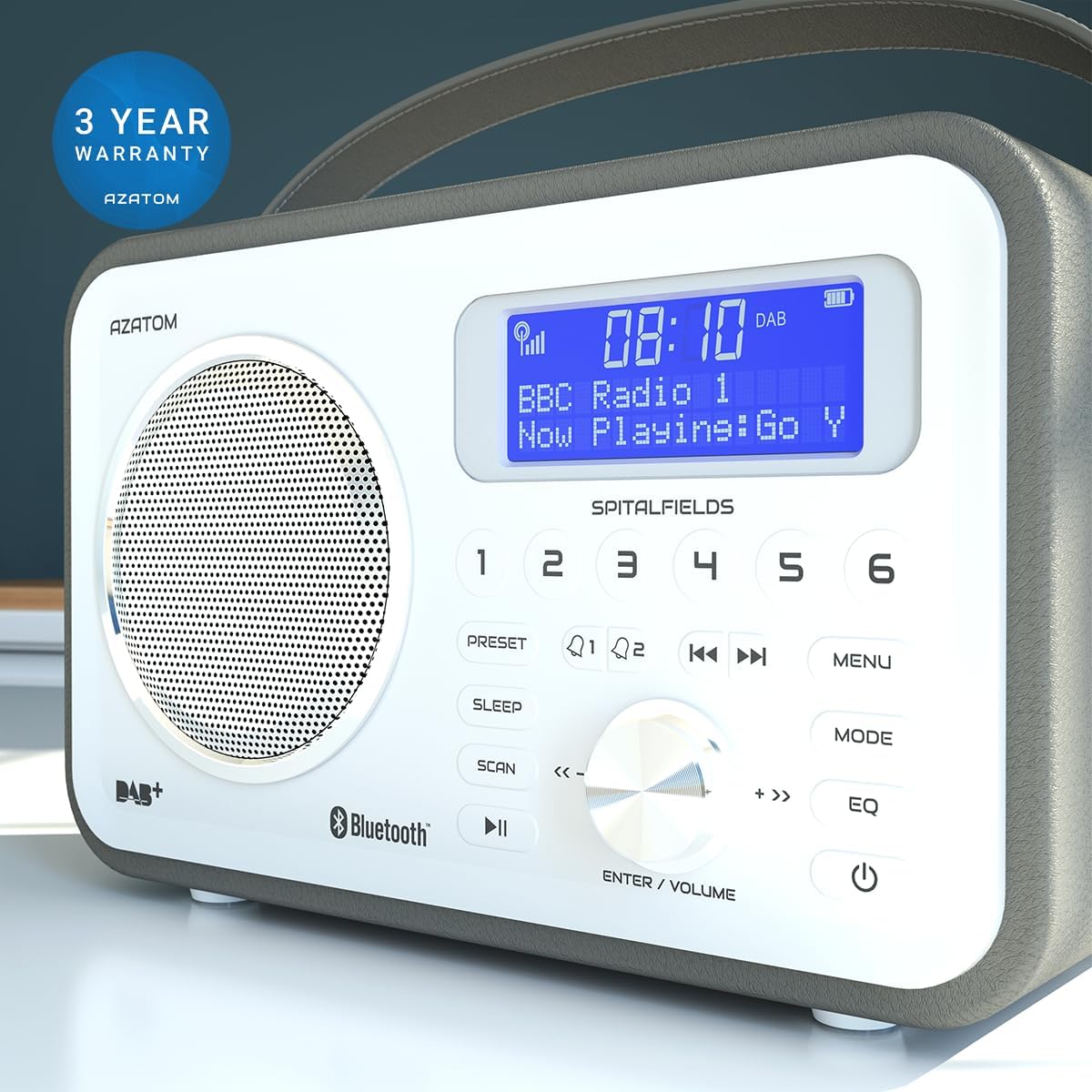
The AZATOM Spitalfields 2 radio comes with a 3 metų garantija from the date of purchase. This warranty covers manufacturing defects and faulty workmanship under normal use. Please retain your proof of purchase for warranty claims.
The product is backed by a 3-year warranty, ensuring peace of mind.
The warranty does not cover damage caused by misuse, accident, unauthorized modification, or normal wear and tear. For full terms and conditions, please refer to the AZATOM official websvetainėje arba susisiekite su klientų aptarnavimo tarnyba.
Pagalba klientams
If you encounter any issues not covered in this manual or require further assistance, please visit the official AZATOM websvetainė, kurioje rasite pagalbos išteklių, DUK ir kontaktinės informacijos.
Websvetainė: www.azatom.com
Please have your model number (AZSPTLSBK1) and purchase details ready when contacting support.