Įvadas
The Diivoo Full Spectrum LED Plant Grow Light is designed to provide optimal lighting conditions for your indoor plants. Its unique cloud-shaped design integrates seamlessly into your home environment, bringing vitality to your beloved plants and creating a warm green paradise.
This grow light features two primary modes: Growth Mode ir Dienos šviesos režimas, along with comprehensive functionality including 10 dimming levels and a 4-level automatic timer.

Image: The Diivoo LED Grow Light with its distinctive cloud design, enhancing indoor plant aesthetics.

Vaizdas: Viršview of the Diivoo Full Spectrum LED Plant Grow Light.
Sąrankos instrukcijos
- Išpakuokite komponentus: Carefully remove all components from the packaging. Ensure you have the LED grow light unit, the stake/base, and the USB cable.
- Surinkite šviesą: Insert the light's stake into the soil of your plant pot. Ensure it is stable and securely placed.
- Sureguliuokite aukštį ir kampą: The light features a 360-degree rotatable gooseneck, allowing you to adjust the height from approximately 8 to 23 inches (20 cm to 58 cm) and position the light at an ideal angle for various plants.
- Prijunkite maitinimą: Connect the USB cable to the light unit and then to a compatible USB power adapter (not included) or a USB port.
- Lankstus montavimas: The light can be detached from its base and wrapped around a plant stand or other suitable structure for alternative mounting options.

Image: Adjustable height feature of the Diivoo Grow Light, ranging from 8 to 23 inches.
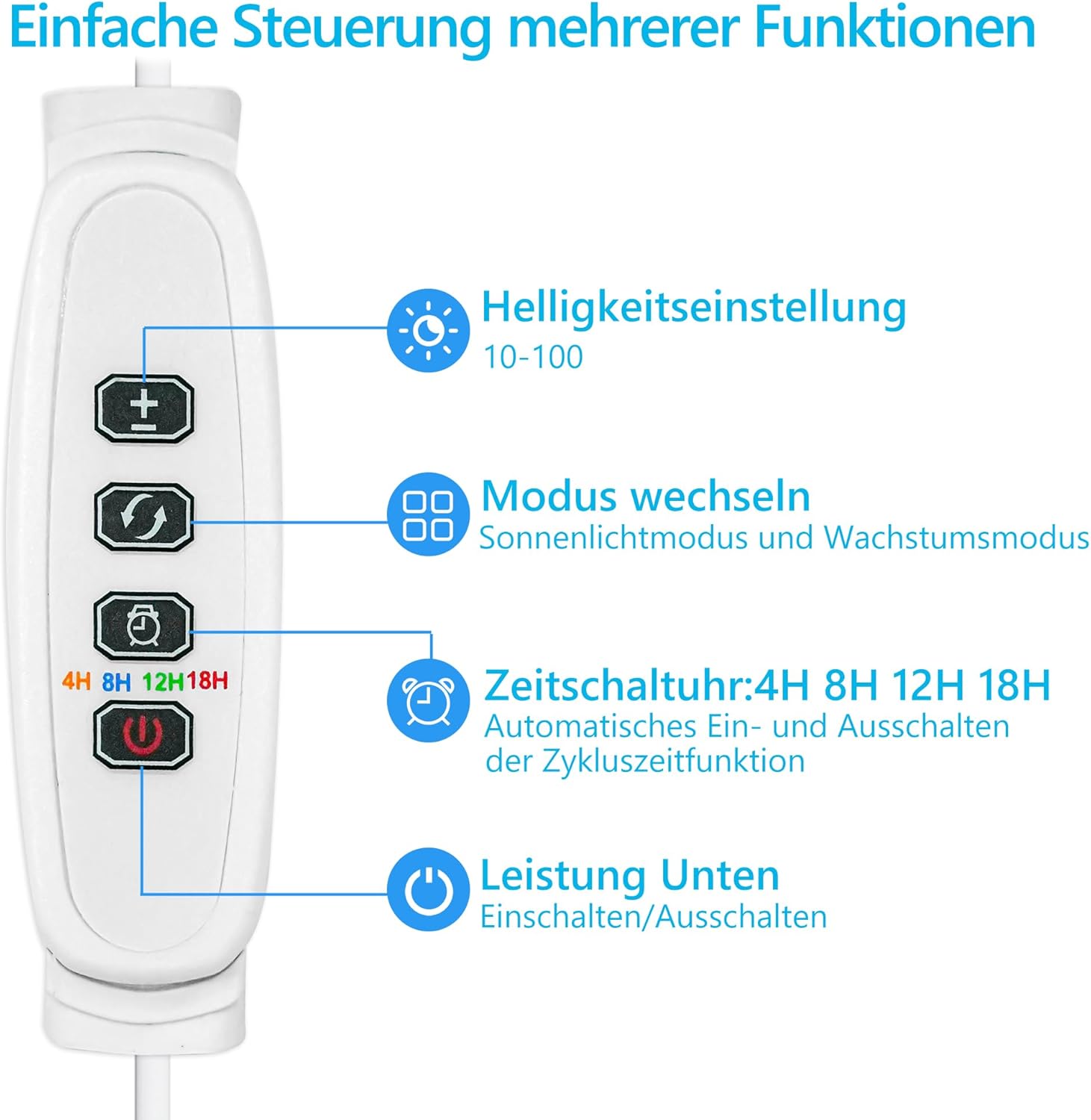
Image: Flexible usage options, showing the light detached and wrapped around a support.
Naudojimo instrukcijos
The Diivoo Grow Light features an intuitive control panel for easy operation.

Image: Control panel for the Diivoo LED Grow Light.
Valdymo skydelio funkcijos:
- Maitinimo mygtukas: Įjungia arba išjungia šviesą.
- Ryškumo reguliavimas (+/-): Adjusts the light intensity across 10 dimming levels, from 10% to 100%.
- Režimo perjungimo mygtukas: Toggles between Growth Mode and Daylight Mode.
- Laikmačio mygtukas: Sets the automatic timer for 4, 8, 12, or 18 hours. Once set, the light will automatically turn on and off at the same time each day.
Šviesos režimai:
- Growth Mode: This mode provides a Photosynthetic Photon Flux Density (PPFD) of 116 umol/m²/s. It accelerates photosynthesis, promoting vigorous plant growth. The optimized red, blue, and green light ratio (350-780nm wavelength) supports plant development while maintaining ornamental value.
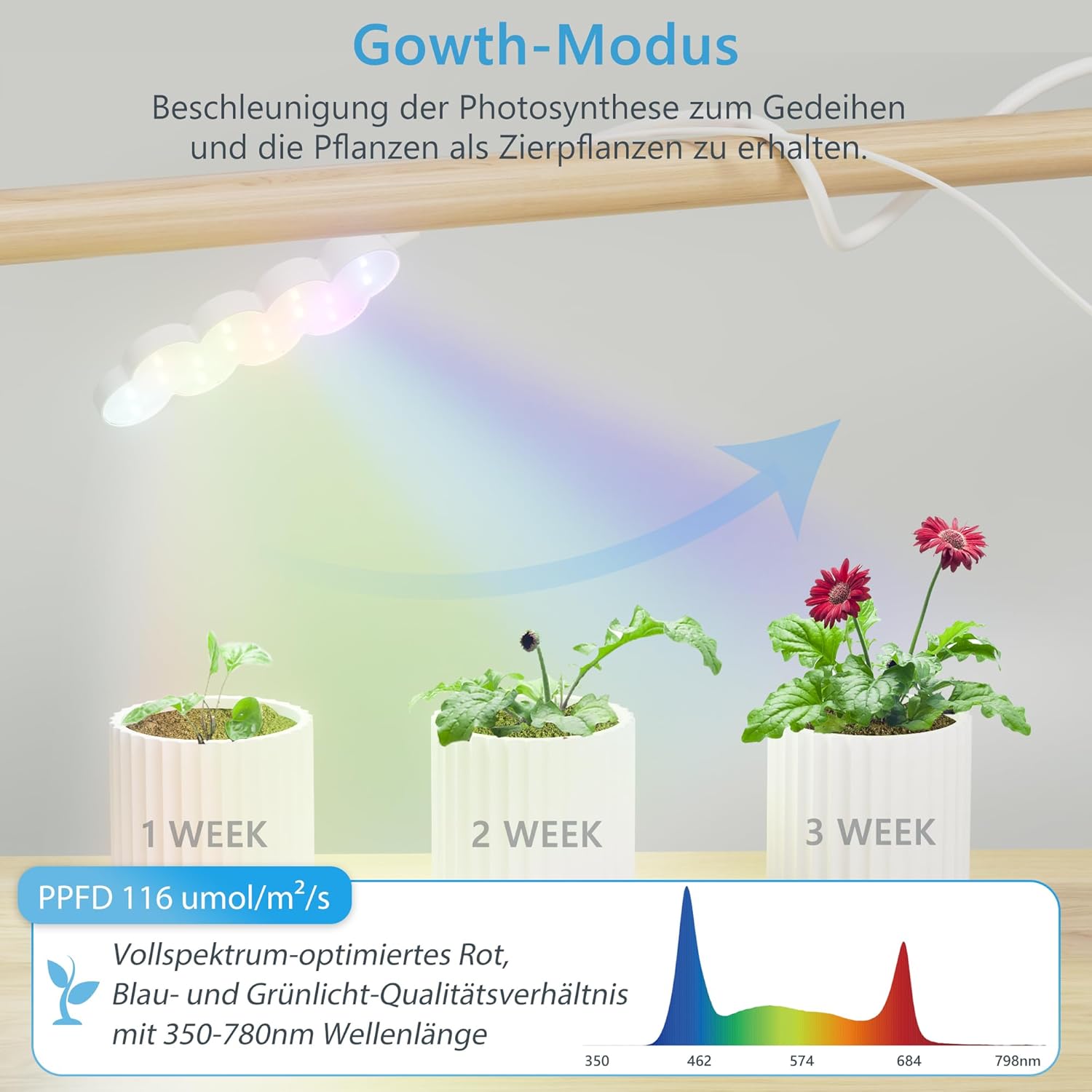
Image: Visual representation of Growth Mode, showing plant development over weeks and the light spectrum.
- Dienos šviesos režimas: This mode offers a PPFD of 84 umol/m²/s. With a Color Rendering Index (CRI) of 90 and a color temperature of 6000K, it accurately displays the natural colors of plants, enhancing their beauty. This mode is also designed to be comfortable for human eyes and suitable for indoor environments.

Image: Visual representation of Daylight Mode, highlighting color accuracy and the light spectrum.
Priežiūra
- Valymas: Ensure the light is unplugged before cleaning. Gently wipe the LED panel and the light's surface with a soft, dry cloth. Do not use abrasive cleaners or solvents.
- Saugykla: If storing the light for an extended period, ensure it is clean and dry. Store it in a cool, dry place away from direct sunlight.
- Kabelio priežiūra: Regularly check the USB cable for any signs of damage. If the cable is damaged, discontinue use and replace it with a suitable alternative.
Trikčių šalinimas
- Šviesa neįsijungia:
- Įsitikinkite, kad USB laidas tvirtai prijungtas ir prie šviesos, ir prie maitinimo šaltinio.
- Verify that the power source (USB adapter or port) is functional. Try a different USB port or adapter.
- Paspauskite valdymo pulto maitinimo mygtuką.
- Laikmatis neveikia:
- Ensure the timer setting (4/8/12/18H) is correctly selected.
- The timer function operates on a daily cycle from the moment it is set. If power is interrupted, you may need to reset the timer.
- Light Intensity Too Low/High:
- Use the brightness adjustment buttons (+/-) on the control panel to select one of the 10 dimming levels.
- Incorrect Light Spectrum:
- Use the mode switch button to toggle between Growth Mode and Daylight Mode to select the desired spectrum for your plants.
Specifikacijos
| Funkcija | Specifikacija |
|---|---|
| Prekės ženklas | Diivoo |
| Modelio numeris | DI-GL14M2-ALWH-A10B |
| Gaminio matmenys (I x P x A) | 35.5 x 11 x 2.5 cm |
| Prekės svoris | 280 gramų |
| Medžiaga | Plastikiniai |
| Spalva | Baltas |
| Lemputės tipas | LED |
| Lempučių skaičius | 1 |
| Vattage | 20 vatų |
| Color Temperature/Rendering | 6000 kelvinų |
| ttage | 230 voltai (kintamoji srovė) |
| Specifiniai naudojimo būdai | Augalų augimas |
| Ypatingos savybės | Corded, Dimmable, Timer |
| Įtraukti komponentai | USB kabelis |
| Perjungti stilių | Mygtukas |
| Diegimo tipas | Stalo laikiklis |
| Energijos etiketė | A |
Informacija apie garantiją
Specific warranty details for the Diivoo Full Spectrum LED Plant Grow Light are not provided in the product data. Please refer to the retailer's return policy or contact Diivoo customer support for information regarding warranty coverage and terms.
Information regarding spare parts availability and guaranteed software updates is also not available.
Palaikymas
For further assistance, product inquiries, or to explore other Diivoo products, please visit the official Diivoo store:


