Įvadas
Thank you for choosing the Tribesigns 200cm Double Computer Desk, Model NY069. This manual provides detailed instructions for assembly, safe operation, maintenance, and troubleshooting to ensure optimal use and longevity of your desk. Please read this manual thoroughly before assembly and use.

Image: The Tribesigns 200cm Double Computer Desk, showcasing its spacious design suitable for two workstations.
Saugos informacija
ĮSPĖJIMAS: Assemble the desk carefully according to the detailed instructions provided. Do not exceed the recommended weight of 140 kg (300 lbs) to prevent damage to the desk or injury. If children are present, ensure they are kept away from the assembly area and during desk use to prevent accidents.
- Always place the desk on a flat, stable surface.
- Nestokite ir nesėdėkite ant stalo.
- Surinkdami mažas dalis laikykite vaikams nepasiekiamoje vietoje.
- Reguliariai tikrinkite visus tvirtinimo elementus, kad jie būtų tvirtai pritvirtinti.
- Saugokite stalą nuo tiesioginių saulės spindulių ar ekstremalių temperatūrų.
Sąranka ir surinkimas
The Tribesigns 200cm Double Computer Desk is designed for straightforward assembly. All necessary hardware and detailed instructions are included. Please follow the steps below carefully.
Prieš pradėdami:
- Unpack all components and verify against the parts list (refer to included manual for specific part identifiers).
- Įsitikinkite, kad turite pakankamai vietos surinkimui.
- Gather any required tools (usually a screwdriver or Allen wrench, often included).
- Place a soft cloth or cardboard on the floor to prevent scratching the desk components during assembly.
Surinkimo žingsniai:
- Pritvirtinkite kojas prie rėmo: Secure the metal legs to the main frame components using the provided screws and Allen wrench. Ensure all connections are firm.
- Surinkite skersinius: Connect the horizontal crossbars between the leg frames to enhance stability.
- Place Desktop Panels: Carefully place the two desktop panels onto the assembled frame. Align the pre-drilled holes.
- Saugus darbalaukis: Fasten the desktop panels to the frame using the appropriate screws. Do not overtighten.
- Galutinis patikrinimas: Once assembled, gently lift and move the desk to its desired location. Ensure all connections are secure and the desk is stable.

Image: Illustration of the robust metal frame construction, highlighting stability features.
Naudojimas ir valdymas
The Tribesigns 200cm Double Computer Desk is designed for versatile use in home offices, study rooms, or shared workspaces.
- Erdvus darbinis paviršius: The 200 x 60 cm desktop provides ample space for multiple monitors, laptops, keyboards, and other office essentials.
- Dviejų asmenų dizainas: This desk comfortably accommodates two individuals, allowing for collaborative work or separate workstations side-by-side.
- Svorio talpa: Do not exceed the maximum recommended weight of 140 kg (300 lbs) evenly distributed across the desktop.
- Vieta: Position the desk in a well-lit area, away from direct heat sources or excessive moisture.
- Kabelių valdymas: Utilize cable ties or clips (not included) to organize power cords and data cables for a tidy workspace.
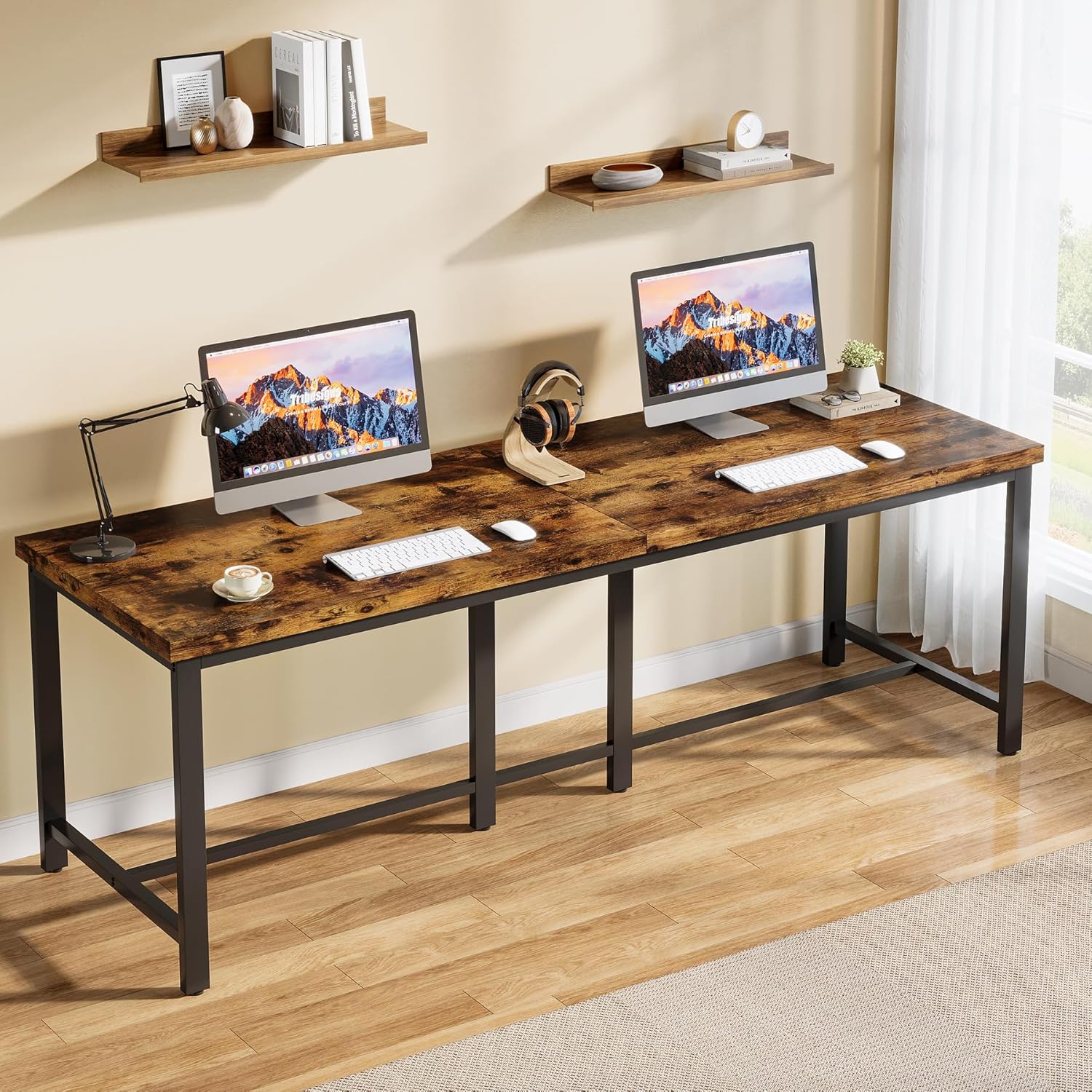
Image: The desk configured for two users, demonstrating ample space for individual setups.
Priežiūra
Tinkama priežiūra ir remontas prailgins jūsų „Tribesigns“ stalo tarnavimo laiką ir išvaizdą.
- Valymas: Nuvalykite stalo paviršių minkšta, damp šluoste. Venkite stiprių cheminių medžiagų ar abrazyvinių valiklių, kurie gali pažeisti apdailą.
- Išsiliejimai: Nedelsdami nuvalykite išsiliejusius skysčius, kad išvengtumėte dėmių ar pažeidimų ant inžinerinės medienos paviršiaus.
- Tvirtinimo detalės: Periodiškai patikrinkite visus varžtus ir veržles, ar jie gerai priveržti. Jei reikia, priveržkite, kad išlaikytumėte stabilumą.
- Apsauga: Use coasters for drinks and desk pads for heavy equipment or sharp objects to protect the surface.
- Venkite perkrovos: Adhere to the recommended weight capacity to prevent structural stress.
Trikčių šalinimas
If you encounter any issues with your Tribesigns desk, refer to the following common solutions.
| Problema | Galima priežastis | Sprendimas |
|---|---|---|
| Stalas nestabilus arba nestabilus. | Atsilaisvinusios tvirtinimo detalės; nelygios grindys. | Check and tighten all screws and bolts. Ensure the desk is on a level surface. Adjust leveling feet if present. |
| Surinkimo metu dalys netinka. | Neteisinga orientacija; panaudotos netinkamos dalys. | Review the assembly instructions carefully. Ensure parts are oriented correctly and you are using the right components for each step. |
| Paviršiaus įbrėžimai arba nedideli pažeidimai. | Aštrių daiktų smūgis; abrazyvinis valymas. | Use furniture repair markers or wood filler for minor scratches. Avoid abrasive cleaners. Use protective mats. |
Specifikacijos
Key specifications for the Tribesigns 200cm Double Computer Desk (Model NY069):
- Prekinis ženklas: Genties ženklai
- Modelio numeris: NY069
- Spalva: Vintage Brown + Black
- Product Dimensions (L x D x H): Maždaug 200 cm x 60 cm x 76.5 cm (78.7 x 23.6 x 30.1 colio)
- Svoris: Apytiksliai 23.13 kg (51 svaro)
- Medžiaga: Premium Particle Board (Engineered Wood) tabletop, Metal frame
- Svorio talpa: 140 kg (300 svaro)
- Dizainas: Industrial, Double Computer Desk
- Forma: Stačiakampis
- Apdailos tipas: Painted wood texture

Image: Technical drawing showing the dimensions of the desk.
Garantija ir palaikymas
For warranty information or support regarding your Tribesigns 200cm Double Computer Desk, please refer to the documentation included with your purchase or contact Tribesigns customer service directly.
Dažnai kontaktinę informaciją galite rasti oficialioje gamintojo svetainėje. website or through the retailer where the product was purchased. Please have your model number (NY069) and purchase date ready when contacting support.


