1. Įvadas
This manual provides detailed instructions for the setup, operation, maintenance, and troubleshooting of your Machenike K500-B94 Mechanical Keyboard. Please read this manual thoroughly before using the product to ensure proper functionality and longevity.
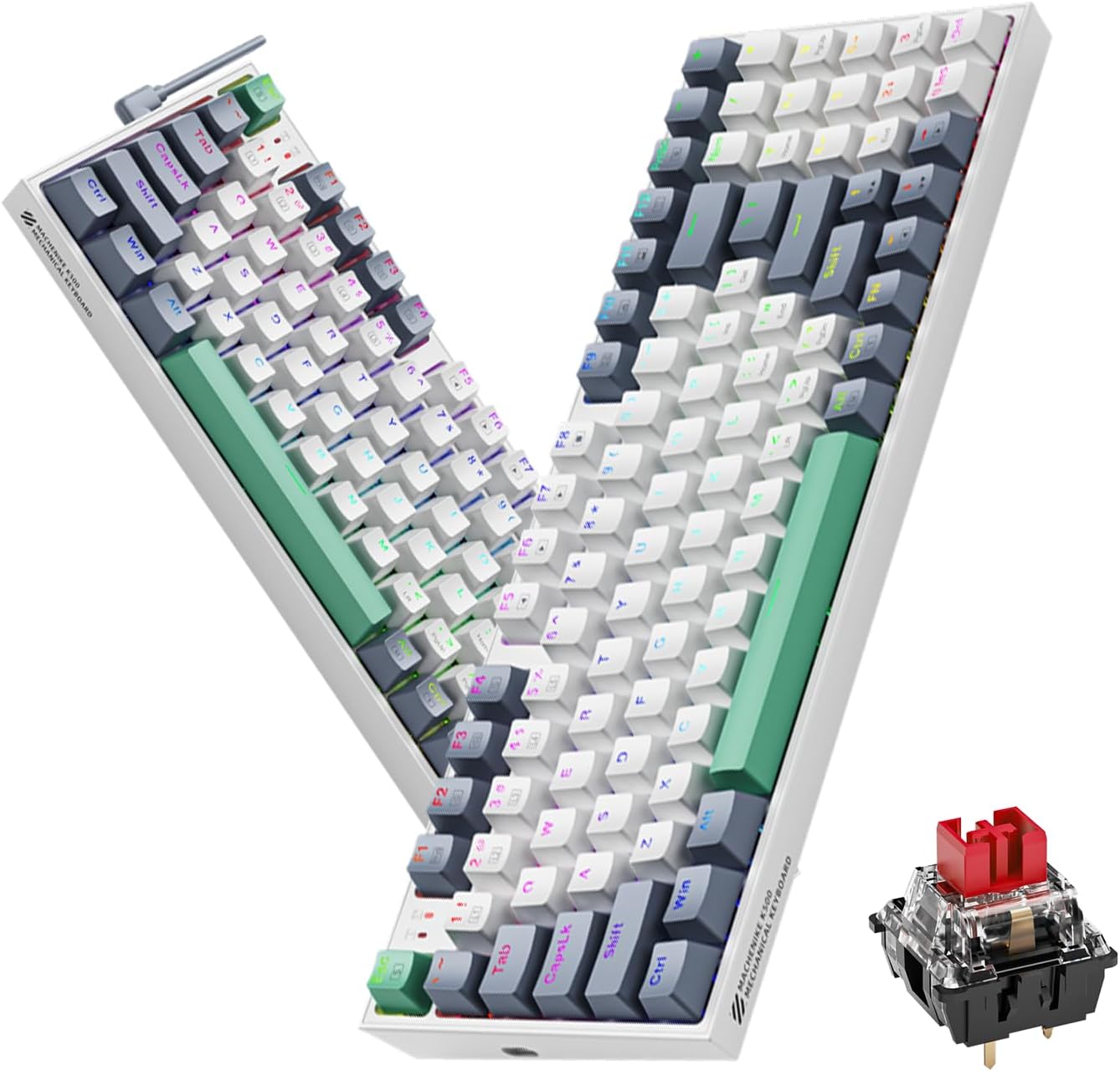
Image 1.1: The Machenike K500-B94 Mechanical Keyboard, showcasing its compact layout and a detailed view of a hot-swappable mechanical switch.
2. Pakuotės turinys
Patikrinkite, ar pakuotėje yra visi reikalingi daiktai:
- Machenike K500-B94 mechaninė klaviatūra
- Nuimamas C tipo USB laidas
- Klaviatūros dangtelio nuėmėjas (karšto keitimo jungikliams)
- Jungiklių ištraukiklis (karšto keitimo jungikliams)
- Vartotojo vadovas (šis dokumentas)
3. Sąrankos instrukcijos
- Išpakuokite klaviatūrą: Atsargiai išimkite klaviatūrą ir visus priedus iš pakuotės.
- Prijunkite USB kabelį: Insert the Type-C end of the provided USB cable into the port on the keyboard. Connect the standard USB-A end to an available USB port on your computer (PC, Desktop, All-in-one, or Notebook).
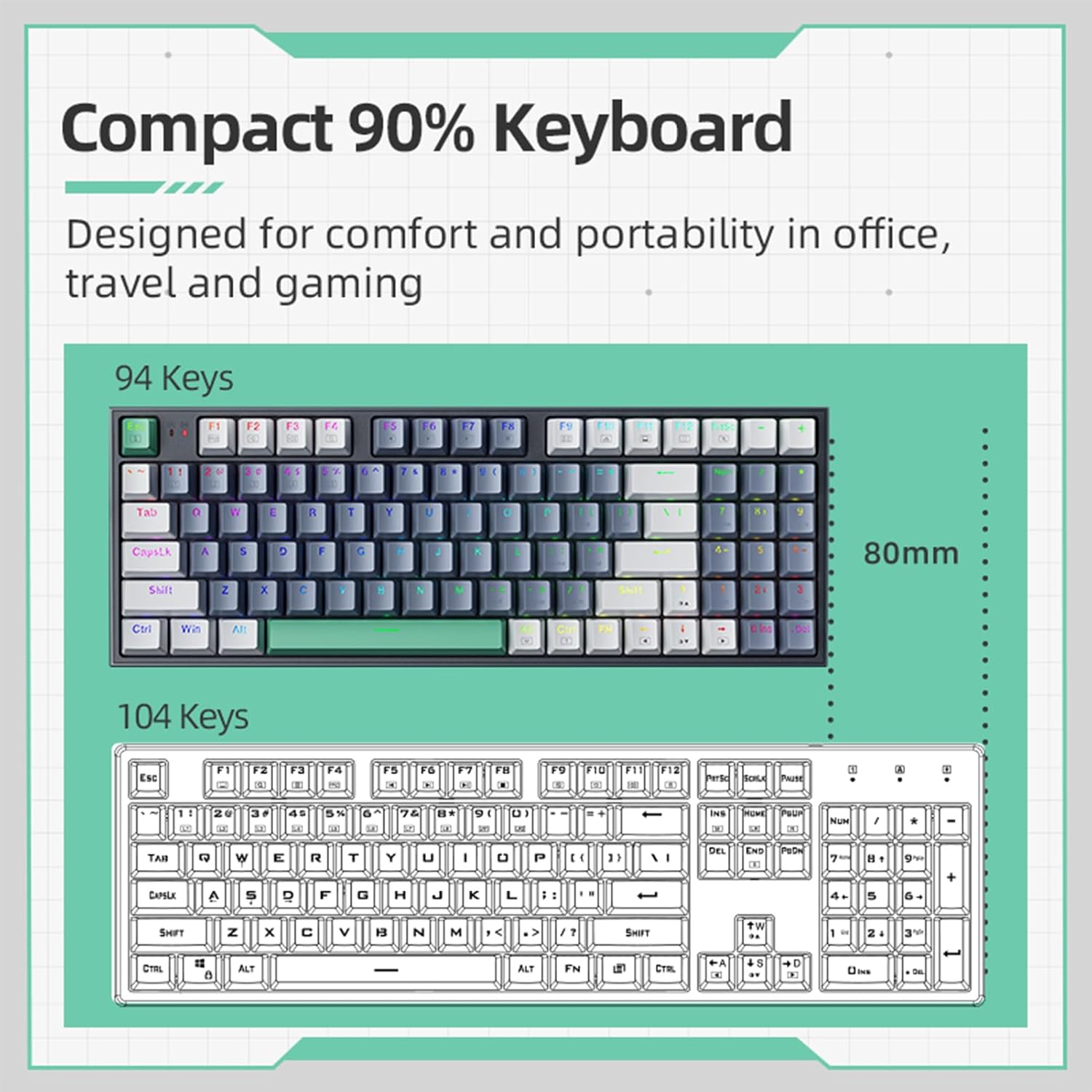
Image 3.1: Illustration of the detachable Type-C USB cable connection to the keyboard, highlighting its compatibility with various devices.
- Tvarkyklės diegimas: The keyboard is plug-and-play. Your operating system will automatically detect and install the necessary drivers. No additional software installation is required for basic functionality.
- Papildomos programinės įrangos diegimas: For advanced customization of RGB lighting and macros, download the official Machenike K500-B94 software from the official Machenike websvetainę.
4. Naudojimo instrukcijos
4.1. Pagrindinės klaviatūros funkcijos
The Machenike K500-B94 features a 94-key layout, providing a compact yet functional experience. All standard keyboard functions operate as expected.

Image 4.1: A visual representation of the Machenike K500-B94's 94-key compact layout, designed for comfort and portability.
4.2. RGB apšvietimo valdymas
The keyboard features customizable RGB backlighting. Use the dedicated function keys or the optional software to adjust lighting effects, brightness, and color.
- Ryškumo reguliavimas: Paprastai naudokite Fn + rodyklė aukštyn / žemyn raktus.
- Efektinis ciklas: Naudokite Fn + Right/Left Arrow keys to cycle through various lighting modes.
- Spalvos pasirinkimas: Some modes allow color changes via Fn + specialūs klavišai or through the software.

Image 4.2: Screenshot of the customizable software interface, demonstrating options for RGB lighting effects, brightness, speed, and color selection.
4.3. Karšto keitimo jungikliai
The Machenike K500-B94 features hot-swappable switches, allowing users to change mechanical switches without soldering. This enables customization of typing feel and sound.

4.3 paveikslėlis: Išsamus view of the keyboard with several keycaps and switches removed, illustrating the hot-swappable switch sockets for easy replacement.
Norėdami pakeisti jungiklį:
- Norėdami švelniai nuimti norimą klavišo dangtelį, naudokite pateiktą klavišo dangtelio traukiklį.
- Naudodami pateiktą jungiklio traukiklį, atsargiai suimkite jungiklį ir patraukite jį tiesiai aukštyn.
- Sulygiuokite naujo jungiklio kaiščius su spausdintinės plokštės skylėmis ir tvirtai paspauskite jį į vietą, kol pasigirs spragtelėjimas.
- Vėl uždėkite klaviatūros dangtelį.
5. Priežiūra
5.1. Klaviatūros valymas
- Prieš valydami atjunkite klaviatūrą nuo kompiuterio.
- Norėdami kruopščiai išvalyti, nuimkite klavišų dangtelius specialiu raktu.
- Norėdami pašalinti dulkes ir šiukšles iš tarpų tarp klavišų, naudokite suslėgtą orą.
- Wipe keycaps and the keyboard surface with a soft, damp audinys. Venkite stiprių cheminių medžiagų.
- Ensure all parts are completely dry before reattaching keycaps and reconnecting the keyboard.
5.2. Kabelių valdymas
The detachable Type-C cable allows for easy replacement and storage. Ensure the cable is not kinked or excessively bent to prevent damage.
6. Problemų sprendimas
- Klaviatūra nereaguoja:
- Įsitikinkite, kad USB laidas yra tvirtai prijungtas prie klaviatūros ir kompiuterio.
- Pabandykite prijungti klaviatūrą prie kito kompiuterio USB prievado.
- Išbandykite klaviatūrą kitame kompiuteryje, kad atmestumėte su kompiuteriu susijusią problemą.
- Iš naujo paleiskite kompiuterį.
- RGB apšvietimas neveikia arba yra netinkamas:
- Check if the lighting is turned off via keyboard shortcuts (e.g., Fn + specific key).
- If using the software, ensure it is running and configured correctly.
- Reinstall the optional software if issues persist.
- Neveikia tam tikri klavišai:
- Due to the hot-swappable design, a switch might be improperly seated. Gently remove the keycap and switch, then reinsert the switch firmly.
- If a switch is faulty, replace it with a new one using the provided tools.
7. Specifikacijos
| Funkcija | Detalė |
|---|---|
| Prekės ženklas | Machenike |
| Modelio numeris | K500-B94 |
| Spalva | Baltas |
| Ryšio technologija | USB (Detachable Type-C) |
| Raktų skaičius | 94 |
| Klaviatūros aprašymas | Mechanical, Hot-Swappable |
| Produkto svoris | 830 g |
| Suderinami įrenginiai | PC |
8. Garantija ir palaikymas
„Machenike“ produktai sukurti patikimumui ir našumui užtikrinti. Dėl garantijos informacijos ir techninės pagalbos kreipkitės į oficialią „Machenike“ svetainę. websvetainėje arba susisiekite tiesiogiai su jų klientų aptarnavimo tarnyba.
Išsaugokite pirkimo kvitą kaip pirkimo įrodymą garantiniams reikalavimams.
Norėdami gauti papildomos pagalbos, apsilankykite: www.machenike.com


