Įvadas
Thank you for choosing the HiFuture EVENT Bluetooth Speaker. This powerful and portable speaker is designed to deliver exceptional audio quality with vibrant RGB lighting, making it perfect for any event or gathering. This manual provides detailed instructions to help you set up, operate, and maintain your speaker for optimal performance.
Produktas baigtasview

1 pav.: priekis view of the HiFuture EVENT Bluetooth Speaker, showcasing its sleek black design and dynamic RGB light ring.

Figure 2: An illustrative diagram highlighting the main features of the HiFuture EVENT speaker, including dual DSP, multiple audio inputs, dual-directional sound system, 50W woofer + 30W tweeter, RGB lights, TWS connection option, bass boost function, and power bank functionality.

3 pav. Iš arti view of the speaker's internal components, specifically pointing out the 50W Woofer and 30W Tweeter, which contribute to its powerful 80W sound output.

Figure 4: An internal diagram demonstrating the speaker's optimized acoustic design for deep and impactful bass, including the bass port and vibration suppression features.
Pagrindinės savybės
- Galinga garso išvestis: Equipped with a 50W woofer and 30W tweeter for a total of 80W RMS output, with a maximum peak power of 180 Watts, delivering rich and clear stereo sound.
- Bluetooth ryšys: Sklandus belaidis ryšys su jūsų įrenginiais.
- Dinaminis RGB apšvietimas: Enhance your listening experience with vibrant, rhythm-synced RGB lights.
- Dual DSP & Multiple Audio Inputs: Advanced Digital Signal Processing for optimized sound and versatile connectivity options.
- Tikrojo belaidžio stereo (TWS) palaikymas: Connect two EVENT speakers for an immersive stereo sound experience.
- Bosų sustiprinimo funkcija: Dedicated feature to amplify low frequencies for deeper bass.
- Maitinimo banko funkcija: Use the speaker to charge your other devices on the go.
- Nešiojamas dizainas: Durable acrylic material and table-mount type for easy placement and transport, designed for parties and various events.
Sąrankos vadovas
1. Išpakavimas ir pradinis įkrovimas
- Atsargiai išimkite garsiakalbį ir visus priedus iš pakuotės.
- Inspect the speaker for any signs of damage.
- Before first use, fully charge the speaker using the provided charging cable. The battery life is approximately 4 hours on a full charge.
2. Įjungimas/išjungimas
- To power on, press and hold the Power button (location typically on the back or top panel) for a few seconds until you hear an audible prompt or see the indicator lights illuminate.
- Norėdami išjungti, dar kartą paspauskite ir palaikykite nuspaudę maitinimo mygtuką, kol garsiakalbis išsijungs.
Naudojimo instrukcijos
1. „Bluetooth“ poravimas
- Ensure the speaker is powered on and in Bluetooth pairing mode (usually indicated by a blinking LED light). If not, press the Bluetooth button to activate pairing mode.
- Savo įrenginyje (išmaniajame telefone, planšetiniame kompiuteryje, kompiuteryje) eikite į „Bluetooth“ nustatymus ir įjunkite „Bluetooth“.
- Ieškokite available devices. You should see "HiFuture EVENT" in the list.
- Select "HiFuture EVENT" to connect. Once connected, the speaker will provide an audible confirmation, and the LED light will become solid.
- Dabar galite leisti garsą iš savo įrenginio per garsiakalbį.
2. Tikrojo belaidžio stereo (TWS) susiejimas
To pair two HiFuture EVENT speakers for a stereo experience:
- Įsitikinkite, kad abu garsiakalbiai įjungti ir neprijungti prie jokio kito „Bluetooth“ įrenginio.
- On one speaker (this will be the primary speaker), press and hold the TWS button (refer to your speaker's button layout if unsure).
- The primary speaker will search for the secondary speaker. Once connected, both speakers will provide an audible confirmation.
- Dabar prijunkite įrenginį prie pagrindinio garsiakalbio per „Bluetooth“, kaip aprašyta skyriuje „„Bluetooth“ susiejimas“. Garsas bus grojamas stereo garsu per abu garsiakalbius.
3. Valdikliai ir funkcijos
- Garsumo valdymas: Use the volume buttons (+/-) on the speaker or your connected device.
- Leisti / pristabdyti: Norėdami paleisti arba pristabdyti garso įrašą, vieną kartą paspauskite mygtuką „Groti / pristabdyti“.
- Praleisti takelius: Double-press the Next Track button to skip forward, or the Previous Track button to skip backward.
- RGB apšvietimo valdymas: Press the Light button to cycle through different lighting modes or turn the lights off.
- Žemų dažnių stiprinimas: Press the Bass Boost button to activate or deactivate the enhanced bass mode.
- Maitinimo banko funkcija: Connect your device to the speaker's USB output port to charge it.

Figure 5: The HiFuture EVENT speaker displaying its vibrant RGB lighting, which can be controlled to match your mood or music.
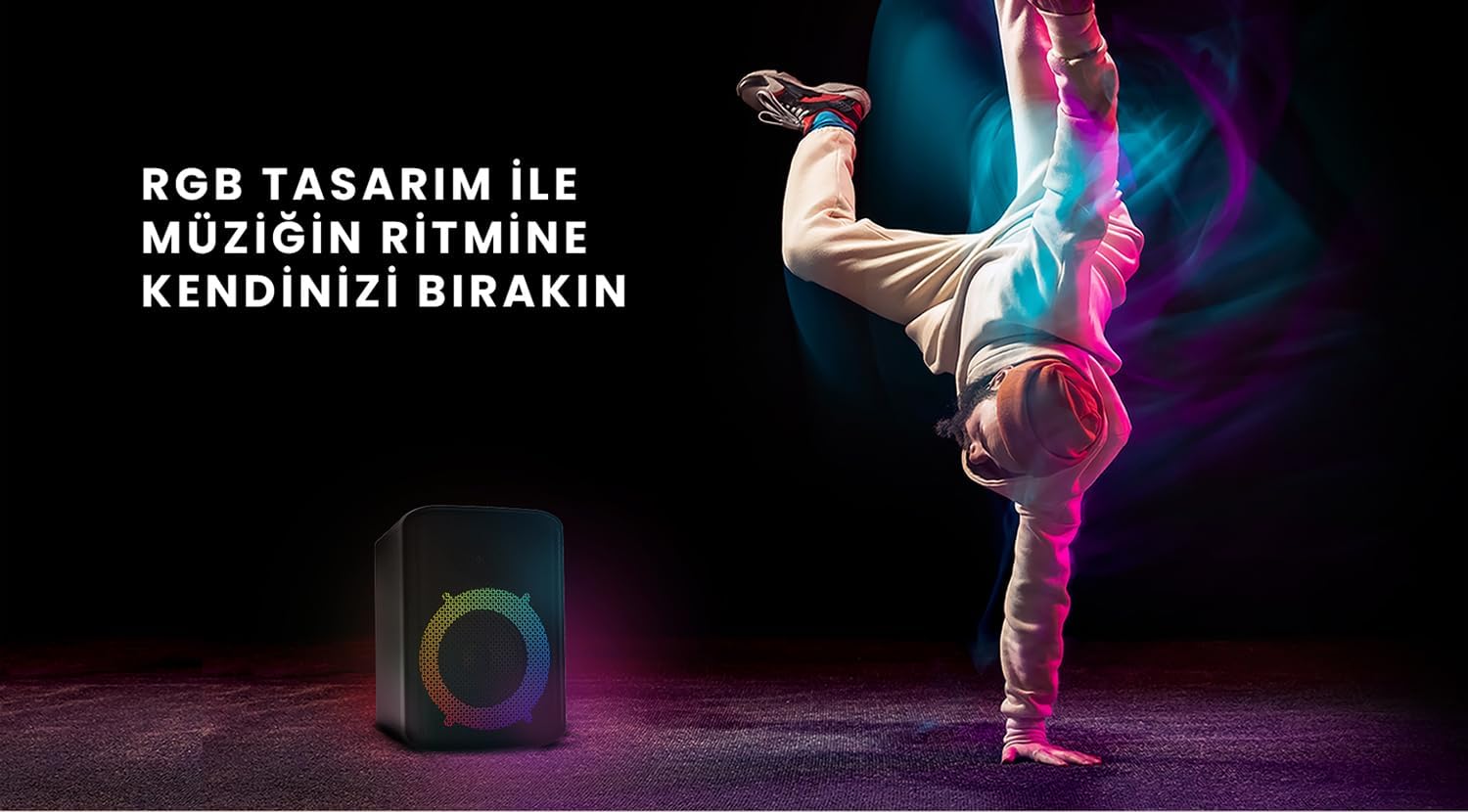
Figure 6: The HiFuture EVENT speaker in a dynamic setting, emphasizing how its RGB lighting enhances the atmosphere for parties and events.
Priežiūra
- Valymas: Garsiakalbio paviršių nuvalykite minkšta, sausa šluoste. Nenaudokite abrazyvinių valiklių ar tirpiklių.
- Saugykla: Garsiakalbį laikykite vėsioje, sausoje vietoje, toliau nuo tiesioginių saulės spindulių ir ekstremalių temperatūrų.
- Akumuliatoriaus priežiūra: Norėdami pailginti akumuliatoriaus veikimo laiką, venkite dažnai visiškai jį iškrauti. Reguliariai jį įkraukite, net jei ilgą laiką nenaudojate.
- Atsparumas vandeniui: While designed for portability, avoid exposing the speaker to excessive moisture or submerging it in water unless explicitly stated as waterproof.
Trikčių šalinimas
| Problema | Galimas sprendimas |
|---|---|
| Garsiakalbis neįsijungia. | Įsitikinkite, kad garsiakalbis yra visiškai įkrautas. Prijunkite jį prie maitinimo šaltinio ir bandykite dar kartą. |
| Nepavyksta susieti per „Bluetooth“. |
|
| Nėra garso arba garsas per mažas. |
|
| RGB lemputės neveikia. | Press the Light button to cycle through modes or turn them on. Ensure the speaker is powered on. |
Specifikacijos
| Funkcija | Detalė |
|---|---|
| Prekės ženklas | HiFuture |
| Modelis | ĮVYKIS |
| Maksimali garsiakalbio išvesties galia | 180 Watts (Peak), 80W RMS (50W Woofer + 30W Tweeter) |
| Ryšio technologija | Bluetooth |
| Garso išvesties režimas | Stereo |
| Montavimo tipas | Stalo laikiklis |
| Medžiaga | Akrilas |
| Garsiakalbio tipas | Multimedija |
| Suderinami įrenginiai | Bluetooth-enabled devices (e.g., smartphones, tablets) |
| Spalva | Juoda |
| Baterijos veikimo laikas | Iki 4 valandų |
Garantija ir palaikymas
The HiFuture EVENT Bluetooth Speaker comes with a standard manufacturer's warranty. Please refer to the warranty card included in your product packaging for specific terms and conditions. For technical support, troubleshooting assistance, or warranty claims, please contact HiFuture customer service through their official websvetainėje arba mažmenininke, iš kurio įsigijote produktą.


