1. Įvadas
The OTOFIX D1 is an advanced ECU Coding Diagnostic Scanner designed for comprehensive automotive diagnostics. It offers a wide range of functions including OE-level all systems diagnosis, bi-directional control (active tests), 40+ maintenance services, ECU online coding, and support for new protocols like CAN FD & DoIP. This manual provides detailed instructions for setting up, operating, maintaining, and troubleshooting your OTOFIX D1 scanner.

Figure 1: OTOFIX D1 Diagnostic Scanner with key features highlighted.
2. Kas yra dėžutėje
Verify that all items listed below are included in your OTOFIX D1 package:
- 1 x OTOFIX D1 Main Unit (Tablet)
- 1 x OTOFIX V1 (Vehicle Communication Interface)
- 1x maitinimo adapteris
- 1 x USB to Ethernet Adapter
- 1 x Greitos pradžios vadovas
- 1 x Pakavimo sąrašas
- 1 x C tipo USB laidas
- 1 x nešiojimo dėklas
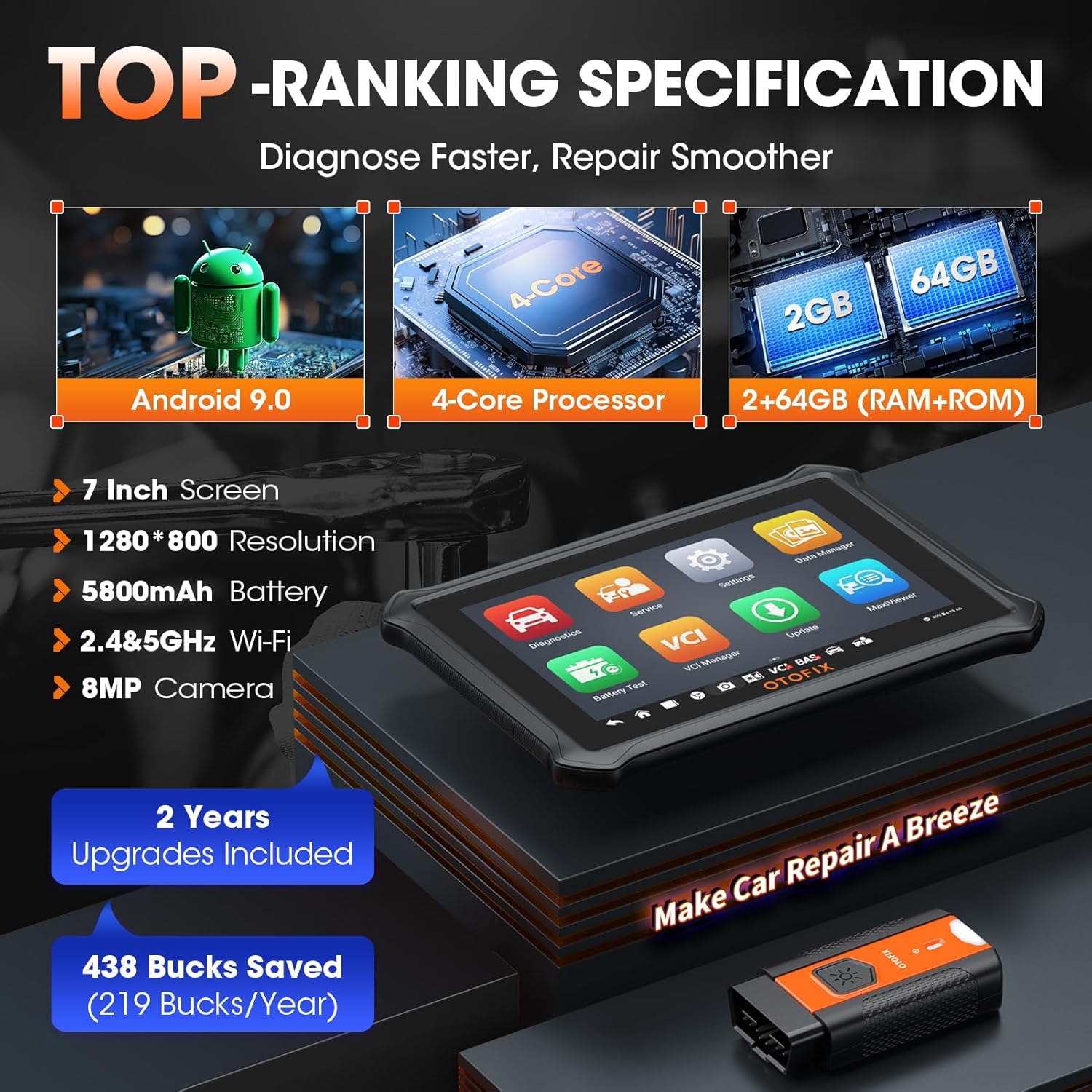
Figure 2: Contents of the OTOFIX D1 package.
3. Sąranka
3.1 VCI prijungimas
The OTOFIX V1 Vehicle Communication Interface (VCI) connects the D1 tablet to your vehicle's OBDII port. Locate the OBDII port, typically under the dashboard on the driver's side. Insert the VCI securely into the port. The VCI will illuminate to indicate a successful connection.
Video 1: Demonstrates the process of inserting the OTOFIX VCI into a vehicle's OBDII port and initiating a diagnostic session, including automatic VIN reading and vehicle selection.
3.2 Pradinis įjungimas ir tinklo prijungimas
Power on the OTOFIX D1 tablet. Upon first use or after a factory reset, you will be guided through the initial setup process, including selecting your language and connecting to a Wi-Fi network. A stable internet connection is crucial for software updates and online functions.
3.3 Programinės įrangos naujiniai
It is highly recommended to update the scanner's software regularly to ensure optimal performance, access to the latest vehicle coverage, and new features. The OTOFIX D1 includes 2 years of free software updates. Connect the device to Wi-Fi and navigate to the 'Update' section on the main menu to download and install available updates.
4. Naudojimo instrukcijos
4.1 OE-Level All Systems Diagnosis
The OTOFIX D1 can troubleshoot all vehicle systems, including engine, transmission, body, and chassis. This function allows you to read and clear diagnostic trouble codes (DTCs), view live data streams, and perform actuation tests across all diagnosable Electronic Control Units (ECUs).
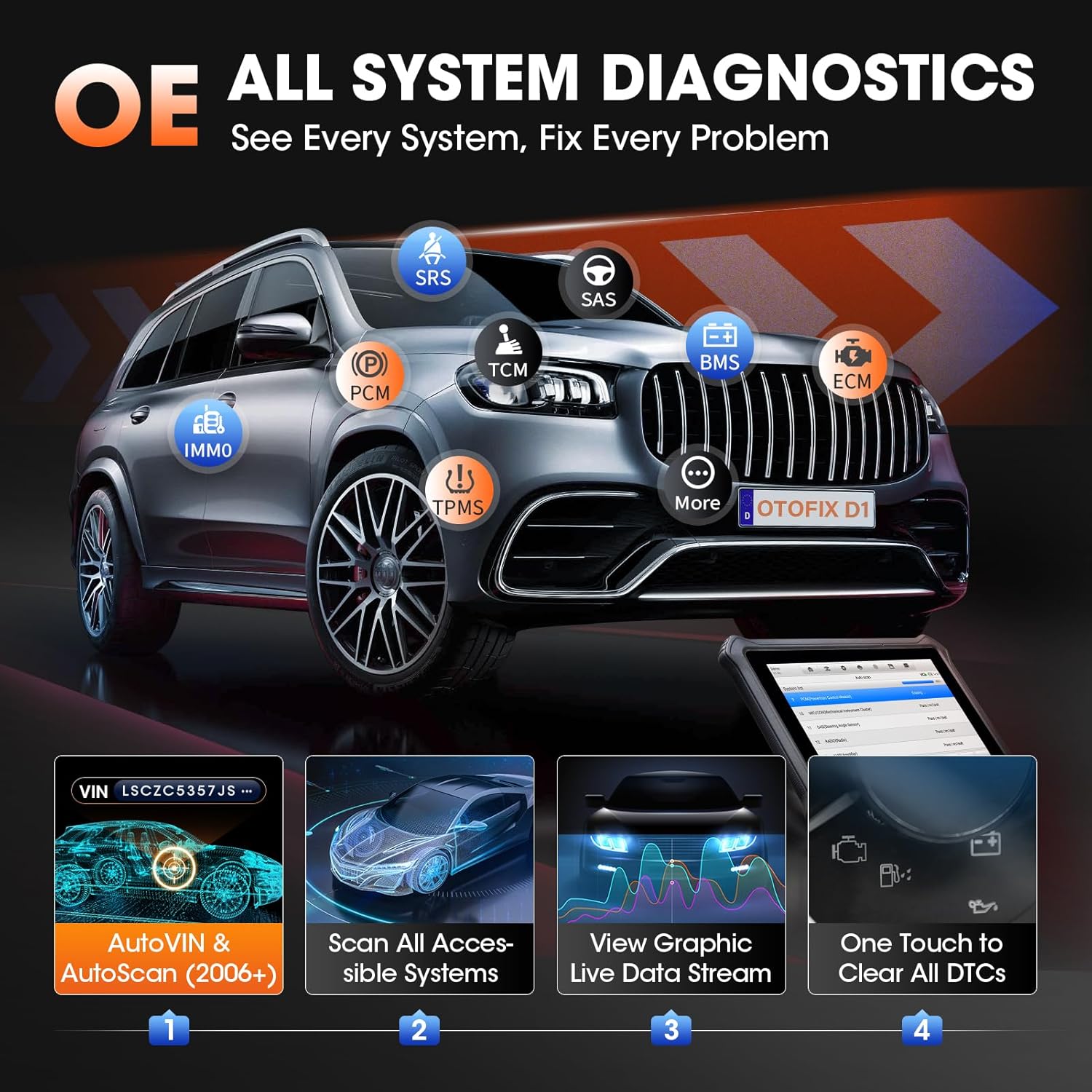
Figure 3: Visual representation of the OTOFIX D1 performing OE-level all systems diagnosis, highlighting various vehicle modules.
4.2 One-Click AutoVIN & AutoScan
This feature allows for quick and easy identification of your vehicle by automatically reading the Vehicle Identification Number (VIN) and scanning all diagnosable ECUs with a single click. This streamlines the diagnostic process, especially for newer vehicle models (2006+).

Figure 4: Illustration of the one-touch AutoVIN and AutoScan function, showing automatic VIN detection and system scanning.
4.3 ECU kodavimas
The OTOFIX D1 supports ECU Coding, enabling advanced functionalities such as online coding (for VW/Audi/Skoda), variant coding/offline programming, flashing hidden functions, resetting adaptive data, matching replaced components, and customizing OE-settings. This allows for vehicle personalization and adaptation after component replacement.
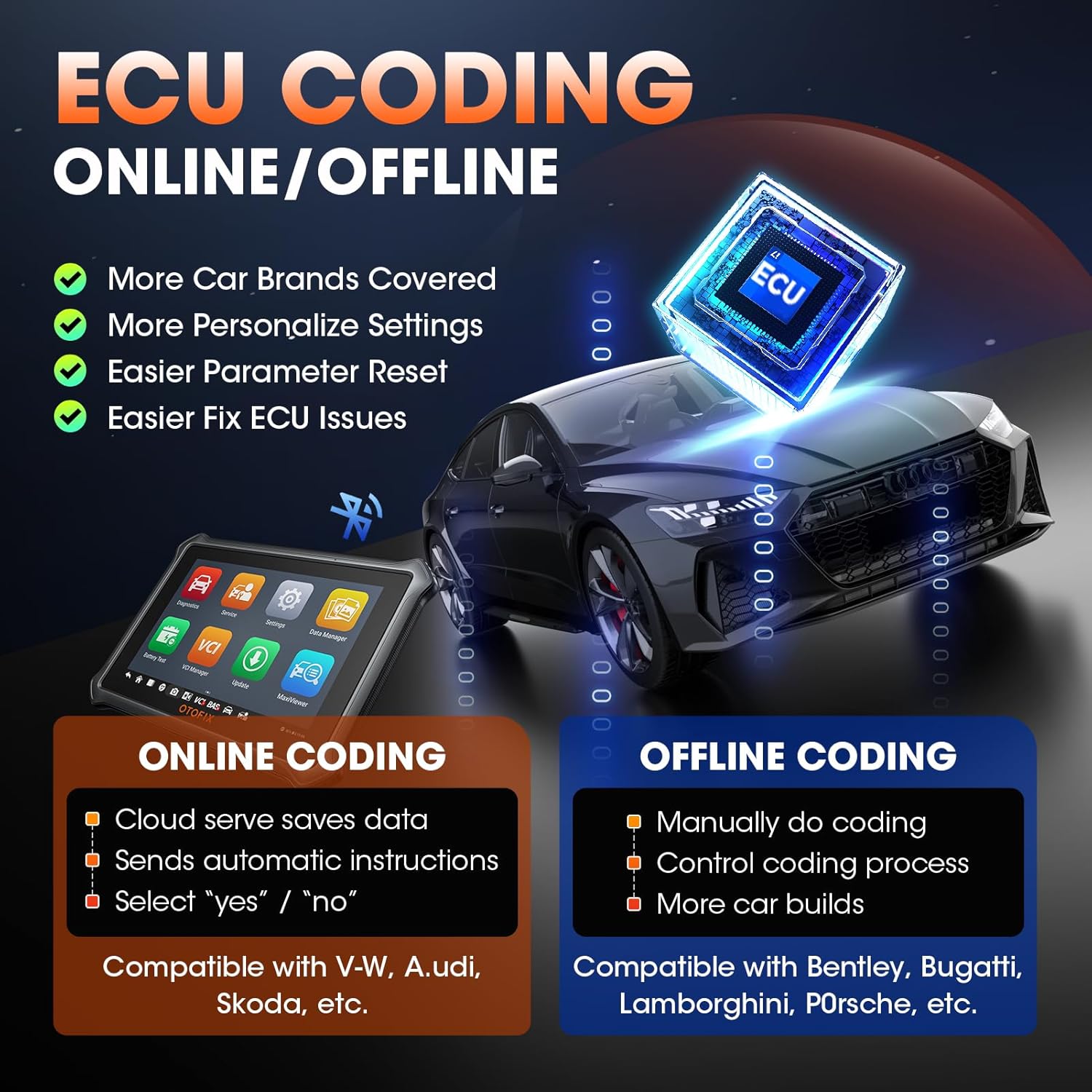
Figure 5: Diagram explaining online and offline ECU coding capabilities.
4.4 Dvipusis valdymas (aktyvūs bandymai)
Perform powerful active tests on car subsystems to quickly identify faulty components. This includes functions like turning the cooling fan on/off, energizing injectors, cycling ABS pump motors, and more. This feature significantly improves diagnostic efficiency.

Figure 6: Depiction of bi-directional control, showing the scanner sending commands and receiving feedback from vehicle components.
4.5 Maintenance Functions (40+ Services)
The D1 offers over 40 common maintenance and reset functions, including Oil Reset, Electronic Parking Brake (EPB), Tire Pressure Monitoring System (TPMS), Battery Management System (BMS), SAS Calibration, ABS Bleeding, Injector Coding, Gearbox Match, and more. These functions assist in routine vehicle servicing and component replacement.
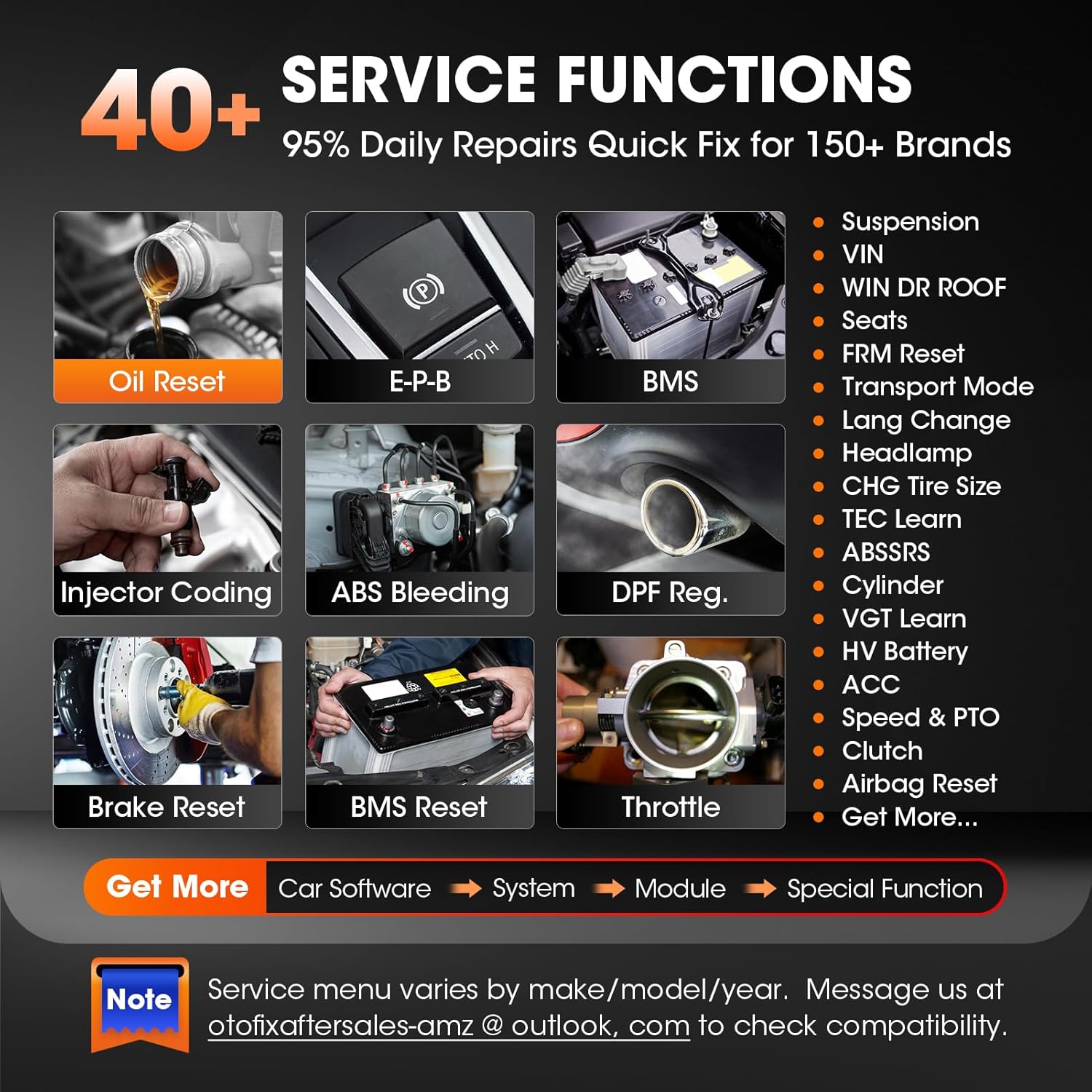
7 pav. Pvzamples of the 40+ service functions available on the OTOFIX D1.
4.6 CAN FD & DoIP Support
The OTOFIX D1 supports the latest CAN FD and DoIP protocols, enabling faster communication and compatibility with a wider range of modern vehicle models without requiring special adapters.

Figure 8: Illustrates compatibility with CAN FD and DoIP protocols for various vehicle brands.
4.7 VAG Guided Function
For VAG Group vehicles (VW, Audi, Skoda, Seat), the D1 provides guided functions that lead you through complex diagnostic and service procedures step-by-step, simplifying operations that might otherwise require extensive technical knowledge.

Figure 9: Shows the guided function interface for VAG vehicles, simplifying complex diagnostic processes.
4.8 Duomenų valdymas ir ataskaitų teikimas
The OTOFIX D1 allows for comprehensive data management, including recording and replaying live data streams in various formats (analog, plain text, waveform graph, digital gauge). Diagnostic reports can be uploaded to OTOFIX Cloud and shared with customers via QR code, email, or text message.

Figure 10: Display of multiple PIDs (Parameter IDs) in a graphic live data stream, showing real-time vehicle sensor information.
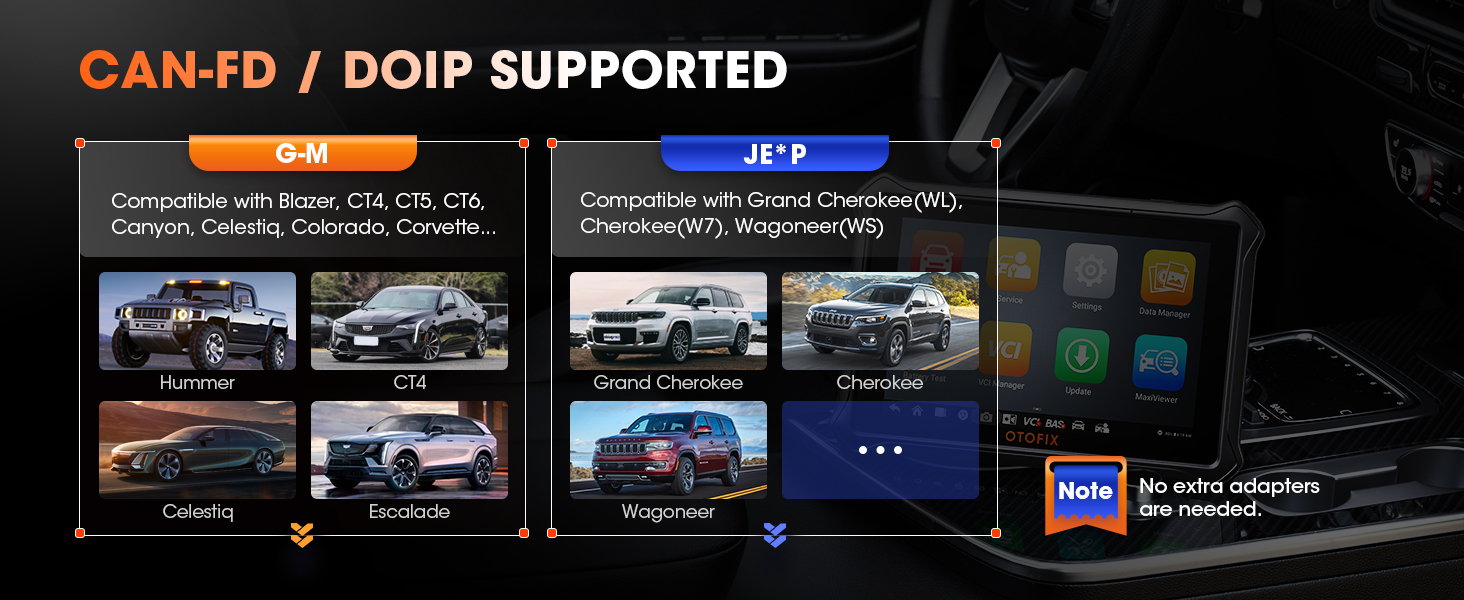
Figure 11: Illustration of OTOFIX Cloud Management, allowing access to diagnostic reports from various smart devices.
5. Priežiūra
5.1 Programinės įrangos naujiniai
Regular software updates are critical for maintaining the scanner's functionality and expanding its vehicle coverage. Ensure your device is connected to a stable internet connection and check for updates frequently via the 'Update' icon on the main menu. Updates provide new features, bug fixes, and support for newer vehicle models.
5.2 Valymas ir laikymas
Keep the OTOFIX D1 tablet and VCI clean by wiping them with a soft, damp cloth. Avoid using abrasive cleaners or solvents. Store the device in its original carrying case in a dry, cool environment when not in use to protect it from dust, moisture, and physical damage.
6. Problemų sprendimas
If you encounter issues with your OTOFIX D1 scanner, consider the following general troubleshooting steps:
- Įrenginys neįsijungia: Ensure the battery is charged or the device is connected to a power source. Check the power adapter and cable for damage.
- VCI ryšio problemos: Verify the VCI is securely plugged into the vehicle's OBDII port. Ensure the vehicle's ignition is on. Check Bluetooth or USB connection between the tablet and VCI.
- Ryšio klaidos: Confirm the vehicle's ignition is on. Ensure the VCI is properly connected. Try restarting both the scanner and the vehicle. Check for any blown fuses in the vehicle's OBDII circuit.
- Software Freezes/Crashes: Restart the tablet. Ensure the software is up-to-date. If the issue persists, perform a factory reset (note: this will erase user data, back up important information first).
- Funkcija nepasiekiama: Verify vehicle compatibility for the specific function. Some advanced functions may not be supported on all vehicle makes, models, or years. Ensure the software is updated.
For specific error codes or persistent issues, refer to the device's on-screen prompts or contact OTOFIX customer support.
7. Specifikacijos
| Funkcija | Specifikacija |
|---|---|
| Prekės ženklas | OTOFIX |
| Modelis | OTOFIX D1 Scanner |
| Operacinė sistema | Android 9.0 |
| Procesorius | 4x ARM Cortex-A35 (1.5GHz) |
| Atmintis | 2 GB RAM ir 64 GB ROM |
| Ekranas | 7" LCD, 1280x800 resolution |
| Baterija | 5800 mAh ličio polimeras |
| Ryšys | 5G & 2.4 GHz Dual WiFi, Bluetooth 5.0, USB |
| Palaikomi protokolai | CAN FD, DoIP |
| Fotoaparatas | 8 MP galinis |
| Prekės svoris | 3.99 svaro |
| Gaminio matmenys | 8.15 x 5.67 x 0.58 colio |
8. Garantija ir palaikymas
8.1 Informacija apie garantiją
The OTOFIX D1 ECU Coding Diagnostic Scanner comes with a 2-Year US Warranty, covering manufacturing defects and ensuring reliable operation. Please retain your proof of purchase for warranty claims.
8.2 Programinės įrangos naujiniai
Mėgaukitės 2 Years of Free Software Updates from the date of purchase. Regular updates provide access to the latest vehicle models, diagnostic functions, and performance enhancements.
8.3 Grąžinimo politika
A 30 dienų grąžinimo politika is available for this product. Please refer to the retailer's specific return guidelines for details.
8.4 Pagalba klientams
For technical assistance, product inquiries, or warranty support, please contact OTOFIX customer service:
- El. paštas: otofixaftersales-amz@outlook.com
- Prieinamumas: Monday - Friday, 9:00 AM - 6:00 PM EST. 24/7 support is also available via email.
You can also refer to the official PDF user manual for more detailed information: OTOFIX D1 User Manual (PDF)


