Įvadas
This instruction manual provides essential information for the safe and efficient use of your Mobo Power Bank Sun 10000 mAh portable charger. Please read this manual thoroughly before using the product and retain it for future reference.
Saugos informacija
- Nelaikykite išorinės baterijos ekstremaliose temperatūrose, tiesioginiuose saulės spinduliuose ar ugnies vietoje.
- Nemerkite išorinės baterijos į vandenį ar kitus skysčius.
- Saugokitės, kad maitinimo blokas nenukristų arba nepaveiktų stipraus smūgio.
- Nebandykite ardyti, remontuoti ar modifikuoti išorinės baterijos. Tai gali panaikinti garantiją ir kelti pavojų saugumui.
- Laikyti vaikams nepasiekiamoje vietoje.
- Naudokite tik suderinamus įkrovimo laidus ir adapterius.
- If the power bank shows signs of damage, overheating, or unusual behavior, discontinue use immediately.
Pakuotės turinys
- Mobo Power Bank Sun 10000 mAh (Model: MBPB-20A)
- Mikro USB įkrovimo laidas
- Vartotojo vadovas (šis dokumentas)
Produktas baigtasview
The Mobo Power Bank Sun is a compact and high-capacity portable charger designed to provide power to your electronic devices on the go. It features multiple output ports for versatile charging.

1 paveikslas: Apskritai view of the Mobo Power Bank Sun 10000 mAh.
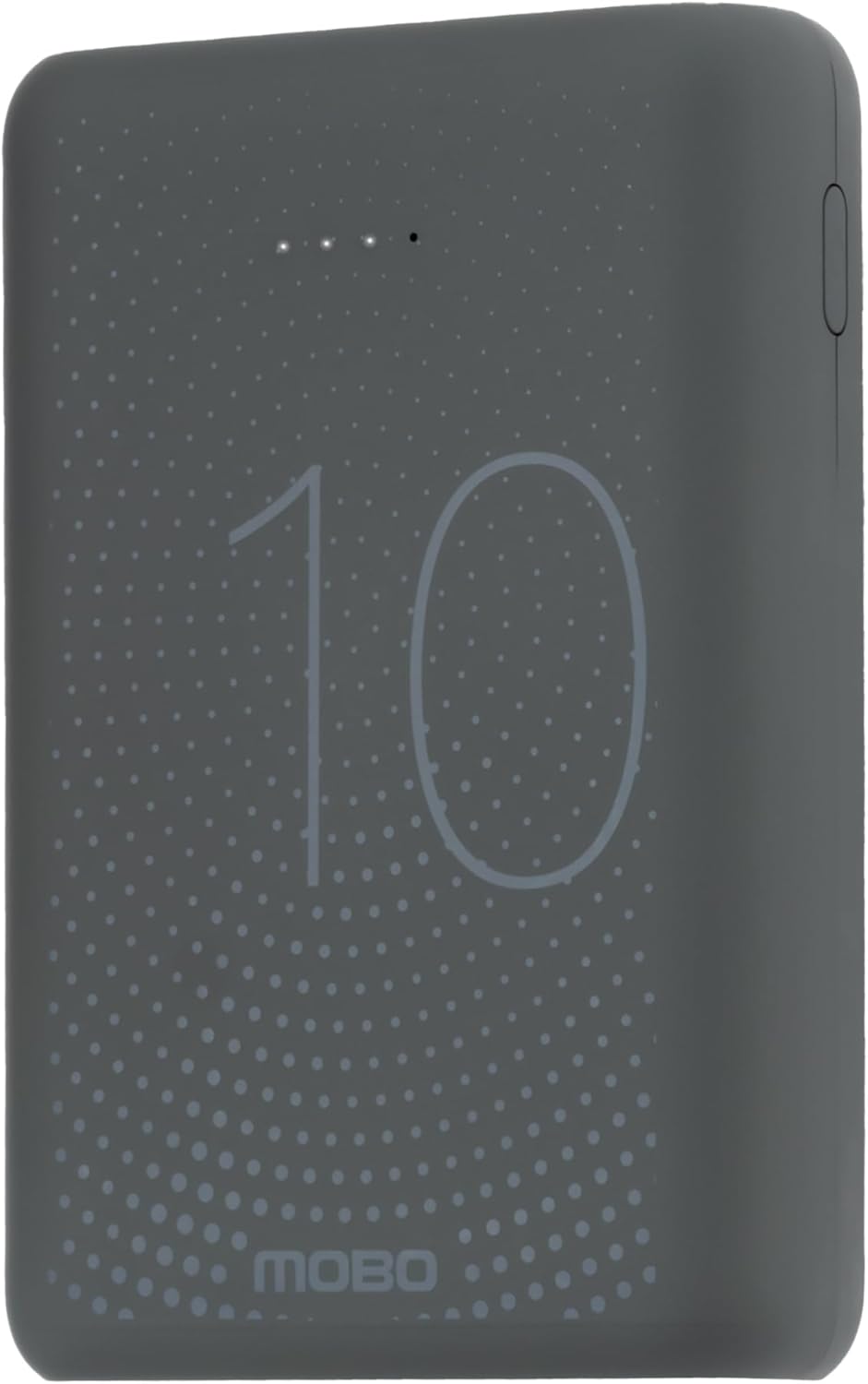
2 paveikslas: Į viršų view displaying the "10" and "MOBO" logos, along with LED indicators for battery status.
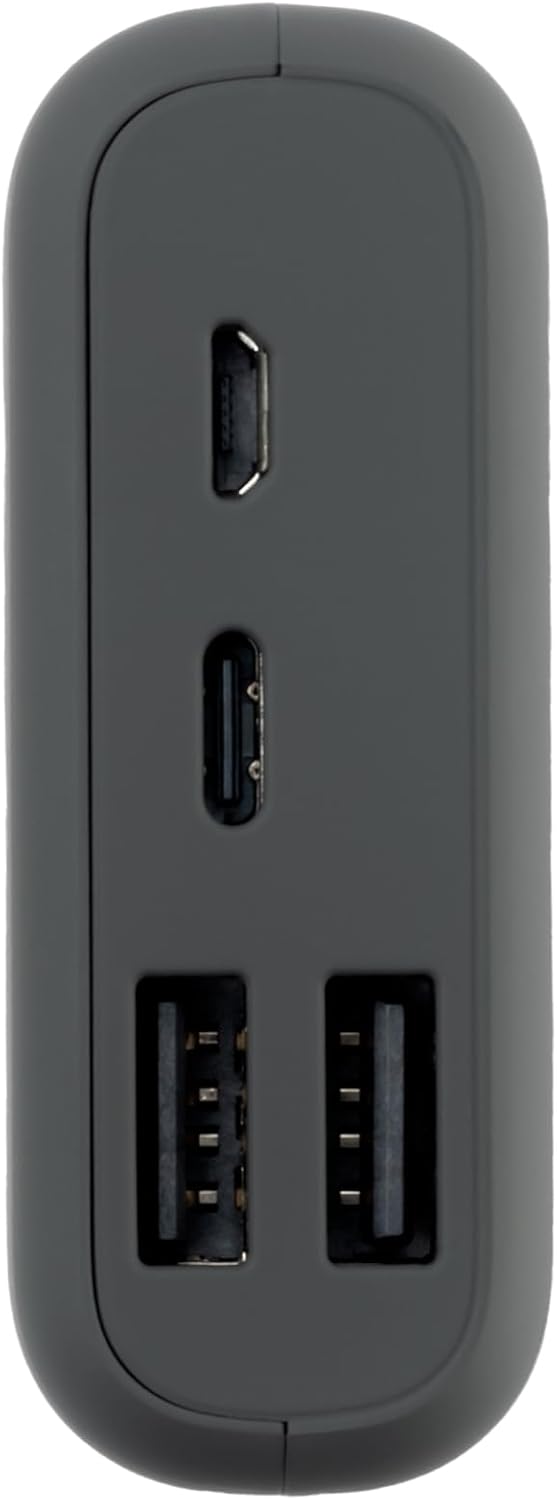
3 paveikslas: Šoninė view highlighting the input/output ports: Micro USB, USB-C, and two USB-A ports.
Pagrindinės funkcijos:
- Didelė talpa: 10000 mAh ličio polimerų baterija.
- Keli uostai: Includes Micro USB, USB-C, and two USB-A ports for broad compatibility.
- Kompaktiškas dizainas: Lengvas ir patogus transportuoti.
- LED indikatoriai: Rodo likusį akumuliatoriaus įkrovą.
Sąranka
Maitinimo banko įkrovimas:
- Before first use, fully charge your Mobo Power Bank.
- Connect the provided Micro USB cable to the Micro USB input port on the power bank. Alternatively, use a USB-C cable with the USB-C input port.
- Kitą laido galą prijunkite prie suderinamo USB sieninio adapterio (nepridedamas) arba kompiuterio USB prievado.
- Įsijungs išorinės baterijos LED indikatoriai, rodantys įkrovimo eigą. Kai baterija bus visiškai įkrauta, visi LED indikatoriai šviečia nuolat.
Pilnas įkrovimas gali užtrukti kelias valandas, priklausomai nuo maitinimo šaltinio.
Naudojimo instrukcijos
Įrenginių įkrovimas:
- Ensure your Mobo Power Bank is sufficiently charged. You can check the battery level using the LED indicators.
- Connect your device's charging cable to one of the USB-A output ports or the USB-C output port on the power bank.
- Connect the other end of the cable to your smartphone, tablet, or other compatible electronic device.
- The power bank will automatically begin charging your device. If it does not, press the power button on the power bank to initiate charging.
- Kai įrenginys bus visiškai įkrautas, atjunkite jį nuo maitinimo bloko.
The power bank is designed for universal compatibility, supporting various smartphones and tablets including Samsung, Xiaomi, Huawei, and iPhone models.
Priežiūra
- Išorinę bateriją valykite minkštu, sausu skudurėliu. Nenaudokite stiprių cheminių medžiagų ar abrazyvinių medžiagų.
- Laikykite išorinę bateriją vėsioje, sausoje vietoje, toliau nuo tiesioginių saulės spindulių ir ekstremalių temperatūrų.
- Jei ilgesnį laiką nenaudosite išorinės baterijos, kas tris mėnesius ją įkraukite maždaug iki 50–75 %, kad palaikytumėte baterijos veikimo laiką.
Trikčių šalinimas
| Problema | Galima priežastis | Sprendimas |
|---|---|---|
| Maitinimo bankas neįkraunamas | Cable not connected properly; faulty cable/adapter; power bank fully charged. | Ensure all connections are secure. Try a different charging cable or adapter. Check LED indicators; if all are solid, the power bank is fully charged. |
| Įrenginys neįkraunamas iš maitinimo bloko | Power bank is depleted; device cable not connected properly; incompatible device; power bank in standby mode. | Recharge the power bank. Ensure the device's charging cable is securely connected to both the power bank and the device. Press the power button on the power bank to activate charging. Verify device compatibility. |
| Lėtas įkrovimas | Using a non-fast charging port/cable; device drawing high power; environmental factors. | Ensure you are using a fast-charging compatible port and cable if your device supports it. Close background apps on your device. Charge in a moderate temperature environment. |
Specifikacijos
| Funkcija | Detalė |
|---|---|
| Prekės ženklas | Mobo |
| Modelio numeris | MBPB-20A |
| Baterijos talpa | 10000 mAh |
| Baterijos elementų sudėtis | Ličio polimeras |
| Spalva | Pilka |
| Matmenys (I x P x A) | 9.5 x 5 x 4.5 cm |
| Produkto svoris | 260 g |
| Jungties tipas | Lightning, Micro USB (Input/Output ports include USB-A, USB-C, Micro USB) |
Garantija ir palaikymas
For warranty information or technical support, please refer to the official Mobo websvetainėje arba susisiekite tiesiogiai su jų klientų aptarnavimo tarnyba. Išsaugokite pirkimo kvitą kaip pirkimo įrodymą.
Grąžinimo politika: This product may be eligible for return up to January 31, 2026, as per Amazon's return policy at the time of purchase.


