Įvadas
This manual provides essential information for setting up, operating, and maintaining your DOOGEE T10 Pro Android Tablet. Designed for both productivity and entertainment, the T10 Pro features a 10.1-inch FHD+ display, Unisoc T606 Octa-Core processor, 15GB RAM, 256GB ROM, and an 8580mAh battery. Please read this manual thoroughly to ensure optimal performance and longevity of your device.
Kas yra dėžutėje
Atidarę pakuotę, patikrinkite, ar yra visi toliau išvardyti daiktai:
- 1 x DOOGEE T10 Pro Tablet
- Tablet with 15GB RAM and 256GB ROM (internal memory)
- Įkroviklis
- Įkrovimo kabelis
- Card Removal Needle (SIM ejector tool)
- Vartotojo vadovas
Official unboxing video for the DOOGEE T10 Pro tablet, demonstrating the contents of the package.
Produktas baigtasview
The DOOGEE T10 Pro is designed with a sleek profile and premium build quality, offering a comfortable grip and a modern aesthetic. Key features include a vibrant display, powerful processing capabilities, and robust connectivity options.

Priekyje ir gale view of the DOOGEE T10 Pro tablet, showcasing its design and key memory specifications.
Pagrindinės funkcijos:
- Ekranas: 10.1" FHD+ IPS display with 1200x1920 resolution and TÜV SÜD Blue Light Certification for eye protection.
- Našumas: Unisoc T606 Octa-Core processor (up to 1.6GHz) and Android 12 operating system.
- Atmintis ir saugojimas: 15GB RAM (8GB physical + 7GB extended) and 256GB internal storage, expandable up to 1TB via TF card.
- Baterija: Large 8580mAh battery with 18W fast charging support.
- Kameros: 13MP rear camera and 8MP front camera, both supporting 2K video recording.
- Ryšys: Dual SIM support, 4G LTE, 2.4G/5G WiFi, and Bluetooth 5.0.
- Garsas ir vaizdo įrašai: Widevine L1 support for Full HD streaming and Dolby Audio for immersive sound.

ir baigtaview of the DOOGEE T10 Pro's core features, including its operating system, processor, memory, and connectivity.
Sąranka
1. Pradinis įkrovimas
Before first use, fully charge your DOOGEE T10 Pro tablet using the provided charger and charging cable. The 18W fast charging allows for a quick power-up.
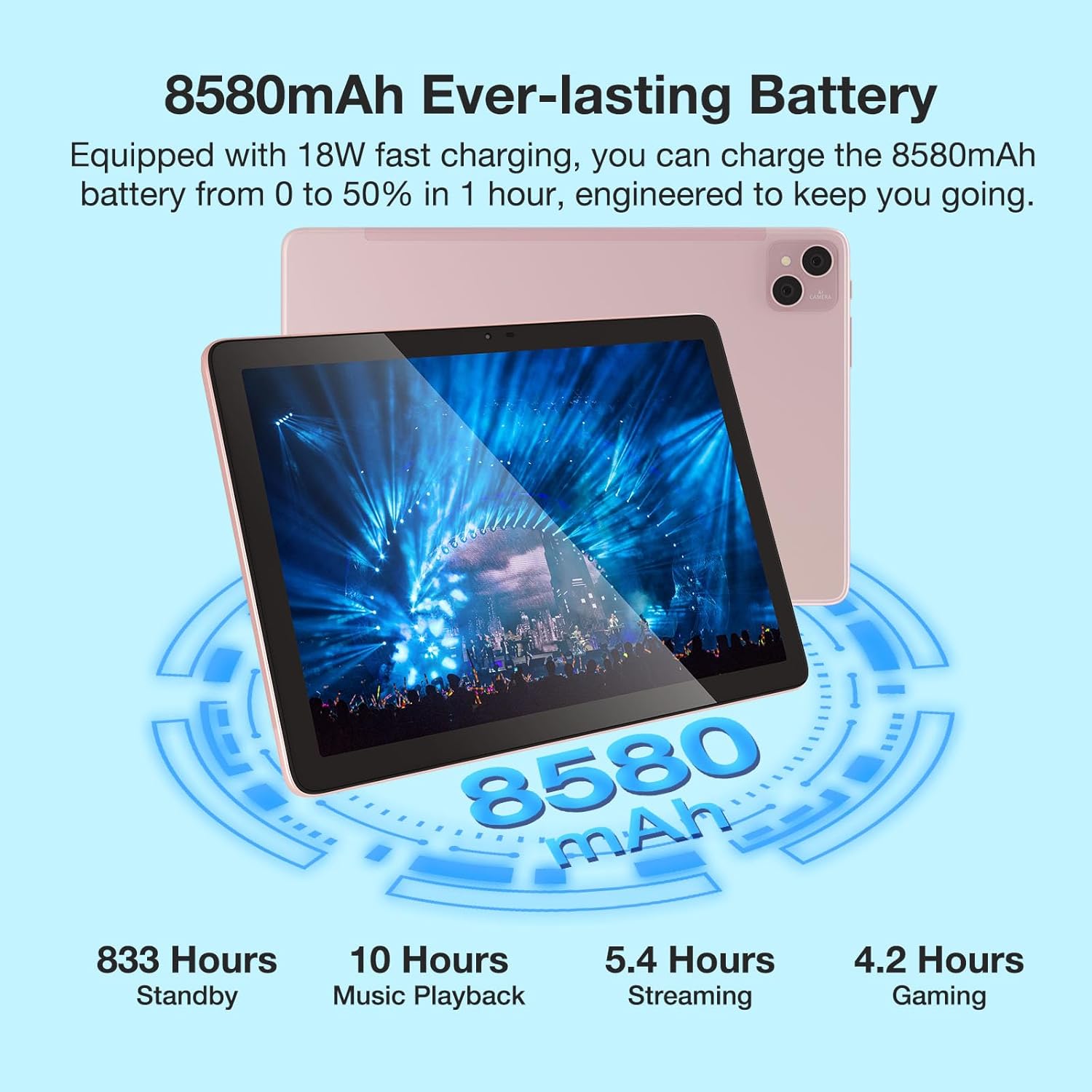
Visual representation of the 8580mAh battery and its estimated usage times for various activities.
2. Įjungimas/išjungimas
- Norėdami įjungti: paspauskite ir palaikykite maitinimo mygtuką, kol pasirodys DOOGEE logotipas.
- Norėdami išjungti: paspauskite ir palaikykite maitinimo mygtuką, tada iš parinkčių pasirinkite „Išjungti“.
- Norėdami paleisti iš naujo: paspauskite ir palaikykite maitinimo mygtuką, tada iš parinkčių pasirinkite „Paleisti iš naujo“.
3. SIM/TF kortelės įdėjimas
Locate the SIM/TF card slot on the side of the tablet. Use the provided card removal needle to gently eject the tray. Insert your Nano-SIM cards (up to two) and/or a TF (microSD) card into the designated slots, ensuring correct orientation. Gently push the tray back into the tablet until it clicks into place.

The tablet's connectivity features, including Dual SIM 4G and dual-band WiFi, enabling communication and internet access.
Naudojimo instrukcijos
1. Pagrindinė navigacija
- Lietimo gestai: Palietimas, braukimas ir priartinimas pirštais yra standartiniai „Android“ gestai.
- Pagrindinis ekranas: Tinkinkite naudodami valdiklius ir programų sparčiuosius klavišus.
- Pranešimai: Braukite žemyn nuo ekrano viršaus, kad pasiektumėte pranešimus ir greituosius nustatymus.
2. Prisijungimas prie Wi-Fi
- Eikite į Nustatymai > Tinklas ir internetas > Wi-Fi.
- Perjungti „Wi-Fi“ On.
- Iš sąrašo pasirinkite norimą tinklą ir, jei būsite paraginti, įveskite slaptažodį.
3. Fotoaparatų naudojimas
The tablet features a 13MP main camera and an 8MP front camera. Open the Camera app to capture photos and record 2K videos. Switch between front and rear cameras as needed for selfies or video calls.

Details on the tablet's camera specifications and examples of captured moments.
4. Widevine L1 Support
The DOOGEE T10 Pro supports Widevine L1, enabling you to stream high-definition content (1080P and above) from popular streaming services like Netflix, Amazon Prime Video, Disney+, and Hulu. Ensure you have a stable internet connection for the best viewpatirtį.

The tablet's Widevine L1 capability for high-quality video streaming.
5. Kompiuterio režimas
The tablet supports a PC Mode, allowing for a desktop-like experience when connected to an external keyboard and mouse (accessories sold separately). This mode enhances productivity for tasks such as document editing and multi-window multitasking.
Promotional video for the T10 Pro, showcasing its features including PC Mode and multimedia capabilities.
Priežiūra
1. Akumuliatoriaus priežiūra
- Venkite ekstremalių temperatūrų (karštos ar šaltos), nes jos gali sutrumpinti akumuliatoriaus veikimo laiką.
- Nereguliariai visiškai iškraukite akumuliatoriaus. Įkraukite jį, kol jis nenukris žemiau 20 %.
- Naudokite tik originalius arba sertifikuotus įkrovimo priedus.
2. Valymas
Planšetinio kompiuterio ekraną ir korpusą valykite minkštu, nepūkuotu audiniu. Įsisenėjusias dėmes šiek tiek nuvalykite.ampNuvalykite šluostę vandeniu arba ekrano valikliu. Venkite naudoti stiprias chemines medžiagas ar abrazyvines medžiagas.
3. Sandėliavimas
When storing the tablet for extended periods, ensure it is charged to about 50-60% and powered off. Store it in a cool, dry place away from direct sunlight.
Trikčių šalinimas
| problema | Galima priežastis | Sprendimas |
|---|---|---|
| Planšetinis kompiuteris neįsijungia | Žemas akumuliatoriaus lygis; sistemos gedimas | Kraukite planšetinį kompiuterį bent 30 minučių. Paspauskite ir palaikykite maitinimo mygtuką 10–15 sekundžių, kad priverstumėte jį paleisti iš naujo. |
| Wi-Fi ryšio problemos | Neteisingas slaptažodis; Maršrutizatoriaus problema; Signalo trukdžiai | Verify Wi-Fi password. Restart your router. Move closer to the router or away from interference sources. |
| Programėlės stringa arba užstringa | Insufficient RAM; App bug; Outdated app | Close background apps. Clear app cache/data (Settings > Apps). Update the app from Google Play Store. |
| Lėtas veikimas | Too many apps running; Low storage; System updates needed | Close unused apps. Free up storage space. Check for system updates (Settings > System > System update). |
| SIM kortelė neaptikta | Improper insertion; Damaged SIM card | Re-insert the SIM card correctly. Try another SIM card to check if the issue is with the card itself. |
Specifikacijos
| Funkcija | Detalė |
|---|---|
| Modelio pavadinimas | DOOGEE T10 PRO |
| Operacinė sistema | Android 12 |
| Ekrano dydis | 10.1 colių |
| Ekrano raiška | 1200 x 1920 (Full HD+) |
| Procesorius | Unisoc T606 Octa-Core (1.6GHz) |
| RAM | 15 GB (8 GB fizinė + 7 GB išplėstinė) |
| „Flash“ atminties dydis (ROM) | 256 GB |
| Išplečiama saugykla | Iki 1 TB per TF kortelę |
| Baterijos talpa | 8580 mAh |
| Galinis Webkumštelio raiška | 13 MP |
| Priekyje Webkumštelio raiška | 8 MP |
| Belaidis tipas | 802.11n (2.4G/5G WiFi) |
| Ryšys | Dual SIM 4G, Bluetooth 5.0 |
| Prekės svoris | 2.59 svaro |
| Gaminio matmenys | 9.5 x 6.34 x 3.3 colio |
| Spalva | Rožinė |
Garantija ir palaikymas
For warranty information and technical support, please refer to the official DOOGEE websvetainėje arba susisiekite tiesiogiai su jų klientų aptarnavimo tarnyba. Išsaugokite pirkimo kvitą kaip pirkimo įrodymą garantijos pretenzijoms.
You can visit the official DOOGEE Store on Amazon for more information: DOOGEE parduotuvė


