Įvadas
Thank you for choosing the Abask Dash Cam A8. This advanced car camera system is designed to provide comprehensive recording of your journeys, offering enhanced safety and peace of mind. Featuring a 4K front camera and a 1080P cabin camera, built-in GPS, infrared night vision, 24-hour parking monitoring, G-sensor for accident detection, and seamless loop recording, the A8 ensures critical moments are captured with clarity. This manual will guide you through the setup, operation, and maintenance of your new dash cam.
Pakuotės turinys
- Abask Dash Cam A8
- Siurbimo laikiklis
- Automobilinis įkroviklis (cigarečių degiklio adapteris)
- USB kabelis
- 32GB MicroSD kortelė
- USB/USB-C Card Reader
- Vartotojo vadovas

Image: The Abask Dash Cam A8 shown with its suction mount, a 32GB MicroSD card, and a USB/USB-C card reader.
Sąranka ir diegimas
Follow these steps to properly install your Abask Dash Cam A8:
- Paruoškite „MicroSD“ kortelę: Insert the included 32GB MicroSD card into the designated slot on the dash cam. Ensure it is inserted correctly until it clicks into place.
- Sumontuokite „Dash Cam“: Attach the suction mount to a clean, dry area on your windshield, preferably behind the rearview veidrodis, kad neužstotų jūsų view. Ensure the dash cam has a clear line of sight for both the front and cabin cameras.
- Prijunkite maitinimą: Plug the car charger into your vehicle's cigarette lighter socket. Connect the other end of the cable to the dash cam's power input port.
- Maršruto kabeliai: Carefully route the power cable along the edge of your windshield and dashboard to conceal it and prevent interference with driving.
- Sureguliuokite kameros kampą: Once powered on, adjust the angle of the front and cabin cameras to ensure optimal coverage. The front camera should capture the road ahead, and the cabin camera should cover the interior of your vehicle.

Image: A visual guide demonstrating the recommended method for installing the dash cam and routing its power cable discreetly within the vehicle's interior.
Naudojimo instrukcijos
Pagrindinė operacija
- Maitinimo įjungimas/išjungimas: The dash cam will automatically power on and begin recording when connected to power and your vehicle starts. It will power off automatically when the vehicle is turned off.
- Įrašymo indikatorius: A flashing light or on-screen icon indicates that recording is in progress.
- Meniu naršymas: Use the physical buttons or touch screen (if applicable) to navigate through the menu options for settings adjustments.
Pagrindinės savybės
4K Front Camera + 1080P Cabin Camera
The dash cam records simultaneously from two perspectives: a 4K (2160P) resolution camera for the road ahead and a 1080P resolution camera for the vehicle's interior. This dual-camera setup provides comprehensive video evidence for both external and internal events.
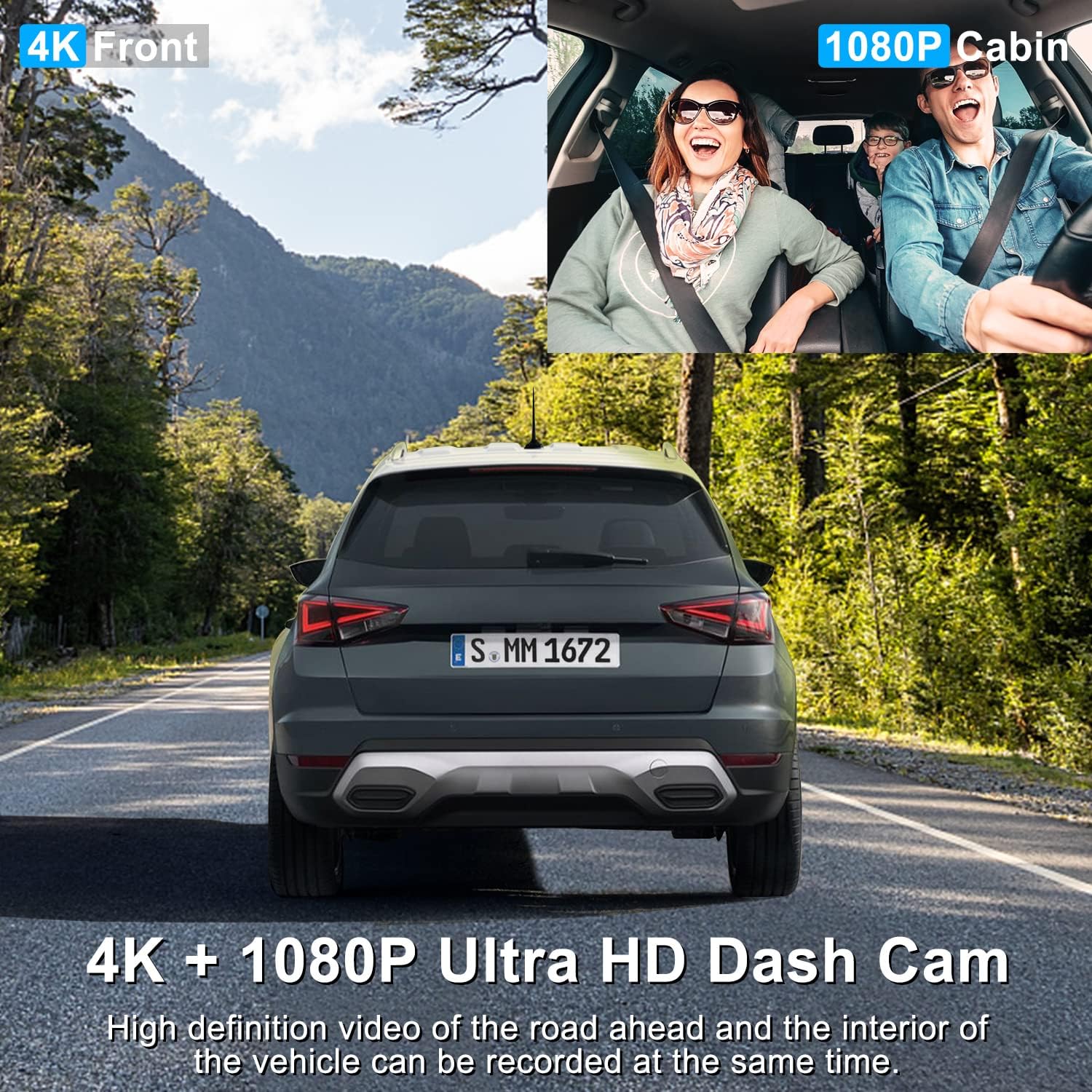
Image: A split image showing the clear 4K view from the front camera and the 1080P view from the cabin camera, capturing both the road and vehicle occupants.
Super Night Vision ir WDR
Equipped with advanced WDR (Wide Dynamic Range) technology and four discreet infrared (IR) lights for the cabin camera, the dash cam ensures clear and detailed video recording even in low-light conditions or at night. This is particularly beneficial for night drivers.

Image: An illustration highlighting the dash cam's night vision features, including IR LED lights, 4K+1080P recording, and WDR technology for improved clarity in dark environments.
Integruota GPS funkcija
The integrated GPS module allows the dash cam to record your driving speed and route data. This information can be viewkartu su jūsų vaizdo įrašu „foo“tage, providing crucial context and evidence in case of an incident.
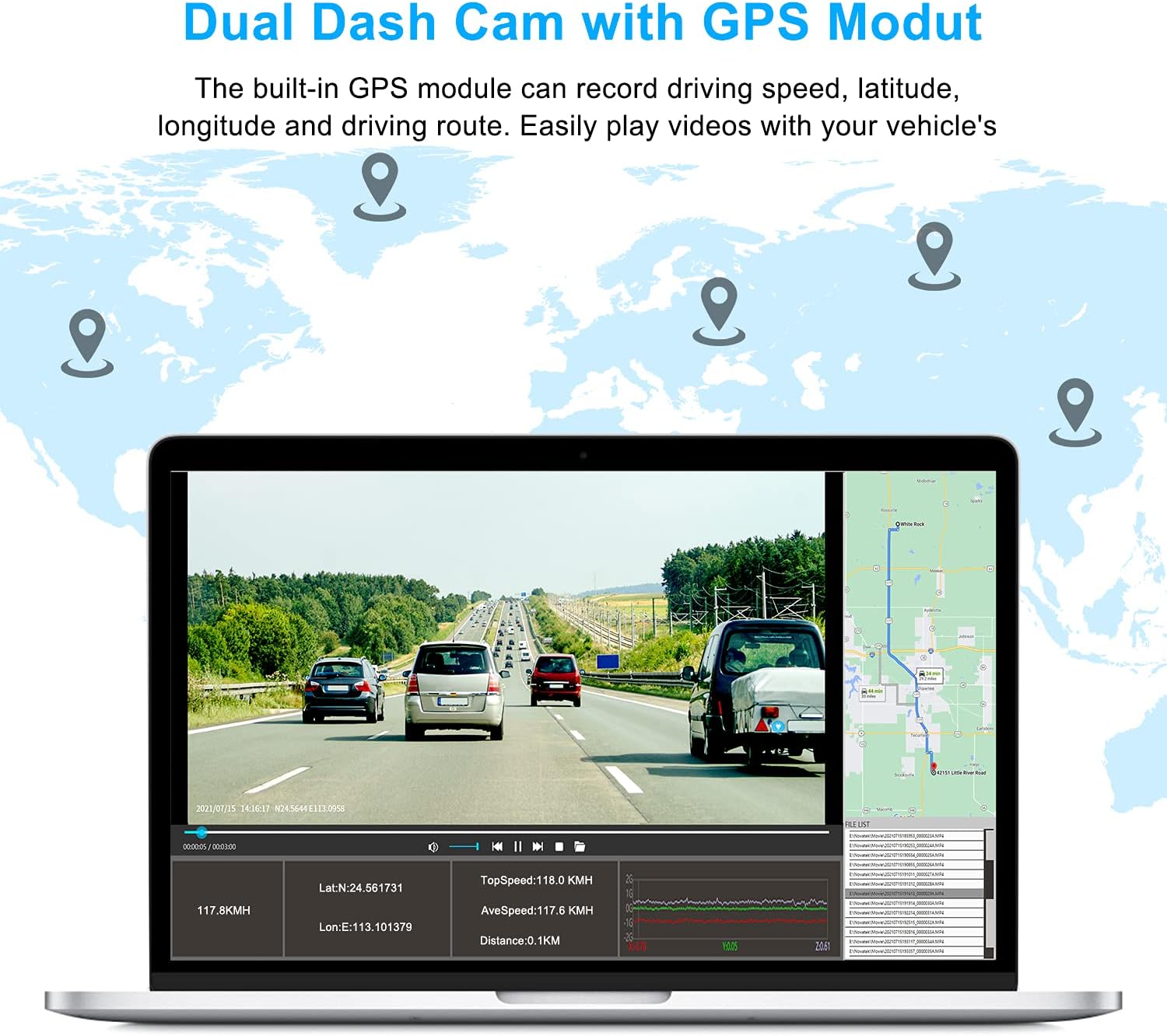
Image: A laptop screen displaying dash cam footage with overlaid GPS data, including latitude, longitude, speed, and a map of the driving route.
Plataus kampo laukas View
The dash cam offers a total 310° wide-angle field of view, with 170° for the front camera and 140° for the interior camera. This extensive coverage minimizes blind spots and captures a broader perspective of your surroundings and vehicle cabin.

Image: A diagram illustrating the 170° front and 140° interior wide-angle coverage of the dash cam, providing a comprehensive view of the road and car interior.
Ciklo įrašymas
The loop recording function automatically overwrites the oldest unlocked video files when the memory card is full, ensuring continuous recording without manual intervention. This feature optimizes storage space on your MicroSD card.
G-Sensor (Accident Detection)
The built-in G-sensor detects sudden impacts or collisions. When an event is detected, the dash cam automatically saves and locks the current video segment, preventing it from being overwritten by loop recording. These locked files serve as critical evidence.

Image: A visual representation of the G-sensor locking a video file during a collision, demonstrating how important footage is protected from being overwritten by loop recording.
24 valandų automobilių stovėjimo aikštelės stebėjimas
When enabled, the parking monitor feature allows the dash cam to automatically turn on and record video if it detects a collision or impact while your vehicle is parked. This provides surveillance even when you are away. Pastaba: To utilize this feature, a dash cam hardwiring kit (not included) is required to provide continuous power to the device.
Image: An overhead diagram showing the dash cam's 24-hour parking mode coverage, indicating its ability to monitor the vehicle's surroundings when parked.
Viewįrašai
Į view įrašytas footage:
- Remove the MicroSD Card: Safely eject the MicroSD card from the dash cam.
- Įdėkite į kortelių skaitytuvą: Insert the MicroSD card into the provided USB/USB-C card reader.
- Prisijunkite prie kompiuterio: Plug the card reader into a USB or USB-C port on your computer.
- Prieiga Files: The card will appear as a removable drive. Navigate to the video folders to access your recordings. Videos are typically organized by date and time.
Priežiūra
- Švarūs lęšiai: Regularly wipe the front and cabin camera lenses with a soft, lint-free cloth to ensure clear video quality. Avoid abrasive materials that could scratch the lenses.
- Atminties kortelių valdymas: It is recommended to format the MicroSD card periodically (e.g., once a month) within the dash cam's settings to maintain optimal performance and prevent data corruption. Back up any important files prieš formatavimą.
- Temperatūros valdymas: Venkite vaizdo registratoriaus ilgesnį laiką laikyti itin aukštoje temperatūroje. Jei automobilis stovi tiesioginiuose saulės spinduliuose, apsvarstykite galimybę nuimti vaizdo registratorių arba naudoti apsauginį skydelį nuo saulės.
- Firmware atnaujinimai: Check the official ABASK website periodically for any available firmware updates. Keeping your dash cam's firmware up-to-date can improve performance and add new features.
Trikčių šalinimas
| Problema | Galima priežastis | Sprendimas |
|---|---|---|
| Vaizdo registratorius neįsijungia. | Nėra maitinimo šaltinio; sugedęs automobilinis įkroviklis; atsilaisvinęs prijungimas. | Check car charger connection; ensure vehicle's cigarette lighter socket is functional; try a different power source if available. |
| Įrašymas sustoja arba užstringa. | Atminties kortelė pilna arba sugadinta; nesuderinama atminties kortelė; programinės įrangos problema. | Format the MicroSD card; try a different, high-speed MicroSD card; check for firmware updates. |
| Prasta vaizdo kokybė (neryškus, tamsus). | Dirty lens; protective film still on lens; incorrect settings; low light conditions. | Clean the camera lenses; remove any protective film; adjust exposure settings; ensure WDR is enabled for challenging lighting. |
| Parkavimo stebėjimo sistema neveikia. | Not hardwired; feature not enabled in settings. | Install a hardwiring kit for continuous power; enable parking monitor in the dash cam settings. |
| GPS not tracking speed/route. | Poor GPS signal; GPS module not connected or faulty. | Įsitikinkite, kad vaizdo registratorius turi švarų paviršių view of the sky; check GPS module connection (if external); verify GPS settings are enabled. |
Specifikacijos
| Funkcija | Detalė |
|---|---|
| Modelis | A8 |
| Gaminio matmenys | 5.2 x 4.4 x 3.3 colio |
| Prekės svoris | 12.1 uncijos |
| Baterijos | Reikalinga 1 ličio polimero baterija |
| Ryšio technologija | USB |
| Ypatingos savybės | 2160P, Built-In GPS |
| Įtraukti komponentai | „Dash Cam A8“ |
| Orientacija | Priekyje ir viduje |
| Transporto priemonės paslaugos tipas | Automobilis |
| Vaizdo įrašymo raiška | 2160p (priekinis) |
| Montavimo tipas | Siurbimo laikiklis |
| Laukas View | 310 Degrees (Total) |
| Kontrolės metodas | Palieskite |
Garantija ir palaikymas
ABASK is committed to providing high-quality products and an excellent shopping experience. If you encounter any issues or have questions regarding your Abask Dash Cam A8, please do not hesitate to contact our customer support team. We aim to respond within 24 hours and provide a satisfactory solution.
For support, please refer to the contact information provided on the product packaging or the official ABASK websvetainę.

Image: Customer support representatives ready to assist with product inquiries.


