1. Įvadas
Ačiū, kad pirkoteasing the TOPTRO X2 Mini Portable Projector. This manual provides essential information for setting up, operating, and maintaining your projector. Please read it thoroughly before use to ensure optimal performance and safety.

Image 1.1: TOPTRO X2 Projector, carrying bag, and screen projection.

Image 1.2: Key features of the TOPTRO X2 Projector.
2. Saugos instrukcijos
- Nežiūrėkite tiesiai į projektoriaus objektyvą, kai lamp yra įjungtas.
- Užtikrinkite tinkamą vėdinimą aplink projektorių, kad išvengtumėte perkaitimo.
- Projektorių laikykite atokiau nuo vandens, drėgmės ir degių medžiagų.
- Naudokite tik prie projektoriaus pridėtą maitinimo adapterį.
- Do not attempt to disassemble or repair the projector yourself. Contact professional support if needed.
- Laikyti vaikams nepasiekiamoje vietoje.
3. Pakuotės turinys
Patikrinkite pakuotę, ar joje yra šie daiktai:
- TOPTRO X2 Mini Portable Projector
- Maitinimo adapteris
- Nuotolinio valdymo pultas
- HDMI kabelis
- AV kabelis
- Vartotojo vadovas
- Nešiojimo krepšys
4. Produktas baigtasview
Susipažinkite su projektoriaus komponentais ir valdikliais.

Image 4.1: Projector controls and ports.
4.1 Priekis View
- Projekcinis objektyvas: Išleidžia vaizdą.
- Fokusavimo žiedas: Reguliuoja vaizdo aiškumą.
4.2 Viršus View
- Valdymo skydelis: Power button, navigation buttons, OK button.
4.3 Galas/Šonas View
- Maitinimo įvestis: Jungiamas prie maitinimo adapterio.
- HDMI prievadai: Connect to HDMI-enabled devices (laptops, game consoles).
- USB prievadai: Prijunkite USB atmintines, kad galėtumėte atkurti medijos failus.
- AV prievadas: Connect to older devices using the AV cable.
- Garso išvestis (3.5 mm): Prijunkite išorinius garsiakalbius arba ausines.
- IR imtuvas: Nuotolinio valdymo signalams.
5. Sąranka
5.1 Įdėjimas
Position the projector on a stable, flat surface or mount it. Ensure the projection path is clear.

Image 5.1: Multiple installation options.
5.2 Maitinimo jungtis
- Connect the power adapter to the projector's power input.
- Įjunkite maitinimo adapterį į maitinimo lizdą.
5.3 Fokuso reguliavimas
Sukite projektoriaus objektyvo fokusavimo žiedą, kol projektuojamas vaizdas taps aiškus ir ryškus.
5.4 Keystone koregavimas
If the projected image appears trapezoidal, use the manual keystone correction feature to adjust the vertical angle. This projector supports ±15° vertical keystone correction.

Image 5.2: Manual keystone correction.
6. Operacija
6.1 Maitinimo įjungimas/išjungimas
Norėdami įjungti arba išjungti įrenginį, paspauskite projektoriaus arba nuotolinio valdymo pulto maitinimo mygtuką.
6.2 Įvesties šaltinio pasirinkimas
Use the 'Source' button on the remote or projector to select your desired input (HDMI1, HDMI2, USB, AV, Screen Mirroring).

Image 6.1: Projector ports and compatible devices.
6.3 Wireless Connection (WiFi Screen Mirroring)
The TOPTRO X2 supports wireless screen mirroring for iOS, Android, Windows 10, and Mac devices. No additional adapters or cables are needed.
- Select 'Screen Mirroring' as the input source.
- Follow the on-screen instructions to connect your device via WiFi.

Image 6.2: Wireless WiFi connection in use.
6.4 Bluetooth ryšys
Prijunkite išorinius „Bluetooth“ garsiakalbius arba ausines, kad garsas būtų dar geresnis.
- Projektoriaus meniu eikite į „Bluetooth“ nustatymus.
- Įjunkite Bluetooth ir ieškokite galimų įrenginių.
- Select your Bluetooth speaker or headphones to pair.

Image 6.3: Bluetooth 5.0 connectivity.
6.5 Adjusting Projection Size (Zoom)
The projector features a zoom function to adjust the screen size from 75% to 100% without moving the projector.

Image 6.4: Zoom function (75%-100%).
6.6 Išorinių įrenginių prijungimas
Connect various devices such as TV sticks, laptops, game consoles, or USB drives to the projector's HDMI or USB ports.
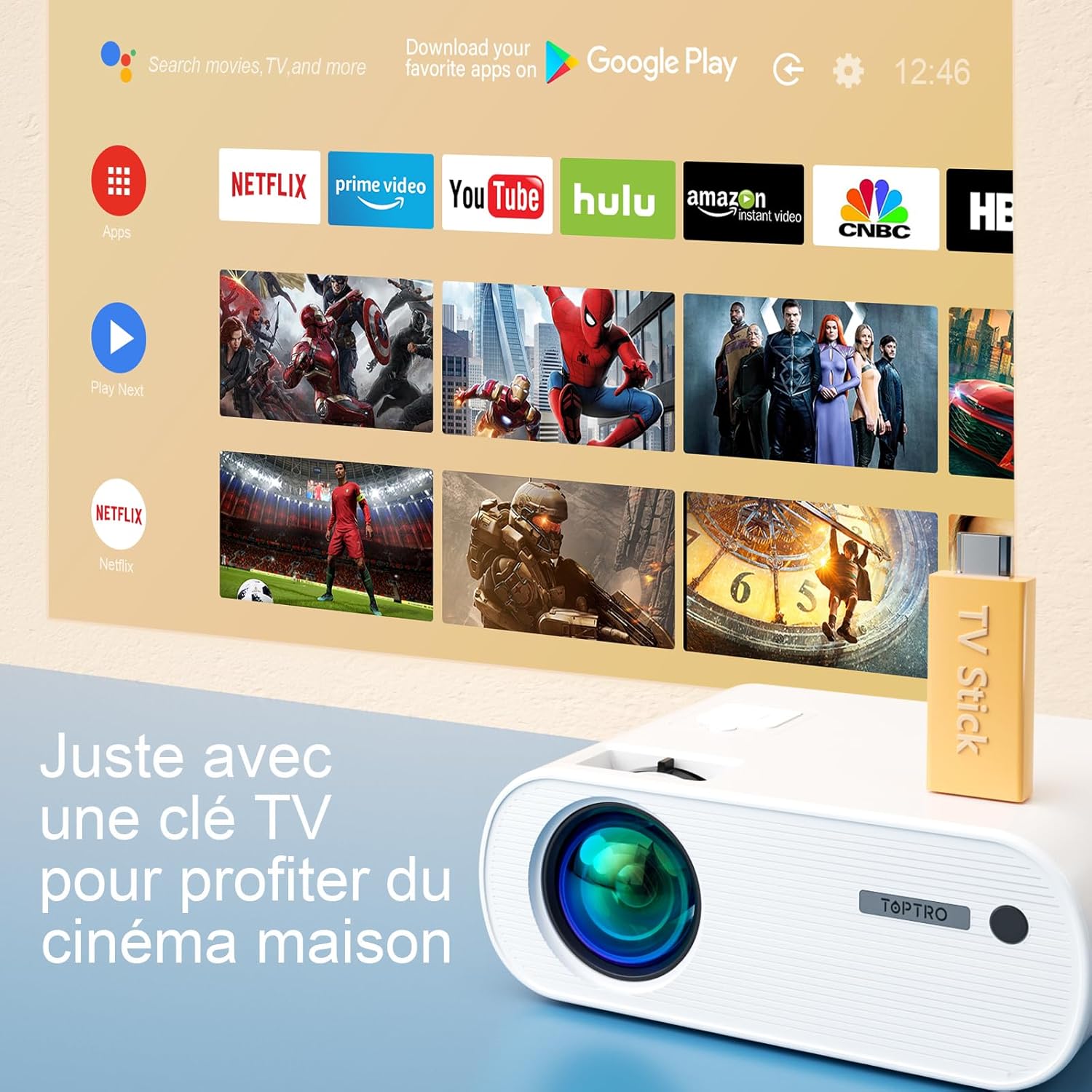
Image 6.5: Enjoying home cinema with a TV stick.
7. Priežiūra
7.1 Valymas
- Projektoriaus išorę valykite minkštu, sausu skudurėliu.
- For the lens, use a professional lens cleaning cloth and solution. Avoid harsh chemicals.
- Regularly clean the ventilation vents to prevent dust buildup.
7.2 Saugykla
When not in use, store the projector in its carrying bag in a cool, dry place, away from direct sunlight and extreme temperatures.
7.3 Lamp Priežiūra
The projector features an LED lamp with an extended lifespan of up to 90,000 hours, ensuring long-term use without frequent lamp pakeitimas.

Image 7.1: Projector features including 90,000 hours LED lamp gyvenimą.
8. Problemų sprendimas
- Nėra galios: Ensure the power adapter is securely connected to both the projector and the power outlet.
- Nėra paveiksliuko: Check the input source selection. Ensure the connected device is powered on and sending a signal. Adjust focus.
- Neryškus vaizdas: Adjust the focus ring. Ensure the projection surface is flat.
- Nėra garso: Check the volume settings on both the projector and the connected device. Ensure external speakers are properly connected or paired via Bluetooth.
- Nuotolinio valdymo pultas neveikia: Pakeiskite baterijas. Įsitikinkite, kad tarp nuotolinio valdymo pulto ir projektoriaus IR imtuvo nėra jokių kliūčių.
- „WiFi“ ryšio problemos: Ensure your device and projector are within range of the WiFi network. Restart both devices.
9. Specifikacijos
Detailed technical specifications for the TOPTRO X2 Projector:

Image 9.1: Brightness and contrast comparison.
| Funkcija | Specifikacija |
|---|---|
| Prekės ženklas | TOPTRO |
| Modelių serija | X2 |
| Ekrano tipas | LCD |
| Gimtoji raiška | 1280 x 720 pikselių |
| Palaikoma rezoliucija | Full HD 1080p |
| Ryškumas | 12000 liumenų |
| Kontrasto santykis | 20000:1 |
| Ryšio technologija | Wi-Fi, Bluetooth |
| Techninės įrangos sąsaja | HDMI, USB, AV |
| Keystone Korekcija | Manual ±15° (Vertical) |
| Mastelio funkcija | 75 % – 100 % |
| Lamp Gyvenimas | Iki 90,000 valandų |
| Gaminio matmenys (I x P x A) | 21.2 x 17.2 x 8 cm |
| Formos faktorius | Nešiojami |
| Montavimo tipas | Stalviršis |
10. Garantija ir palaikymas
TOPTRO is committed to providing high-quality products and professional technical support. While specific warranty details may vary by region or retailer, TOPTRO ensures quality control before delivery.
If you encounter any issues or have questions regarding your TOPTRO X2 projector, please do not hesitate to contact TOPTRO customer support. Our team is available to assist you.
For support, please refer to the contact information provided with your purchase or visit the official TOPTRO websvetainę.


