Įvadas
This manual provides comprehensive instructions for the setup, operation, and maintenance of your Surfans F22 Portable HiFi MP3 Player. Please read this manual thoroughly before using the device to ensure proper functionality and to maximize your listening experience.
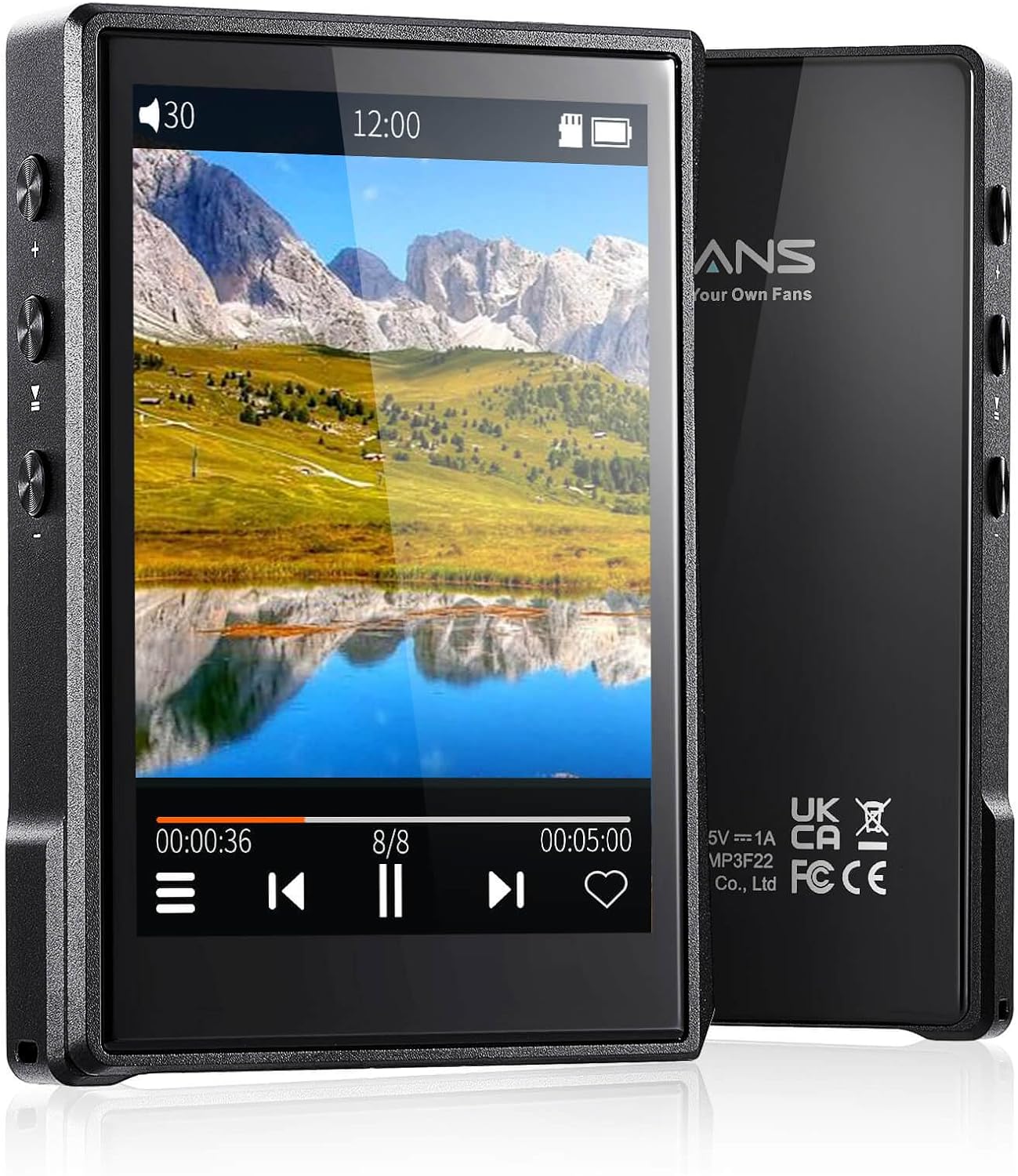
Vaizdas: Priekinė ir galinė dalys view of the Surfans F22 Portable HiFi MP3 Player, showcasing its 2.8-inch touchscreen and sleek design.
Pakuotės turinys
Patikrinkite, ar pakuotėje yra visi reikalingi daiktai:
- Surfans F22 HiFi Music Player
- Vartotojo vadovas (šis dokumentas)
- USB-C kabelis
- 32 GB atminties kortelė (iš anksto įdiegta arba pridedama atskirai)
Įrenginys baigtasview
Familiarize yourself with the physical components of your F22 player.

Image: Diagram illustrating the various ports and buttons on the Surfans F22 MP3 Player, including the power button, volume controls, headphone jack, and USB-C port.
- 2.8-inch IPS TFT Full Touchscreen: Main interface for navigation and control.
- Maitinimo mygtukas: Įjungia / išjungia įrenginį ir užrakina / atrakina ekraną.
- Garsumo mygtukai: Reguliuoja garso išvesties lygį.
- Ausinių lizdas (3.5 mm): Prijunkite laidines ausines.
- USB-C prievadas: Įkrovimui ir duomenų perdavimui.
- „Micro SD“ kortelės lizdas: Išplečiamai saugyklai iki 1 TB.
Sąranka
1. Įrenginio įkrovimas
Before first use, fully charge the F22 player. Connect the provided USB-C cable to the device's USB-C port and the other end to a USB power adapter (not included) or a computer's USB port. The charging indicator will show progress. A full charge typically takes approximately 2 hours and provides up to 10 hours of playback.
2. „Micro SD“ kortelės įdėjimas
The F22 comes with a 32GB memory card. For additional storage, you can insert a Micro SD card (up to 1TB) into the designated slot. Ensure the card is inserted correctly until it clicks into place.

Image: A Surfans F22 MP3 Player shown with a Micro SD card being inserted into its slot, illustrating the expandable storage capability.
3. Muzikos perkėlimas Files
Connect the F22 player to your computer using the USB-C cable. The device will appear as a removable storage drive. Drag and drop your music files (FLAC, WMA, WAV, DSF, DSD, MP3, etc.) into the appropriate folders on the player's internal storage or the Micro SD card.

Image: A Surfans F22 MP3 Player displaying music playback, with a person wearing headphones in the background, symbolizing the high-fidelity audio experience.
Naudojimo instrukcijos
1. Power On/Off and Screen Lock
- Norėdami įjungti, paspauskite ir palaikykite maitinimo mygtuką, kol ekranas įsijungs.
- To power off, press and hold the Power button, then select "Power Off" on the screen.
- To lock/unlock the screen, briefly press the Power button.
2. Naršymas sąsajoje
The F22 features a 2.8-inch touchscreen for navigation. Swipe left/right or up/down to browse menus and lists. Tap icons to select options or open applications.
3. Muzikos atkūrimas
- From the main menu, select "Music" to access your library.
- Browse by Artist, Album, Song, Genre, or Folder.
- Palieskite dainą, kad pradėtumėte atkūrimą.
- During playback, use the on-screen controls for play/pause, skip track, and volume adjustment. Physical volume buttons also control volume.

Image: The Surfans F22 MP3 Player screen showing options for music playback modes: List play, Single play, List loop, and Random, indicating flexible listening options.
4. Bluetooth ryšys
The F22 supports Bluetooth 4.2 for wireless audio output.
- Eikite į „Nustatymai“ ir pasirinkite „Bluetooth“.
- Turn Bluetooth on. The player will scan for available devices.
- Select your desired Bluetooth headphones or speaker from the list to pair.
- Once paired, audio will stream wirelessly to the connected device.

Image: A visual representation of the Surfans F22 MP3 Player's Bluetooth 4.2 capabilities, showing connections to Bluetooth headphones, a Bluetooth speaker, and a car stereo system.
5. E-Book Functionality
The F22 also supports E-book reading.
- Transfer compatible E-book files prie įrenginio.
- From the main menu, select "E-book".
- Browse and select a book to open and read.
Priežiūra
- Valymas: Įrenginį valykite minkšta, sausa šluoste. Venkite skystų valiklių ar abrazyvinių medžiagų.
- Saugykla: Grotuvą laikykite vėsioje, sausoje vietoje, toliau nuo tiesioginių saulės spindulių ir ekstremalių temperatūrų.
- Akumuliatoriaus priežiūra: Norėdami pailginti akumuliatoriaus veikimo laiką, venkite dažnai visiškai jį iškrauti. Reguliariai įkraukite įrenginį, net jei jis ilgą laiką nenaudojamas.
- Programinės įrangos atnaujinimai: Patikrinkite gamintojo websvetainėje periodiškai ieškokite programinės įrangos atnaujinimų, kad būtų užtikrintas optimalus našumas ir naujos funkcijos.
Trikčių šalinimas
| Problema | Galima priežastis | Sprendimas |
|---|---|---|
| Įrenginys neįsijungia. | Senka baterija. | Įkraukite įrenginį mažiausiai 30 minučių. |
| Nėra garso. | Volume too low; headphones not connected properly; incorrect audio output. | Increase volume; ensure headphones are fully plugged in; check Bluetooth connection if using wireless. |
| Negalima perkelti files. | USB cable issue; device not recognized by computer. | Try a different USB port or cable; ensure the device is in data transfer mode if prompted. |
| „Bluetooth“ ryšys nestabilus. | Interference; device too far from player. | Reduce distance between devices; avoid obstacles; try re-pairing. |
| Ekranas nereaguoja. | Laikinas programinės įrangos triktis. | Atlikite minkštą atkūrimą laikydami nuspaustą maitinimo mygtuką, kol įrenginys bus paleistas iš naujo. |
Specifikacijos
| Funkcija | Detalė |
|---|---|
| Modelis | Surfans F22 Hi Res Music Player |
| Procesorius | RK3308G 64-bit Quad-core ARM Cortex-A35 |
| Ekranas | 2.8-inch IPS TFT Full Touchscreen (240*320 resolution) |
| Palaikomi garso formatai | FLAC, WMA, WAV, DSF, DSD (Native DSD 128/256), PCM (up to 384kHz/32bit), DFF, DTS, APE, OGG, M4A, AIFF, AAC, MP3, Apple Lossless |
| Bluetooth | 4.2 versija |
| Vidinė saugykla | 32 GB (įskaičiuota) |
| Išplečiama saugykla | Micro SD card up to 1TB |
| Baterija | 1500mAh ličio polimeras |
| Baterijos veikimo laikas | Iki 10 valandų atkūrimo |
| Įkrovimo laikas | Approximately 2 hours (fast charge) |
| Matmenys | 4.72 x 3.15 x 1.77 colio |
| Svoris | 7.4 uncijos |
| Ryšys | USB-C |
| Ypatingos savybės | Equalizer, Hi-Res Audio, E-book function |
Garantija ir palaikymas
The Surfans F22 Portable HiFi MP3 Player comes with a one-year return and exchange guarantee from the date of purchase. This warranty covers manufacturing defects under normal use.
For technical support, warranty claims, or further assistance, please contact Surfans customer service through their official website or the retailer where the product was purchased. Please have your purchase receipt and product model number (F22) available when contacting support.
Gamintojas: Surfans
Websvetainė: Surfans Official Store


