1. Produktas baigtasview
The DBIT AX1800 WiFi 6 USB Adapter (D1-X18) is designed to upgrade your desktop or laptop PC to the latest 802.11ax (WiFi 6) wireless standard. This adapter provides high-speed dual-band connectivity, supporting up to 1201Mbps on the 5GHz band and 574Mbps on the 2.4GHz band. Featuring a USB 3.0 interface, MU-MIMO, OFDMA, and WPA3 security, it ensures a fast, stable, and secure wireless experience for various applications including HD streaming, online gaming, and video calls.

Image 1.1: The DBIT AX1800 WiFi 6 USB Adapter with its protective cap removed, showcasing the USB connector.
2. Pakuotės turinys
Prašome patikrinti, ar pakuotėje yra visi reikalingi daiktai:
- DBIT AX1800 WiFi 6 USB Adapter (D1-X18)
- Vartotojo vadovas
3. Sąrankos instrukcijos
3.1. Sistemos reikalavimai
Prieš diegdami įsitikinkite, kad kompiuteris atitinka šiuos reikalavimus:
- Operacinė sistema: Windows 11 arba Windows 10
- Available USB 3.0 port (compatible with USB 2.0, but USB 3.0 is recommended for optimal performance)
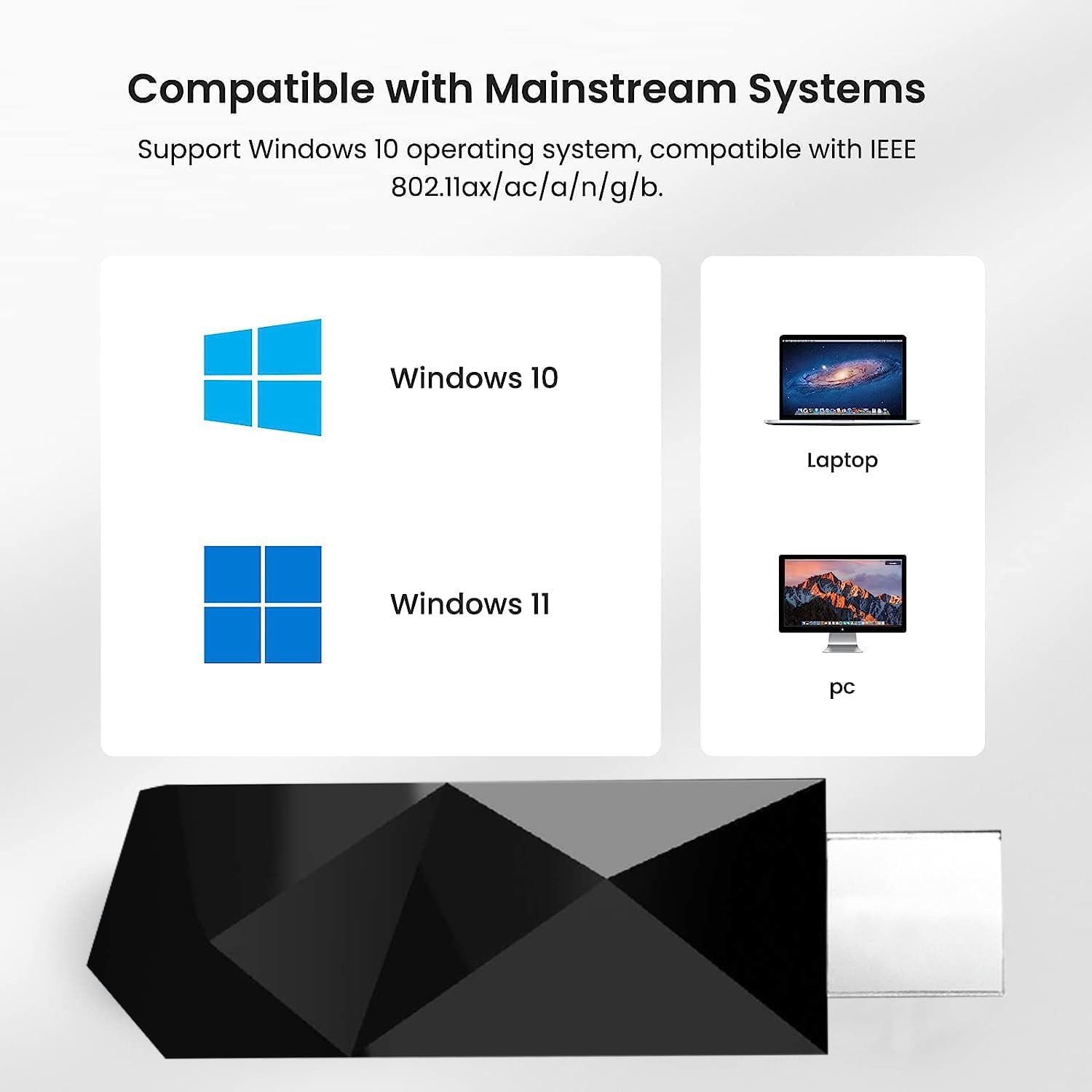
Image 3.1: The adapter is compatible with Windows 10 and 11, and can be used with both desktop and laptop computers.
3.2. Montavimas
The DBIT AX1800 WiFi 6 USB Adapter features a driver-free installation process for Windows 10 and 11, making setup quick and convenient.
- Įdėkite adapterį: Plug the DBIT AX1800 WiFi 6 USB Adapter into an available USB 3.0 port on your desktop or laptop PC. For best performance, use a USB 3.0 port (typically blue inside).

Image 3.2: The USB adapter being inserted into a laptop's USB port.
- Automatinis tvarkyklių diegimas: For Windows 10 and 11, the operating system will automatically detect the adapter and install the necessary drivers. This process may take a few moments.
- Rankinis tvarkyklės diegimas (jei reikia): In rare cases, if the driver does not install automatically, you may need to run the installer from the adapter's virtual CD-ROM drive. Access 'This PC' or 'My Computer', locate the virtual CD drive (e.g., 'CD Drive (E:)'), and run 'WiFiAutoInstallSetup.exe'. Follow the on-screen prompts to complete the installation.

Image 3.3: Steps for manual driver installation from the virtual CD-ROM drive.
- Patvirtinimas: Once the drivers are installed, the adapter should appear in your computer's Device Manager under 'Network adapters'.
4. Naudojimo instrukcijos
4.1. Prisijungimas prie „Wi-Fi“ tinklo
Sėkmingai įdiegus, galite prisijungti prie belaidžio tinklo:
- Prieigos tinklo nustatymai: Spustelėkite „Wi-Fi“ piktogramą kompiuterio sistemos dėkle (paprastai apatiniame dešiniajame ekrano kampe).
- Pasirinkite tinklą: Bus rodomas galimų „Wi-Fi“ tinklų sąrašas. Pasirinkite norimą tinklą.
- Įveskite slaptažodį: If prompted, enter the network security key (Wi-Fi password) and click 'Connect'.
- Patvirtinkite ryšį: Once connected, the Wi-Fi icon will indicate an active connection, and you can begin using the internet.

Image 4.1: A laptop connected to a Wi-Fi router, illustrating the wireless connection enabled by the adapter.
4.2. Dviejų dažnių veikimas
The adapter supports both 2.4GHz and 5GHz Wi-Fi bands. You can choose the band that best suits your needs:
- 2.4 GHz dažnių juosta: Offers wider coverage and better penetration through walls, suitable for general internet browsing and tasks that do not require very high speeds.
- 5 GHz dažnių juosta: Provides faster speeds and lower latency, ideal for demanding applications like online gaming, 4K streaming, and large file transfers. This band typically has a shorter range and is more susceptible to obstacles.

Image 4.2: Visual representation of typical usage for 2.4GHz (574Mbps) and 5GHz (1201Mbps) bands, showing different devices and activities.
5. Priežiūra
To ensure the longevity and optimal performance of your DBIT AX1800 WiFi 6 USB Adapter, follow these maintenance guidelines:
- Laikyti švarų: Regularly clean the adapter with a soft, dry cloth to prevent dust buildup, especially around the USB connector.
- Venkite fizinės žalos: Do not drop, bend, or expose the adapter to excessive force.
- Temperatūra ir drėgmė: Adapterį laikykite ir naudokite rekomenduojamoje temperatūros ir drėgmės ribose. Venkite didelio karščio, šalčio ar drėgmės.
- Tinkamas pašalinimas: Always safely remove the adapter from your computer's USB port to prevent data corruption or damage to the device.
6. Problemų sprendimas
If you encounter issues with your DBIT AX1800 WiFi 6 USB Adapter, refer to the following common problems and solutions:
- Nėra „Wi-Fi“ ryšio:
- Įsitikinkite, kad adapteris yra tvirtai prijungtas prie USB prievado.
- Verify that Wi-Fi is enabled on your computer.
- Check Device Manager to confirm the adapter drivers are installed correctly and the device is recognized. Reinstall drivers if necessary (refer to Section 3.2).
- Paleiskite kompiuterį ir „Wi-Fi“ maršrutizatorių iš naujo.
- Lėtas ryšio greitis:
- Ensure the adapter is plugged into a USB 3.0 port for optimal performance.
- Priartėkite prie „Wi-Fi“ maršrutizatoriaus, kad pagerintumėte signalo stiprumą.
- Try connecting to the 5GHz band if available, as it generally offers faster speeds.
- Patikrinkite, ar netrukdo kiti elektroniniai prietaisai.
- Intermittent Connection / Disconnections:
- Ensure the adapter is not overheating. If it feels unusually hot, unplug it for a few minutes and try again.
- Atnaujinkite maršrutizatoriaus programinę-aparatinę įrangą į naujausią versiją.
- Disable power saving features for the USB port in your computer's power settings or Device Manager.
- Driver Installation Failure:
- Refer to Section 3.2 for manual driver installation steps.
- Temporarily disable antivirus software during installation, then re-enable it.
7. Techninės specifikacijos
| Funkcija | Specifikacija |
|---|---|
| Modelis | D1-X18 |
| Prekės ženklas | DBIT |
| Techninės įrangos sąsaja | USB 3.0 |
| bevielio ryšio standartas | IEEE 802.11a/b/g/n/ac/ax (WiFi 6) |
| Duomenų perdavimo sparta | Up to 1800 Mbps (1201Mbps on 5GHz + 574Mbps on 2.4GHz) |
| Dažnių juostos | 2.4 GHz ir 5 GHz dviejų dažnių juosta |
| Saugumo protokolai | WPA3 |
| Pažangios technologijos | MU-MIMO, OFDMA |
| Suderinamos operacinės sistemos | Langai 11 Windows 10 |
| Spalva | Juoda |
| Prekės svoris | 19 gramų (0.67 uncijos) |
| UPC | 739804688939 |
8. Garantija ir palaikymas
DBIT products are designed for reliability and performance. For warranty information and technical support, please refer to the official DBIT websvetainėje arba susisiekite su jų klientų aptarnavimo tarnyba. Išsaugokite pirkimo kvitą kaip pirkimo įrodymą garantijos pretenzijoms.
Dėl papildomos pagalbos apsilankykite DBIT Store on Amazon.


