1. Įvadas
The HiFuture Future Zone 2 BT Smartwatch is designed to enhance your daily life by providing convenient access to fitness tracking, communication, and entertainment features directly from your wrist. This manual provides essential information on how to set up, operate, and maintain your new smartwatch.
Key features include step tracking, distance measurement, time and date display, music playback control, an AMOLED touchscreen display, and a seamless Bluetooth calling system. With an impressive 7-day battery life, the Future Zone 2 is built for extended use.
2. Produktas baigtasview
2.1. Savybės
- Veiklos stebėjimas: Helps you track simple steps, distance traveled, time, and date.
- Muzikos valdymas: Allows you to control your phone's music player directly from the watch.
- Ekranas: Features a vibrant AMOLED touchscreen display.
- „Bluetooth“ skambutis: Enables hassle-free communication with a built-in Bluetooth calling system.
- Baterijos veikimo laikas: Offers an impeccable battery that lasts up to 7 days on a single charge.
- Atsparumas vandeniui: IP68 certified for water resistance.
- Sporto režimai: Palaiko daugiau nei 100 sporto režimų įvairiam aktyvumo stebėjimui.
2.2. Komponentai ir ekranas

2.2.1 paveikslas: The HiFuture Future Zone2 Smartwatch in silver and white, showcasing its sleek design and vibrant display with activity metrics.
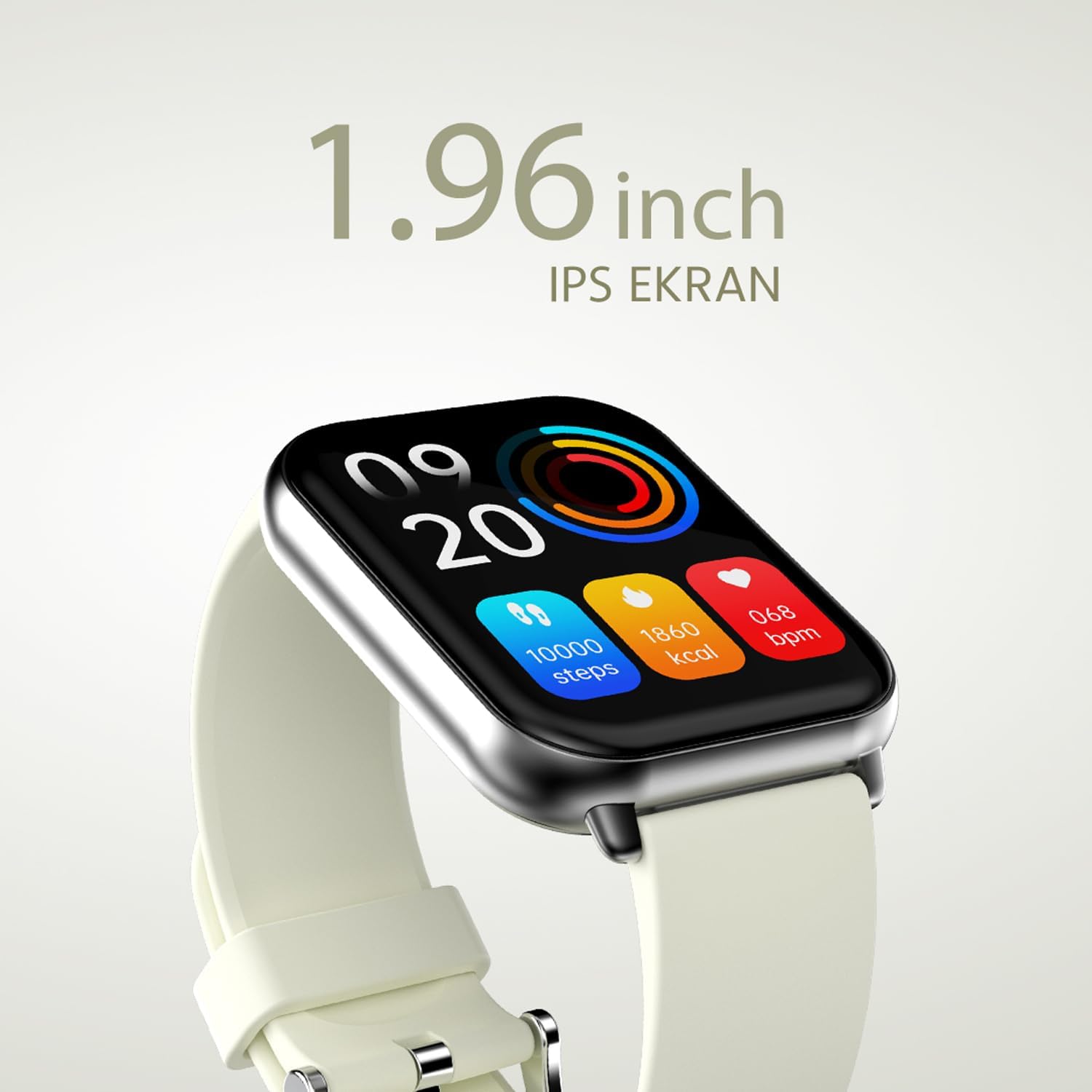
2.2.2 paveikslas: Išsamią view of the smartwatch display, highlighting its 1.96-inch IPS screen, which offers clear and crisp visuals.

2.2.3 paveikslas: The smartwatch accompanied by icons representing its core features: 1.96-inch IPS screen, wireless connectivity, 7-day battery life, and IP68 water resistance.

2.2.4 paveikslas: The smartwatch surrounded by various sport icons, indicating its support for over 100 different sport modes for comprehensive fitness tracking.
3. Sąranka
3.1. Išmaniojo laikrodžio įkrovimas
Before first use, fully charge your HiFuture Future Zone2 Smartwatch. Connect the charging cable to the charging port on the back of the watch and plug the USB end into a compatible power adapter (not included) or a computer's USB port. The watch display will indicate charging status. A full charge typically takes approximately 2 hours.
3.2. Susiejimas su išmaniuoju telefonu
- Atsisiųskite programą: Ieškokite the official HiFuture companion app on your smartphone's app store (Google Play Store for Android or Apple App Store for iOS). Install the app.
- Įjungti Bluetooth: Įsitikinkite, kad jūsų išmaniajame telefone įjungtas „Bluetooth“.
- Atidarykite programą: Launch the HiFuture app and follow the on-screen instructions to create an account or log in.
- Pridėti įrenginį: Within the app, navigate to the "Add Device" or "Pair Device" section. The app will search for nearby smartwatches.
- Pasirinkite savo laikrodį: Select "HiFuture Future Zone2" from the list of discovered devices.
- Patvirtinkite susiejimą: Ir telefone, ir išmaniajame laikrodyje pasirodys susiejimo užklausa. Patvirtinkite susiejimą abiejuose įrenginiuose.
- Užbaigti sąranką: Once paired, the app will guide you through initial settings such as personal information, notification preferences, and watch face customization.
Note: For optimal performance, ensure your smartphone's operating system and the smartwatch app are up to date.
4. Naudojimo instrukcijos
4.1. Pagrindinė navigacija
- Jutiklinis ekranas: Braukite kairėn, dešinėn, aukštyn arba žemyn, kad naršytumėte meniu ir ekranus. Palieskite, kad pasirinktumėte parinktį.
- Šoninis mygtukas: Press the side button to return to the home screen or wake up the display. A long press may access power options or a quick menu.
4.2. Skambinimas per „Bluetooth“
The Future Zone2 Smartwatch supports Bluetooth calling, allowing you to make and receive calls directly from your wrist when connected to your smartphone.
- Įjungti skambučio garsą: Ensure that the smartwatch is connected to your phone for both data and call audio. This setting is usually managed within your phone's Bluetooth settings after initial pairing.
- Skambinimas: Access the dialer or contact list on your smartwatch. Tap to dial a number or select a contact to initiate a call.
- Skambučių priėmimas: Kai skambinate, laikrodyje bus rodomas skambinančiojo ID. Palieskite žalią piktogramą, kad atsilieptumėte, arba raudoną piktogramą, kad atmestumėte.
- Skambučio metu: You can speak directly into the watch's built-in microphone and listen through its speaker. Options to mute, adjust volume, or transfer the call to your phone may be available on the watch screen.
4.2.1 paveikslas: The smartwatch screen showing a missed call notification, demonstrating its Bluetooth calling capability.
4.3. Muzikos atkūrimo valdymas
Control your smartphone's music playback directly from your smartwatch.
- Access Music Control: Swipe on your watch face or navigate through the app list to find the "Music" or "Media Control" icon.
- Valdykite atkūrimą: From this screen, you can play/pause, skip tracks (next/previous), and adjust the volume of the music playing on your connected smartphone.
4.4. Veiklos stebėjimas
The smartwatch automatically tracks your daily steps, distance, and calories burned. You can view these metrics on the watch display or in the companion app for more detailed insights.
- Kasdieninė veikla: The main watch face or a dedicated activity screen will show your current steps, calories, and heart rate (if applicable).
- Sporto režimai: Select a specific sport mode (e.g., running, cycling, walking) from the watch's menu before starting an activity for more accurate tracking.
5. Priežiūra
5.1. Išmaniojo laikrodžio valymas
- Laikrodžio ekraną ir korpusą nuvalykite minkštu, nepūkuotu skudurėliu.
- Esant sunkiai įsisenėjusioms dėmėms, dampŠluostę šiek tiek sudrėkinkite vandeniu. Venkite naudoti stiprias chemines medžiagas ar abrazyvines medžiagas.
- Prieš įkrovimą įsitikinkite, kad įkrovimo kontaktai yra švarūs ir sausi.
5.2. Atsparumas vandeniui (IP68)
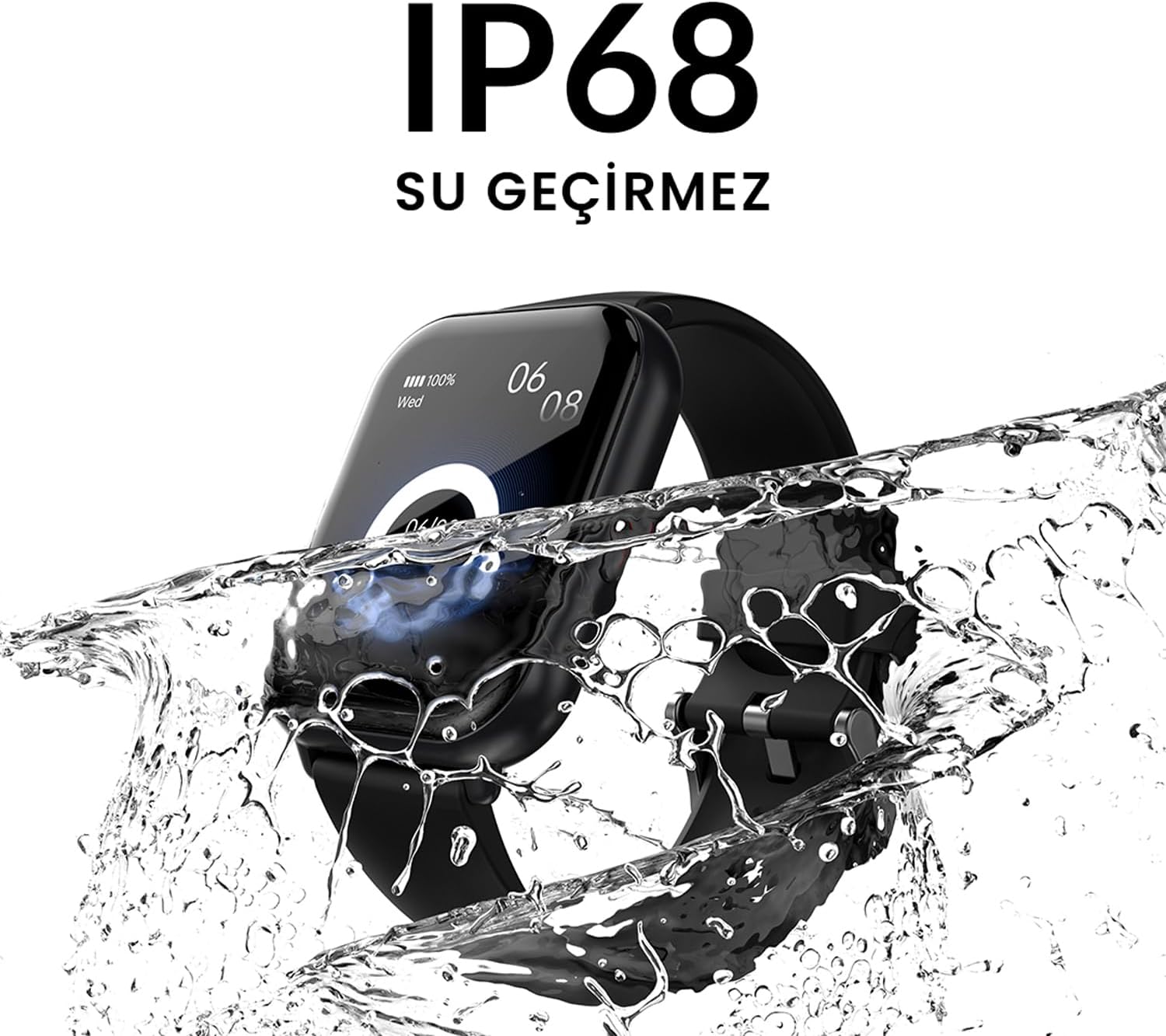
The HiFuture Future Zone2 Smartwatch is IP68 water-resistant, meaning it can withstand immersion in water up to 1.5 meters for up to 30 minutes. It is suitable for daily use, such as hand washing or light rain.
- Do not use the watch for diving, snorkeling, or high-pressure water activities.
- Avoid exposing the watch to hot water, steam, or detergents, as this may compromise its water resistance.
- If the watch gets wet, dry it thoroughly before charging or operating.

5.2.1 paveikslas: The smartwatch shown with water splashing over it, illustrating its IP68 water resistance rating.
5.3. Akumuliatoriaus priežiūra
- Norėdami pailginti akumuliatoriaus veikimo laiką, venkite dažnai visiškai jį iškrauti.
- Įkraukite laikrodį naudodami tik pridedamą įkrovimo laidą.
- Laikykite laikrodį vėsioje, sausoje vietoje, kai ilgesnį laiką jo nenaudojate.
6. Problemų sprendimas
6.1. Dažnos problemos ir sprendimai
| problema | Galima priežastis | Sprendimas |
|---|---|---|
| Laikrodis neįsijungia | Išsikrovęs akumuliatorius; įrenginys užstrigo | Charge the watch for at least 30 minutes. If still unresponsive, perform a forced restart (refer to device-specific instructions, usually a long press of the side button). |
| Nepavyksta susieti su išmaniuoju telefonu | „Bluetooth“ išjungtas; programėlės problema; laikrodis neaptinkamas | Ensure Bluetooth is on for both devices. Restart both the watch and phone. Clear the app's cache or reinstall it. Make sure the watch is in pairing mode. |
| „Bluetooth“ skambučiai neveikia | Incorrect Bluetooth profile; app permissions | Check your phone's Bluetooth settings to ensure the watch is connected for "Calls" or "Phone audio." Verify app permissions for phone calls. |
| Netikslus veiklos stebėjimas | Improper wear; software glitch | Ensure the watch is worn snugly on your wrist. Restart the watch. Update the watch firmware via the app if available. |
7. Specifikacijos
| Funkcija | Detalė |
|---|---|
| Prekės ženklas | HiFuture |
| Modelio pavadinimas | Smartwatch (Future Zone2) |
| Modelio numeris | ZONE2 SILVER WHITE |
| Spalva | Silver and White (as per product title, though spec says Grey) |
| Ekrano dydis | 41 Millimeters (1.96 inches IPS) |
| Ryšio technologija | Bluetooth |
| Ypatingos savybės | Music Player, Distance Tracker, Bluetooth Calling |
| Suderinami įrenginiai | Smartphone, Tablet, Other Portable Devices |
| Baterijos sudėtis | Ličio jonų (pridedama 1 ličio polimerų baterija) |
| Įkraunama baterija | Taip |
| Atsparumas vandeniui | IP68 sertifikuota |
| GPS | Nėra GPS |
| Forma | Kvadratas |
| Gamintojas | HiFuture Group |
8. Garantija ir palaikymas
8.1. Gaminio garantija
Specific warranty details for the HiFuture Future Zone2 Smartwatch are typically provided with your purchase documentation or on the manufacturer's official websvetainėje. Prašome išsaugoti pirkimo įrodymą garantiniams reikalavimams.
Note: Information regarding guaranteed software updates and spare parts availability is not explicitly provided.
8.2. Pagalba klientams
For technical assistance, troubleshooting beyond this manual, or warranty inquiries, please contact HiFuture customer support through their official websvetainėje arba kontaktinę informaciją, pateiktą ant jūsų produkto pakuotės.
Taip pat galite kreiptis į produkto puslapis svetainėje Amazon.com.be dėl papildomos informacijos ir klientų aptarnavimoviews.


