1. Produktas baigtasview
The RAZEAK Portable 60% Mechanical Keyboard is a compact, high-performance input device designed for PC and Mac users, particularly gamers. Its 61-key layout saves desk space while retaining full functionality through key combinations. This model features durable mechanical switches and customizable colorful backlighting.
- Kompaktiškas 60 % išdėstymas: Space-saving 61-key design with full functionality via key combinations.
- N klavišo užvedimas: Užtikrina tikslų visų klavišų paspaudimų registravimą, net ir greitai įvedant tekstą.
- Dual Colour Translucent Keycaps: Injection-moulded keycaps for durability and enhanced backlighting.
- Spalvingas foninis apšvietimas: Multiple LED backlighting modes for visual appeal and low-light visibility.
- Humanistic Design: Adjustable height and detachable USB-C cable for user comfort and portability.
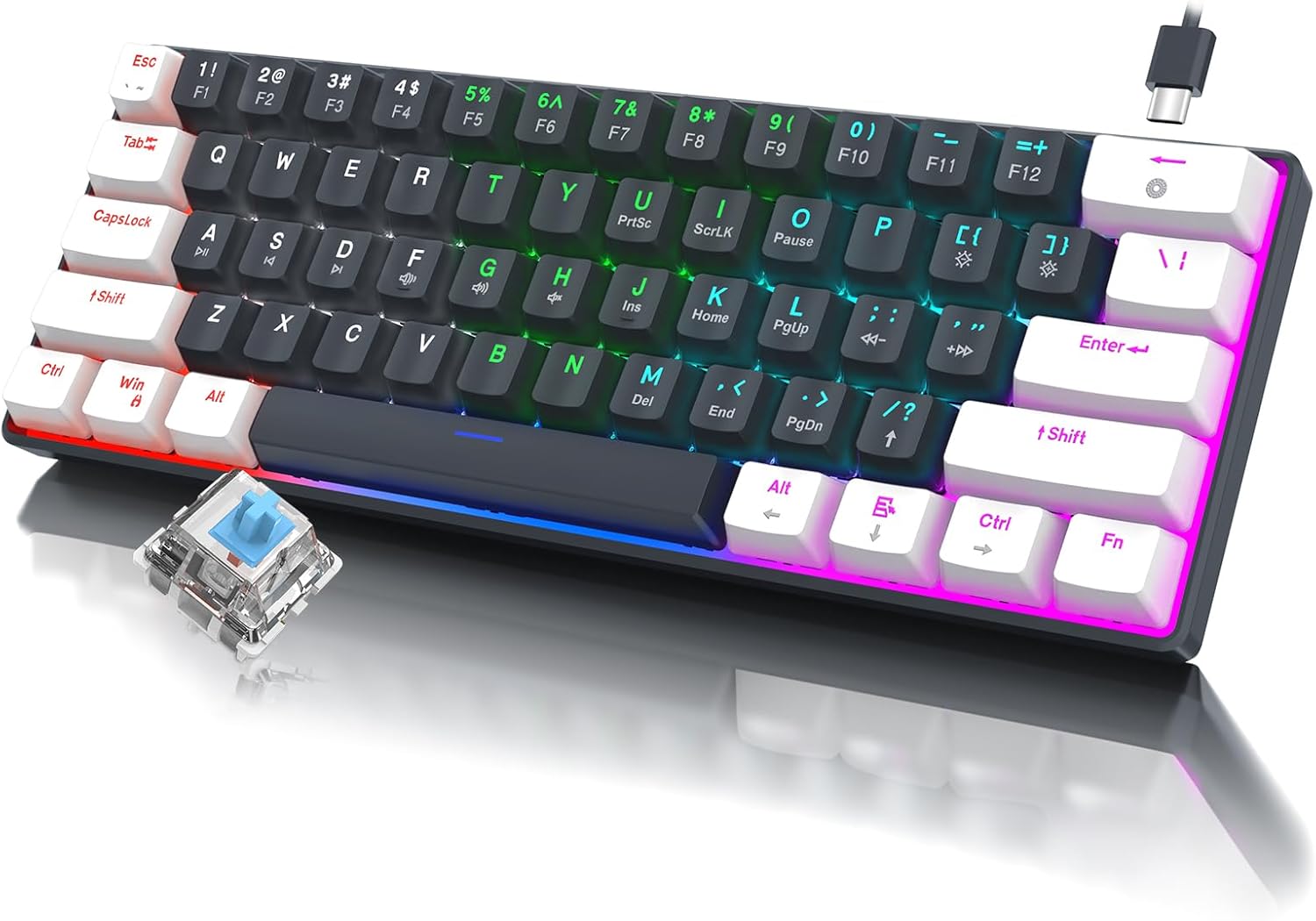
1.1 vaizdas: Baigtaview of the RAZEAK Portable 60% Mechanical Keyboard, showcasing its compact design, colorful backlighting, and a detached blue mechanical switch.
2. Pakuotės turinys
Please verify that all items are present in the package upon unboxing:
- RAZEAK Portable 60% Mechanical Keyboard
- USB-C kabelis
3. Sąranka
3.1 Klaviatūros prijungimas
- Raskite USB-C prievadą klaviatūros gale arba šone.
- Prijunkite vieną pateikto USB-C kabelio galą prie klaviatūros USB-C prievado.
- Connect the other end of the USB-C cable to an available USB-A port on your computer (PC or Mac).
- The keyboard will automatically be recognized by your operating system. No additional drivers are typically required.
3.2 Klaviatūros aukščio reguliavimas
The keyboard features two levels of height adjustment for ergonomic comfort.
- Flip the keyboard over to access the adjustable feet on the underside.
- Gently pull out the small feet for the first level of elevation.
- For a higher angle, pull out the larger feet.
- Ensure both feet are extended evenly to maintain stability.

Image 3.1: Illustration of the keyboard's ergonomic design with adjustable feet, allowing for comfortable typing angles.
4. Naudojimo instrukcijos
4.1 Pagrindinių funkcijų ir derinių
Due to its compact 60% layout, some functions are accessed via key combinations using the Fn raktas.
| Derinys | Funkcija |
|---|---|
| Fn + 1! to Fn + =+ | F1 to F12 Function Keys |
| Fn + Q | Ankstesnis takelis |
| Fn + W | Leisti / pristabdyti |
| Fn + E | Kitas takelis |
| Fn + R. | Sumažinti garsumą |
| Fn + T | Padidinti garsumą |
| Fn + Y | Nutildyti |
| Fn + U | PrntSc (Print Screen) |
| Fn + I. | ScrLk (Scroll Lock) |
| Fn + O | Pauzė |
| Fn + P | Ins (Insert) |
| Fn + [ { | Pradžia |
| Fn + ] } | Pabaiga |
| Fn + ; : | PgUp (Page Up) |
| Fn + ' " | PgDn (Page Down) |
| Fn + / ? | Rodyklė aukštyn |
| fn+alt | Rodyklė kairėn |
| Fn + Ctrl | Rodyklė žemyn |
| Fn + Fn | Rodyklė dešinėn |

Image 4.1: Layout of the 60% ultra-compact keyboard, highlighting the 61-key configuration and secondary functions accessible via the Fn key.
4.2 Foninio apšvietimo valdymas
The keyboard features multiple LED backlight modes and brightness levels.
- Fn + \|: Pasirinkite 19 skirtingą foninio apšvietimo režimą.
- Fn + ; : (PgUp): Padidinkite foninio apšvietimo ryškumą.
- Fn + ' " (PgDn): Sumažinkite foninio apšvietimo ryškumą.
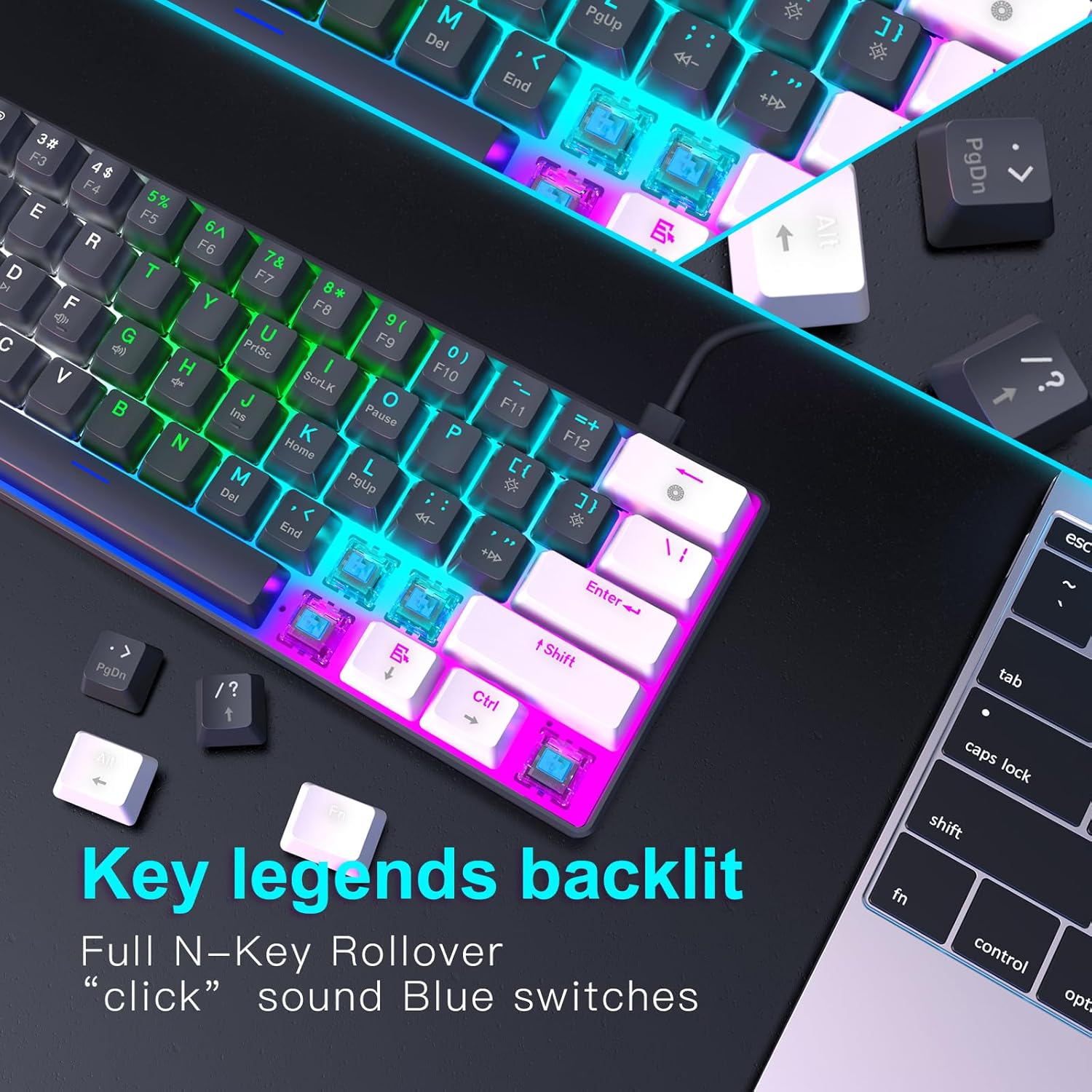
4.2 paveikslėlis: Stambus planas view of the keyboard's key legends with active backlighting, demonstrating the translucent keycaps and illuminated mechanical switches.
5. Priežiūra
Tinkama klaviatūros priežiūra užtikrina jos ilgaamžiškumą ir optimalų veikimą.
- Valymas: Use a soft, dry cloth to wipe the surface of the keyboard. For dust and debris between keys, use compressed air. Avoid liquid cleaners directly on the keyboard.
- Klaviatūros dangtelio nuėmimas (neprivaloma): If necessary, keycaps can be carefully removed for deeper cleaning using a keycap puller (not included). Reinstall them by aligning and pressing down gently.
- Saugykla: Kai nenaudojate klaviatūros, laikykite ją švarioje, sausoje vietoje, toliau nuo tiesioginių saulės spindulių ir ekstremalių temperatūrų.
- Kabelio priežiūra: Kad nepažeistumėte USB-C laido, jo per daug nelenkite ir nesukite.
6. Problemų sprendimas
If you encounter issues with your RAZEAK keyboard, please refer to the following common solutions:
| Problema | Galima priežastis / sprendimas |
|---|---|
| Klaviatūra nereaguoja |
|
| Foninis apšvietimas neveikia arba yra silpnas |
|
| Kai kurie klavišai neveikia |
|
7. Specifikacijos
| Funkcija | Detalė |
|---|---|
| Modelio pavadinimas | X44-WTBK-BS_B |
| Prekės ženklas | RAZEAK |
| Klaviatūros tipas | Mechaninė žaidimų klaviatūra |
| Išdėstymas | 60 % (61 klavišai) |
| Jungiklio tipas | Mėlynas jungiklis (Clicky) |
| Ryšys | USB-C (atjungiamas laidas) |
| Foninis apšvietimas | Colorful LED (19 modes) |
| Rakto apvertimas | N klavišo perkėlimas |
| Klaviatūros | Dual Colour Translucent Injection Moulded |
| Gaminio matmenys | 11.5 x 4.02 x 1.57 colio |
| Prekės svoris | 1.34 svaro |
| Suderinami įrenginiai | Windows devices (PC/Mac) |
| Įtraukti komponentai | USB kabelis |

Image 7.1: Dimensional diagram of the RAZEAK Portable 60% Mechanical Keyboard, indicating its compact size.
8. Garantija ir palaikymas
RAZEAK products are designed for reliability and performance. For specific warranty details, please refer to the warranty card included with your product or visit the official RAZEAK website. If you require technical assistance or have questions regarding your keyboard, please contact RAZEAK customer support through their official channels.
Daugiau informacijos ir pagalbos galite rasti adresu RAZEAK Store on Amazon.


