Įvadas
Thank you for choosing the EMOS EMILY Rechargeable LED Desk LampŠiame vadove pateikiama esminė informacija, kaip saugiai ir efektyviai naudoti jūsų naująjį lamp. The EMILY lamp features a flexible gooseneck, continuous dimming, and a built-in rechargeable battery, making it ideal for various applications.
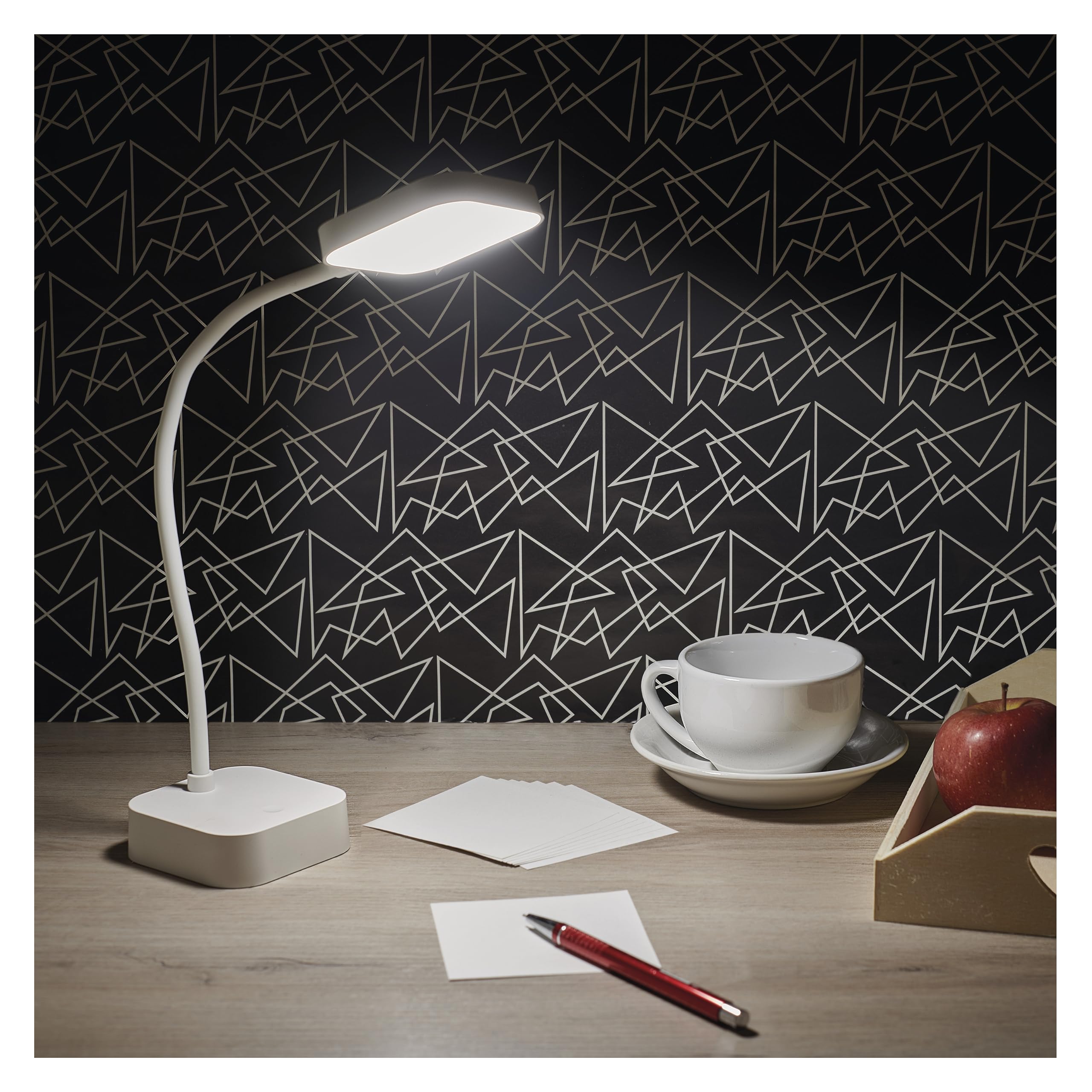
Image: The EMOS EMILY LED Desk Lamp in white, featuring a square base and lamp head connected by a flexible gooseneck.
Sąranka
- Išpakuokite Lamp: Atsargiai nuimkite lamp and all accessories from the packaging. Ensure all components listed in the specifications are present.
- Pradinis mokestis: Prieš pirmą kartą naudodami, pilnai įkraukite lamp. Connect the supplied 1-meter USB charging cable to the lamp's charging port and to a suitable USB power adapter (not included). The charging indicator light will show the charging status.

Image: Close-up of the lamp's base showing the ON/OFF slide switch and the DC 5V charging port, with a charging cable being inserted.
- Suaktyvinkite Lamp: Locate the slide switch on the back of the lamp's base. Slide it from the "OFF" position to the "ON" position to enable the lamp's functions.
Naudojimo instrukcijos
- Maitinimo įjungimas/išjungimas: Su lamp activated (switch in "ON" position), lightly touch the touch button located on the lamppagrindą, kad įjungtumėte arba išjungtumėte šviesą.
- Ryškumo reguliavimas (pritemdymas): To adjust the light intensity, press and hold the touch button. The brightness will continuously cycle between 10% and 100%. Release the button when the desired brightness is reached.
- Pastačius Lamp: Lamp features a flexible gooseneck. Bend and rotate the gooseneck to direct the light precisely where needed.

Image: Three EMOS EMILY lamps shown from different angles, highlighting the flexibility of their gooseneck arms.
Priežiūra
- Valymas: Atjunkite lamp from any power source before cleaning. Use a soft, dry cloth to wipe the lamp's surface. Do not use abrasive cleaners or solvents.
- Saugykla: Jei saugote lamp for an extended period, ensure it is fully charged and then turn the slide switch to the "OFF" position. Store in a cool, dry place.
- Akumuliatoriaus priežiūra: To prolong battery life, avoid completely discharging the battery frequently. Recharge the lamp when the light output noticeably diminishes.
Trikčių šalinimas
| Problema | Galima priežastis | Sprendimas |
|---|---|---|
| Lamp neįsijungia. | Baterija išsikrovusi. Maitinimo jungiklis IŠJUNGTAS. Touch button not responding. | Įkraukite lamp. Pastumkite maitinimo jungiklį į „ĮJUNGTA“. Ensure the touch button is clean and try again. |
| Šviesa blanki arba mirga. | Senka baterija. Dimming setting is too low. | Įkraukite lamp pilnai. Press and hold the touch button to increase brightness. |
| Lamp neapmokestina. | USB cable or adapter faulty. Įkrovimo prievadas užblokuotas. | Try a different USB cable and adapter. Patikrinkite, ar įkrovimo prievade nėra šiukšlių. |
Specifikacijos
- Modelio numeris: Z7627
- Prekinis ženklas: EMOS
- Galia: 2 W
- Šviesos srautas: Maksimalus 100 lm
- Spalvos temperatūra: 5000 kelvinų (neutrali balta)
- Pritemdymas: Continuous (10-100%)
- Baterijos veikimo laikas: Up to 96 hours (depending on brightness setting)
- Baterijos tipas: 1 ličio jonų baterija (pridedama)
- Įkrovimas: USB (1m cable included, adapter not included)
- Medžiaga: Plastikiniai
- Gaminio matmenys: 8 x 8 x 30 cm (apytiksliai 3.15 x 3.15 x 11.8 colio)
- Svoris: 340 gramų (apie 0.75 svaro)
- Įtraukti komponentai: 1 Stalas Lamp, 1 USB Charging Cable

Image: Technical drawing illustrating the dimensions of the EMOS EMILY LED Desk Lamp, including height, base diameter, and lamp galvos dydis.
Informacija apie garantiją
Specific warranty details for the EMOS EMILY LED Desk Lamp may vary by region and retailer. Please refer to the warranty card included with your purchase or contact your point of sale for detailed information regarding warranty coverage and terms.
Pagalba klientams
For further assistance, technical support, or inquiries regarding your EMOS EMILY LED Desk Lamp, please contact the retailer from whom you purchased the product. You may also visit the official EMOS webbendros informacijos apie produktus ir pagalbos išteklių svetainė.


