1. Įvadas
Welcome to the user manual for your HEANTTV X6 Computer Speakers. This guide provides detailed instructions on setting up, operating, and maintaining your speakers to ensure optimal performance and an enhanced audio experience. Please read this manual thoroughly before using the product.
2. Produktas baigtasview
2.1 Pagrindinės savybės
- HiFi garsas: Equipped with 5W*2 dual drive units and dual-channel output for clear, immersive sound.
- Dinaminis RGB apšvietimas: Features multiple colorful lighting modes, with an option to turn off the illumination.
- Intuityvus valdymas: Includes a rotary knob for volume adjustment and touch-sensitive buttons for managing lighting effects and switching connection modes.
- Lankstus ryšys: Supports both wired (3.5mm AUX) and wireless (Bluetooth 5.0) connections, along with a microphone connector for communication.
- Platus suderinamumas: Compatible with a wide range of devices including laptops, desktop computers, smartphones, tablets, projectors, and gaming consoles.
2.2 Pakuotės turinys
- HEANTTV X6 Main Speaker Unit (with controls)
- HEANTTV X6 Secondary Speaker Unit
- USB maitinimo laidas
- 3.5 mm garso laidas
- Vartotojo vadovas (šis dokumentas)
2.3 Komponento identifikavimas
Familiarize yourself with the various parts of your HEANTTV X6 speakers:

- Garsumo rankenėlė: Located on the main speaker unit, used to adjust the audio volume and power the speakers on/off.
- Valdymo jutiklinis mygtukas: Positioned near the volume knob, used to toggle RGB lighting effects and switch between connection modes (Bluetooth/AUX).
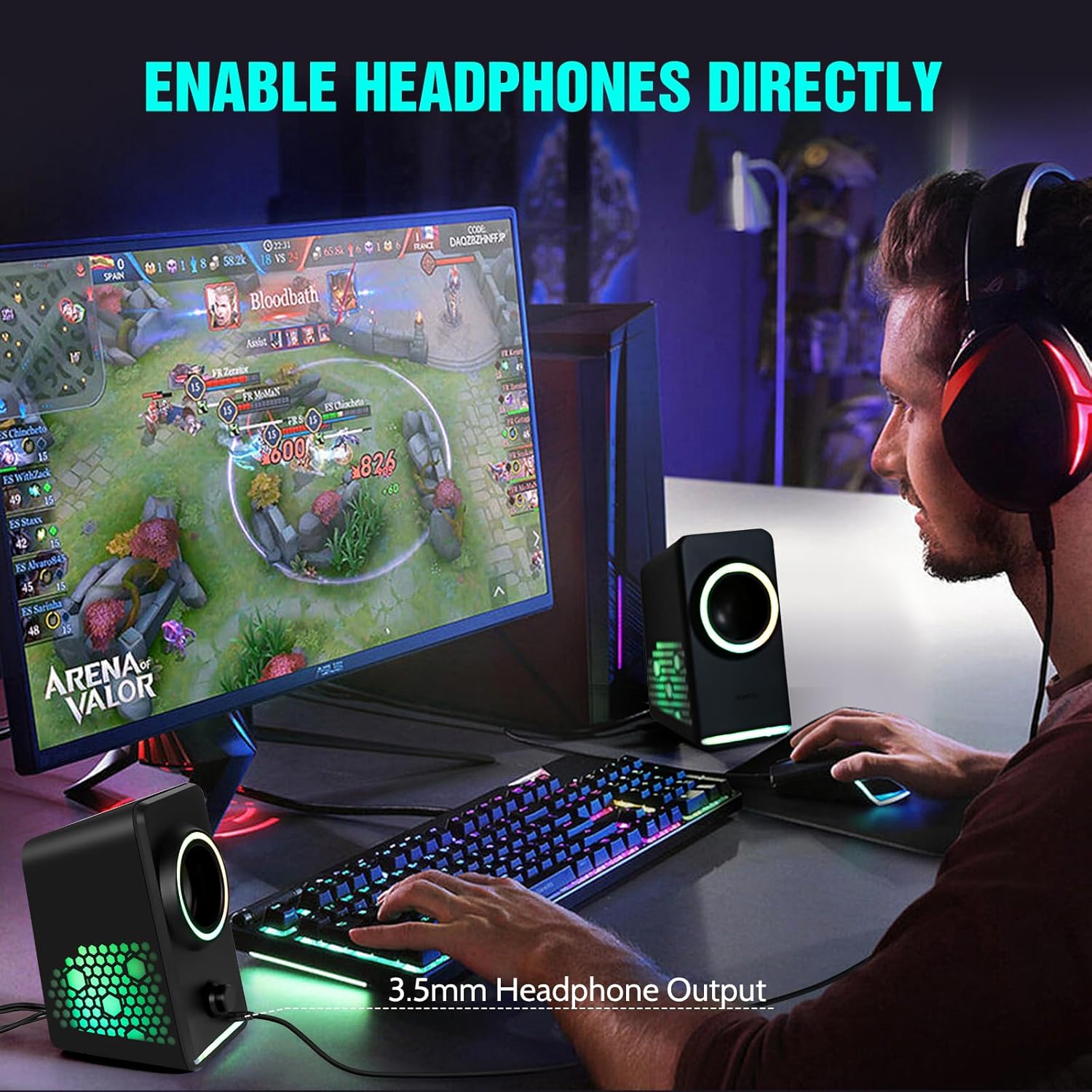
- 3.5 mm ausinių lizdas: Allows direct connection of headphones for private listening.
- USB maitinimo įvestis: Connects to a USB power source for speaker operation.
- 3.5 mm garso įvestis: For wired audio connection to devices.
3. Sąrankos instrukcijos
Follow these steps to set up your HEANTTV X6 Computer Speakers:
3.1 Garsiakalbių prijungimas
- Connect Secondary Speaker: Connect the cable from the secondary speaker unit to the designated port on the main speaker unit.
- Maitinimo jungtis: Insert the USB power cable into the USB power input port on the main speaker unit, then connect the other end to a USB power source (e.g., computer USB port, USB wall adapter).
- Garso jungtis (laidinė): For a wired connection, plug the 3.5mm audio cable into the 3.5mm audio input port on the main speaker unit and the audio output jack of your device (e.g., computer, laptop, smartphone).
- Audio Connection (Bluetooth): To use Bluetooth, ensure the speakers are powered on. Press the touch control button to switch to Bluetooth mode (indicated by a specific light pattern or audio cue). On your device, search for "HEANTTV X6" in the Bluetooth settings and pair.

4. Naudojimo instrukcijos
4.1 Įjungimas / išjungimas ir garsumo valdymas
- Maitinimas: Rotate the volume knob clockwise until you hear a click and the speakers power on.
- Išjungti: Rotate the volume knob counter-clockwise until you hear a click and the speakers power off.
- Reguliuoti garsumą: Pasukite garsumo reguliavimo rankenėlę pagal laikrodžio rodyklę, kad padidintumėte garsumą, ir prieš laikrodžio rodyklę, kad sumažintumėte garsumą.
4.2 Ryšio režimų perjungimas
Press the touch control button on the main speaker unit to cycle between available input modes (Bluetooth and 3.5mm AUX). The speakers will provide an audio cue or a change in lighting to indicate the active mode.
4.3 RGB apšvietimo valdymas
Press and hold the touch control button to change the RGB lighting effects. A quick tap may also cycle through different static colors or turn the lights off, depending on the current mode.
4.4 Using the Headphone Output
To use headphones, plug your 3.5mm headphones into the headphone jack located on the main speaker unit. This will typically mute the speakers and route audio to your headphones.
5. Priežiūra
To ensure the longevity and optimal performance of your HEANTTV X6 speakers, follow these maintenance guidelines:
- Valymas: Use a soft, dry cloth to wipe the speaker surfaces. Avoid using abrasive cleaners, solvents, or sprays that could damage the finish or internal components.
- Saugykla: Kai garsiakalbių nenaudojate ilgesnį laiką, laikykite juos vėsioje, sausoje vietoje, toliau nuo tiesioginių saulės spindulių ir ekstremalių temperatūrų.
- Tvarkymas: Elkitės su garsiakalbiais atsargiai. Venkite jų numesti ir stipriai sutrenkti.
- Vėdinimas: Ensure the speakers have adequate ventilation and do not block any vents, if present, to prevent overheating.
6. Problemų sprendimas
If you encounter issues with your HEANTTV X6 speakers, refer to the following common problems and solutions:
| Problema | Galima priežastis | Sprendimas |
|---|---|---|
| Iš garsiakalbių nėra garso | Speakers not powered on; Volume too low; Incorrect input mode; Loose cable connection; Device volume low. | Ensure speakers are powered on and volume is up. Check that the correct input mode (Bluetooth/AUX) is selected. Verify all cables are securely connected. Increase volume on your connected device. |
| „Bluetooth“ ryšys nepavyksta | Speakers not in pairing mode; Device Bluetooth off; Speakers too far from device; Interference. | Ensure speakers are in Bluetooth pairing mode. Turn Bluetooth on your device. Move speakers closer to the device. Restart both speakers and device. |
| RGB lemputės neveikia | Išjungtos šviesos; gedimas. | Press the touch control button to cycle through lighting modes or turn them on. If the issue persists, contact support. |
| Garso iškraipymas | Volume too high; Poor audio source quality; Loose connection. | Sumažinkite garsumą. Išbandykite su kitu garso šaltiniu. Patikrinkite laidų jungtis. |
7. Specifikacijos
The following are the technical specifications for the HEANTTV X6 Computer Speakers:
| Funkcija | Specifikacija |
|---|---|
| Modelio pavadinimas | X6 |
| Prekės ženklas | HEANTTV |
| Garsiakalbio tipas | Multimedia Speakers with Subwoofer (2.0 Channel) |
| Maitinimo išvestis | 5W x 2 |
| Ryšio technologija | Bluetooth 5.0, 3.5mm AUX, USB (for power) |
| Kontrolės metodas | Touch, Rotary Knob |
| Gaminio matmenys | 7.98 x 15.49 x 9.3 cm |
| Prekės svoris | 750 g |
| Suderinami įrenginiai | Desktop, Laptop, Personal, Smartphone, Tablet |
| Ypatinga funkcija | USB Port, RGB Lighting |
8. Garantija ir palaikymas
For warranty information and customer support, please refer to the documentation provided at the time of purchase or contact HEANTTV customer service directly. Keep your proof of purchase for any warranty claims.


