Įvadas
Ačiū, kad pirkoteasing the HEANTTV Mini Stereo USB Computer Speakers, Model C1. This manual provides essential information for the safe and efficient use of your new speakers. Please read it thoroughly before use and retain it for future reference.
Saugos informacija
- Saugokite garsiakalbius nuo vandens ar per didelės drėgmės.
- Avoid placing the speakers near heat sources or in direct sunlight.
- Do not attempt to disassemble or repair the speakers yourself. Contact qualified service personnel.
- Laikyti vaikams nepasiekiamoje vietoje.
- Naudokite tik su suderinamais įrenginiais ir maitinimo šaltiniais, kaip nurodyta.
Pakuotės turinys
Patikrinkite pakuotę, ar joje yra šie daiktai:
- HEANTTV Mini Stereo USB Computer Speakers (2 units)
- Integrated USB power cable and 3.5mm audio cable with in-line control
- Greitos pradžios vadovas
Produktas baigtasview
The HEANTTV C1 speakers feature a compact design with integrated LED lighting and convenient in-line controls for volume and LED light management.
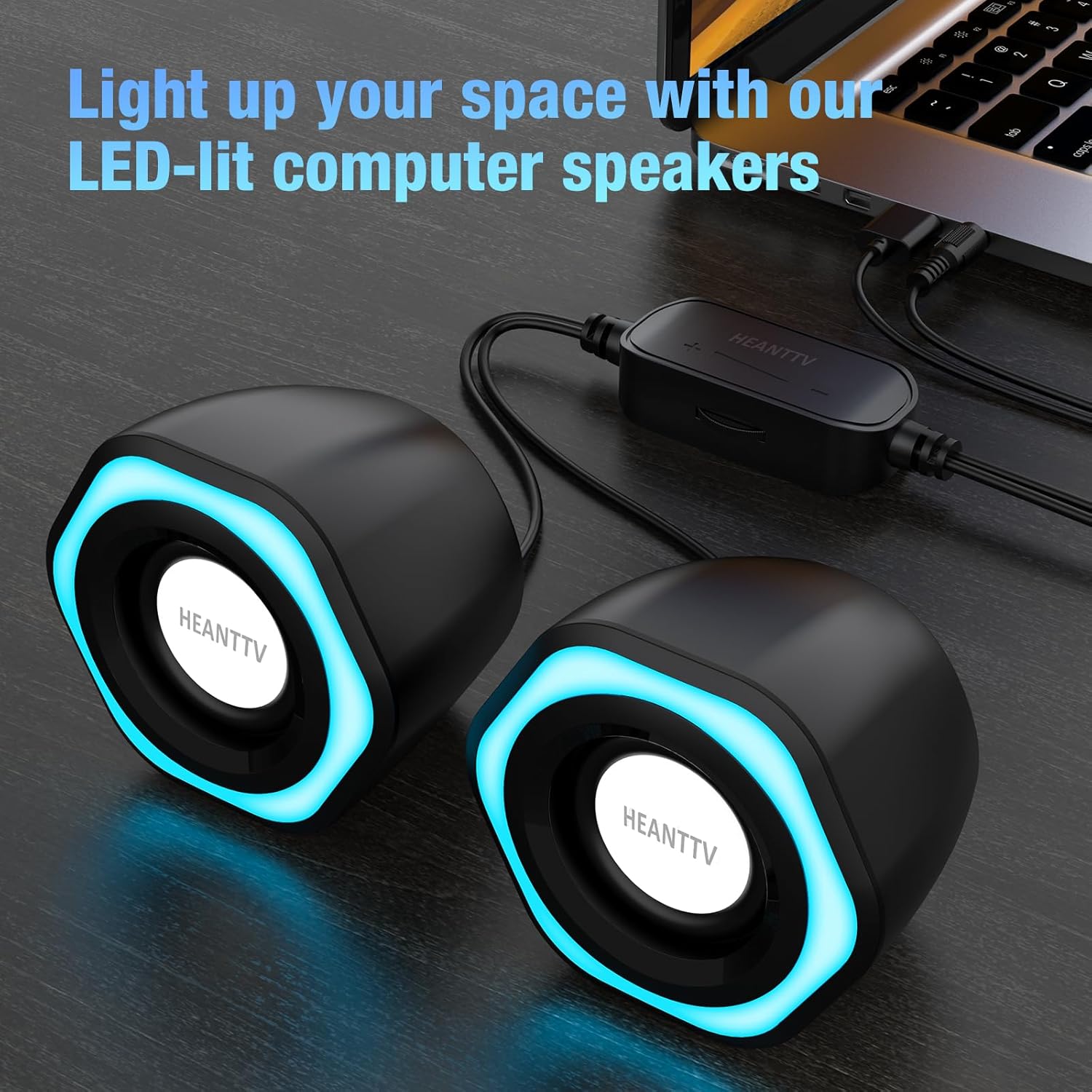
1 paveikslas: HEANTTV C1 speakers with their distinctive blue LED lighting, connected to a laptop. The speakers are designed to illuminate your workspace.

2 paveikslas: Išsamus view of the HEANTTV C1 speaker dimensions, highlighting its compact and portable size. The measurements are approximately 79mm (3.11in) height, 65mm (2.55in) width, and 84mm (3.30in) depth.

3 paveikslas: A HEANTTV C1 speaker held in a hand, illustrating its mini size and portability.
Sąrankos instrukcijos
Follow these steps to set up your HEANTTV C1 speakers:
- Vieta: Position the two speakers on your desk or desired surface, ensuring they are equidistant from your listening position for optimal stereo sound.
- Prijungti garsą: Plug the 3.5mm audio jack into the audio output port of your computer, laptop, or other compatible device.
- Prijunkite maitinimą: Insert the USB-A connector into an available USB port on your computer, laptop, or a USB power adapter (5V/1A recommended). The speakers are USB powered.
- Maitinimas: Once both cables are connected, the speakers will power on, and the LED lights will illuminate.

4 paveikslas: Illustration of the easy connection process. The USB cable provides power, and the 3.5mm audio cable transmits sound. The in-line control unit is visible for convenient adjustments.

5 paveikslas: Iš arti view of the USB plug for power and the 3.5mm audio plug for sound input, demonstrating the simple plug-and-play connectivity.
Naudojimo instrukcijos
The HEANTTV C1 speakers are designed for straightforward operation.
- Garsumo valdymas: Use the in-line control wheel located on the cable to adjust the volume. Rotate the wheel upwards to increase volume and downwards to decrease it.
- LED šviesos valdymas: The in-line control unit also features a button to turn the LED lights on or off. Press the button to toggle the lighting feature.
- Garso atkūrimas: Once connected and powered, play audio from your connected device. The speakers will output stereo sound.

6 paveikslas: Detail of the in-line control unit, showing the volume adjustment wheel and the button for controlling the LED lights. This allows for easy access to common functions.
Priežiūra
Norėdami užtikrinti garsiakalbių ilgaamžiškumą ir optimalų veikimą, laikykitės šių priežiūros nurodymų:
- Valymas: Use a soft, dry cloth to wipe the exterior of the speakers. Do not use liquid cleaners or abrasive materials.
- Saugykla: When not in use for extended periods, store the speakers in a cool, dry place away from direct sunlight and dust.
- Kabelio priežiūra: Kad nepažeistumėte laidų, venkite jų per daug sulenkti ar susukti.
Trikčių šalinimas
If you encounter issues with your HEANTTV C1 speakers, refer to the following common problems and solutions:
| Problema | Galima priežastis | Sprendimas |
|---|---|---|
| Nėra garso |
|
|
| LED lemputės neveikia |
|
|
| Iškraipytas garsas |
|
|
Specifikacijos
| Funkcija | Detalė |
|---|---|
| Modelio pavadinimas | C1 |
| Prekės ženklas | HEANTTV |
| Suderinami įrenginiai | Personal computer, laptop, desktop |
| Ryšio technologija | USB (maitinimui), 3.5 mm AUX (garsui) |
| Garso išvesties režimas | Stereo (2.0 kanalų konfigūracija) |
| Garsiakalbio išėjimo galia | 6 vatų (iš viso) |
| Ypatingos savybės | LED Light (with on/off control) |
| Kontrolės metodas | In-line volume control wheel, LED light button |
| Maitinimo šaltinis | USB Powered (Electric cable) |
| Medžiaga | Plastikiniai |
| Gaminio matmenys (I x P x A) | 3.11 x 6.5 x 7.9 cm (kiekvienam garsiakalbiui) |
| Svoris | 400 gramai (iš viso) |
| Atsparus vandeniui | Nr |
Garantija ir palaikymas
Information regarding warranty coverage and customer support is typically provided with your purchase documentation or on the manufacturer's official website. Please refer to the included "Quick Start Guide" or visit the HEANTTV websvetainėje rasite išsamias garantijos sąlygas ir kontaktinę informaciją, kaip kreiptis dėl pagalbos.
For any issues not covered in this manual, please contact HEANTTV customer service.


