1. Įvadas
Thank you for choosing the vamav DIGIPRO Professional Amplified Speaker. This manual provides essential information for the safe and efficient operation of your new audio equipment. Please read this manual thoroughly before use and retain it for future reference.
The vamav DIGIPRO is a professional amplified speaker designed for high-quality audio reproduction, featuring 450W + 50W RMS power, a 15-inch woofer, and a configurable Digital Signal Processor (DSP).
2. Saugos instrukcijos
Kad išvengtumėte elektros smūgio, gaisro ar įrenginio sugadinimo, laikykitės šių saugos priemonių:
- Maitinimo šaltinis: Prijunkite įrenginį tik prie nurodytos talpostage ir dažnis, kaip nurodyta produkto etiketėje.
- Įžeminimas: Įsitikinkite, kad maitinimo laidas yra tinkamai įžemintas, kad išvengtumėte elektros smūgio.
- Vėdinimas: Neužblokuokite ventiliacijos angų. Užtikrinkite pakankamą oro cirkuliaciją aplink įrenginį, kad jis neperkaistų.
- Vanduo ir drėgmė: Saugokite įrenginį nuo lietaus, drėgmės ar per didelės drėgmės. Nedėkite ant įrenginio daiktų, pripildytų skysčių.
- Šilumos šaltiniai: Laikykite įrenginį atokiau nuo šilumos šaltinių, tokių kaip radiatoriai, šildytuvai, viryklės ar kiti šilumą skleidžiantys prietaisai.
- Kabeliai: Protect the power cord from being walked on or pinched. Do not operate the unit with a damaged power cord.
- Aptarnavimas: Nemėginkite patys aptarnauti šio gaminio. Visą techninę priežiūrą patikėkite kvalifikuotam aptarnavimo personalui.
- Vieta: Place the speaker on a stable, level surface to prevent it from falling.
3. Pakuotės turinys
Prašome patikrinti, ar pakuotėje yra visi reikalingi daiktai:
- vamav DIGIPRO Amplified Speaker (1 unit)
- Maitinimo kabelis (1 vnt.)
4. Produktas baigtasview
Familiarize yourself with the components and features of your vamav DIGIPRO speaker.
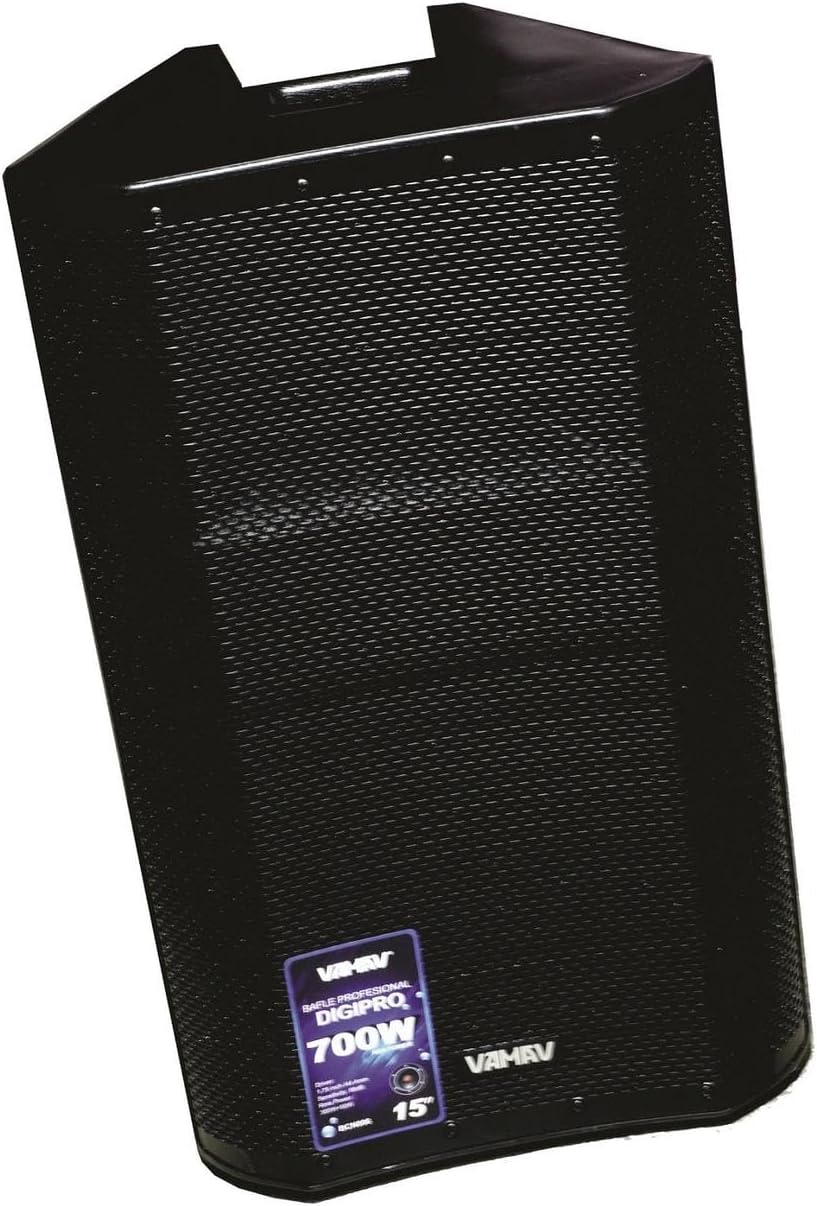
4.1 pav.: priekis View. This image displays the front of the vamav DIGIPRO speaker, highlighting its protective grille and the brand's emblem. The speaker features a robust, black enclosure designed for professional use.
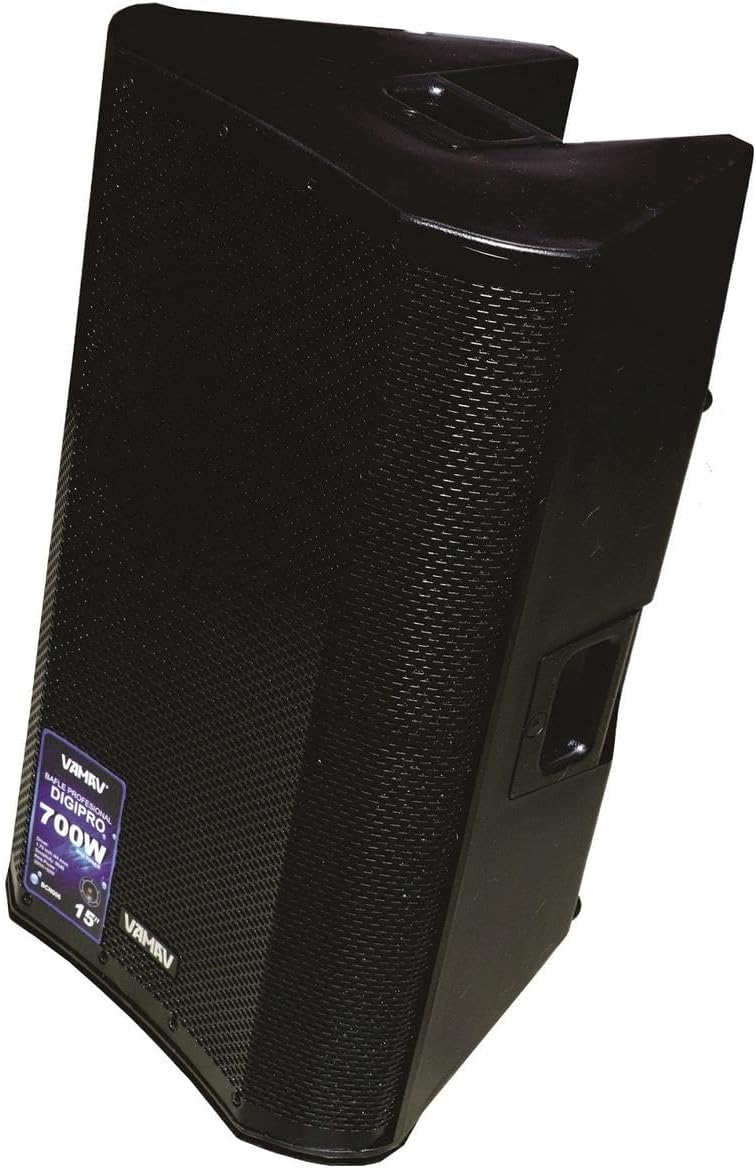
4.2 pav.: šonas View. Šiame paveikslėlyje parodytas šoninis profile of the vamav DIGIPRO speaker, illustrating its angled cabinet design which can be useful for stage monitoring. An integrated handle for portability is visible on the top side.
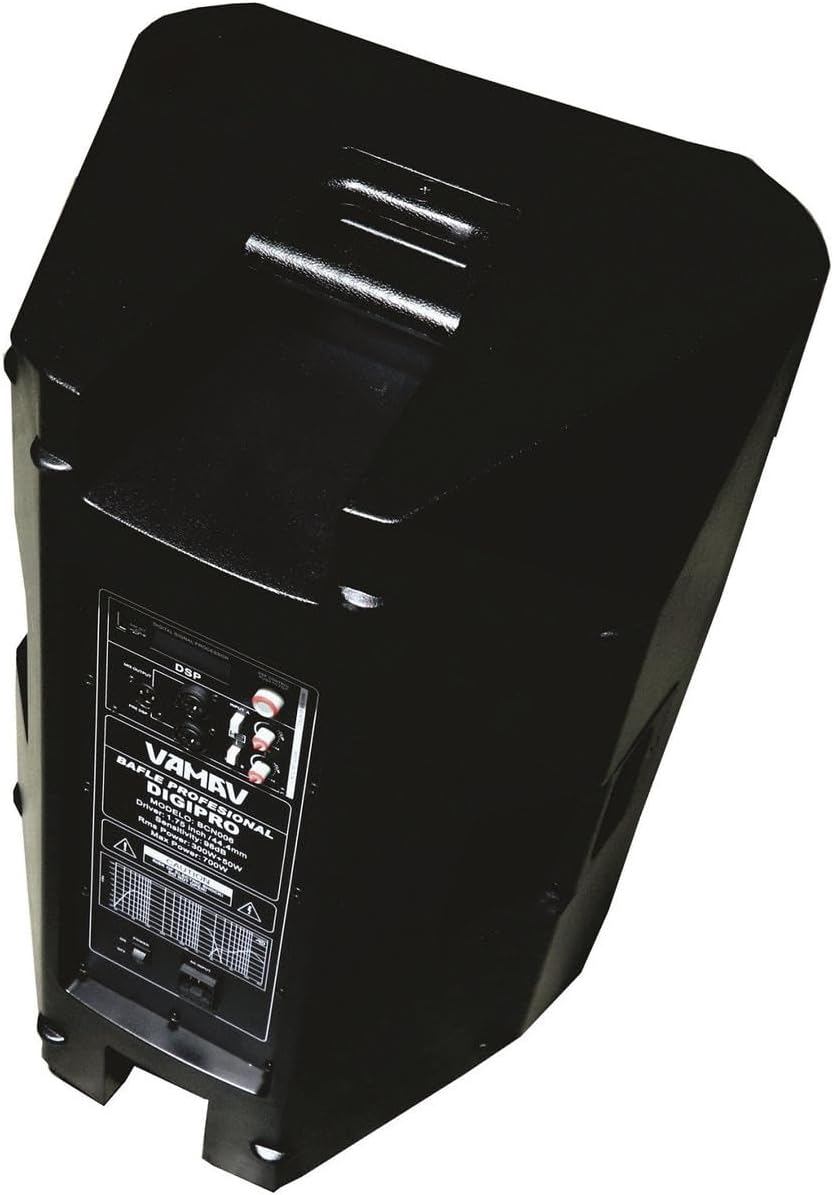
4.3 pav.: Pasvirusi galinė dalis View. Šis paveikslėlis pateikia kampinį vaizdą view of the speaker's rear panel, where the main control interface is located. It includes the DSP display, various input and output connectors, and the power switch.

4.4 pav.: Galinis valdymo skydelis. Išsamią view of the rear control panel, showing the DSP interface for sound customization, two combo jack 6.3mm / XLR inputs, and an XLR output for linking to other speakers or audio devices. Power input and fuse holder are also visible.
5. Sąranka
- Išpakavimas: Carefully remove the speaker and power cable from its packaging.
- Vieta: Position the speaker on a stable, flat surface or a compatible speaker stand. Ensure there is adequate space for ventilation around the unit.
- Maitinimo jungtis: Connect the supplied power cable to the AC inlet on the rear panel of the speaker, then plug the other end into a grounded electrical outlet.
- Garso jungtys: Connect your audio source (mixer, microphone, instrument) to the input jacks on the rear panel. The DIGIPRO features two combo inputs (6.3mm Jack / XLR).
- Išvesties jungtis (neprivaloma): If linking multiple speakers or sending the signal to another device, connect an XLR cable from the speaker's XLR output to the input of the next device.
- Pradinis įjungimas: Ensure all connections are secure and turn the master volume control to its minimum setting before powering on the unit.
6. Naudojimo instrukcijos
- Maitinimas: Flip the power switch located on the rear panel to the "ON" position. The DSP display should illuminate.
- Garso reguliavimas: Gradually increase the master volume control to the desired listening level. Adjust individual input levels on your source device if applicable.
- DSP Configuration: Use the DSP controls (buttons and rotary encoder) on the rear panel to select and adjust sound presets, equalization, and other audio parameters. Refer to the DSP section for more details.
- Stebėjimas: Listen for clear, undistorted sound. If distortion occurs, reduce the volume from your source or the speaker's master volume.
- Išjungti: Before powering off, reduce the master volume to minimum. Then, flip the power switch to the "OFF" position.
7. DSP konfigūracija
The vamav DIGIPRO speaker features a configurable Digital Signal Processor (DSP) to optimize sound performance for various applications and environments. The DSP interface is located on the rear panel.
- Navigacija: Use the dedicated buttons and/or rotary encoder to navigate through the DSP menu options.
- Išankstiniai nustatymai: Select from pre-programmed sound presets optimized for different uses (e.g., Music, Live, Speech, Monitor).
- Išlyginimas: Adjust bass, mid, and treble frequencies to fine-tune the sound.
- Delay/Crossover: Advanced settings may include delay compensation for multi-speaker setups or crossover adjustments.
- Išsaugoti nustatymus: Some DSPs allow saving custom configurations. Consult the on-screen menu for specific instructions.
For detailed instructions on specific DSP functions, please refer to the on-screen menu of the DSP display.
8. Jungtys
The DIGIPRO speaker offers versatile connectivity options:
- Input 1 & 2 (Combo Jack 6.3mm / XLR): These inputs accept both 1/4-inch (6.3mm) TRS/TS cables and standard XLR cables. They are suitable for connecting microphones, mixers, instruments, or other line-level audio sources.
- Output (XLR): This XLR output allows you to send the audio signal from the speaker to another amplified speaker, a subwoofer, or a recording device. This is useful for daisy-chaining multiple speakers or expanding your sound system.
9. Priežiūra
Proper maintenance ensures the longevity and optimal performance of your speaker:
- Valymas: Garsiakalbio išorę valykite minkšta, sausa šluoste. Nenaudokite abrazyvinių valiklių, tirpiklių ar vaško.
- Grotelių valymas: For the front grille, a soft brush or vacuum cleaner with a brush attachment can be used to remove dust.
- Saugykla: Kai garsiakalbio nenaudojate ilgesnį laiką, laikykite jį sausoje, be dulkių aplinkoje, geriausia originalioje pakuotėje arba apsauginiame dėkle.
- Patikra: Periodically check the power cable and audio cables for any signs of damage. Replace damaged cables immediately.
10. Problemų sprendimas
If you encounter issues with your vamav DIGIPRO speaker, refer to the following common problems and solutions:
- Nėra galios:
- Ensure the power cable is securely connected to both the speaker and a working electrical outlet.
- Check the power switch is in the "ON" position.
- Patikrinkite, ar elektros lizdas veikia, prijungdami prie jo kitą įrenginį.
- Patikrinkite saugiklį galiniame skydelyje. Jei jis perdegė, pakeiskite jį tokio paties tipo ir nominalios vertės saugikliu.
- Nėra garso:
- Confirm the speaker is powered on and the DSP display is active.
- Check that the master volume control is turned up.
- Ensure audio cables are correctly connected to both the source and the speaker's inputs.
- Verify the audio source (mixer, microphone) is functioning and its output volume is adequate.
- If using the DSP, ensure the correct input is selected and not muted.
- Iškraipytas garsas:
- Reduce the volume level from your audio source.
- Lower the master volume on the speaker.
- Check for damaged audio cables.
- Ensure the DSP settings are appropriate for the audio content and environment.
11. Specifikacijos
| Funkcija | Specifikacija |
|---|---|
| Modelis | CHDIGIPRO |
| Prekės ženklas | vamav |
| Maitinimo išvestis | 450W + 50W RMS |
| Ampgyvybingesnis tipas | D klasė |
| Žemų dažnių garsiakalbio dydis | 15 inches (3-inch voice coil) |
| Vairuotojo dydis | 1.75 colio / 44 mm |
| Dažnio atsakas | 40 Hz iki 20 kHz |
| Jautrumas | 97 dB |
| Maksimalus SPL | 120 dB |
| Įėjimai | 2 x Combo Jack 6.3mm / XLR |
| Išvestis | 1 x XLR |
| DSP | Configurable Digital Signal Processor |
| Apsauga | Short circuit and thermal circuit protection |
| Matmenys (G x P x A) | 40 cm x 38 cm x 76 cm |
| Įtraukti komponentai | Speaker, Power Cable |
| Rekomenduojamas naudojimas | Music studios, events, public spaces |
12. Garantija ir palaikymas
For warranty information and technical support, please refer to the documentation provided at the time of purchase or contact your authorized vamav retailer. Keep your proof of purchase for warranty claims.
For further assistance, you may also visit the official vamav websvetainėje arba susisiekite su klientų aptarnavimo skyriumi.
