Įvadas
Thank you for choosing the VssoPlor Compact Wireless Keyboard Mouse Combo. This ultra-thin and portable set is designed for convenience and efficiency, making it ideal for daily use, business travel, and various computing environments. This manual provides essential information for setting up, operating, maintaining, and troubleshooting your new wireless keyboard and mouse.
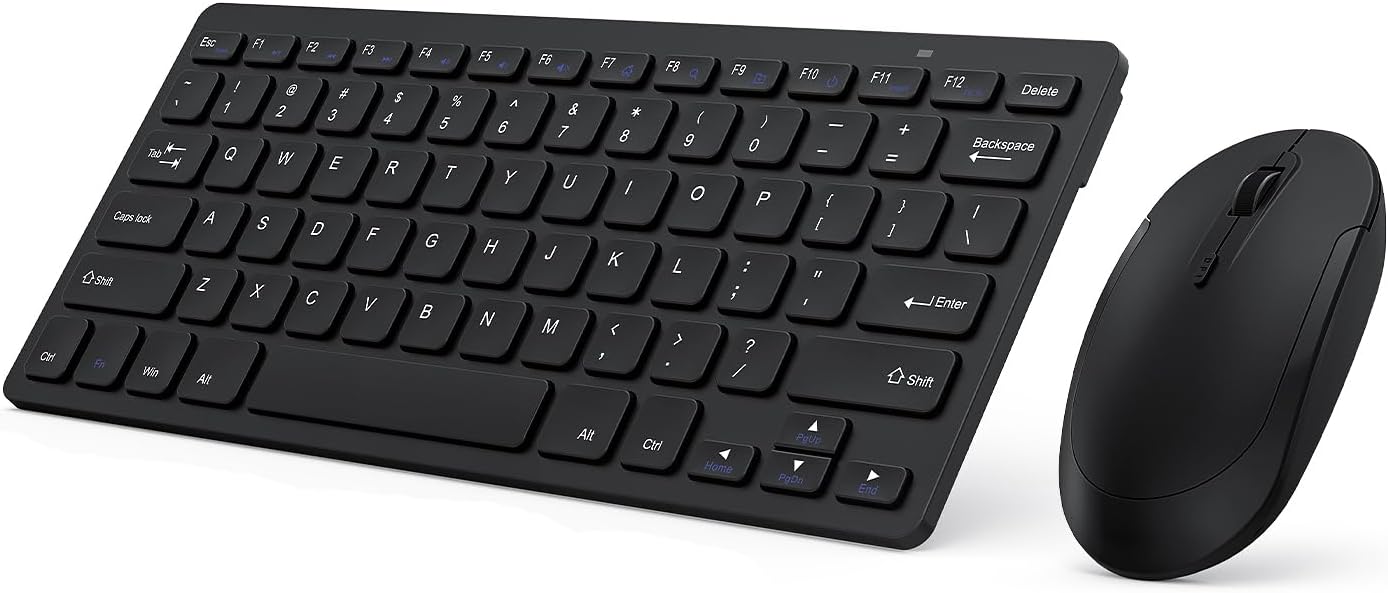
Image: The VssoPlor Compact Wireless Keyboard and Mouse Combo, featuring a sleek black design.
Pagrindinės savybės
- Itin plonas ir nešiojamas dizainas: Compact and lightweight, designed for easy transport and space-saving use.
- Stable 2.4GHz Wireless Connection: Provides a powerful and reliable connection up to 33 feet (10 meters) with a single Nano USB receiver.
- Tylus spausdinimas: Equipped with scissor-switch construction keys for comfortable typing with fast response and good resilience, minimizing noise.
- High Sensitivity Mouse: Features sensitive clicks with less noise and 3 adjustable DPI levels (800/1000/1200) for precise control.
- Platus suderinamumas: Well compatible with Windows XP, Vista, 7, 8, and 10. (Note: Not fully compatible with Mac OS System).
- Automatinio miego funkcija: Designed to save energy by entering sleep mode after periods of inactivity.
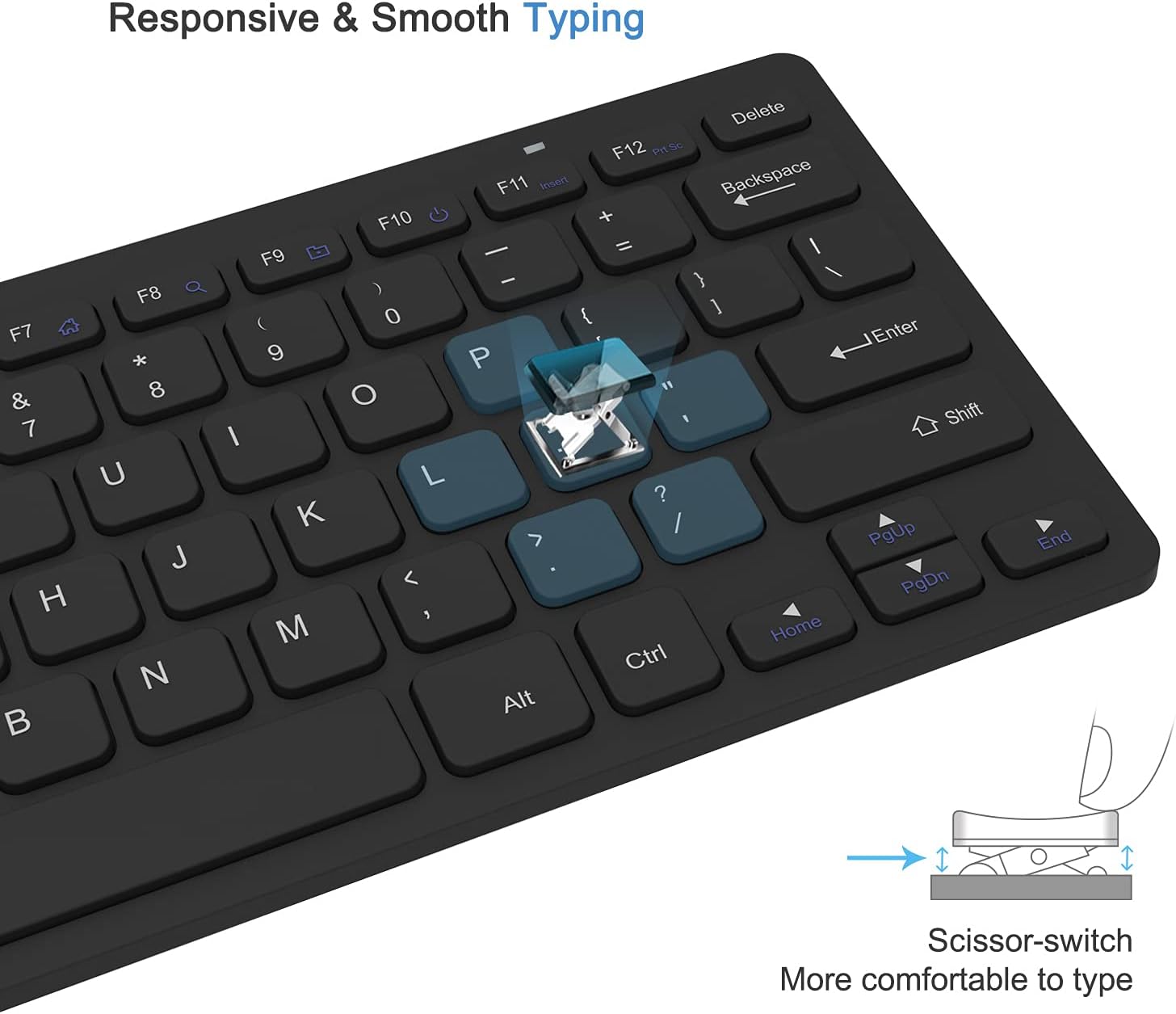
Image: Close-up of the keyboard demonstrating the scissor-switch key mechanism for responsive and smooth typing.

Image: The ultra-thin keyboard and mouse combo being easily stored in a bag, highlighting its portability for leisure, travel, and home use.
Pakuotės turinys
Atidarius pakuotę, patikrinkite jos turinį, kad įsitikintumėte, jog joje yra visi reikalingi daiktai:
- 1 x Compact Wireless Keyboard
- 1 x belaidė pelė
- 1 x Nano USB Receiver (stored in the keyboard's battery compartment)
- 1 x Naudotojo vadovas (šis dokumentas)
Sąrankos instrukcijos
- Įdėkite baterijas:
The keyboard requires 2 AAA batteries and the mouse requires 1 AA battery (batteries are not included). Open the battery compartments on the underside of both the keyboard and the mouse, insert the batteries according to the polarity indicators, and close the covers.
- Raskite USB imtuvą:
The Nano USB receiver is conveniently stored inside the battery compartment of the keyboard. Carefully remove it.
- Prijunkite imtuvą:
Plug the Nano USB receiver into an available USB port on your computer (desktop or laptop). Your operating system will automatically detect and install the necessary drivers. This is a plug-and-play device, requiring no additional software installation.

Image: Diagram illustrating the 2.4GHz wireless connection, showing the USB receiver plugged into a laptop and the wireless signal to the keyboard and mouse.
- Įjungiami įrenginiai:
Locate the power switch on the underside of both the keyboard and the mouse. Slide the switches to the "ON" position. The devices should now be connected and ready for use.
Naudojimo instrukcijos
Klaviatūros naudojimas
- Rašant: Begin typing as you would with any standard keyboard. The scissor-switch keys provide a comfortable and responsive experience.
- Funkciniai klavišai: The top row of keys (F1-F12) may have secondary functions (e.g., media control, volume) accessible by pressing the Fn key simultaneously. Refer to the key legends for specific functions.
- Automatinis miego režimas: To conserve battery life, the keyboard will enter sleep mode after approximately 10 minutes of inactivity. To wake it up, press any key for 3 seconds.
Pelės naudojimas
- Pagrindinė operacija: Use the left and right click buttons for standard mouse functions. The scroll wheel allows for vertical scrolling.
- DPI reguliavimas: The mouse features 3 adjustable DPI levels (800/1000/1200) for varying cursor sensitivity. Press the DPI button (usually located near the scroll wheel) to cycle through the settings and find your preferred speed.
- Automatinis miego režimas: The mouse will enter sleep mode after approximately 8 minutes of inactivity. To wake it up, simply move the mouse or click any button.

Image: Illustration of the auto-sleep feature for both the keyboard and mouse, indicating battery requirements and how to reactivate the devices.
Priežiūra
- Valymas: Klaviatūros ir pelės paviršiams valyti naudokite minkštą, sausą šluostę. Įsisenėjusius nešvarumus lengvai nuvalykite.amp Galima naudoti šluostę su švelniu muilu, užtikrinant, kad į įrenginį nepatektų skysčio. Venkite abrazyvinių valiklių ar tirpiklių.
- Baterijos keitimas: When the devices become unresponsive or exhibit delayed input, it is likely time to replace the batteries. Follow the "Install Batteries" steps in the Setup section. Always dispose of used batteries responsibly.
- Saugykla: Kai ilgesnį laiką nenaudojate klaviatūros ir pelės, išjunkite jas, kad taupytumėte baterijų veikimo laiką. Laikykite jas vėsioje, sausoje vietoje, toliau nuo tiesioginių saulės spindulių ir ekstremalių temperatūrų.
Trikčių šalinimas
| Problema | Sprendimas |
|---|---|
| Keyboard or mouse is unresponsive. |
|
| Žymeklio judėjimas yra netolygus arba lėtas. |
|
| Some keys on the keyboard do not work. |
|
Gaminio specifikacijos
| Atributas | Detalė |
|---|---|
| Prekės ženklas | VssoPlor |
| Modelis | B0CKP9461G |
| Ryšio technologija | 2.4GHz Wireless USB |
| Suderinami įrenginiai | Laptop, Personal Computer (Windows XP/Vista/7/8/10) |
| Klaviatūros matmenys (I x P x A) | Approx. 11 x 4.8 x 0.7 inches (at thickest point) |
| Pelės matmenys (I x P x A) | Maždaug 4.3 x 2.2 x 0.6 colio |
| Prekės svoris | 13.1 ounces (Keyboard and Mouse combined) |
| Klaviatūros baterija | 2 x AAA baterijos (į komplektą neįeina) |
| Pelės baterija | 1 x AA baterija (nepridedama) |
| DPI Levels (Mouse) | 800/1000/1200 DPI |
| Ypatingos savybės | Lightweight, Portable, Scissor-switch keys, Auto-sleep function |

Image: Detailed dimensions of the compact wireless keyboard and mouse.
Garantija ir palaikymas
For warranty information and technical support, please refer to the warranty card included with your product or visit the official VssoPlor website. You may also contact the seller directly through the platform where you purchased the product for assistance.
For common questions and further assistance, please visit the VssoPlor Store on Amazon.