1. Įvadas
This manual provides essential information for setting up, operating, and maintaining your SOUYIE Smart Watch T19Pro. Please read it thoroughly to ensure proper use and to maximize the device's capabilities.
Vaizdas: priekis view of the SOUYIE Smart Watch T19Pro.

Image: SOUYIE Smart Watch T19Pro in multiple colors, highlighting its role as a personal health assistant.
2. Pakuotės turinys
The SOUYIE Smart Watch T19Pro package includes the following items:
- 1 x SOUYIE Smart Watch T19Pro
- 1 x Vartotojo vadovas
- 1 x TPU silikoninis dirželis
- 1 x USB magnetinis įkrovimo laidas
3. Darbo pradžia
3.1. Įrenginio įkrovimas
Before initial use, fully charge your SOUYIE Smart Watch T19Pro. The watch features a 280mAh battery. A full charge takes approximately 2 hours, providing about 7 days of daily use and up to 30 days of standby time.
- Connect the USB magnetic charging cable to a compatible USB power source.
- Attach the magnetic end of the cable to the charging points on the back of the smartwatch. Ensure proper alignment for a secure connection.
- Laikrodžio ekrane bus rodoma įkrovimo būsena.

Image: The SOUYIE Smart Watch T19Pro connected to its magnetic charging cable, illustrating charging duration and battery longevity.
3.2. Programėlės diegimas ir „Bluetooth“ susiejimas
To unlock the full potential of your SOUYIE Smart Watch T19Pro, download and install the companion application on your smartphone. The watch is compatible with Android (5.0 and above) and iOS (9.0 and above).
- Scan the QR code provided in the included user manual or search for the "Da Fit" app in your smartphone's app store (Google Play Store for Android, Apple App Store for iOS).
- Install the "Da Fit" application.
- Įsitikinkite, kad jūsų išmaniajame telefone įjungtas „Bluetooth“.
- Open the "Da Fit" app and follow the on-screen instructions to add your device. Select "T19Pro" from the list of available devices to pair.
- Patvirtinkite susiejimo užklausą tiek išmaniajame telefone, tiek išmaniajame laikrodyje.
Video: Demonstrates the process of connecting the SOUYIE Smart Watch T19Pro to a smartphone via Bluetooth using the companion app.
3.3. Setting Up Notifications
Once paired, you can configure your smartwatch to receive notifications from your smartphone.
- Atidarykite „Da Fit“ programėlę savo išmaniajame telefone.
- Navigate to the "Notifications" section within the app.
- Enable notifications for desired applications (e.g., Phone, Messages, WhatsApp, Facebook, Twitter, InstagRAM, „Skype“ ir kt.).
- The smartwatch will vibrate and display incoming calls or messages on its screen.
Video: Illustrates how to enable and manage message notifications for the SOUYIE Smart Watch T19Pro through the companion app.
4. Pagrindinės savybės ir funkcijos
4.1. Ekranas ir pritaikymas
The SOUYIE Smart Watch T19Pro features a 1.96-inch high-definition large screen for clear visual display. It includes a rotary button on the side for navigation and switching watch faces.
- Ekrano naršymas: Swipe across the touchscreen to access different functions and menus.
- Sukamasis mygtukas: Use the rotary button to scroll through pages or switch watch faces.
- Laikrodžių veidai: The "Da Fit" app offers over 100 different watch faces. You can also customize the watch face with your own photos.

Image: Close-up of the SOUYIE Smart Watch T19Pro's 1.96-inch HD screen and its functional rotary button.
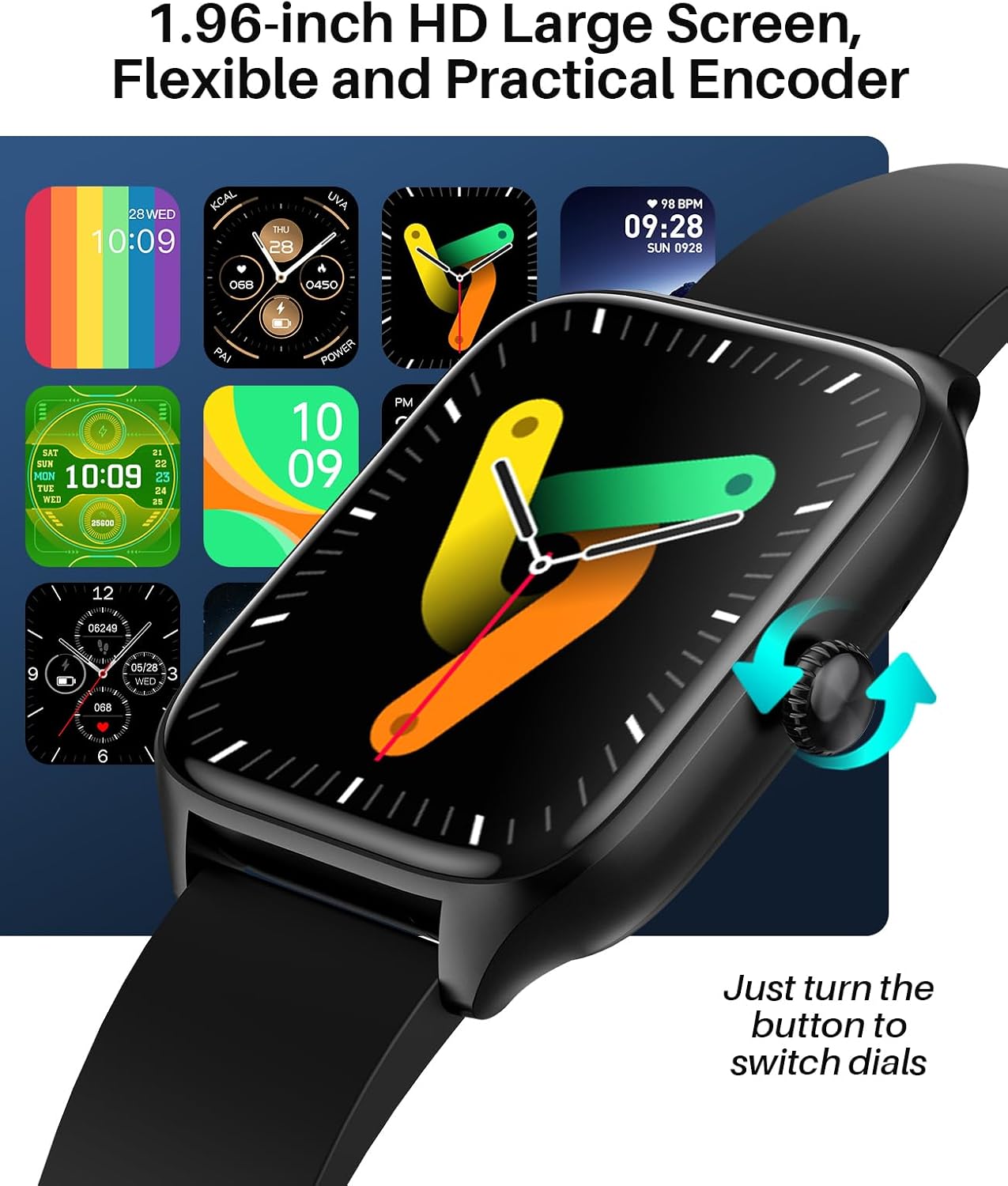
Image: A variety of digital and analog watch faces available for the SOUYIE Smart Watch T19Pro.
4.2. Sveikatos stebėsena
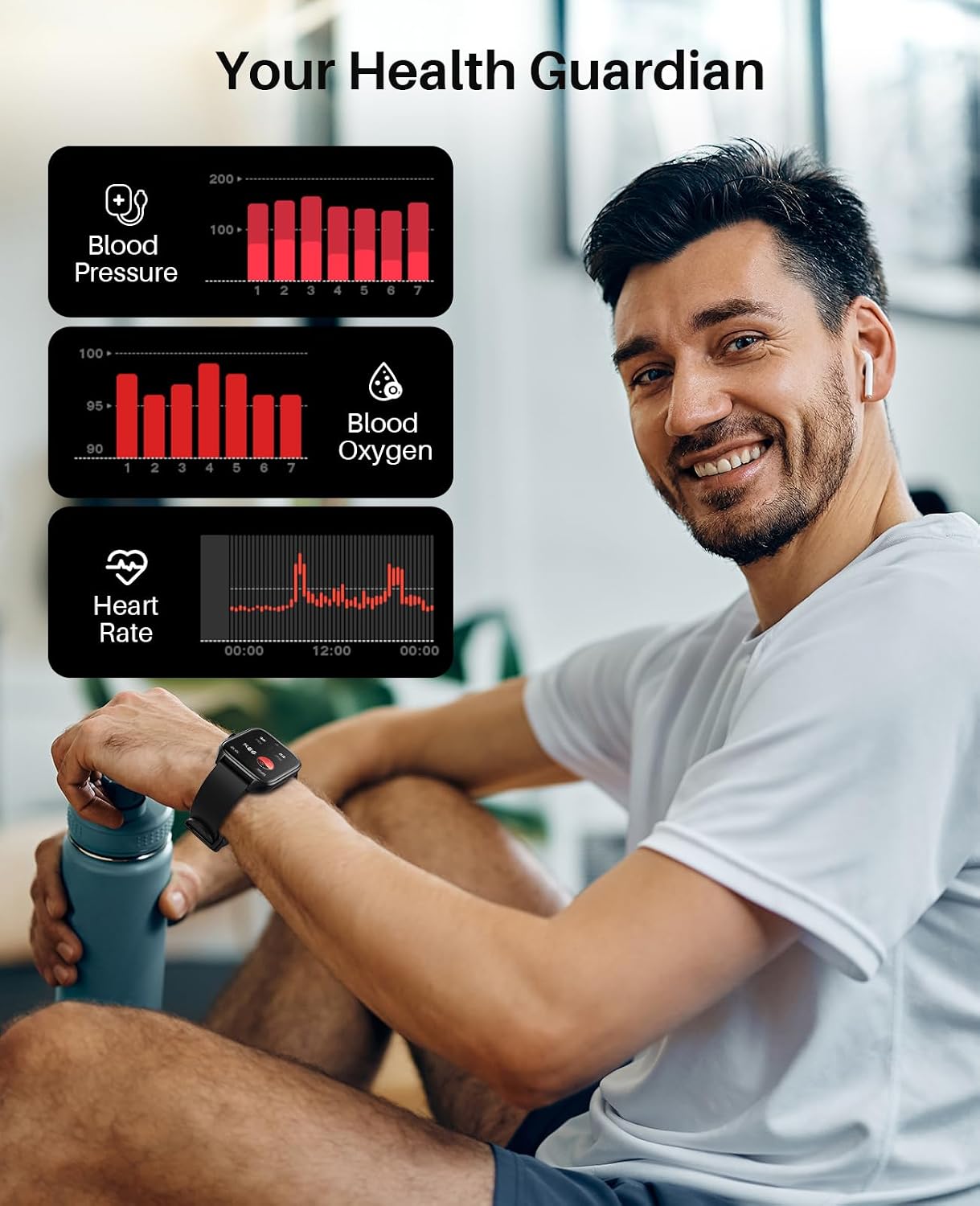
The SOUYIE Smart Watch T19Pro utilizes optical sensors to monitor various health metrics.
- Širdies ritmo monitorius: Nuolat seka jūsų širdies ritmą.
- Kraujo deguonies matuoklis (SpO2): Matuoja deguonies kiekį kraujyje.
- Kraujo spaudimo monitorius: Pateikia kraujospūdžio rodmenis.
- Miego stebėjimo priemonė: Monitors your sleep quality, including awake, light, REM, and restful sleep stages.

Image: A user wearing the SOUYIE Smart Watch T19Pro, with graphical representations of blood pressure, blood oxygen, and heart rate data.

Image: A woman sleeping while wearing the SOUYIE Smart Watch T19Pro, displaying sleep duration, heart rate, stress levels, and blood oxygen saturation.
4.3. Fitneso stebėjimas
The smartwatch is equipped with features to track your physical activity.
- Veiklos stebėjimo priemonė: Records your daily activity.
- Pedometras: Counts your steps.
- Kalorijų stebėjimo priemonė: Apskaičiuoja sudegintas kalorijas veiklos metu.
- Sporto režimai: Over 100 built-in exercise modes to record workout time and calories burned.

Image: A man playing tennis while wearing the SOUYIE Smart Watch T19Pro, with icons representing over 100 sports modes.
4.4. Ryšio ypatybės
Stay connected with your SOUYIE Smart Watch T19Pro.
- „Bluetooth“ skambučiai: Make and answer calls directly from your watch when connected via Bluetooth.
- Pranešimų pranešimai: Receive alerts for text messages and app notifications (e.g., WhatsApp, Facebook, Twitter).
- AI balso asistentas: Įvairioms funkcijoms atlikti naudokite balso komandas.

Image: The SOUYIE Smart Watch T19Pro showing a Bluetooth call interface, with various messaging and social media app icons indicating notification capabilities.
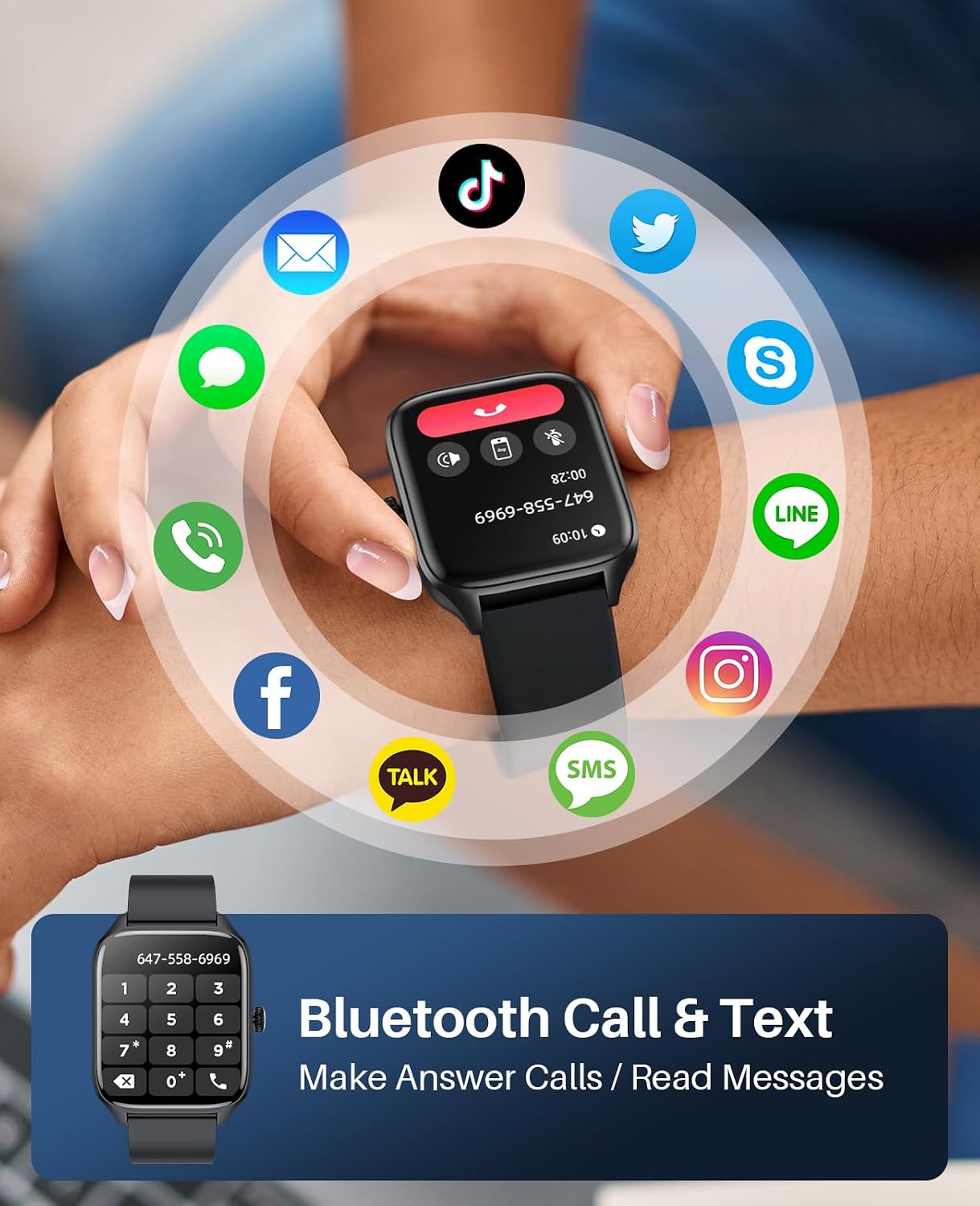
Image: The SOUYIE Smart Watch T19Pro displaying options for dialing, answering, rejecting calls, viewing contacts, and message reminders.

Image: The SOUYIE Smart Watch T19Pro showing the voice assistant interface with example commands like "Please turn off the alarm" and "How's the weather today?".
4.5. Papildomos išmaniosios funkcijos
The T19Pro offers a range of practical tools for daily convenience.
- Muzikos valdymas
- Skaičiuoklė
- Priminimas apie sėdimą darbą
- Atsitiktiniai žaidimai
- Žadintuvas
- Chronometras
- Termometras
- Nuotolinis fotoaparato valdymas
- Live Weather Updates

Image: A man wearing the SOUYIE Smart Watch T19Pro, showcasing its multifunctional smart assistant features including alarm, calculator, music player, timer, and flashlight.
5. Atsparumas vandeniui
The SOUYIE Smart Watch T19Pro has an IP67 waterproof rating. This means it is resistant to splashes, rain, and brief immersion in water. It can be used for daily activities such as cold showers or washing hands. It is not recommended for swimming, diving, or exposure to hot water or steam.

Image: A man by a pool wearing the SOUYIE Smart Watch T19Pro, illustrating its IP67 waterproof capability for daily use.
6. Specifikacijos
| Funkcija | Specifikacija |
|---|---|
| Modelio numeris | T19Pro |
| Gaminio matmenys | 5.51 x 3.86 x 1.1 colio |
| Prekės svoris | 1.87 uncijos (53 gramų) |
| Ekrano dydis | 1.96 colių |
| Operacinė sistema | Android (5.0 and above) & iOS (9.0 and above) |
| Ryšio technologija | Bluetooth |
| Baterijos talpa | 280 milijonųamp Valandos (280 mAh) |
| Įkrovimo laikas | Maždaug 2 val |
| Įprastas baterijos veikimo laikas | Maždaug 7 dienų |
| Budėjimo laikas | Maždaug 30 dienų |
| Atsparumas vandeniui | IP67 |
| Ypatingos savybės | Activity tracker, alarm clock, blood pressure monitor, calorie tracker, camera, heart rate monitor, notifications, oximeter (SpO2), pedometer, phone, sleep monitor, text messaging, heart rate display, thermometer, AI voice assistant, music control, multi-dial switching, calculator, sedentary reminder, casual games, remote camera control, live weather, custom wallpapers. |
7. Priežiūra ir priežiūra
- Valymas: Reguliariai valykite išmanųjį laikrodį ir dirželį minkšta, sausa šluoste. Jei reikia, naudokite šiek tiek drėgnąamp šluoste ir švelniu muilu, tada kruopščiai nuplaukite ir nusausinkite.
- Venkite cheminių medžiagų: Do not use harsh chemicals, cleaning solvents, or strong detergents, as they may damage the watch's finish or components.
- Temperatūra: Venkite laikrodžio ilgą laiką būti veikiamam ekstremalių temperatūrų (karštos ar šaltos) arba tiesioginių saulės spindulių.
- Saugykla: Kai nenaudojate, laikykite laikrodį vėsioje, sausoje vietoje.
8. Problemų sprendimas
- Laikrodis neįsijungia: Įsitikinkite, kad laikrodis yra visiškai įkrautas. Prijunkite jį prie įkroviklio ir palaukite kelias minutes prieš bandydami jį įjungti.
- Ryšio problemos: Verify that Bluetooth is enabled on your smartphone and the "Da Fit" app is open. Try restarting both your phone and the smartwatch.
- Negauti pranešimai: Check the "Notifications" settings in the "Da Fit" app to ensure that notifications are enabled for the desired applications. Also, check your phone's system notification settings for the app.
- Netikslūs rodmenys: Įsitikinkite, kad laikrodis tvirtai uždėtas ant riešo – ne per stipriai ar per laisvai. Nuvalykite jutiklius laikrodžio gale.
- Ekranas nereaguoja: Pabandykite paleisti laikrodį iš naujo. Jei problema išlieka, įsitikinkite, kad ekranas švarus ir sausas.
9. Garantija ir palaikymas
SOUYIE smartwatches are supported by a commitment to service quality.
- Grąžinimo politika: A 30-day free return policy is offered.
- Garantija: Produktams suteikiama 1 metų garantija.
- Klientų aptarnavimas: 24/7 customer support is available. For assistance, please contact SOUYIE customer service through your purchase platform (e.g., "Find order --- Contact seller" on Amazon).


