Produktas baigtasview
The EBTOOLS LGA 1155 Motherboard is designed for desktop PC systems, offering robust performance and extensive connectivity. It features a multiphase power chipset for stable CPU performance and supports 2nd/3rd generation LGA1155 Pin Series Processors. This Mini ITX motherboard provides a high-definition visual experience through its VGA and HD Multimedia Interface outputs.
Pagrindinės funkcijos:
- LGA 1155 procesoriaus lizdas: Designed for stable performance with compatible processors.
- Multiphase Power: Ensures stable and accurate power delivery to the CPU.
- HD Interfaces: Equipped with VGA and HD Multimedia Interface for digital HD video output.
- Channel DDR3: Features a DDR3 memory slot to enhance motherboard performance.
- Platus ryšys: Includes 6 USB2.0 interfaces and 4 SATA2.0 interfaces for various peripherals and storage devices.
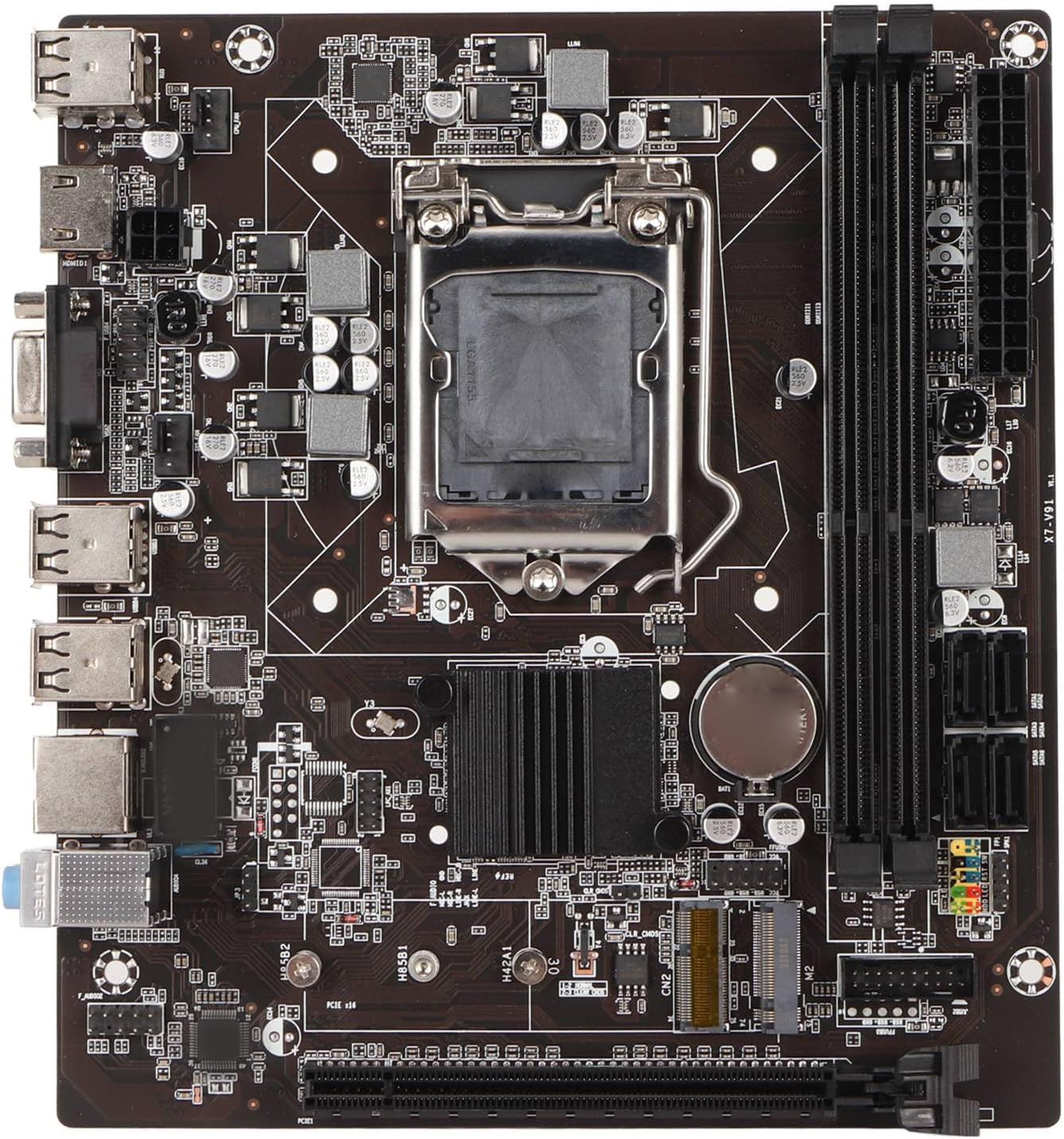
1 pav.: Iš viršaus į apačią view of the EBTOOLS LGA 1155 Motherboard, showing the CPU socket, RAM slots, and various ports.
Sąranka ir diegimas
This section provides instructions for installing your EBTOOLS LGA 1155 Motherboard into a compatible PC case and connecting essential components.
Pakuotės turinys
Before beginning installation, ensure all components listed below are present in your package:
- 1 x LGA 1155 Motherboard
- 1 x Metal I/O Plate
- 1 x Connecting Wire (likely SATA data cable)

Figure 2: The motherboard alongside its included metal I/O plate and a connecting wire, typically a SATA data cable.
Diegimo žingsniai
- Paruoškite bylą: Ensure your PC case is compatible with Mini ITX motherboards. Install the metal I/O plate into the designated slot at the rear of the case.
- Įdiekite procesorių: Carefully open the CPU socket retention arm. Align the triangular marker on your LGA 1155 processor with the corresponding marker on the motherboard's socket. Gently place the CPU into the socket, ensuring it sits flush. Close the retention arm to secure the CPU.
- CPU aušintuvo montavimas: Apply thermal paste to the CPU (if not pre-applied on the cooler). Mount your compatible LGA 1155 CPU cooler according to its manufacturer's instructions.
- Įdiekite RAM: Open the clips on the DDR3 memory slots. Align the notch on your DDR3 RAM module with the key in the slot. Press firmly on both ends of the RAM module until the clips snap into place. This motherboard supports 2 x DDR3 slots.
- Pritvirtinkite pagrindinę plokštę: Carefully place the motherboard into the PC case, aligning the screw holes on the motherboard with the standoffs in the case. Secure the motherboard with screws.
- Prijunkite maitinimą: Connect the 24-pin ATX power connector from your power supply to the motherboard. Connect the 4-pin or 8-pin CPU power connector (if applicable) to the motherboard.
- Prijunkite saugojimo įrenginius: Use the provided connecting wire (SATA cable) to connect your SATA storage devices (HDD/SSD) to the SATA2.0 ports on the motherboard. This motherboard has 4 SATA2.0 interfaces.
- Prijunkite priekinio skydelio laidus: Connect the power button, reset button, USB ports, and audio jacks from your PC case's front panel to the corresponding headers on the motherboard. Refer to your case manual for specific pin layouts.
- Įdiekite išplėtimo korteles: If using a dedicated graphics card or other expansion cards, insert them into the PCIE X16 slot or other extended interfaces (1 x , 1 x M.2) as needed.
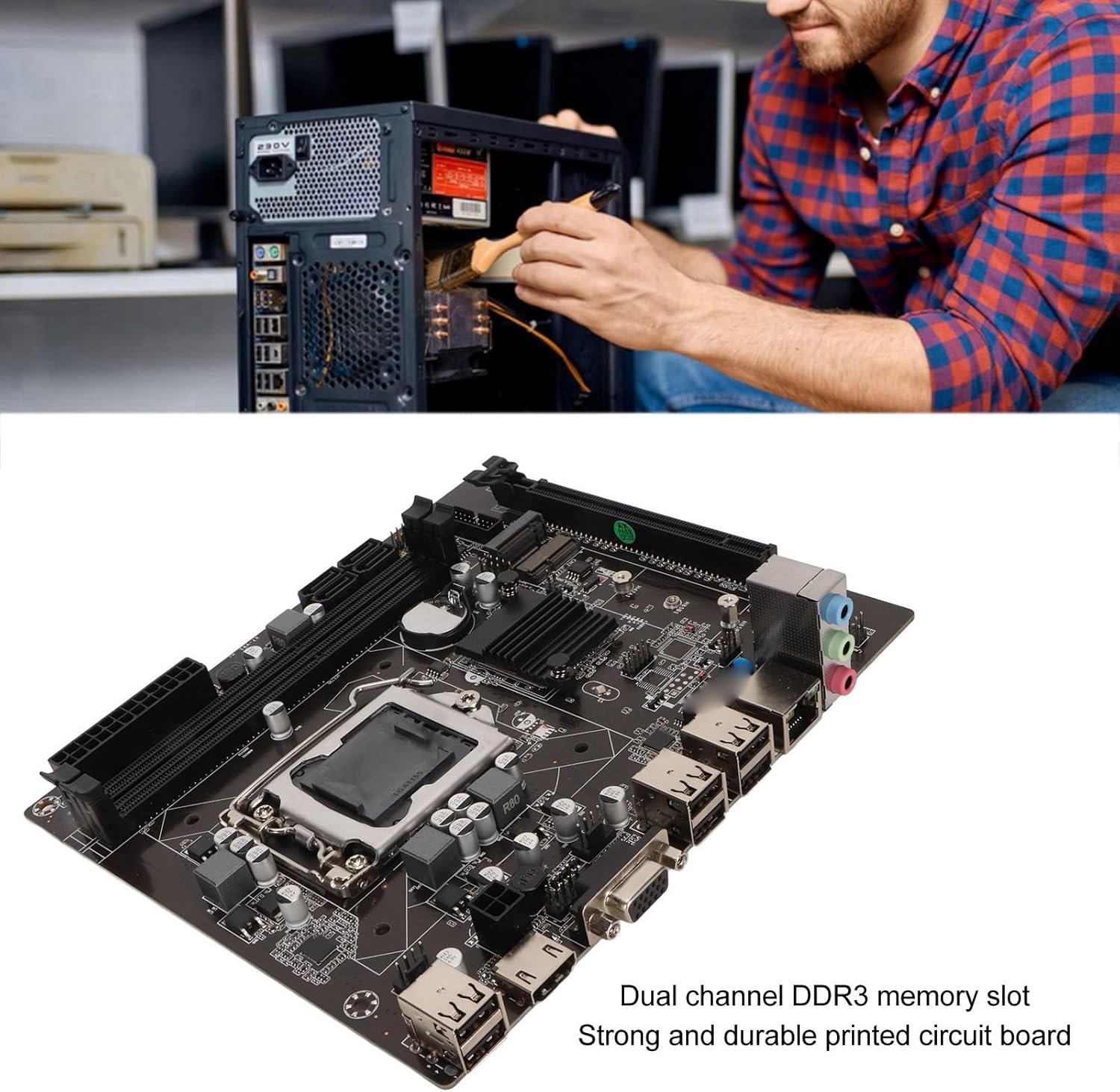
Figure 3: A user performing an installation within a PC case, demonstrating the typical environment for motherboard setup.

4 pav. Išsamus view of the LGA 1155 CPU socket and adjacent DDR3 memory slots, crucial areas for component installation.
Eksploatavimo gairės
Once the motherboard and other components are installed, the system is ready for operation. This motherboard supports various operating systems compatible with 2nd/3rd Gen LGA1155 processors.
BIOS / UEFI konfigūracija
Upon first boot, you may need to enter the BIOS/UEFI setup to configure boot order, system time, and other settings. Typically, you can access the BIOS by pressing DEL or F2 during the initial boot screen.
Tvarkyklės diegimas
After installing your operating system, it is essential to install the necessary drivers for the motherboard's components, including chipset, network card, and integrated graphics (if used). These drivers are usually provided on a CD/DVD with the motherboard or can be downloaded from the manufacturer's websvetainę.
Ryšys
Utilize the available ports for your peripherals:
- USB 2.0 prievadai: For connecting keyboards, mice, external drives, and other USB devices.
- VGA/HD Multimedia Interface: Skirta ekranų prijungimui.
- Ethernet prievadas: For wired network connectivity (100M Netword Card).
- Garso lizdai: Garsiakalbiams, ausinėms ir mikrofonams.
Priežiūra
Proper maintenance can extend the lifespan of your motherboard and ensure stable system performance.
- Laikykite švarų: Regularly clean dust from inside your PC case, especially from the motherboard and CPU cooler fins, using compressed air. Dust accumulation can lead to overheating.
- Užtikrinkite tinkamą oro srautą: Make sure your PC case has adequate ventilation and that fans are functioning correctly to prevent heat buildup.
- BIOS atnaujinimai: Periodiškai tikrinkite gamintojo webBIOS / UEFI atnaujinimų svetainė. Atnaujinimai gali pagerinti suderinamumą, stabilumą ir našumą. Atidžiai vykdykite atnaujinimo instrukcijas.
- Tvarkyklės atnaujinimai: Nuolat atnaujinkite sistemos tvarkykles, kad užtikrintumėte optimalų našumą ir suderinamumą su nauja programine ir aparatine įranga.
- CMOS baterija: The motherboard uses a CR2032 battery for CMOS settings. If your system consistently loses time or BIOS settings, the battery may need replacement.
Trikčių šalinimas
Šiame skyriuje aptariamos dažniausiai pasitaikančios pagrindinės plokštės problemos.
- Nėra maitinimo / nėra įkrovos:
- Patikrinkite visas maitinimo jungtis (24 kontaktų ATX, procesoriaus maitinimas).
- Įsitikinkite, kad maitinimo šaltinis veikia ir yra įjungtas.
- Patikrinkite priekinio skydelio maitinimo mygtuko prijungimą prie pagrindinės plokštės.
- Nėra ekrano:
- Ensure the monitor is connected to the correct video output (VGA or HD Multimedia Interface).
- Reseat RAM modules. Try booting with one RAM stick if you have multiple.
- Reseat the CPU and check for bent pins (handle with extreme care).
- Jei naudojate atskirą vaizdo plokštę, įsitikinkite, kad ji tinkamai įstatyta ir tiekiama energija.
- Sistemos nestabilumas / gedimai:
- Patikrinkite procesoriaus ir vaizdo plokštės temperatūrą. Užtikrinkite tinkamą aušinimą.
- Paleiskite atminties diagnostikos įrankius, kad patikrintumėte, ar nėra sugedusios RAM.
- Įsitikinkite, kad visos tvarkyklės yra tinkamai įdiegtos ir atnaujintos.
- Check for loose connections or components.
- Neatpažinti USB įrenginiai:
- Įsitikinkite, kad įdiegtos USB tvarkyklės.
- Išbandykite skirtingus USB prievadus.
- Patikrinkite BIOS nustatymus, ar įjungtas USB valdiklis.
Specifikacijos
Detailed technical specifications for the EBTOOLS LGA 1155 Motherboard:
| Funkcija | Specifikacija |
|---|---|
| Prekės tipas | LGA 1155 pagrindinė plokštė |
| Medžiaga | Printed Circuit Board, Metal |
| Integruota baterija | CR2032 x 1 (240mAh) |
| CPU palaikymas | 2nd/3rd Gen LGA1155 Pin Series Processors (for Celeron, for , for Core) |
| Lustų rinkinys | H61 Chipset Series |
| Atminties lizdas | 2 x DDR3 |
| Didžiausia atminties talpa | 16 GB |
| USB sąsaja | 6 x USB2.0, USB Pin x 1 |
| SATA sąsaja | 4x SATA2.0 |
| Tinklo plokštė | 100M Network Card |
| Vaizdo plokštės lizdas | 1 x PCIE X16 |
| Išplėstinė sąsaja | 1 x , 1 x M.2 |
| Pakuotės matmenys | 10.2 x 7.83 x 2.05 colio |
| Prekės svoris | 1.16 svaro |
| Modelio numeris | EBTOOLSpxvk7fmb38 |
| ASIN | B0CKVL89BD |

Figure 5: An angled perspective of the motherboard, showcasing its compact Mini ITX form factor and port layout.
Garantija ir palaikymas
For warranty information and technical support, please refer to the official EBTOOLS websvetainėje arba susisiekite su jų klientų aptarnavimo tarnyba. Išsaugokite pirkimo kvitą kaip pirkimo įrodymą.
While specific warranty details are not provided in this manual, general product warranties typically cover manufacturing defects for a limited period from the date of purchase.
Dėl papildomos apsaugos apsvarstykite galimus apsaugos planus:
- 3 metų apsaugos planas
- 4 metų apsaugos planas
- „Complete Protect“ (mėnesinis planas)
These plans are offered separately and provide extended coverage beyond the standard manufacturer's warranty.
Gamintojas: EBTOOLS
Pirmą kartą pasiekiama data: 11 m. spalio 2023 d
Oficialūs produktų vaizdo įrašai
Šiuo metu nėra jokių oficialių šio produkto vaizdo įrašų iš pardavėjo.