Įvadas
This manual provides essential information for the setup, operation, and maintenance of your HP Series 3 Pro 327pf 27" FHD IPS Monitor. Please read these instructions carefully before using your monitor to ensure proper functionality and safety.
Pakuotės turinys
Patikrinkite, ar pakuotėje yra visi komponentai:
- HP Series 3 Pro 327pf 27" FHD IPS Monitor
- Monitoriaus stovas (pagrindas ir kaklelis)
- Maitinimo kabelis
- HDMI Cable (or DisplayPort/VGA cable, depending on region)
- Docztorm USB HUB (Special Edition Portable Docztorm Data Hub)
- Documentation (Quick Setup Guide, Warranty Information)
Sąrankos instrukcijos
1. Monitoriaus stovo surinkimas
Carefully remove the monitor and stand components from the packaging. Attach the stand neck to the monitor panel, then secure the base to the neck. Ensure all connections are firm.
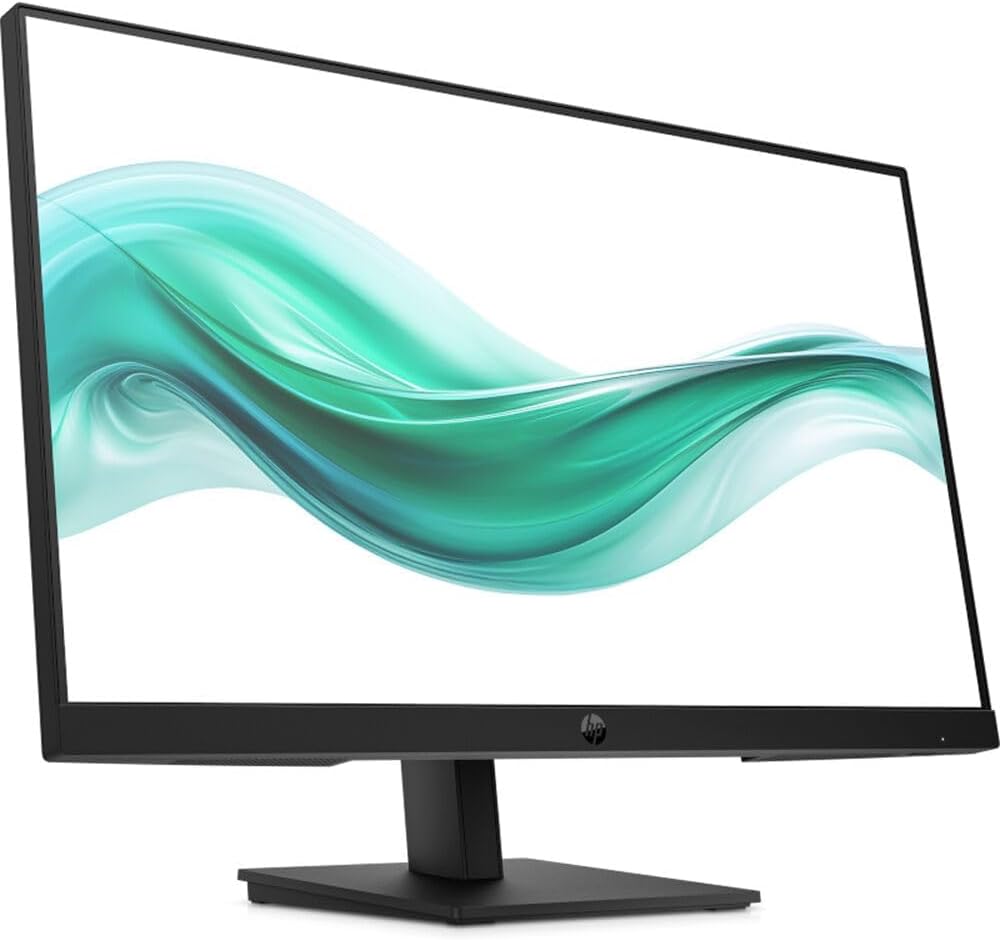
Vaizdas: priekis view of the HP Series 3 Pro 327pf monitor with its stand assembled, displaying a vibrant green and white wave pattern on the screen.
2. Monitoriaus prijungimas
Connect the monitor to your computer using one of the available video input ports. Ensure the power cable is securely connected to the monitor and a power outlet.
- HDMI jungtis: Use an HDMI cable to connect the monitor's HDMI port to your computer's HDMI output.
- „DisplayPort“ jungtis: Use a DisplayPort cable to connect the monitor's DisplayPort to your computer's DisplayPort output.
- VGA jungtis: Use a VGA cable to connect the monitor's VGA port to your computer's VGA output.
- Maitinimo jungtis: Prijunkite maitinimo laidą prie monitoriaus maitinimo įvesties, o tada – prie sieninio lizdo.
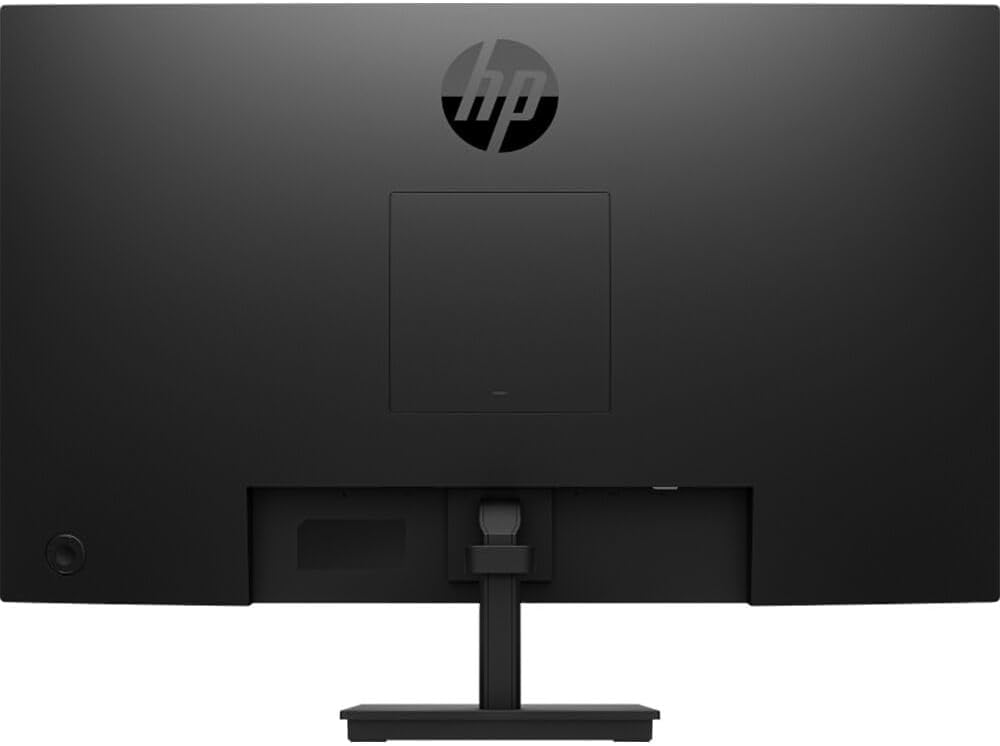
Vaizdas: Galinis view of the HP Series 3 Pro 327pf monitor, highlighting the VESA mount area and various input ports.
3. VESA tvirtinimas (pasirinktinai)
The monitor supports a 100mm x 100mm VESA mount. If you wish to mount the monitor on a wall or an articulating arm, remove the stand and attach the VESA-compatible mounting bracket (sold separately) to the monitor's rear panel.
Naudojimo instrukcijos
Maitinimo įjungimas/išjungimas
Press the power button, usually located on the bottom right or rear of the monitor, to turn the monitor on or off. An indicator light will show the power status.
Ekrano ekrano (OSD) meniu naudojimas
The monitor features a joypad OSD button for easy navigation of the on-screen menu. This allows you to adjust various display settings.
- Press the joypad OSD button to activate the OSD menu.
- Use the joypad to navigate through the menu options (e.g., Brightness, Contrast, Color, Input Source).
- Press the joypad to select an option or confirm a setting.
- Use the joypad to adjust values or select sub-options.
- Exit the OSD menu by selecting the "Exit" option or waiting for it to time out.
Pagrindinės savybės
- IPS technologija: Provides wide 178-degree horizontal and vertical viewing angles, ensuring consistent image accuracy from various positions.
- Be mirgėjimo: Sumažina ekrano mirgėjimą, kad būtų patogiau viewing experience, minimizing eye strain.
- Anti-glare: The matte screen surface helps reduce reflections, improving visibility in brightly lit environments.
- Žema mėlyna šviesa: Reduces blue light emissions to help protect your eyes during extended use.
- Reguliuojamas pakreipimas: The monitor can be tilted from -5 to +20 degrees to find your optimal viewing kampas.
Priežiūra
Norėdami užtikrinti monitoriaus ilgaamžiškumą ir optimalų veikimą, laikykitės šių priežiūros nurodymų:
- Ekrano valymas: Švelniai nuvalykite ekraną minkštu, nepūkuotu skudurėliu. Jei dėmės sunkiai įveikiamos,ampen the cloth with a small amount of water or a non-abrasive, monitor-specific cleaning solution. Do not spray liquid directly onto the screen.
- C valymasasing: Monitorių valykite minkšta, sausa šluoste.asing. Venkite naudoti stiprias chemines medžiagas ar abrazyvinius valiklius.
- Vėdinimas: Įsitikinkite, kad monitoriaus ventiliacijos angos nėra užblokuotos, kad jis neperkaistų.
- Išjunkite, kai nenaudojate: Išjunkite monitorių, kai jo nenaudojate ilgesnį laiką, kad taupytumėte energiją ir pailgintumėte jo tarnavimo laiką.
Trikčių šalinimas
Jei kyla problemų dėl monitoriaus, žr. šiuos dažniausiai pasitaikančius sprendimus:
- Nėra vaizdo ekrane:
- Įsitikinkite, kad maitinimo laidas yra tvirtai prijungtas tiek prie monitoriaus, tiek prie maitinimo lizdo.
- Verify that the video cable (HDMI, DisplayPort, or VGA) is properly connected to both the monitor and the computer.
- Patikrinkite, ar OSD meniu pasirinktas teisingas įvesties šaltinis.
- Įsitikinkite, kad kompiuteris įjungtas ir nėra miego režime.
- Vaizdas neryškus arba iškraipytas:
- Kompiuterio skiriamąją gebą nustatykite taip, kad ji atitiktų monitoriaus numatytąją skiriamąją gebą (1920 x 1080).
- Patikrinkite vaizdo kabelį, ar nėra pažeistų ar atsilaisvinusių jungčių.
- Perform an auto-adjustment or reset display settings via the OSD menu.
- Nėra garso (jei taikoma):
- This monitor does not have built-in speakers. Ensure external speakers are connected and properly configured.
- Monitoriaus mirgėjimas:
- While the monitor is flicker-free, external interference can sometimes cause issues. Check for nearby electronic devices.
- Ensure the refresh rate is set correctly in your computer's display settings (100 Hz).
Specifikacijos
| Funkcija | Specifikacija |
|---|---|
| Modelio numeris | 327 pf |
| Ekrano dydis | 27 colių |
| Skydelio tipas | IPS |
| Rezoliucija | FHD (1920 x 1080) |
| Krašto santykis | 16:9 |
| Atnaujinimo dažnis | 100 Hz |
| Reagavimo laikas | 5 ms GtG (su greita pavara) |
| Ryškumas | 250 nitų |
| Kontrasto santykis | 1000:1 |
| Spalvų palaikymas | Up to 16.7 million colors (8 bit: 6 bit + FRC) |
| Spalvų gama | 72% NTSC |
| Viewing kampas | 178 ° horizontaliai, 178 ° vertikaliai |
| Paviršiaus apdorojimas | Apsauga nuo akinimo, matinis |
| Mirgėjimas nemokamai | Taip |
| Eye Saver Mode / Low Blue Light | Taip |
| Pasvirimo reguliavimas | -5 į + 20 laipsnius |
| VESA tvirtinimo suderinamumas | 100 mm x 100 mm |
| Įvesties prievadai | 1 x HDMI, 1 x DisplayPort, 1 x VGA |
| Integruoti garsiakalbiai | Nr |
| Matmenys (P x G x A) | 24.05 x 7.49 x 17.25 colio |
| Svoris | 11.13 svaro (apie 5.05 kg) |
Garantija ir palaikymas
For warranty information and technical support, please refer to the documentation included with your monitor or visit the official HP support website. Keep your purchase receipt and serial number handy for any warranty claims.
HP palaikymas Websvetainė: www.hp.com/support