1. Saugos informacija
Please read all safety instructions carefully before using the TouchWo 65" 4K Interactive Smart Board. Retain this manual for future reference.
Bendra sauga
- Saugokite įrenginį nuo lietaus, drėgmės ar ekstremalių temperatūrų.
- Nestatykite prietaiso šalia šilumos šaltinių arba tiesioginiuose saulės spinduliuose.
- Užtikrinkite tinkamą vėdinimą aplink prietaisą, kad išvengtumėte perkaitimo.
- Nebandykite patys atidaryti ar taisyti įrenginio. Visus techninės priežiūros darbus patikėkite kvalifikuotiems specialistams.
Elektros sauga
- Naudokite tik pateiktą maitinimo laidą.
- Įsitikinkite, kad maitinimo lizdas yra tinkamai įžemintas.
- Atjunkite prietaisą žaibuojant arba kai nenaudojate ilgą laiką.
Tvarkymas ir montavimas
- Due to its size and weight, the smart board requires at least two people for safe handling and installation.
- When installing on a mobile stand or wall mount, ensure all components are securely fastened according to the assembly instructions.
2. Kas yra dėžutėje
Verify that all items are present and undamaged upon unboxing:
- 1 x Smart Whiteboard
- 1 x Power Line
- 1 x Presenter pen
- 1 x nešiojamas stovas
- 1 x Wifi Antenna

Video: Unboxing and initial inspection of the TouchWo Smart Board and included accessories.
3. Sąranka
Mobile Stand Assembly
Follow these steps to assemble the portable stand for your TouchWo Smart Board:
- Unpack all stand components and hardware.
- Attach the caster wheels to the base of the stand using the provided wrench.
- Secure the vertical support columns to the base.
- Install the horizontal mounting bracket and shelf onto the vertical columns.
- Attach the VESA mounting arms to the back of the smart board.
- Carefully lift and mount the smart board onto the stand's bracket, ensuring it locks securely into place.
Video: Detailed tutorial on assembling the mobile stand for the TouchWo Smart Board.
Montavimas ant sienos (pasirinktinai)
If using a wall mount, ensure the wall can support the weight of the smart board. Use appropriate hardware for your wall type. The wall mount bracket is included.

Image: Two mounting options are available: a mobile stand and a wall mounting bracket. Essential accessories are also shown.
Pradinis įjungimas
Connect the power line to the smart board and a suitable power outlet. Press the power button located on the front panel to turn on the device.

Video: Demonstrates the location of the power button and various ports on the TouchWo Smart Board.
4. Naudojimo instrukcijos
Dual System Operation (Android & Windows)
The TouchWo Smart Board features a dual operating system (Android 13 and Windows 10). You can switch between systems as needed for different tasks. The Android configuration includes RAM 4GB + ROM 32GB, while the Windows system features Core i5, RAM 4GB + SSD 256GB.
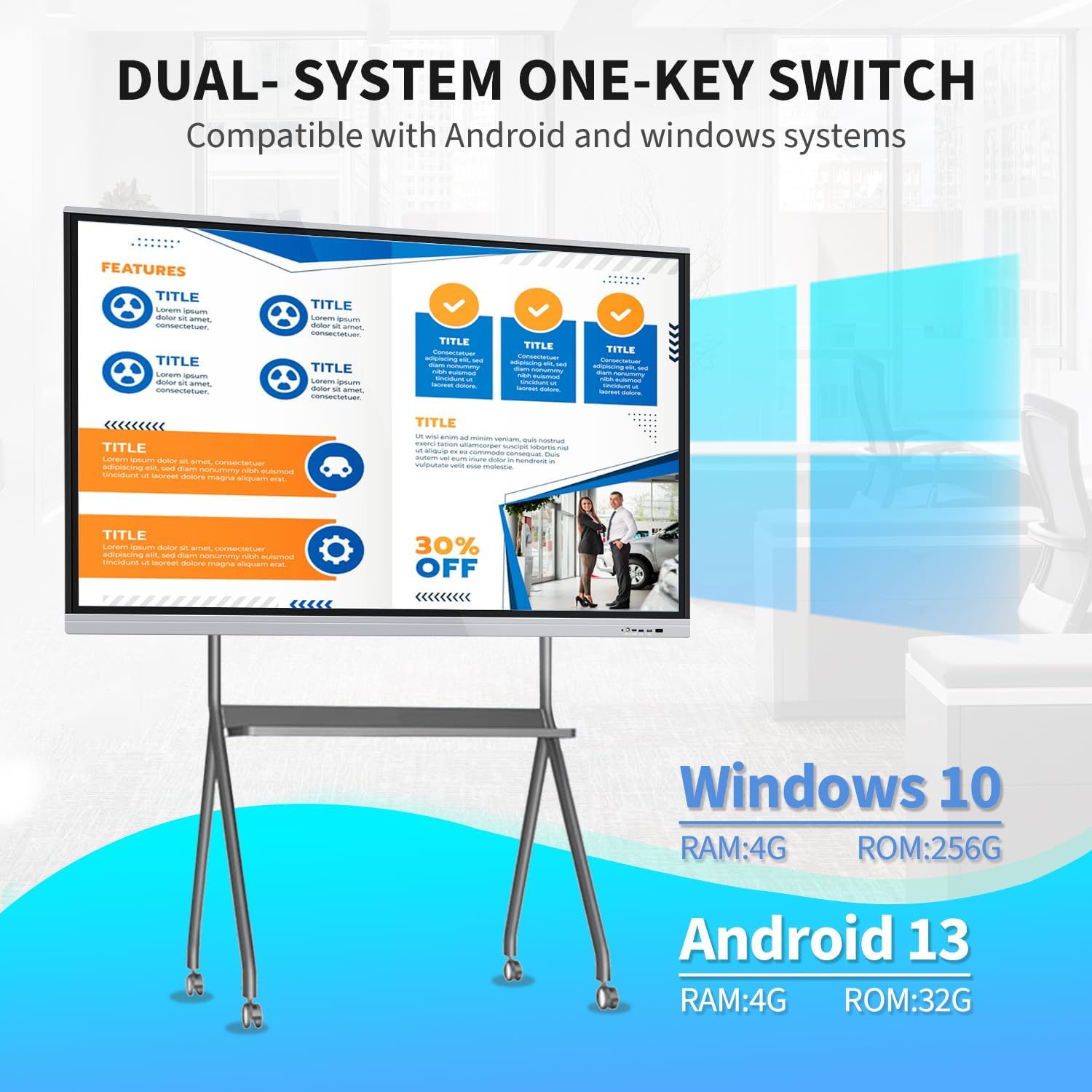
Image: Visual representation of the dual Android and Windows operating systems with their respective configurations.
20-Point Touch Screen Functionality
The 20-point touch screen allows for multiple users to interact simultaneously. Use the provided stylus or your fingers for precise input. Common gestures include single tap, double tap, press and hold, two-finger tap, and two-finger press.

Image: Visual guide to the 20-point touch technology and common touch gestures.
Video: Demonstration of the TouchWo 65-inch Smart Whiteboard's interactive functions, including writing and annotating.
Screen Mirroring & Digital Signage
The smart board supports screen mirroring from phones, laptops, or tablets. This allows for seamless content sharing during presentations or collaborative sessions. It can also function as a digital signage display, supporting both horizontal and vertical orientations for various content displays.

Image: Illustrates large screen presentation and casting from various devices.
Video: Demonstrates smartphone screen casting to the TouchWo Windows/Android AIO Smart Board.
Ryšys
The smart board integrates multiple interfaces including HDMI, USB, VGA, RJ45, Wi-Fi, and BT5.0. HDMI IN and USB OTG ports allow for screen casting and touch functionality with external devices.
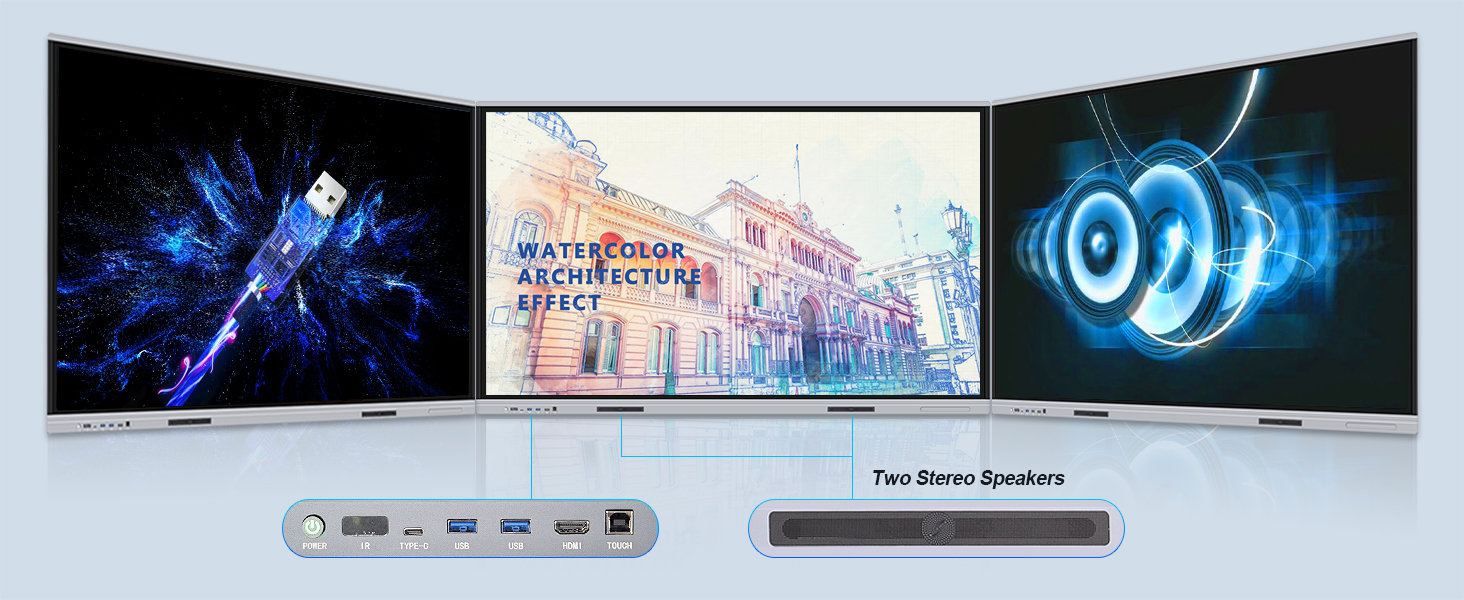
Vaizdas: Išsamus view of the smart board's connectivity ports and built-in stereo speakers.
Naudojimo scenarijai
The TouchWo Smart Board is versatile for various environments:
- Susitikimai: Facilitate interactive presentations and collaborative brainstorming.
- Klasės: Enhance learning with interactive lessons and digital whiteboarding.
- Vaizdo konferencijos: Connect an external camera and microphone for integrated video calls.
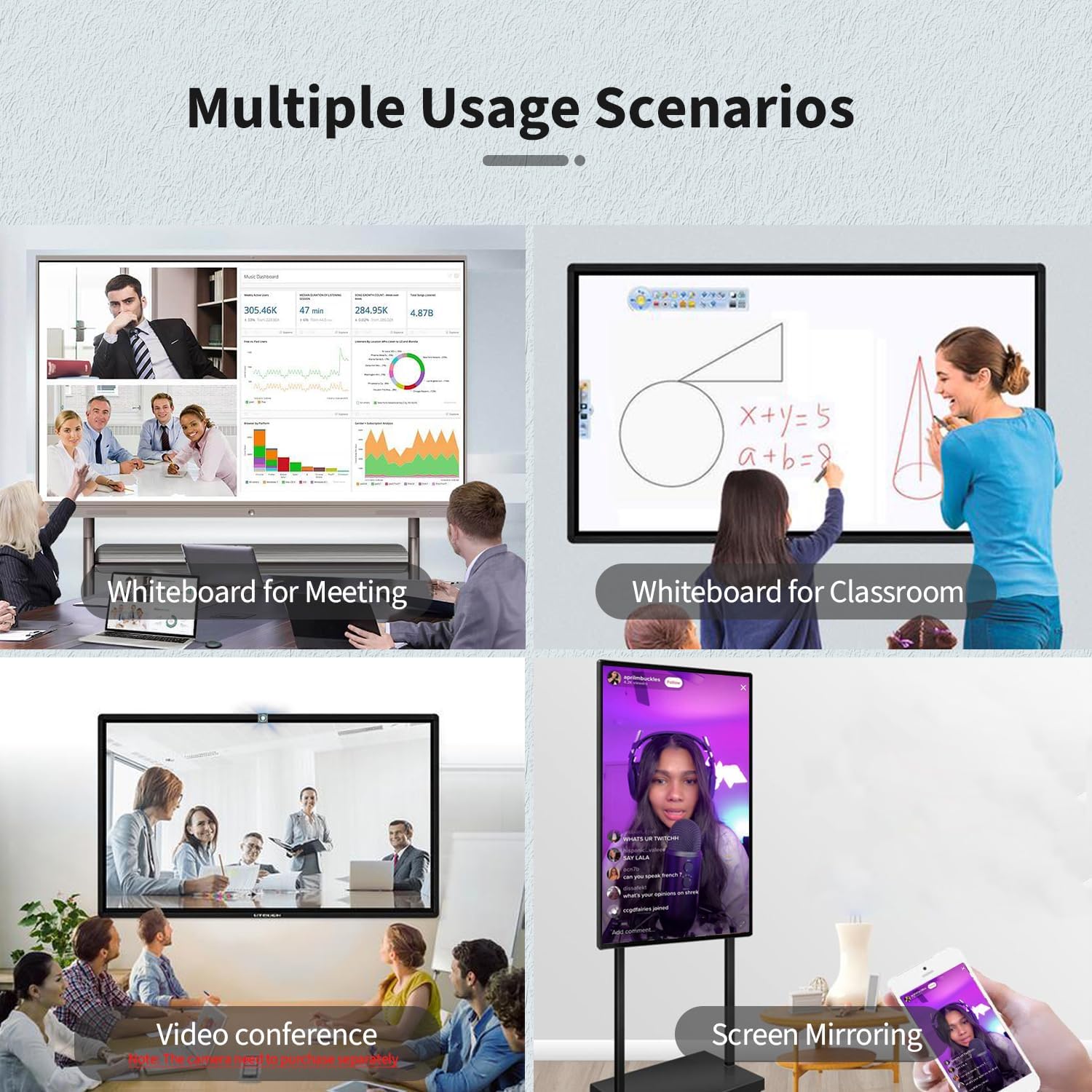
Image: Multiple usage scenarios for the smart board, including meetings, classrooms, video conferencing, and screen mirroring.
Video: Demonstrates the TouchWo Touchscreen Smart Whiteboard in a classroom setting, showing interactive learning.
5. Priežiūra
Ekrano valymas
- Always power off and unplug the smart board before cleaning.
- Šiek tiek naudokite minkštą, be pūkelių šluostę dampnuplaukite vandeniu arba neabrazyviniu ekrano valikliu.
- Do not use harsh chemicals, alcohol, or ammonia-based cleaners, as these can damage the screen coating.
- Švelniai nuvalykite, kad nesubraižytumėte paviršiaus.
Bendroji priežiūra
- Keep the smart board away from direct sunlight and extreme temperatures.
- Nedėkite ant įrenginio sunkių daiktų.
- Ensure cables are neatly organized to prevent tripping hazards or damage.
6. Problemų sprendimas
If you encounter issues with your TouchWo Smart Board, refer to the following common solutions:
Nėra galios
- Check if the power cable is securely connected to both the smart board and the power outlet.
- Įsitikinkite, kad maitinimo lizdas veikia, prijungdami prie jo kitą įrenginį.
- Verify that the power switch on the smart board is in the 'ON' position.
Nėra ekrano / juodas ekranas
- Confirm the smart board is powered on.
- If using an external source (e.g., laptop via HDMI), ensure the correct input source is selected on the smart board.
- Check the HDMI/VGA cable connection.
Jutiklinis mygtukas nereaguoja
- Ensure the USB touch cable is connected between the smart board and the external device (if applicable).
- Restart the smart board.
- Clean the screen surface to remove any obstructions.
Ekrano veidrodinio atspindžio problemos
- Ensure both the smart board and the mirroring device are connected to the same Wi-Fi network.
- Check for any firewall settings on your device that might block mirroring.
- Iš naujo paleiskite abu įrenginius.
7. Specifikacijos
| Funkcija | Detalė |
|---|---|
| Prekės ženklas | TouchWo |
| Modelio numeris | JPRZB65WB |
| Ekrano dydis | 65 colių |
| Rezoliucija | 4K UHD (3840 2160 x XNUMX XNUMX) |
| Krašto santykis | 16:9 |
| Vaizdo ryškumas | 350 lm |
| Operacinė sistema | Dual OS: Android 13 & Windows 10 (Core i5, RAM 4GB, SSD 256GB) |
| Lietimo taškai | 20 taškų |
| Ryšys | HDMI, USB, VGA, RJ45, Wi-Fi, BT5.0 |
| Iš viso USB prievadų | 6 |
| Integruoti garsiakalbiai | Taip |
| Gaminio matmenys | 3.2 x 58.5 x 35 colio |
| Prekės svoris | 70.4 svaro |
| ttage | 110 voltai (kintamoji srovė) |
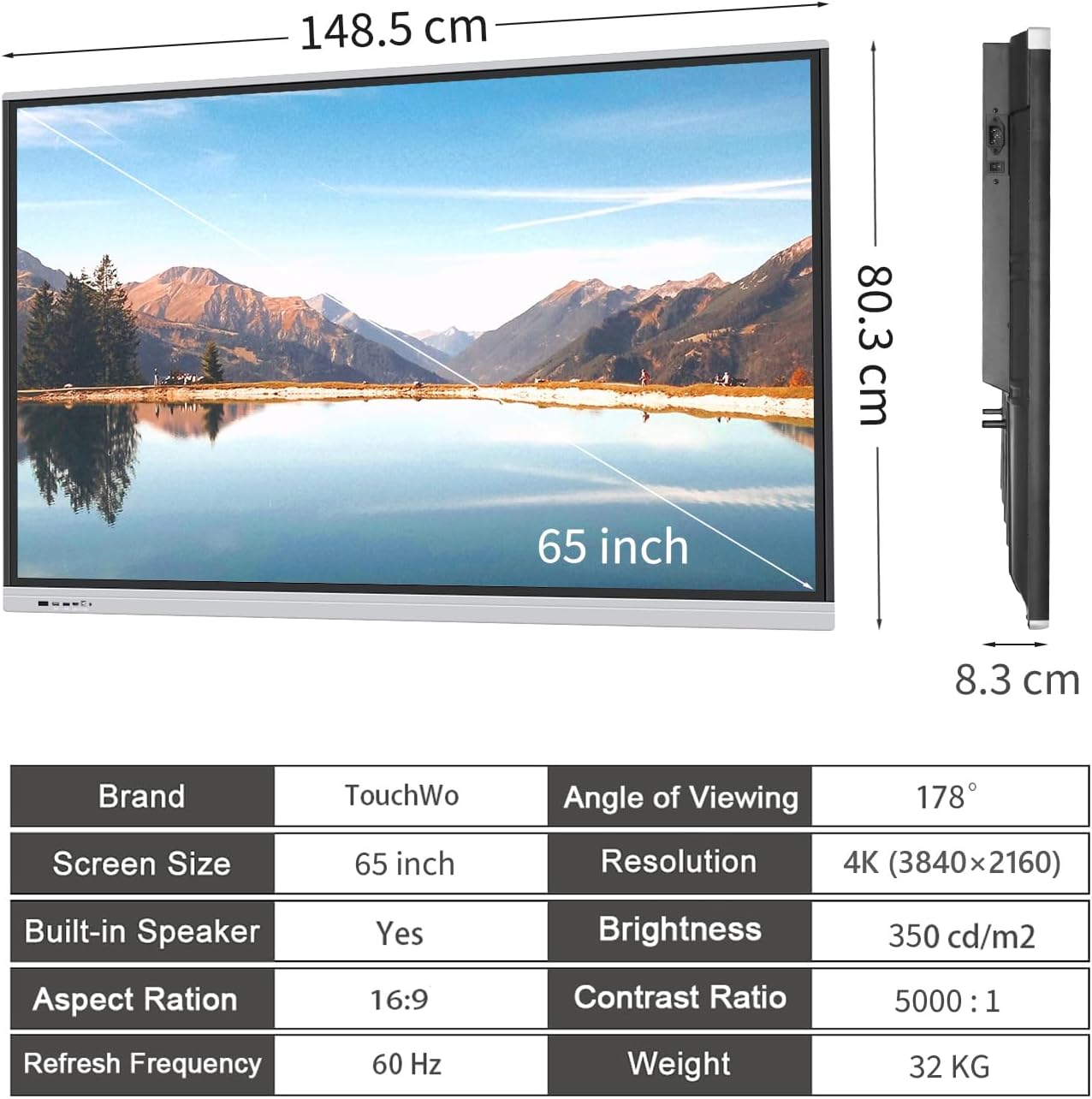
Image: Visual summary of product dimensions and technical specifications.
8. Garantija ir palaikymas
Informacija apie garantiją
For detailed warranty information, please refer to the documentation included with your product or contact TouchWo customer support.
Pagalba klientams
If you require any assistance, have questions, or need to report an issue, please contact our customer support team:
- Oficialus el. paštas: touchwoamz@outlook.com
- „Amazon“ pardavėjo puslapis: Visit TouchWo on Amazon
Siekiame atsakyti į visus užklausimus per 24 valandas.

Image: TouchWo customer support contact details for assistance.


