1. Įvadas
The Promate Capsule-3 is a portable Bluetooth speaker designed to deliver high-definition audio with versatile connectivity options. This manual provides essential information for setting up, operating, and maintaining your speaker to ensure optimal performance.
2. Kas yra dėžutėje
Carefully unpack your Promate Capsule-3 speaker. The package should contain the following items:
- 1 x Promate Capsule-3 Bluetooth Speaker
- 1 x Vartotojo vadovas
3. Produktas baigtasview
The Promate Capsule-3 speaker features a 5W audio output, True Wireless Stereo (TWS) technology for pairing two speakers, and integrated rainbow LED lights. It supports multiple playback modes including Bluetooth v5.3, TF Card, USB Media Port, and 3.5mm AUX input. The compact design includes a lanyard for portability, and it is powered by a built-in 500mAh rechargeable lithium battery providing up to 6 hours of playtime.
Video 1: Promate Capsule-3 Speaker Overview. This video provides a brief introduction to the Promate Capsule-3 Bluetooth Speaker, highlighting its key features and design.

Image 1: True Wireless Stereo Sound. The image displays the Promate Capsule-3 speaker, emphasizing its 5-watt output and True Wireless Stereo (TWS) capability for enhanced audio.

Image 2: Rainbow LED Lights. This image shows the speaker with its vibrant rainbow LED lights, illustrating its ability to enhance the ambiance of any environment.
4. Sąranka
4.1 Garsiakalbio įkrovimas
- Connect the charging cable to the DC 5V port on the speaker.
- Kitą laido galą prijunkite prie USB maitinimo adapterio (nepridedamas) arba kompiuterio USB prievado.
- LED indikatorius rodys įkrovimo būseną. Kai akumuliatorius bus visiškai įkrautas, indikatorius pasikeis arba užges.
4.2 Įjungimas / išjungimas
- To power on, press and hold the Power button until the LED lights illuminate and an audible prompt is heard.
- To power off, press and hold the Power button again until the LED lights turn off and an audible prompt is heard.
5. Naudojimo instrukcijos
5.1 Bluetooth poravimas
- Įsitikinkite, kad garsiakalbis įjungtas ir veikia „Bluetooth“ susiejimo režimu (mirksės LED indikatorius).
- Savo įrenginyje (išmaniajame telefone, planšetiniame kompiuteryje, nešiojamajame kompiuteryje) įjunkite „Bluetooth“ ir ieškokite galimų įrenginių.
- Select "Promate Capsule-3" from the list.
- Kai garsiakalbis bus susietas, pasigirs garsinis patvirtinimas ir LED indikatorius nustos mirksėti.
5.2 Tikrojo belaidžio stereo (TWS) susiejimas
To achieve stereo sound, you can pair two Promate Capsule-3 speakers together:
- Ensure both Capsule-3 speakers are powered on and not connected to any Bluetooth device.
- On one speaker (this will be the primary speaker), press and hold the TWS pairing button (refer to controls section for button identification).
- The speakers will search for each other and automatically pair. An audible prompt will confirm successful TWS connection.
- Dabar prijunkite savo įrenginį prie pagrindinio garsiakalbio per „Bluetooth“, kaip aprašyta 5.1 skyriuje. Garsas bus grojamas stereo režimu per abu garsiakalbius.

Image 3: Easy Music Navigation. This image highlights the speaker's control buttons, indicating simple navigation for music playback and call management.
5.3 Multi-Mode Playback
Garsiakalbis palaiko įvairius garso įvesties metodus:
- Bluetooth: Connect wirelessly to your device (see 5.1).
- TF kortelė: Insert a TF (Micro SD) card loaded with audio fileį TF kortelės lizdą. Garsiakalbis automatiškai persijungs į TF kortelės režimą ir pradės atkūrimą.
- USB Media Port: Įdėkite USB atmintinę su garsu fileį USB prievadą. Garsiakalbis automatiškai persijungs į USB režimą ir pradės atkūrimą.
- AUX įvestis: Connect an audio device using a 3.5mm AUX cable to the AUX port. The speaker will automatically switch to AUX mode.

Image 4: Multiple Connectivity Options. The image illustrates the various input ports available on the speaker, including Wireless BT, AUX Port, USB Drive, and TF Card slot.
6. Valdikliai
The Promate Capsule-3 features intuitive touch controls and quick access buttons for managing your audio experience:
- Maitinimo mygtukas: Paspauskite ir palaikykite, kad įjungtumėte/išjungtumėte.
- Atkūrimo / pristabdymo mygtukas: Press to play or pause audio. During a call, press to answer/end.
- Garsumo padidinimas (+): Paspauskite, jei norite padidinti garsumą. Paspauskite ir palaikykite, jei norite pereiti į kitą takelį.
- Sumažinti garsumą (-): Paspauskite, jei norite sumažinti garsumą. Paspauskite ir palaikykite, jei norite pereiti į ankstesnį takelį.
- Režimo mygtukas (M): Press to switch between Bluetooth, TF Card, USB, and AUX modes.
- LED šviesos valdymas: Specific button or combination (refer to speaker markings) to cycle through or turn off LED light modes.
7. Priežiūra
- Valymas: Garsiakalbio išorę valykite minkšta, sausa šluoste. Nenaudokite abrazyvinių valiklių ar tirpiklių.
- Saugykla: Garsiakalbį laikykite vėsioje, sausoje vietoje, toliau nuo tiesioginių saulės spindulių ir ekstremalių temperatūrų.
- Akumuliatoriaus priežiūra: To prolong battery life, fully charge the speaker before first use and recharge it regularly, even if not in use for extended periods. Avoid fully discharging the battery frequently.
- Atsparumas vandeniui: Šis garsiakalbis NĖRA atsparus vandeniui. Venkite vandens ar per didelės drėgmės.
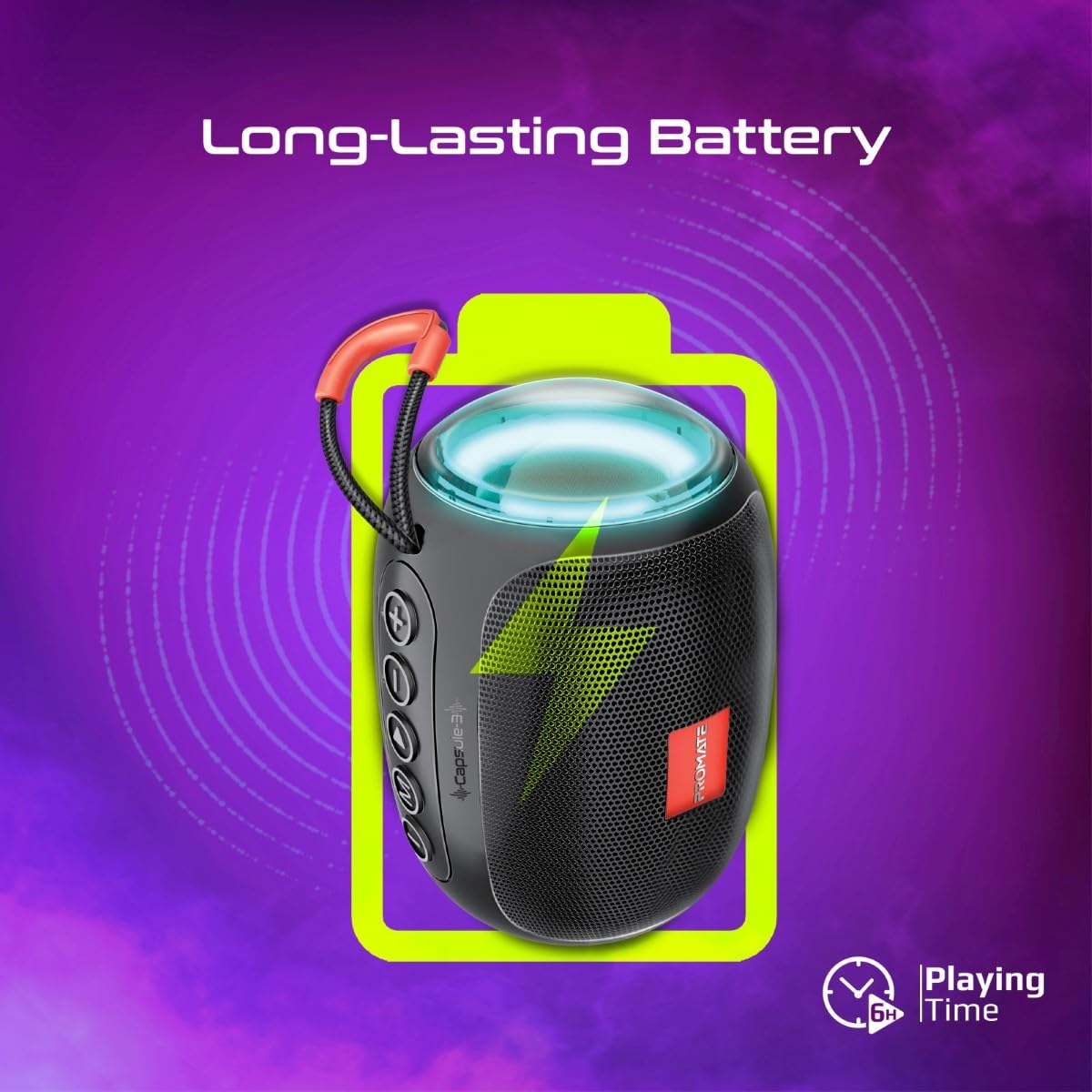
Image 5: Long-Lasting Battery. The image highlights the speaker's extended battery life, indicating over 6 hours of continuous playtime on a single charge.
8. Problemų sprendimas
| Problema | Galima priežastis | Sprendimas |
|---|---|---|
| Garsiakalbis neįsijungia. | Senka baterija. | Visiškai įkraukite garsiakalbį. |
| Nepavyksta susieti per „Bluetooth“. | Garsiakalbis neįjungtas susiejimo režimu; įrenginio „Bluetooth“ išjungtas; per toli nuo garsiakalbio. | Ensure speaker is in pairing mode. Turn device Bluetooth off/on. Move device closer to speaker (within 10 meters). |
| Nėra garso. | Volume too low; incorrect input mode; paused playback. | Increase volume. Check input mode (Bluetooth, AUX, TF, USB). Ensure music is playing. |
| TWS susiejimas nepavyko. | Garsiakalbiai jau prijungti prie kito įrenginio; per toli vienas nuo kito. | Disconnect speakers from any Bluetooth devices. Ensure speakers are close to each other. Try re-initiating TWS pairing. |
9. Specifikacijos
| Funkcija | Detalė |
|---|---|
| Modelio pavadinimas | Capsule-3 |
| Medžiaga | Akrilnitrilo butadieno stirenas (ABS) |
| Garsiakalbio išvestis | 5 vatų |
| Bluetooth versija | v5.3 |
| belaidis diapazonas | Iki 10 metrų |
| Baterijos talpa | Integruota 500 mAh įkraunama ličio baterija |
| Žaidimo laikas | Iki 6 valandų |
| Įkrovimo prievadas | DC 5V (USB) |
| Ryšio parinktys | Bluetooth, 3.5mm AUX, USB Port, TF Card Slot |
| Kontrolės metodas | Palieskite mygtukus |
| Ypatingos savybės | LED Lights, True Wireless Stereo (TWS) support, Portable design |
| Gaminio matmenys | 9 gylio x 9 pločio x 16 aukščio centimetrų |
| Prekės svoris | 410 gramų |
| Atsparumas vandeniui | Neatsparus vandeniui |
10. Garantija ir palaikymas
For warranty information, technical support, or service inquiries, please refer to the warranty card included with your product or visit the official Promate websvetainėje. Išsaugokite pirkimo kvitą kaip pirkimo įrodymą.

Image 6: Music On-The-Go. This image depicts the speaker in an outdoor setting, highlighting its compact and portable design, suitable for travel and outdoor activities.