Įvadas
This manual provides comprehensive instructions for the operation, maintenance, and troubleshooting of your EBTOOLS YEEMI K21+ 4G Flip Phone. Designed with seniors in mind, this phone features large buttons, dual screens, and essential functions like SOS and GPS for enhanced safety and ease of use. Please read this manual carefully to ensure proper use and to maximize the phone's capabilities.
1. Sąranka
1.1 Pakuotės turinys
Prieš pradėdami, patikrinkite, ar pakuotėje yra visi reikalingi daiktai:
- EBTOOLS YEEMI K21+ 4G Flip Phone
- Baterija
- USB kabelis
- Vartotojo vadovas (šis dokumentas)

Image: The phone, battery, and USB cable included in the package.
1.2 SIM kortelės ir akumuliatoriaus įdėjimas
- Atidarykite galinį dangtelį: Švelniai atidarykite telefono galinį dangtelį.
- Įdėkite SIM kortelę (-es): Locate the SIM card slot(s). This phone supports dual SIM. Carefully insert your 4G compatible SIM card(s) into the designated slot(s) with the gold contacts facing down.
- Įdėkite bateriją: Sulygiuokite akumuliatoriaus kontaktus su telefono kontaktais ir švelniai paspauskite akumuliatorių į vietą.
- Uždaryti galinį viršelį: Uždėkite galinį dangtelį, įsitikindami, kad jis tvirtai užsifiksavo.

Image: The phone in its open position, ready for SIM card and battery insertion.
1.3 Akumuliatoriaus įkrovimas
Prieš pirmą kartą naudodami, visiškai įkraukite telefono bateriją.
- Connect the small end of the USB cable to the phone's charging port.
- Kitą USB laido galą prijunkite prie suderinamo USB maitinimo adapterio (nepridedamas) arba kompiuterio USB prievado.
- Įkrovimo indikatorius ekrane rodys įkrovimo būseną.
2. Naudojimo instrukcijos
2.1 Maitinimo įjungimas/išjungimas
- Norėdami įjungti: Paspauskite ir palaikykite maitinimo / skambučio baigimo mygtuką (raudoną mygtuką), kol ekranas užsidegs.
- Norėdami išjungti: Press and hold the Power/End Call button until the power off options appear, then select "Power Off".
2.2 Skambinimas ir skambučių priėmimas
- Skambinimas:
- Enter the phone number using the large keypad buttons.
- Press the Call button (green button) to dial.
- Skambučio priėmimas:
- When the phone rings, open the flip to answer, or press the Call button.
- Norėdami baigti skambutį, paspauskite maitinimo / skambučio baigimo mygtuką.

Image: The phone showcasing its dual display feature, with the internal screen open and the external screen visible when closed.
2.3 Dual Screens and Large Font
The phone features a 2.6-inch high-definition main screen and a 1.77-inch external color high-definition screen. The external screen displays important information like time, date, and incoming call notifications without needing to open the phone. Large fonts and icons are used throughout the interface for improved readability.

Vaizdas: Stambus planas view of the phone's external screen, highlighting its dual SIM dual standby capability.
2.4 SOS and GPS Functionality
For emergencies, the phone is equipped with an SOS button and GPS positioning.
- SOS kontaktų nustatymas: Navigate to the SOS settings in the phone's menu to add emergency contact numbers.
- SOS aktyvinimas: In an emergency, press and hold the dedicated SOS button (usually located on the back or side of the phone). The phone will automatically call and send an emergency message with your GPS location to the pre-set SOS contacts.
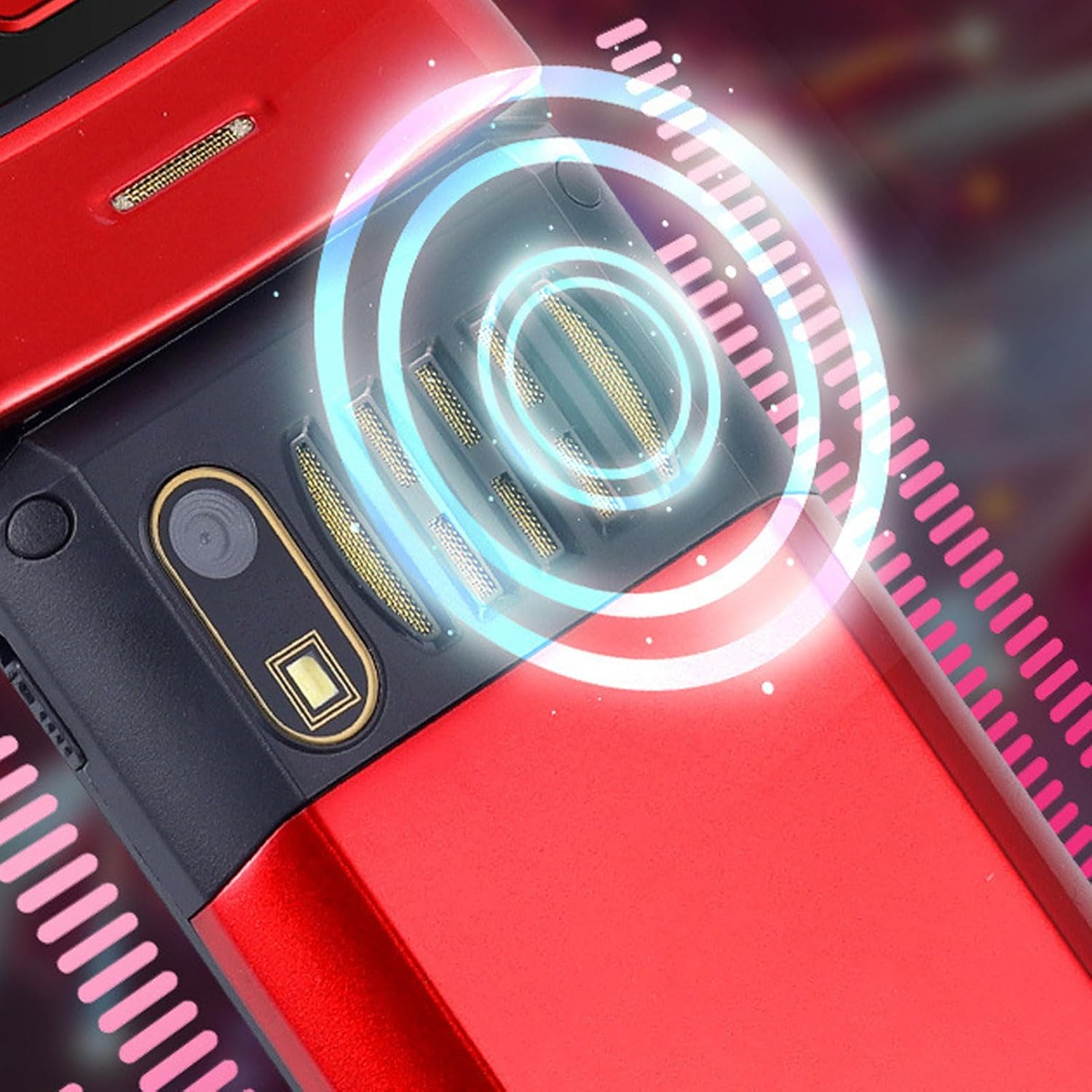
Image: The back of the phone, highlighting the speaker area, which contributes to clear sound for emergency calls.
2.5 Speed Dial and Shortcut Buttons
The phone supports 9 speed dial buttons for quick dialing of family numbers and 3 dedicated shortcut buttons for frequently used functions.
- Greitojo rinkimo nustatymas: Refer to the phone's menu for instructions on assigning contacts to speed dial numbers (typically 2-9).
- Using Shortcut Buttons: The dedicated shortcut buttons provide quick access to features like Camera, Messaging, or FM Radio.
3. Priežiūra
3.1 Akumuliatoriaus priežiūra
- Saugokite, kad akumuliatorius nepatektų į ekstremalias temperatūras.
- Nepradurkite, neišardykite ir nesukurkite trumpojo jungimo akumuliatoriaus.
- Jei telefonas nebus naudojamas ilgesnį laiką, prieš padėdami jį į savo vietą, įkraukite bateriją iki maždaug 50 %.
3.2 Telefono valymas
- Telefono ekranui ir korpusui valyti naudokite minkštą, nepūkuotą šluostę.
- Nenaudokite stiprių cheminių medžiagų, valymo purškiklių ar abrazyvinių medžiagų.
- Laikykite įkrovimo prievadą ir garsiakalbio groteles švarias nuo dulkių ir šiukšlių.
4. Problemų sprendimas
If you encounter issues with your phone, please refer to the following common problems and solutions:
| Problema | Galima priežastis | Sprendimas |
|---|---|---|
| Telefonas neįsijungia. | Baterija išsikrovusi arba netinkamai įdėta. | Įkraukite bateriją. Įsitikinkite, kad baterija tinkamai įdėta. |
| Negalima skambinti arba priimti skambučių. | Nėra SIM kortelės, SIM kortelė netinkamai įdėta arba nėra tinklo signalo. | Įsitikinkite, kad SIM kortelė įdėta teisingai. Patikrinkite tinklo signalo stiprumą. Susisiekite su savo paslaugų teikėju. |
| Prasta skambučių kokybė. | Weak network signal, or speaker/microphone obstruction. | Move to an area with better signal. Clean speaker and microphone openings. |
| SOS funkcija neveikia. | SOS contacts not set up, or no network signal. | Verify SOS contacts are correctly configured in settings. Ensure phone has network signal. |
5. Specifikacijos
Key technical specifications for the EBTOOLS YEEMI K21+ 4G Flip Phone:
- Modelis: EBTOOLS1756ogbieh-12
- Ryšys: 4G (supports 2G, 3G, and 4G network bands including GSM and CDMA)
- Pagrindinis ekranas: 2.6-inch High Definition
- Išorinis ekranas: 1.77-inch Color High Definition
- Baterijos talpa: 4800mAh (Long Standby Time)
- Savybės: Large Buttons, Dual Screens, SOS with GPS Positioning, 9 Speed Dial Buttons, 3 Dedicated Shortcut Buttons, Clear Sound Speaker
- Matmenys: Maždaug 5.51 x 3.15 x 2.76 colio (pakuotės matmenys)
- Kilmės šalis: Kinija
6. Garantija ir palaikymas
Your EBTOOLS YEEMI K21+ 4G Flip Phone comes with a standard manufacturer's warranty. Please refer to the warranty card included in your package for specific terms and conditions. For technical support, troubleshooting assistance beyond this manual, or warranty claims, please contact the seller or manufacturer directly.
Gamintojas: EBTOOLS
Dėl papildomos pagalbos galite apsilankyti EBTOOLS Store on Amazon.


