1. Įvadas
This manual provides detailed instructions for the FREEWOLF RK-K8 Wireless Mechanical Gaming Keyboard. Please read this manual thoroughly before using the product to ensure proper operation and to maximize your user experience.
Pagrindinės funkcijos:
- Triple-Mode Connectivity: Supports Type-C wired, 2.4GHz wireless, and Bluetooth 5.0 connections.
- Hot-Swappable Switches: Compatible with most 3-pin mechanical switches for customization.
- Gasket Mounted Structure: Enhances typing feel and reduces hollow sound.
- Customizable Rainbow Backlight: Features 18 backlight effects.
- Long-Lasting Battery: Equipped with a 4000mAh battery.
- 96% Layout: 100-key design that saves space while retaining essential keys.
- Wide Compatibility: Supports Windows and Mac operating systems.
2. Pakuotės turinys
Prašome patikrinti, ar pakuotėje yra visi reikalingi daiktai:
- 1 x FREEWOLF RK-K8 Mechanical Keyboard
- 1 x USB Receiver (2.4Ghz)
- 1 x Type-C to USB-A Braided Coiled Cable
- 1 x raktų dangtelio ištraukiklis
- 1 x jungiklio ištraukiklis
- 2 x Original Switches (spare)
- 1 x Naudotojo vadovas (šis dokumentas)

Image 2.1: Contents of the FREEWOLF RK-K8 package, showing the keyboard, coiled USB-C cable, USB 2.4G receiver, keycap puller, switch puller, and two spare switches.
3. Sąranka ir prijungimas
3.1 Klaviatūros įkrovimas
Before first use, it is recommended to fully charge the keyboard. Connect the provided Type-C cable to the keyboard's Type-C port and the USB-A end to a power source (e.g., computer USB port, USB wall adapter). The keyboard features a 4000mAh battery.
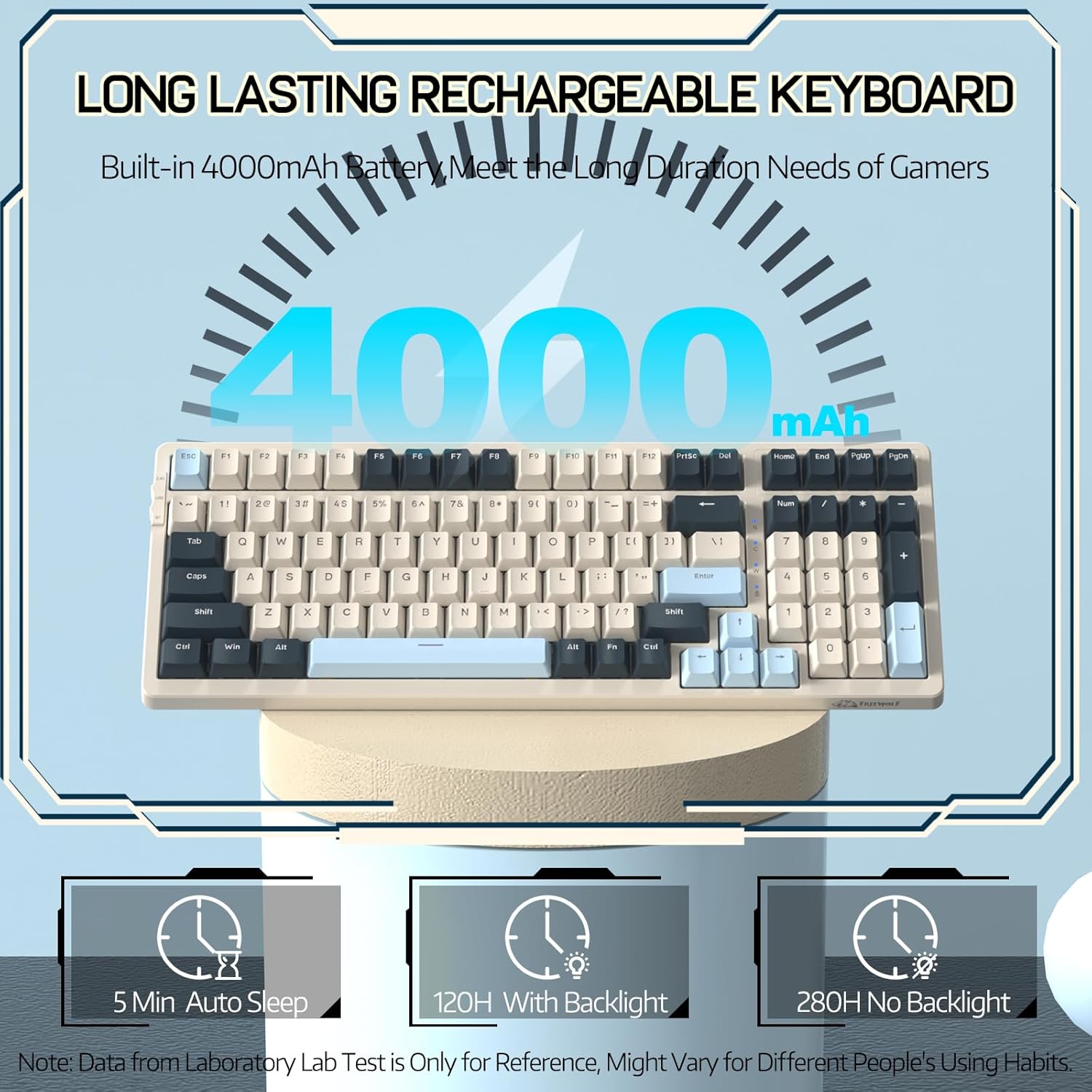
Image 3.1: The keyboard's 4000mAh battery capacity, indicating extended usage time.
3.2 Ryšio režimai
The RK-K8 keyboard supports three connection modes: Wired, 2.4GHz Wireless, and Bluetooth 5.0.

Image 3.2: Visual guide for switching between 2.4G wireless, wired, and Bluetooth connection modes.
3.2.1 Laidinis režimas
- Connect the provided Type-C coiled cable to the keyboard's Type-C port.
- Prijunkite USB-A kabelio galą prie kompiuterio USB prievado.
- Ensure the mode switch on the keyboard is set to "USB" (or wired mode indicator).
- Jūsų sistema automatiškai atpažins klaviatūrą.

Image 3.3: The Type-C to USB-A braided coiled cable, featuring a metal aviation connector for wired connection.
3.2.2 2.4 GHz belaidis režimas
- Locate the 2.4GHz USB receiver, typically stored in a slot on the keyboard.
- Prijunkite USB imtuvą prie laisvo kompiuterio USB prievado.
- Toggle the mode switch on the keyboard to "2.4G".
- Klaviatūra turėtų prisijungti automatiškai.
3.2.3 „Bluetooth 5.0“ režimas
Klaviatūra palaiko prisijungimą prie iki trijų „Bluetooth“ įrenginių.
- Toggle the mode switch on the keyboard to "BT".
- Norėdami įjungti poravimo režimą, paspauskite ir palaikykite FN + Q, FN + W, arba FN + E for 3-5 seconds. The corresponding key's backlight will flash rapidly, indicating it's ready to pair.
- On your device (PC, Mac, tablet, phone), open Bluetooth settings and search for "RK-K8" or a similar device name.
- Select the keyboard to pair. Once connected, the backlight on the chosen key (Q, W, or E) will stop flashing and remain steadily lit.
- Norėdami perjungti susietus „Bluetooth“ įrenginius, tiesiog paspauskite FN + Q, FN + W, arba FN + E.
3.3 Sistemos suderinamumas
The RK-K8 keyboard is compatible with both Windows and Mac operating systems. Use the appropriate FN key combinations for specific functions on each system.
3.1 vaizdo įrašas: metimas per sekundęview of the FREEWOLF K8 mechanical keyboard, showcasing its features including customizable keycaps, lighting effects, hot-swappable design, compact layout, and multi-device compatibility across Windows, Mac, and mobile devices.
4. Operacija
4.1 Foninio apšvietimo valdymas
The RK-K8 features 18 customizable rainbow backlight effects.
- FN + |: Switch between 18 backlight effects.
- FN + ↑ / ↓: reguliuoti foninio apšvietimo ryškumą.
- FN + ← / →: Adjust the flowing speed of dynamic backlight effects.
- FN + X: Turn on/off backlight.
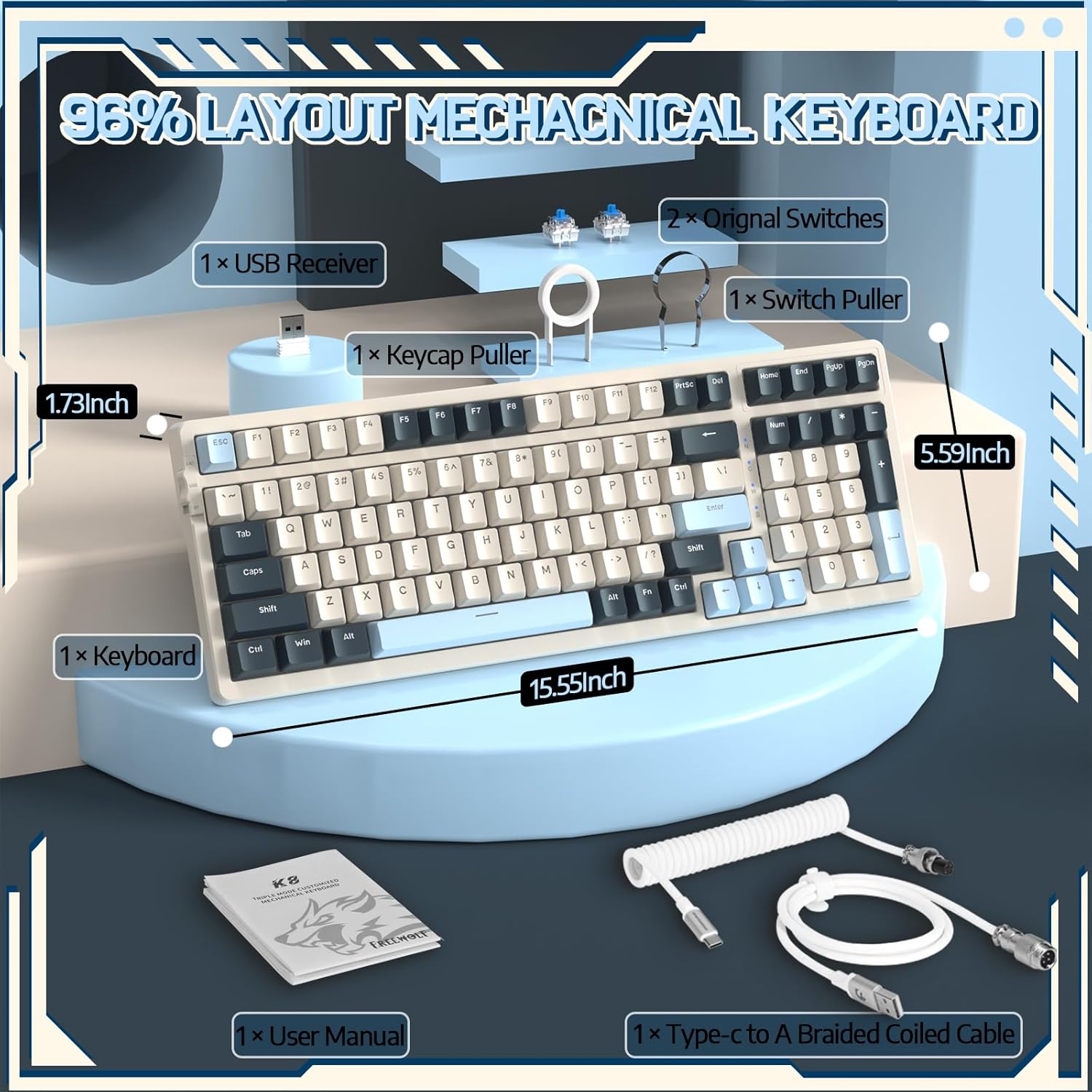
Image 4.1: The RK-K8 keyboard displaying various customizable rainbow backlight patterns.
4.2 Karštuoju būdu keičiami jungikliai
The keyboard is equipped with a hot-swappable PCB, allowing you to change switches without soldering. It is compatible with most 3-pin mechanical switches (e.g., Cherry MX, Gateron, Kailh Box, AKKO, Epomaker, Glorious switches).
- Use the provided switch puller to carefully remove the existing switch. Grip the switch firmly and pull straight up.
- Align the pins of the new 3-pin switch with the holes on the PCB.
- Gently press the new switch into place until it clicks. Ensure the switch is seated properly and the pins are not bent.
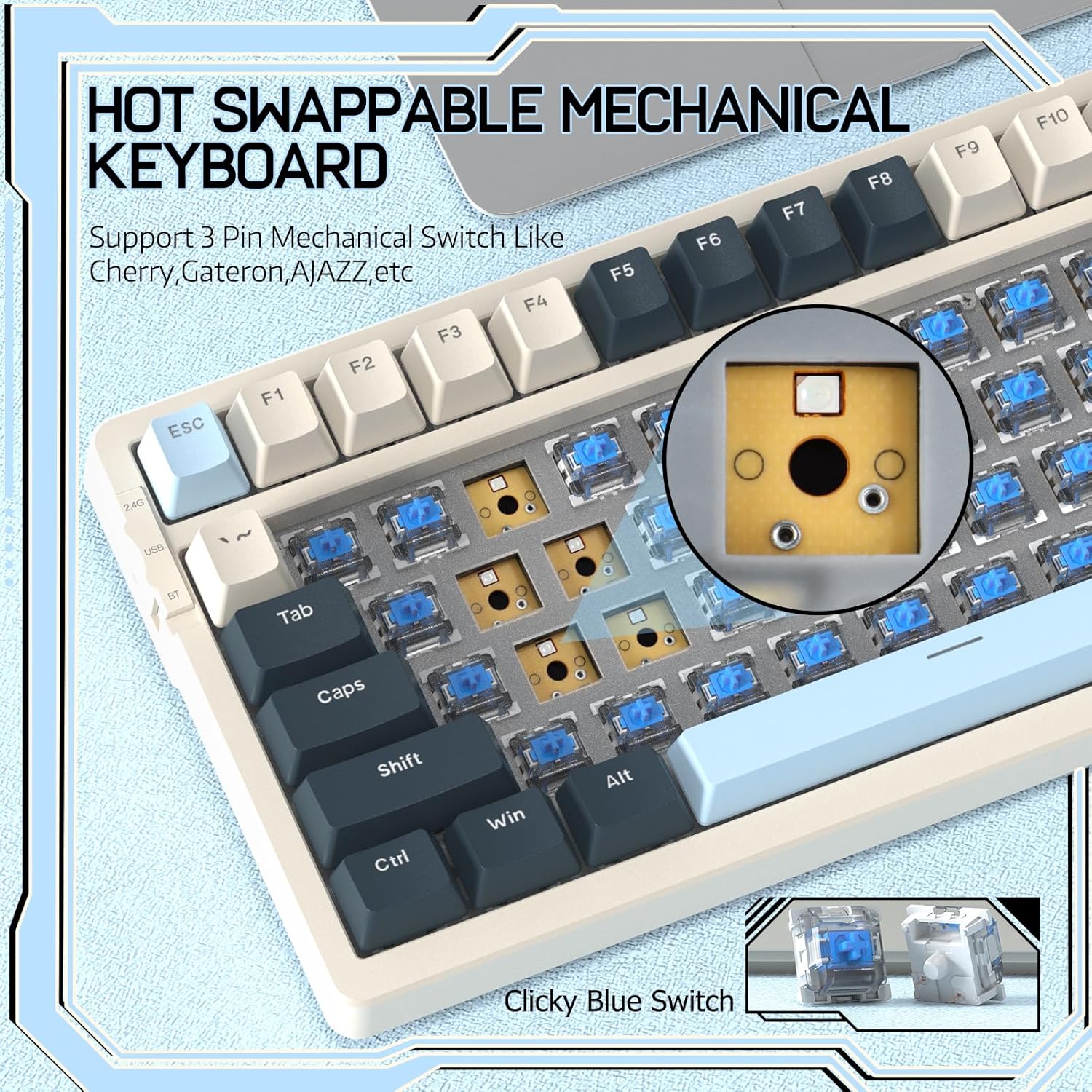
Image 4.2: Demonstrating the hot-swappable feature, showing a switch being removed from the keyboard.
4.3 Gasket Mounted Structure
The keyboard features a gasket-mounted design with sound-dampening materials between the plate and the housing. This construction reduces hollow sounds and provides a more consistent and comfortable typing experience.

Image 4.3: Diagram illustrating the internal layers of the gasket-mounted keyboard structure, designed for improved acoustics and feel.
4.4 Pagrindinės funkcijos ir išdėstymas
The RK-K8 utilizes a 96% layout with 100 keys, retaining essential modifiers, arrow keys, a separate numpad, and function row while maintaining a compact form factor.
Refer to the keyboard layout for specific key placements. Many keys have secondary functions accessible via the FN raktas.
- FN + F1–F12: Multimedia and system control functions (e.g., volume, play/pause).
- FN + Win: Lock/unlock Windows key.
- FN + A: Switch to Windows layout.
- FN + S: Switch to Mac layout.
5. Priežiūra
5.1 Valymas
Norėdami išlaikyti klaviatūros išvaizdą ir funkcionalumą:
- Prieš valydami atjunkite klaviatūrą nuo kompiuterio.
- Šiek tiek naudokite minkštą, be pūkelių šluostę dampKlaviatūros dangtelius ir korpusą nuvalykite vandeniu arba švelniu valymo tirpalu.
- For dust and debris between keycaps, use compressed air or the provided keycap puller to remove keycaps and clean underneath.
- Venkite naudoti stiprias chemines medžiagas, abrazyvus ar tirpiklius.
5.2 Klaviatūros dangtelio ir jungiklio keitimas
The provided keycap and switch pullers facilitate easy replacement of keycaps and switches. Refer to section 4.2 for switch replacement instructions.
6. Problemų sprendimas
If you encounter issues with your FREEWOLF RK-K8 keyboard, please refer to the following common solutions:
- Klaviatūra nereaguoja:
- Įsitikinkite, kad klaviatūra įkrauta.
- Check the connection mode switch (Wired, 2.4G, BT) matches your intended connection.
- For wired mode, ensure the cable is securely connected to both the keyboard and the computer.
- For 2.4G wireless, ensure the USB receiver is plugged in and the keyboard is in 2.4G mode.
- For Bluetooth, re-pair the device if necessary (see section 3.2.3).
- Keys repeating or not registering:
- This can sometimes occur with wireless connections. Try switching to wired mode to see if the issue persists.
- Ensure the switches are properly seated. If a switch is loose, carefully remove and re-insert it.
- Nuvalykite visas šiukšles aplink pažeistą raktą.
- Foninis apšvietimas neveikia arba užstringa:
- Ensure the backlight is not turned off (press FN + X).
- Reguliuokite ryškumą naudodami FN + ↑ / ↓.
- Try cycling through backlight effects with FN + |.
- „Bluetooth“ ryšio problemos:
- Ensure the keyboard is in Bluetooth mode and sufficient battery.
- Forget the device on your computer/phone and re-pair it.
- Įsitikinkite, kad jūsų įrenginio „Bluetooth“ įjungtas ir veikia tinkamai.
7. Specifikacijos
| Funkcija | Detalė |
|---|---|
| Prekės ženklas | LAISVAS VILKAS |
| Modelis | RK-K8 |
| Ryšio technologija | Bluetooth 5.0 / 2.4GHz Wireless / Wired (Type-C) |
| Klaviatūros aprašymas | Mechaninis |
| Jungiklio tipas | Tactile Blue Switch (Hot-Swappable 3-pin) |
| Baterijos talpa | 4000 mAh |
| Foninis apšvietimas | Rainbow Backlit (18 effects) |
| Išdėstymas | 96 % (100 raktas) |
| Suderinami įrenginiai | PC, Mac, PS4 (via USB) |
| Medžiaga | Akrilnitrilo butadieno stirenas (ABS) |
| Prekės svoris | 2.25 svaro (apie 1.02 kg) |
| Pakuotės matmenys | 16.14 x 6.69 x 2.01 colio |
8. Garantija ir palaikymas
For warranty information or technical support, please refer to the contact details provided with your purchase or visit the official FREEWOLF websvetainę. Išsaugokite pirkimo čekį garantiniams reikalavimams.


