1. Įvadas
The Pristar P15 Mini Bluetooth Label Printer is a compact, portable, and rechargeable thermal label maker designed to simplify your organization tasks. With its wireless Bluetooth connectivity, you can easily create and print custom labels directly from your iOS or Android smartphone using the intuitive 'Marklife' application. This manual provides detailed instructions on setting up, operating, maintaining, and troubleshooting your P15 label printer to ensure optimal performance and a seamless labeling experience.
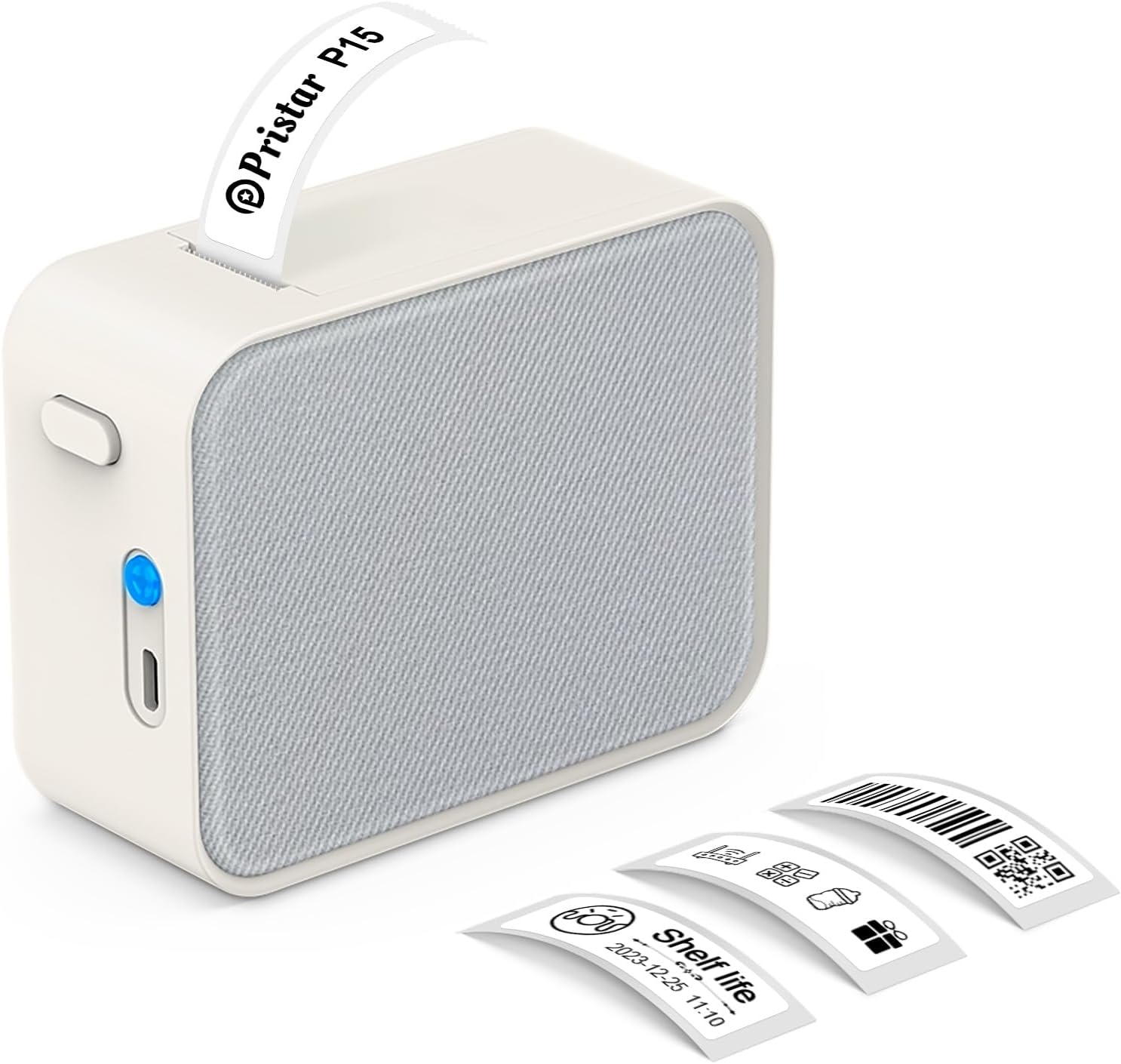
Figure 1.1: Pristar P15 Mini Bluetooth Label Printer
2. Saugos informacija
Please read all safety instructions carefully before using the Pristar P15 label printer. Failure to follow these instructions may result in injury or damage to the device.
- Neardykite, netaisykite ir nemodifikuokite įrenginio.
- Laikykite prietaisą atokiau nuo vandens, drėgmės ir aukštos temperatūros.
- Use only the specified USB-C cable for charging.
- Avoid exposing the print head to direct sunlight or strong light.
- Laikyti vaikams nepasiekiamoje vietoje.
3. Pakuotės turinys
Patikrinkite, ar pakuotėje yra visi reikalingi daiktai:
- 1 x Pristar P15 Label Printer (with built-in 1200mAh rechargeable lithium battery)
- 1 x Roll of Label Paper (12x40mm, White)
- 1 x USB-C Charging Cable (Power adapter not included)
- 1 x naudojimo instrukcija
4. Sąrankos vadovas
4.1 Spausdintuvo įkrovimas
Before first use, fully charge the printer. Connect the provided USB-C cable to the charging port on the printer and plug the other end into a USB power source (e.g., computer, wall adapter). The indicator light will show charging status.
4.2 Etikečių popieriaus įdėjimas
Proper loading of the label paper is crucial for clear printing.
- Atidarykite spausdintuvo dangtį pastumdami atleidimo mygtuką.
- Insert the label roll with the label face down, ensuring the leading edge of the labels extends slightly out of the slot.
- Tvirtai uždarykite spausdintuvo dangtį, kol jis spragtelėdamas užsifiksuos.

Figure 4.1: Label Paper Installation and App Connection Steps
4.3 Programos diegimas
The Pristar P15 operates via the 'Marklife' application.
- Scan the QR code provided in the quick start guide or search for "Marklife" in your device's app store (App Store for iOS, Google Play Store for Android).
- Atsisiųskite ir įdiekite programą.
4.4 Bluetooth ryšys
Connect your printer to the 'Marklife' app.
- Įsitikinkite, kad jūsų išmaniajame telefone įjungtas „Bluetooth“.
- Open the 'Marklife' app.
- Within the app, search for and connect to your P15 printer. Do not connect via your phone's general Bluetooth settings.
5. Naudojimo instrukcijos
The 'Marklife' app provides extensive features for creating and customizing labels.
5.1 Basic Label Creation
- Open the 'Marklife' app and ensure your printer is connected.
- Select the desired label size (e.g., 12x40mm).
- Tap on the text box to enter your desired label content.
- Use the editing tools to customize fonts, sizes, and styles.
- Tap the 'Print' button to send the label to the printer.
5.2 Išplėstinės programėlės funkcijos
The 'Marklife' app offers a wide range of customization options:
- Fonts & Languages: Access over 60 fonts and 8 languages for diverse labeling needs.
- Icons & Frames: Choose from 1000+ icons and various frames to enhance your labels.
- Brūkšniniai ir QR kodai: Generuokite ir spausdinkite brūkšninius kodus ir QR kodus tiesiai iš programėlės.
- Image & Text Import: Import pictures, or use features like Excel import, scanning, and voice input for text.
- Šablonai: Utilize free templates for quick label creation. (Note: Some templates may require payment, and signing in allows saving customized templates.)

5.1 pav.: Išmaniosios programėlės valdymo sąsaja
5.3 Thermal Printing Technology
The P15 uses thermal printing, eliminating the need for ink or toner, making it cost-effective and environmentally friendly. It supports 12-15mm label printing with a 203 DPI resolution for clear results.
5.4 Label Tape Features
Pristar label tapes are designed for durability and ease of use:
- Water & Oil-proof: Labels maintain integrity even when exposed to water or oil.
- Apsauga nuo įbrėžimų: Resistant to fading or damage from rubbing.
- Atsparumas plyšimui: Durable and not easily torn by hand.
- No Sticky Residue: Designed for easy removal without leaving adhesive residue.

Figure 5.2: Features of P15 Thermal Label Paper
5.5 Wide Application
The P15 is versatile for various organizational tasks:
- Home Storage: Label food containers, pantry items, and storage bins.
- Office Classification: Organizuoti files, documents, and office supplies.
- Kaina Tags: Create clear and professional price labels.
- School Information Management: Label school supplies, books, and projects.
- Kabelių valdymas: Identify cables and wires for electronics.

Figure 5.3: Home Organization Examples

Figure 5.4: Work Organization Examples
6. Priežiūra
To ensure the longevity and optimal performance of your Pristar P15 label printer, follow these maintenance guidelines:
- Spausdinimo galvutės valymas: If print quality degrades, gently wipe the thermal print head with a cotton swab lightly dampened with isopropyl alcohol. Ensure the printer is off and dry before use.
- Išorės valymas: Use a soft, dry cloth to clean the exterior of the printer. Do not use abrasive cleaners or solvents.
- Saugykla: Spausdintuvą laikykite vėsioje, sausoje vietoje, toliau nuo tiesioginių saulės spindulių ir ekstremalių temperatūrų. Jei ketinate laikyti ilgesnį laiką, išimkite etikečių ritinėlį.
7. Problemų sprendimas
If you encounter issues with your Pristar P15 label printer, refer to the following common problems and solutions:
| Problema | Galima priežastis | Sprendimas |
|---|---|---|
| Spausdintuvas neįsijungia | Išsikrovęs akumuliatorius; Nestipriai paspaustas maitinimo mygtukas | Įkraukite spausdintuvą; paspauskite ir kelias sekundes palaikykite nuspaudę maitinimo mygtuką. |
| Nepavyksta prisijungti per Bluetooth | Bluetooth off; Incorrect connection method; App issue | Ensure phone Bluetooth is on; Connect via 'Marklife' app, not phone settings; Restart app/phone. |
| Prasta spausdinimo kokybė | Dirty print head; Incorrect label loading; Low battery | Clean the print head; Re-load label paper correctly (face down); Charge the printer. |
| Etiketės netiekiamos | Label roll empty; Paper jammed; Cover not closed properly | Replace label roll; Clear any paper jams; Ensure printer cover is securely closed. |
| Programa užstringa arba užstringa | Software glitch; Outdated app version | Restart the app; Check for app updates in your app store. |
8. Specifikacijos
Key technical specifications for the Pristar P15 Mini Bluetooth Label Printer:
| Funkcija | Specifikacija |
|---|---|
| Modelis | LPPR-P15-LM-GYF |
| Gaminio matmenys | 4G x 9.5P x 7.9A centimetrų |
| Prekės svoris | 150 gramų |
| Ryšio technologija | Bluetooth 4.0 (Effective distance up to 10m) |
| Spausdinimo technologija | Šiluminis |
| Spausdinimo raiška | 203 DPI |
| Maksimalus laikmenos dydis | 15 mm |
| Palaikomas etiketės plotis | 12-15 mm |
| Baterija | 1200 mAh įkraunama ličio baterija |
| Suderinami įrenginiai | Išmanieji telefonai („iOS“, „Android“) |
| Įtraukti komponentai | USB-C Cable, Labels |
9. Garantija ir palaikymas
Pristar products are manufactured to high-quality standards. For warranty information and technical support, please refer to the contact details provided on the product packaging or the official Pristar websvetainėje. Išsaugokite pirkimo kvitą kaip pirkimo įrodymą bet kokiems garantiniams prašymams.
For further assistance, you may contact Pristar customer service at pristar_service@outlook.com.


