1. Įvadas
The Garmin Descent™ Mk3i is an advanced, watch-style dive computer and multisport GPS smartwatch designed for both underwater exploration and active lifestyles on land. It combines robust dive features with comprehensive health and fitness monitoring, ensuring you are prepared for any adventure.
Pagrindinės funkcijos:
- Advanced Dive Computer: Multiple dive modes for recreational to technical scuba diving and freediving, with a 200-meter dive-rated case.
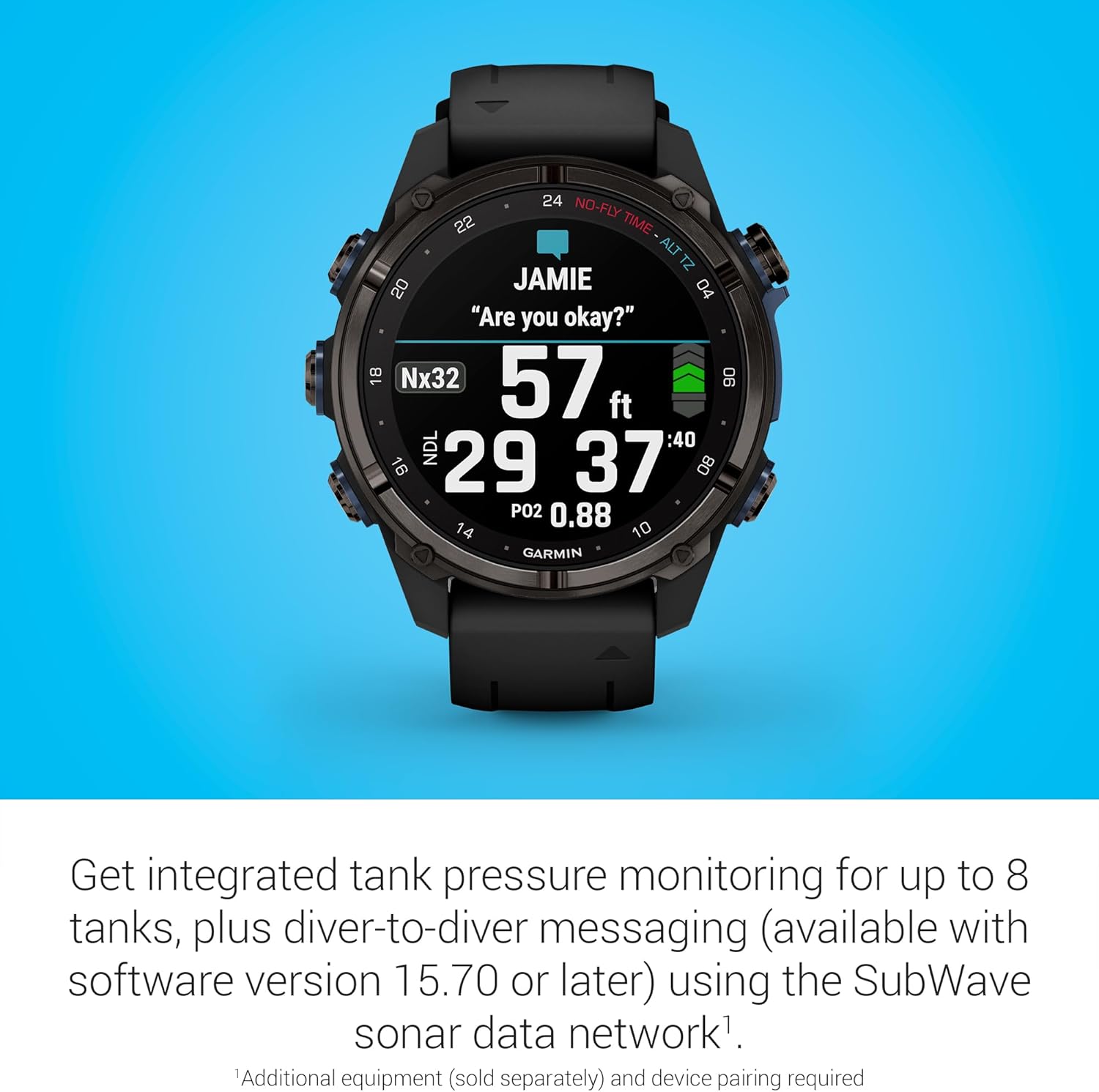
- SubWave™ Sonar Technology: Enables diver-to-diver messaging and monitoring of tank pressures and depth for up to eight networked divers when paired with the Descent™ T2 transceiver (sold separately).
- Dive Readiness Tool: Provides guidance on your body's preparedness for diving based on lifestyle factors like sleep, exercise, stress, and jet lag.
- Multi-band GPS & ABC Sensors: Offers superior positional accuracy on the surface and includes an underwater 3-axis compass for navigation.
- AMOLED ekranas: A bright 1.2-inch AMOLED display with a scratch-resistant sapphire lens for clear visibility in various conditions.
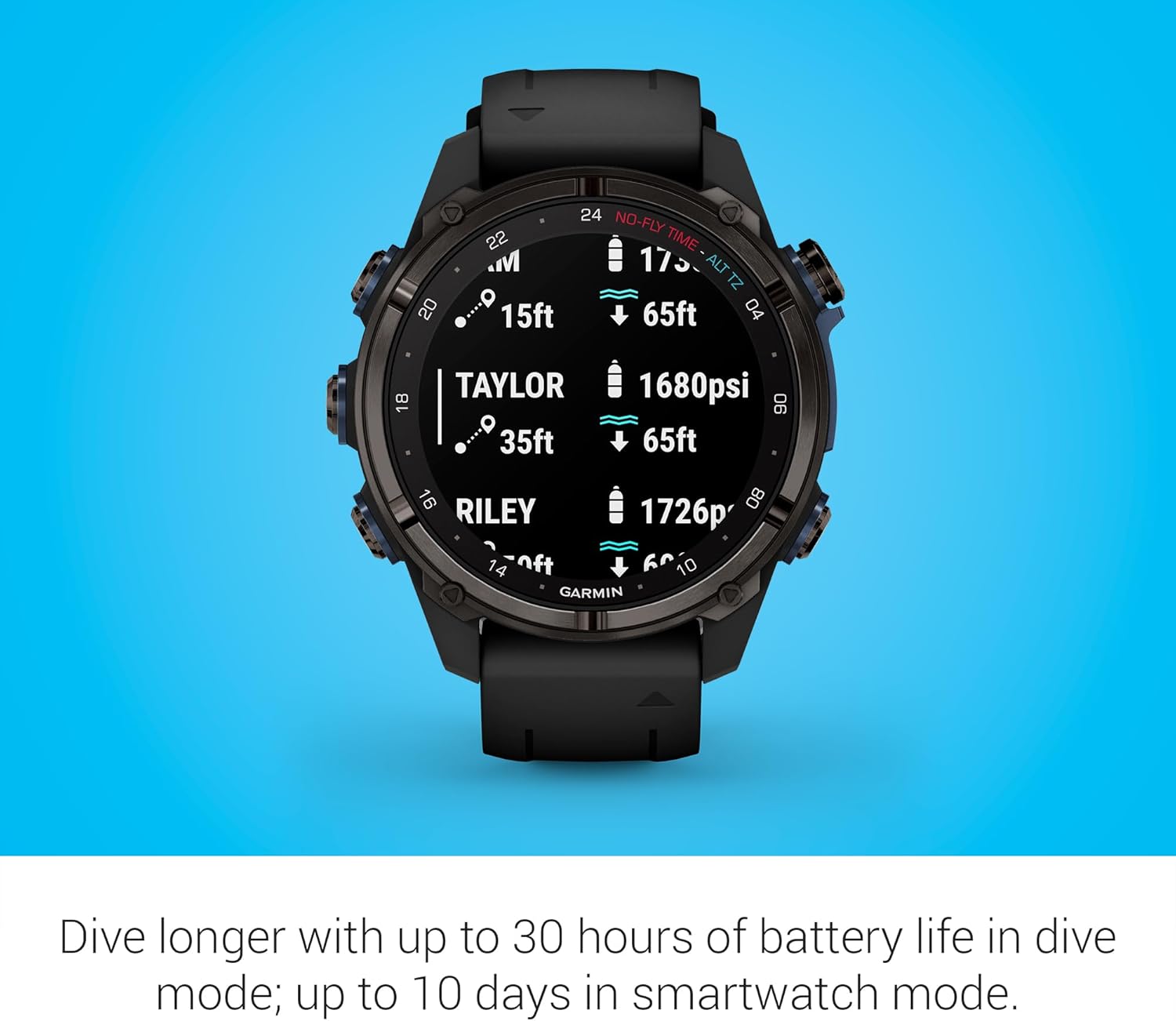
- Ilgas baterijos veikimo laikas: Up to 10 days in smartwatch mode and up to 30 hours in dive mode.
- Health & Wellness Monitoring: 24/7 wrist-based heart rate, advanced sleep monitoring, respiration tracking, and Pulse Ox.
- Išmaniosios funkcijos: Smart notifications, music storage, and Garmin Pay™ contactless payments.

2. Sąranka
2.1 Kas yra dėžutėje
- Descent Mk3i – 43 mm (carbon gray DLC titanium with black silicone band)
- Black extra long adjustment strap
- USB-C įkrovimo / duomenų kabelio laikiklis
- Dokumentacija
2.2 Pradinė įrenginio sąranka
- Įkraukite įrenginį: Connect the USB-C to clip charging/data cable to the charging port on the back of your Descent Mk3i and a USB power source. Ensure the device is fully charged before first use.
- Maitinimas: Norėdami įjungti įrenginį, paspauskite ir palaikykite nuspaudę LIGHT mygtuką (viršuje kairėje).
- Kalbos pasirinkimas: Vykdykite ekrane pateikiamus nurodymus, kad pasirinktumėte pageidaujamą kalbą.
- Pair with Garmin Dive App: Download the Garmin Dive app on your compatible smartphone. Open the app and follow the instructions to pair your Descent Mk3i. This enables dive log syncing, smart notifications, and other connected features.
- Suasmeninkite nustatymus: Customize your user profile, activity profiles, and display settings through the device menus or the Garmin Dive app.
3. Operating Your Descent™ Mk3i
3.1 Nardymo režimai
The Descent™ Mk3i supports various dive modes to suit your activity:
- Single-Gas & Multi-Gas: For recreational and technical scuba diving with air, nitrox, and trimix.
- CCR (Closed-Circuit Rebreather): For rebreather diving.
- Matuoklis: For basic bottom time and depth tracking.
- Apnea & Apnea Hunt: For freediving activities.

3.2 Air Integration & SubWave™ Sonar
When paired with a Descent™ T2 transceiver (sold separately), the Mk3i provides advanced air integration features:
- Bako slėgio stebėjimas: Monitor tank pressure and depth for up to eight divers within a 10-meter range.
- Narų tarpusavio žinučių perdavimas: Exchange preset messages with other divers up to 30 meters away (with software v.15.70 or later).

3.3 Dive Readiness Tool
The innovative dive readiness tool analyzes your sleep, exercise, stress, and jet lag to provide a score indicating your body's overall preparedness for diving. This helps you make informed decisions about your dive plans.

3.4 Navigacija
The Descent™ Mk3i offers robust navigation capabilities:
- Daugiajuostis GPS: For superior positional accuracy on the surface, allowing you to mark entry and exit points. (Note: GPS tracking does not work underwater).
- ABC jutikliai: Includes an altimeter, barometer, and a 3-axis underwater compass for precise orientation.
- PasinertiView™ Maps: Preloaded color maps with bathymetric depth contours and over 4,000 dive sites to aid in underwater navigation and exploration.

3.5 Garmin Dive App & Dive Log
Automatically sync your dive logs with the Garmin Dive app on your compatible smartphone. The app allows you to:
- Review and analyze dive data.
- Track your gear.
- Post photos and take notes.
- Share your adventures with others.

3.6 Baterijos veikimo laikas
The Descent™ Mk3i offers extended battery performance:
- Iki 10 dienų išmaniojo laikrodžio režimu.
- Up to 30 hours in dive mode.
3.7 Health & Wellness Monitoring
Beyond diving, the Mk3i provides comprehensive health tracking:
- Širdies ritmas pagal riešą: Nuolatinis širdies ritmo stebėjimas.
- Išplėstinis miego stebėjimas: Stebi miegątagir kokybė.
- Kvėpavimo stebėjimas: Monitors breathing rate.
- Pulso jautis: Matuoja kraujo įsotinimą deguonimi (prieinama ne visose šalyse).
3.8 Išmaniosios funkcijos
Stay connected with:
- Išmanieji pranešimai: Receive alerts for calls, texts, and app notifications from your compatible smartphone.
- Muzikos saugykla: Saugokite ir klausykite muzikos tiesiai iš savo laikrodžio.
- „Garmin Pay™“: Atlikite bekontakčius mokėjimus.
4. Priežiūra
4.1 Prietaiso valymas
Reguliarus valymas padeda išlaikyti įrenginio veikimą ir išvaizdą:
- After each dive, rinse the device thoroughly with fresh water.
- Use a soft, lint-free cloth to wipe the device dry.
- Venkite naudoti stiprias chemines medžiagas ar abrazyvines medžiagas, kurios gali pažeisti įrenginį.
4.2 Saugykla
When not in use, store your Descent™ Mk3i in a cool, dry place away from direct sunlight and extreme temperatures.
5. Problemų sprendimas
5.1 Įrenginys nereaguoja
If the device is unresponsive, try restarting it. Press and hold the LIGHT button for 15 seconds until the device powers off. Then, press the LIGHT button again to power it back on.
5.2 GPS signalo problemos
Įsitikinkite, kad esate atviroje vietoje su švaria view of the sky. GPS does not work underwater. For best results, allow the device to acquire a GPS signal on the surface before diving.
5.3 Pairing Problems
If you experience issues pairing with the Garmin Dive app, ensure Bluetooth is enabled on your smartphone and the device is in pairing mode. Try restarting both your phone and the Descent™ Mk3i.
6. Specifikacijos
| Funkcija | Detalė |
|---|---|
| Gaminio matmenys | 1.69 x 1.69 x 0.59 colio |
| Prekės svoris | 2.41 uncijos (68.3 gramų) |
| Prekės modelio numeris | 010-02753-10 |
| Baterijos | Reikalinga 1 ličio jonų baterija (pridedama) |
| OS | Proprietary Garmin OS |
| Ryšio technologijos | Bluetooth, USB |
| GPS | Built-in Multi-band GPS |
| Ekrano technologija | AMOLED |
| Ekrano dydis | 1.2 colių |
| Skaitytuvo raiška | 454 x 454 |
| Spalva | Juoda |
| Gamintojas | Garmin |
| Pasiekiama pirmoji data | 22 m. lapkričio 2023 d |
7. Garantija ir palaikymas
7.1 Ribota garantija
Garmin warrants this product to be free from defects in materials or workmanship for one year from the date of purchase. Within this period, Garmin will, at its sole option, repair or replace any components that fail in normal use. Such repairs or replacement will be made at no charge to the customer for parts or labor, provided that the customer shall be responsible for any transportation cost.
7.2 Pagalba klientams
Dėl techninės pagalbos, produkto registracijos arba papildomų išteklių apsilankykite oficialioje „Garmin“ palaikymo svetainėje website or contact Garmin customer service directly. You can find detailed contact information and FAQs on the Garmin websvetainę.
Palaikymas internetu: Apsilankykite www.garmin.com/support
Produkto registracija: Užregistruokite savo įrenginį adresu www.garmin.com/register gauti atnaujinimus ir palaikymą.


