1. Įvadas
This manual provides essential information for the safe and efficient operation of your OUKITEL P5000PRO Portable Power Station. Please read this manual thoroughly before using the product and retain it for future reference.
The OUKITEL P5000PRO is a high-capacity portable power station designed to provide reliable power for various applications, including home backup, outdoor activities, and professional use. It features a 5120Wh LiFePO4 battery, 3600W AC output, and multiple charging options, including solar.
2. Saugos instrukcijos
Bendra sauga:
- Neišardykite, neremontuokite ir nekeiskite įrenginio.
- Laikykite įrenginį atokiau nuo šilumos šaltinių, tiesioginių saulės spindulių ir degių medžiagų.
- Saugokite įrenginį nuo lietaus ar drėgmės.
- Naudokite tik originalius arba sertifikuotus priedus.
- Naudojimo ir įkrovimo metu užtikrinkite tinkamą vėdinimą.
- Laikyti vaikams ir naminiams gyvūnėliams nepasiekiamoje vietoje.
- Gaisro atveju naudokite miltelinį gesintuvą.
Baterijos sauga:
- The unit contains a LiFePO4 battery. Do not puncture, drop, or damage the battery.
- Do not charge or store the unit in extreme temperatures.
- If the battery leaks, avoid contact with skin and eyes. Rinse with water and seek medical attention.
3. Pakuotės turinys
Patikrinkite, ar pakuotėje yra visi reikalingi daiktai:
- 1x OUKITEL P5000PRO Portable Power Station
- 2x 400W Solar Panels (PV400)
- 1x kintamosios srovės įkrovimo laidas
- 1x Car Charger (XT60 Car Charging Cable)
- 1x Solar Charging Cable (XT60-MC4 Solar Charging Cable)
- 1x vartotojo vadovas
- 1x Safety Guide
Note: Due to the product's weight, the power station and solar panels may be delivered in separate packages.

Image: Contents of the OUKITEL P5000PRO package.
4. Produktas baigtasview
The OUKITEL P5000PRO is designed for ease of use and portability, featuring a robust build and intuitive interface.
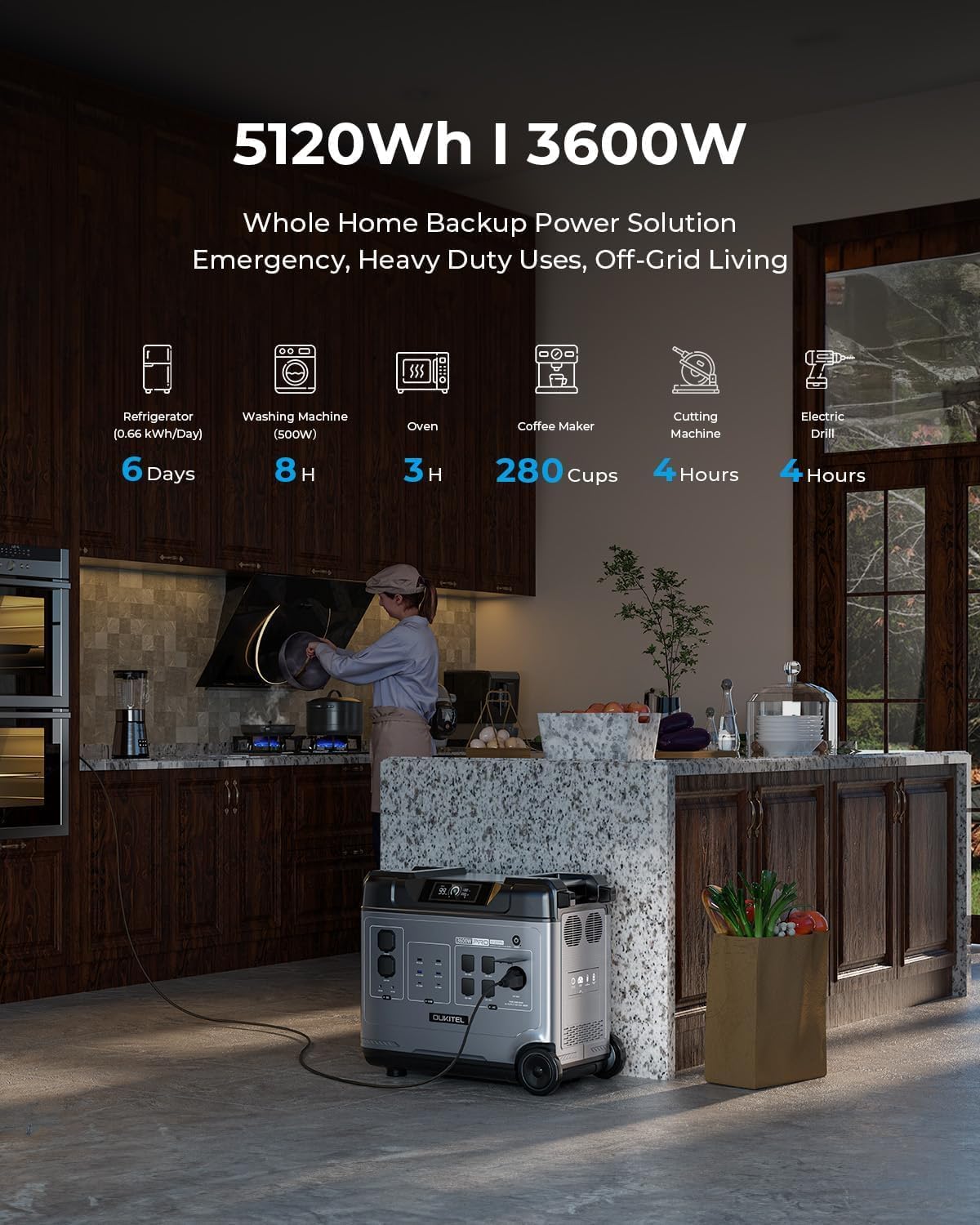
Image: Front panel of the OUKITEL P5000PRO, highlighting its multiple output ports and digital display.
4.1. Pagrindinės savybės
- Didelė talpa: 5120Wh LiFePO4 battery for extended power supply.
- Didelė išeiga: 3600W Max AC output, capable of powering 99% of devices.
- Greitas įkrovimas: Fully charged in 2 hours via home outlet (1800W).
- Saulės įkrovimas: Supports up to 1000W solar input, full charge in 5 hours with 2x400W panels.
- UPS funkcionalumas: Automatic switchover within 0.01s during power outages (max 1400W output in UPS mode).
- Ilgas tarnavimo laikas: LiFePO4 battery with over 5000+ charge cycles, offering a 10-year lifespan.
- Kelios prekybos vietos: 15 outlets including 5x AC, 4x USB-A, 2x USB-C (100W), 2x DC, 1x cigarette lighter, and 1x airline outlet.
- Perkeliamumas: Equipped with a high-quality tension bar and 2 removable wheels for easy transport.
- Integruota saugykla: Convenient storage space on top for cables and accessories.
5. Sąranka
5.1. Pirminė apžiūra
Upon receiving your OUKITEL P5000PRO, carefully inspect the packaging and the unit for any signs of damage. If any damage is found, do not operate the unit and contact customer support immediately.
5.2. Pirmasis naudojimas
Before first use, it is recommended to fully charge the power station. This ensures optimal battery performance and calibration.
5.3. Įrenginio išdėstymas
Place the power station on a flat, stable surface. Ensure there is adequate ventilation around the unit to prevent overheating. Keep it away from direct sunlight, heat sources, and moisture.
6. Naudojimo instrukcijos
6.1. Įjungimas/išjungimas
- Norėdami įjungti įrenginį, paspauskite ir kelias sekundes palaikykite nuspaudę pagrindinį maitinimo mygtuką, kol užsidegs ekranas.
- Norėdami išjungti įrenginį, dar kartą paspauskite ir palaikykite nuspaudę pagrindinį maitinimo mygtuką, kol ekranas išsijungs.
6.2. Kintamosios srovės lizdų naudojimas
- Press the AC power button to activate the AC outlets. The AC indicator on the display will light up.
- Plug your AC devices into the available AC outlets.
- Ensure the total power consumption of your devices does not exceed 3600W.
- To turn off AC power, press the AC power button again.
6.3. Using USB Outlets
- The USB-A and USB-C ports are typically active when the unit is powered on.
- Connect your USB devices for charging. The USB-C ports support up to 100W Power Delivery.
6.4. Nuolatinės srovės lizdų naudojimas
- Press the DC power button to activate the DC outlets (including the cigarette lighter port). The DC indicator will light up.
- Connect your DC devices.
- To turn off DC power, press the DC power button again.
6.5. UPS funkcija
The P5000PRO features an Uninterruptible Power Supply (UPS) function. When connected to a wall outlet and powering devices, if the grid power fails, the unit will automatically switch to battery power within 0.01 seconds. This prevents data loss or interruption for connected devices. The maximum output in UPS mode is 1400W.

Image: Illustration of the UPS function, demonstrating seamless power transition.
7. Įkrovimo būdai
The OUKITEL P5000PRO offers multiple charging options:
7.1. Kintamosios srovės sieninis įkrovimas
- Connect the AC charging cable to the AC input port on the power station and then to a standard wall outlet.
- The unit supports up to 1800W input, allowing a full charge in approximately 2 hours.
7.2. Saulės įkrovimas
- Connect the solar charging cable (XT60-MC4) to the PV input port on the power station.
- Connect the MC4 connectors to your solar panels.
- The unit supports up to 1000W solar input. Using 2x400W solar panels, a full charge can be achieved in approximately 5 hours under ideal sunlight conditions.

Image: Instructions for connecting solar panels to the power station.
7.3. Automobilio įkrovimas
- Connect the car charger (XT60 Car Charging Cable) to the car charging port on the power station and to your vehicle's 12V cigarette lighter socket.
7.4. Kombinuotas įkrovimas
- For the fastest charging, combine AC wall charging and solar charging simultaneously. This can achieve a full charge in approximately 2 hours (2800W combined input).

Image: Visual representation of various charging methods and their approximate times.
8. Priežiūra
8.1. Sandėliavimas
- Įrenginį laikykite vėsioje, sausoje vietoje, toliau nuo tiesioginių saulės spindulių ir ekstremalių temperatūrų.
- Ilgalaikio sandėliavimo metu įkraukite įrenginį iki 50–80 % kas 3–6 mėnesius, kad pailgintumėte baterijos veikimo laiką.
8.2. Valymas
- Use a dry, soft cloth to clean the exterior of the unit.
- Nenaudokite abrazyvinių valiklių ir nemerkite įrenginio į vandenį.
8.3. Akumuliatoriaus valdymo sistema (BMS)
The integrated BMS monitors battery conditions such as temperature and current, ensuring safe and efficient operation. This system helps protect the battery from overcharge, over-discharge, over-current, and short circuits.
9. Problemų sprendimas
| Problema | Galima priežastis | Sprendimas |
|---|---|---|
| Įrenginys neįsijungia. | Baterija išsikrovusi; Netinkamai paspaustas maitinimo mygtukas. | Įkraukite įrenginį; paspauskite ir kelias sekundes palaikykite nuspaudę maitinimo mygtuką. |
| Neveikia kintamosios srovės lizdai. | Kintamosios srovės išėjimas neaktyvuotas; Suveikė apsauga nuo perkrovos. | Press the AC power button; Reduce connected load, then restart AC output. |
| Slow charging via solar. | Insufficient sunlight; Panels not optimally angled; Incorrect connection. | Ensure panels are in direct sunlight and angled correctly; Check cable connections. |
| Įrenginio perkaitimas. | Prasta ventiliacija; Per didelė apkrova. | Užtikrinkite laisvą oro cirkuliaciją aplink įrenginį; Sumažinkite prijungtą apkrovą. |
If the problem persists after attempting these solutions, please contact OUKITEL customer support.
10. Specifikacijos
| Funkcija | Detalė |
|---|---|
| Modelio pavadinimas | P5000PRO |
| Baterijos tipas | LiFePO4 |
| Talpa | 5120 Wh |
| Kintamosios srovės išėjimo galia | 3600 W (maks.) |
| AC įvesties galia | 1800W |
| Solar Input (MPPT) | 1000W |
| UPS perjungimo laikas | 0.01 s (10 ms) |
| Gyvenimo trukmė | 5000+ cycles (to 80% capacity) / 10 years |
| AC lizdai | 5 |
| USB-A prievadai | 4 |
| USB-C prievadai | 2 (100W PD each) |
| DC lizdai | 2 |
| Cigarečių degiklio prievadas | 1 |
| Airline Outlet | 1 |
| Matmenys (I x P x A) | 21.6" x 11.4" x 18.9" |
| Svoris | 114.4 svarai (52 kg) |
11. Garantija ir palaikymas
The OUKITEL P5000PRO comes with an exclusive 5-year warranty (2 years standard + 3-year extended). For warranty claims or technical assistance, please contact OUKITEL customer service.
Klientų aptarnavimas:
- 24/7 Support Service
- Access to over 100 experts and engineers
For more information, visit the official OUKITEL website or refer to the contact details provided in your safety guide.

Image: OUKITEL customer support and warranty information.
12. Produkto vaizdo demonstracija
Vaizdo įrašas: Viršijimasview of the OUKITEL P5000PRO Portable Power Station, demonstrating its features and portability. This video is provided by OUKITEL Official.