Įvadas
This manual provides detailed instructions for the setup, operation, and maintenance of your WUPRO LeApex 100-inch Black Crystal Electric Retractable Projector Screen. This screen is designed to enhance your viewing experience with its advanced features and high-quality projection surface, supporting Full HD 4K/8K content.
Svarbi saugos informacija
- Ensure the screen is connected to a suitable power supply (110V-120V, 60Hz). The motor's power must match the local voltage ir dažnis.
- Due to the large size and weight (approximately 56.1 pounds), it is recommended to have at least two people for safe handling and installation.
- Keep the screen away from direct heat sources, open flames, and excessive moisture.
- Do not attempt to disassemble or repair the screen unit yourself. Contact qualified service personnel for assistance.
- Keep remote controls and small parts out of reach of children.
Pakuotės turinys
- WUPRO LeApex Electric Retractable Projector Screen Unit
- Nuotolinio valdymo pultas
- Maitinimo kabelis
- USB paleidiklis
- Mounting Hardware (may vary based on installation method)
Produkto savybės
- Contrast Gain 1.5 Black Crystal Surface: Provides enhanced detail, richer colors, and improved image layers for Full HD 4K/8K content.
- Ambient Light Rejection (ALR): Environmentally resistant (ceiling) ≥ 70%, suitable for use in normal light conditions by blocking light from above.
- 3D palaikymas: Compatible with 3D content for an immersive viewpatirtį.
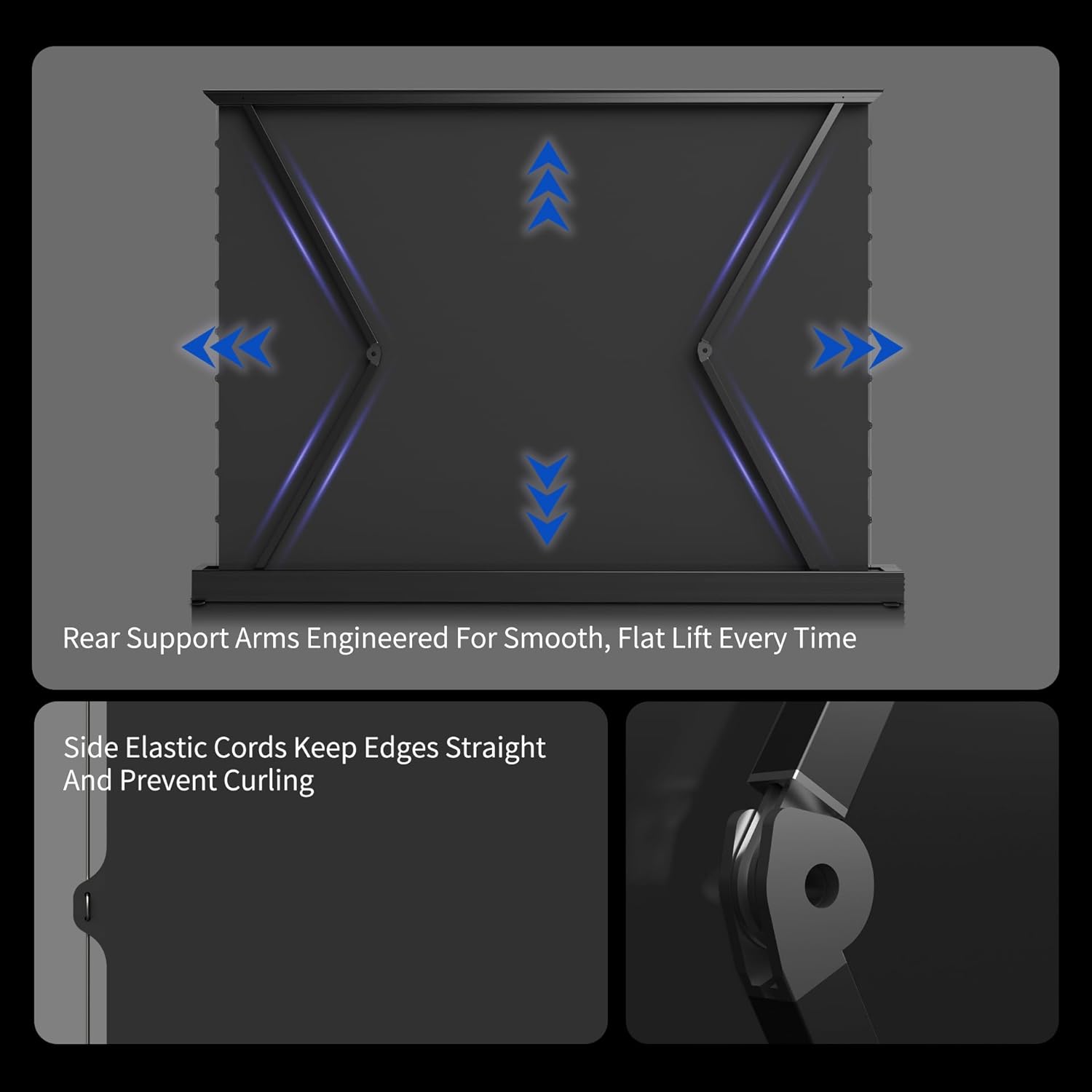
- Automatic Leveling System: The screen descends approximately 5 cm upon reaching its maximum height, which is normal operation.
- Išmanusis valdymas: Includes a USB trigger for automatic synchronization with your projector and supports voice functions.
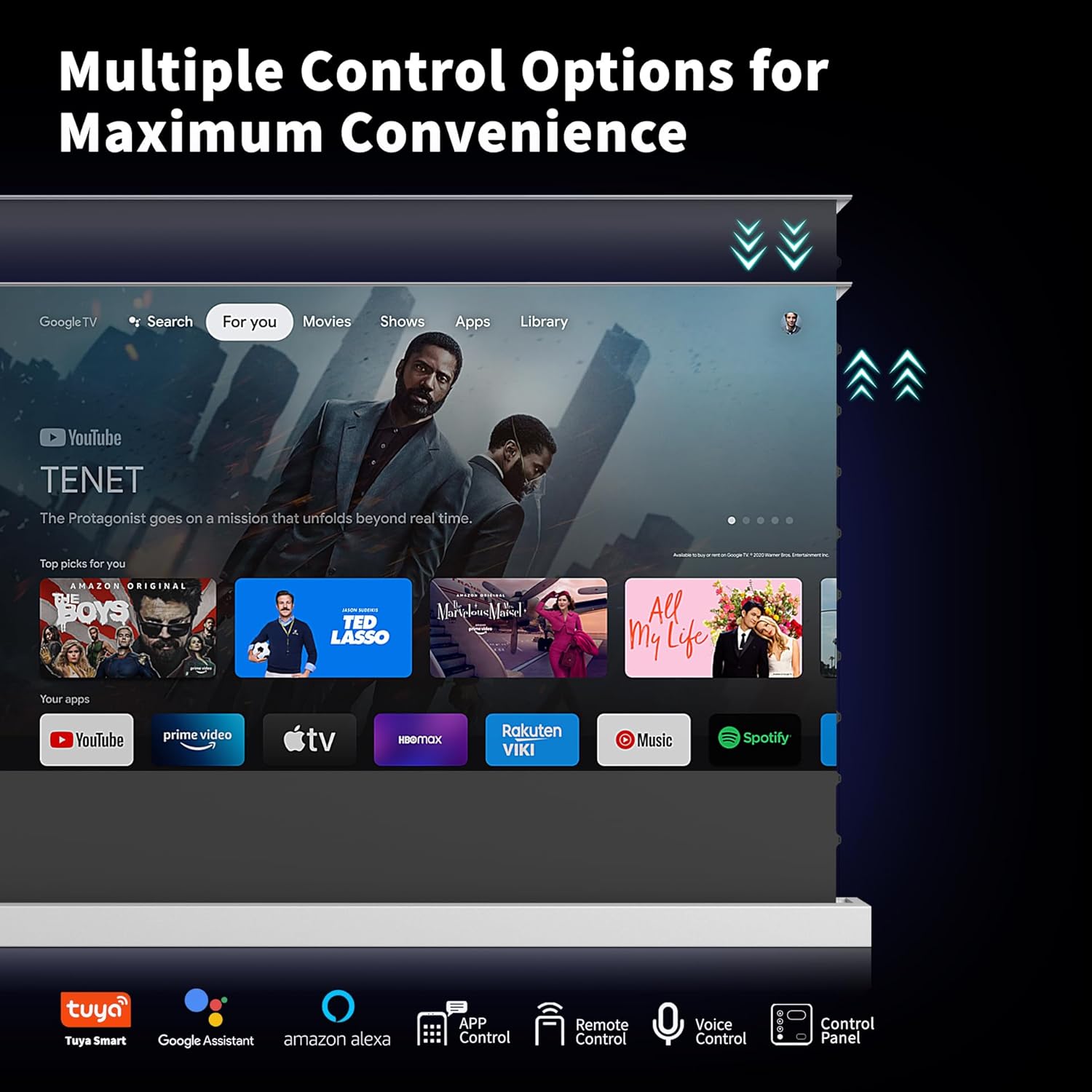
- Kelios valdymo parinktys: Operate the screen via app control (Tuya Smart), remote control, voice control (Google Assistant, Amazon Alexa), or the integrated control panel.
- Lengvas montavimas: Compatible with floor, wall, cabinet, or recessed mounting. Its portable design allows for flexible placement.
- Patvari konstrukcija: Features a high-quality aluminum alloy casing for longevity and a sleek appearance.
Sąranka ir diegimas
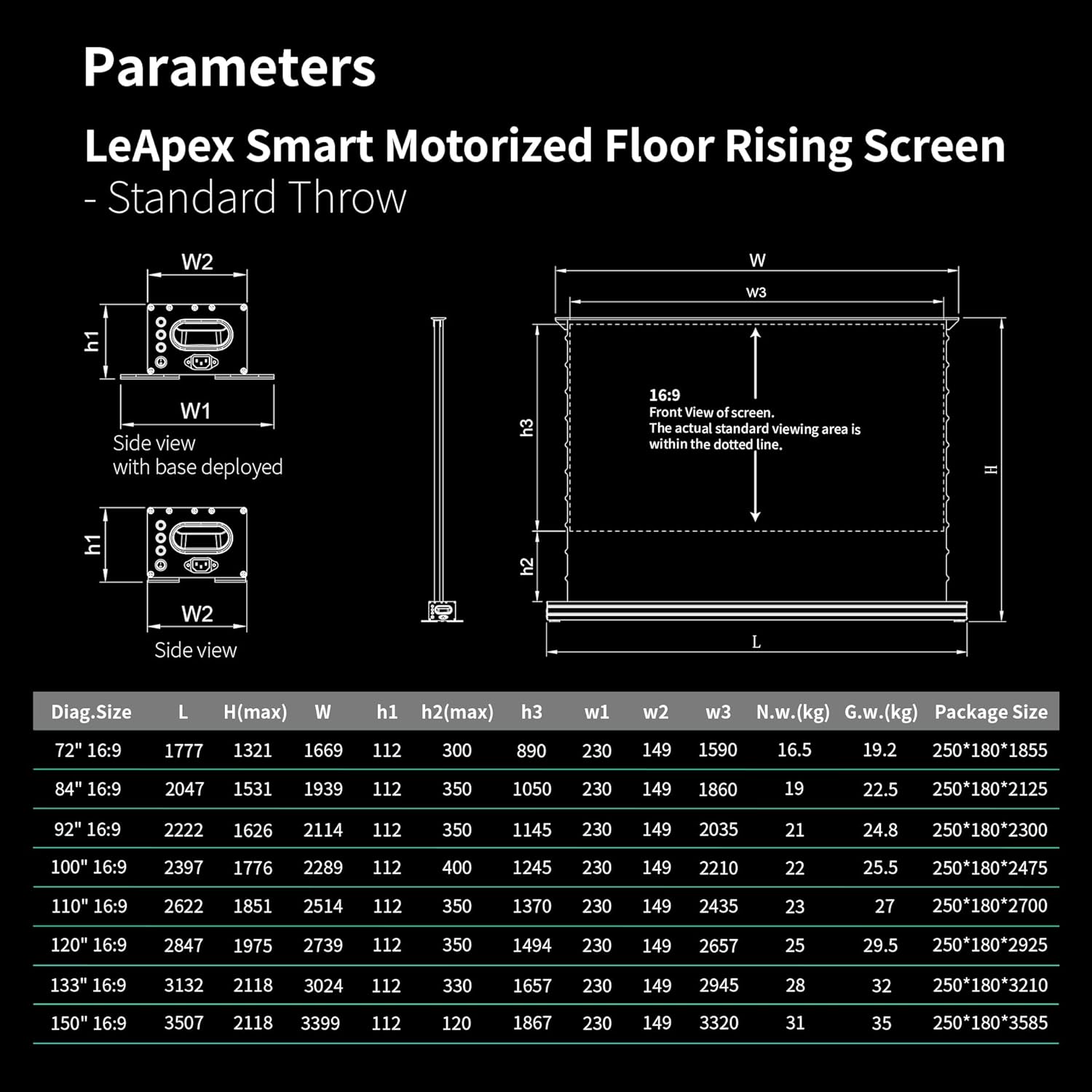
Before installation, carefully check the specifications table to ensure compatibility with your projector and room dimensions. Measure your room, lift, and corridors to confirm the selected screen size fits your space.
Diegimo metodai
- Grindų išdėstymas: The screen's base can be retracted, allowing it to be placed directly on the floor.
- Montavimas ant stalo: The base can be extended and secured with screws to a table surface.
- Montavimas ant sienos: Install using appropriate wall mount accessories (may be included or sold separately).
- Spintelės montavimas: The screen unit can be inserted into a TV cabinet slot for a concealed setup.
Refer to the following images for visual guidance on installation options and screen components:


Naudojimo instrukcijos
Maitinimo įjungimas/išjungimas
Connect the power cable to a suitable power supply (110V-120V, 60Hz). Ensure the motor's power requirements match the local voltage ir dažnis.
Ekrano valdymas
The screen can be operated using the included remote control, the control panel located on the unit, or through smart home integration with Tuya Smart, Google Assistant, and Amazon Alexa.
Automatic Synchronization with Projector
Use the included USB trigger to synchronize the screen's deployment with your projector. When the projector powers on, the screen will automatically rise.

Setting Desired Height
The screen features a memory function that allows you to effortlessly recall your preferred viewing height with the remote control.
Adjustable Upper and Lower Limits
You can easily set the screen's upper and lower limits using the remote control:
- Ilgai paspauskite Pauzė mygtuką, kol išgirsite pyptelėjimą.
- Paspauskite Up + Pause together; the beep will stop.
- Paspauskite Up repeatedly to reach the desired upper position.
- Paspauskite Up + Pause together once more until you hear a beep, then release.
- Done. (The lower limit can be set following the same steps, using the Žemyn vietoj mygtuko Up.)

Oficialus produkto vaizdo įrašas
Official product video demonstrating the features and operation of the WUPRO Electric Retractable Projector Screen.
Priežiūra
The screen material is designed for durability. Note that some screens may develop creases during use. This is normal and usually reduces gradually, although in some cases they may not disappear completely.
Valymui naudokite minkštą, damp cloth. Avoid harsh chemicals or abrasive materials that could damage the screen surface.
Trikčių šalinimas
- Ekranas nereaguoja: Check the power connection to ensure the unit is receiving power. Verify that the remote control batteries are functional. If using the USB trigger for synchronization, ensure it is correctly inserted and the projector is powered on.
- Screen not leveling correctly: The automatic leveling system is designed to adjust the screen. If persistent issues occur, ensure the screen is installed on a stable surface and contact customer support if the problem continues.
- Vaizdo kokybės problemos: Ensure your projector meets the recommended lumens (1800 ANSI or higher for normal projectors/telephoto lenses) for optimal performance. Svarbu: This Black Crystal screen is not compatible with ultra-short-throw projectors.
Specifikacijos
| Turtas | Vertė |
|---|---|
| Prekės ženklo pavadinimas | WUPRO |
| Prekės svoris | 56.1 svaro |
| Prekės modelio numeris | WUPRO-xxxx |
| Spalvos pavadinimas | Black Crystal |
| Ypatingos savybės | Nešiojami |
| Rekomenduojami gaminio naudojimo būdai | Namų kinas |
| Ryšio technologija | USB |
| Ekrano raiška | 3840 x 2160 |

Garantija ir palaikymas
This WUPRO projector screen is eligible for returns until January 31, 2026. For any questions, technical assistance, or support, please contact WUPRO customer service.
30-Day Price Protection: If the price of your WUPRO Series Screen drops on Amazon within 30 days of your purchase, you may be eligible for a refund of the difference. To claim, please follow these steps:
- Purchase WUPRO Series Screens on Amazon.
- Spot a lower price within 30 days.
- Take a screenshot of the lower price.
- Contact WUPRO customer service with your proof of purchase and screenshot.


