1. Įvadas
This manual provides comprehensive instructions for the SUPVAN KATASYMBOL T50M Pro/T50M Plus Label Tapes. These self-adhesive thermal labels are designed for a wide range of applications, including home organization, school projects, office labeling, and commercial use. The labels feature a durable, multi-layer synthetic material construction, ensuring longevity and resistance to various elements.

Image 1.1: A roll of SUPVAN KATASYMBOL label tape, highlighting its self-adhesive nature and suitability for various messages like 'Thank you'.
2. Pagrindinės savybės
- Matmenys: 40 mm x 40 mm, with 180 pieces per roll.
- Patvarumas: Constructed from multi-layer synthetic material, offering a lifespan of over 5 years.
- Atsparumas: Waterproof, oil-proof, and scratch-resistant, ensuring labels remain legible and intact in various conditions.
- Sukibimas: Strong adhesive properties for secure attachment, yet easy to remove without sticky residue.
- Sauga: Meets baby product standards, making them safe for use with food, cosmetics, and household items.
- Ekonomiškai efektyvus: Utilizes thermal printing technology, eliminating the need for ink or toner, which reduces operational costs.
- Aiškumas: Provides high printing clarity for sharp and readable labels.
- Išmanusis atpažinimas: The "Katasymbol" application automatically identifies the label type and size.
- Tinkinimas: Access to over 150 templates, 40+ fonts, and 700+ icons via the application for personalized label creation.

Image 2.1: Visual representation of the label tape's dimensions (40mm x 40mm) and its key resistance features: water-resistant, oil-resistant, BPA-free, and scratch-resistant.

Image 2.2: A demonstration of the label's durability, showing it remains intact and legible even when exposed to water and oil.
3. Suderinamumas
These label tapes are specifically designed for use with SUPVAN label makers, including the T50M Pro ir T50M Plus models. Ensure your label printer is compatible with 40mm x 40mm thermal labels for optimal performance.
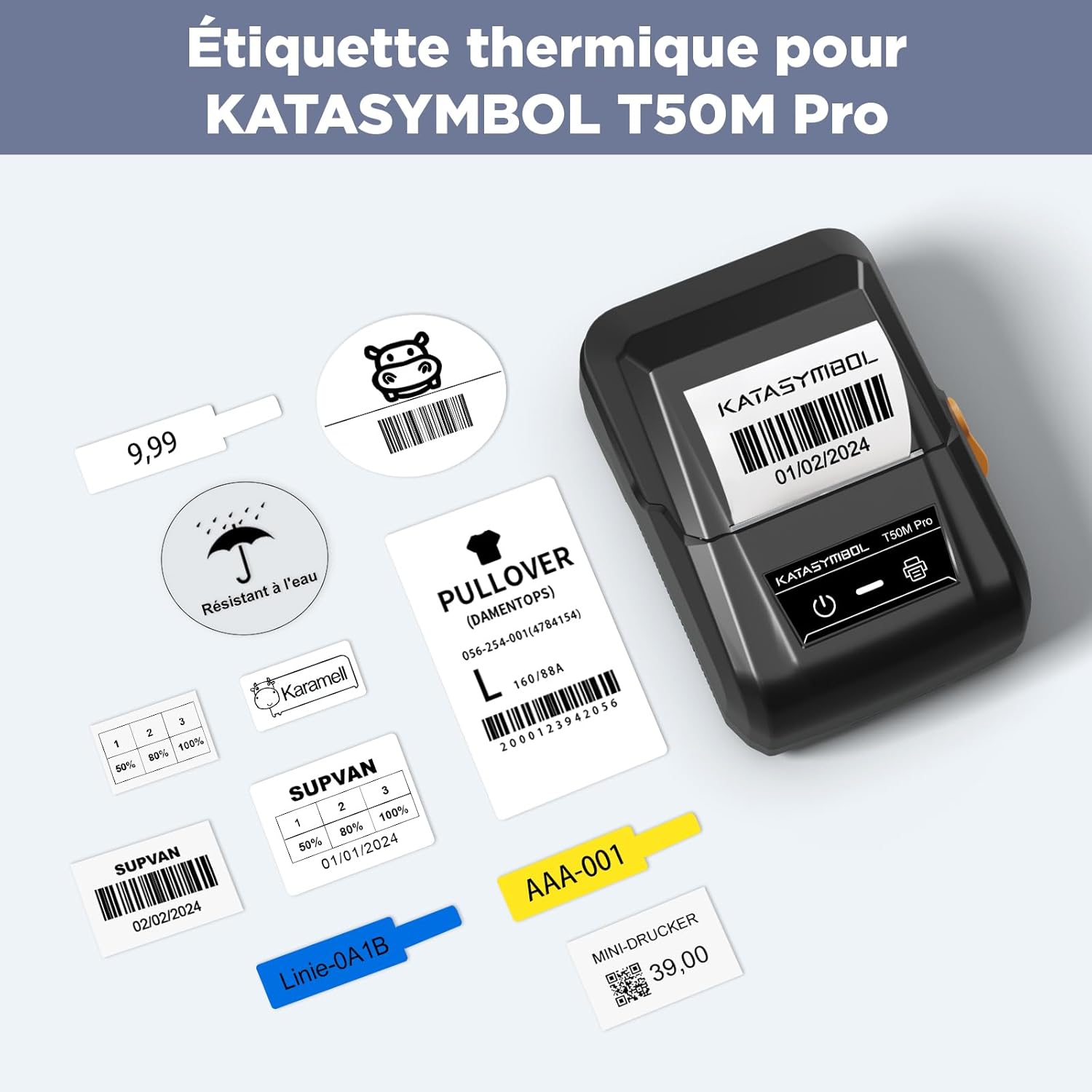
3.1 pav.: pvz.amples of labels printed with the KATASYMBOL T50M Pro, showcasing the variety of information that can be generated.
4. Diegimo vadovas
To install the label tape into your compatible SUPVAN label maker (T50M Pro/T50M Plus), follow these general steps. Refer to your label printer's specific manual for detailed instructions if needed.
- Atidarykite spausdintuvo dangtį: Locate and open the label compartment cover on your SUPVAN label maker.
- Įdėkite etikečių ritinėlį: Place the label tape roll into the designated slot, ensuring the labels feed out correctly. The leading edge of the tape should be positioned to feed into the printer mechanism.
- Uždarykite dangtelį: Gently close the printer cover until it clicks into place.
- Automatinis atpažinimas: The "Katasymbol" application, when connected to your printer, should automatically detect the type and size of the installed label tape.
- Svarbi pastaba: Do not remove the sticker on the back of the label roll. The application requires this smart chip for proper identification of the label type and size.
5. Naudojimo instrukcijos
The SUPVAN KATASYMBOL T50M Pro/T50M Plus label tapes are versatile and can be used for a variety of labeling needs. Here are common applications:
- Informacija apie produktą: Create labels for brand and product details on items like wine bottles or packaged goods.
- Thank You/Blessing Labels: Design custom labels for small business packaging or gifts.
- Adresų etiketės: Print clear and professional address labels for mail or packages.
- Price/Barcode/QR Code Labels: Generate labels with pricing, barcodes, or QR codes for retail or inventory management.
- Food & Spice Jar Labels: Organize your kitchen with labels for jars and containers.
- Kabelio organizavimas: Label cables and wires for easy identification.
- Book & Folder Labels: Categorize and organize documents and books.
- Personalizavimas: Use for various creative and decorative labeling tasks.
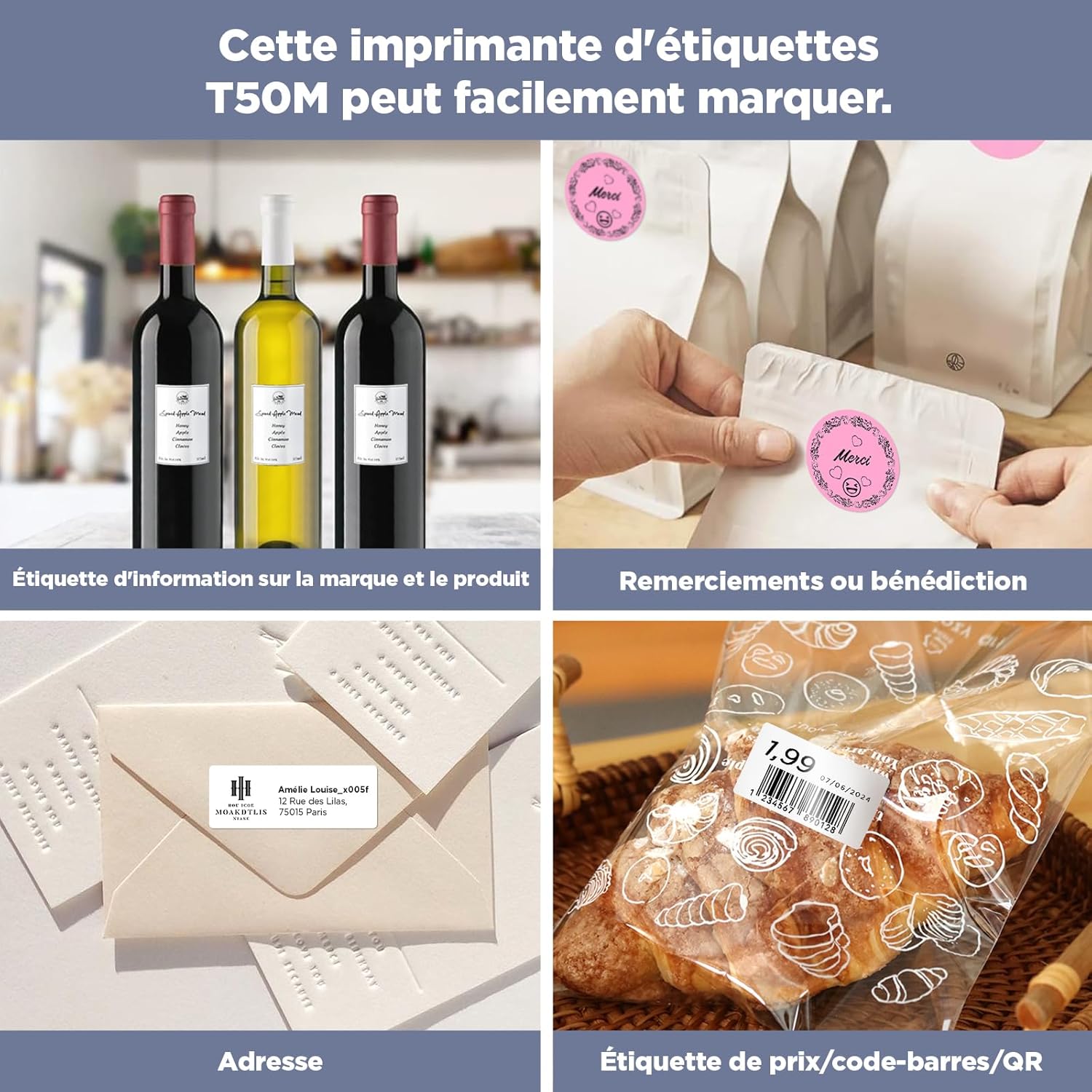
Image 5.1: Demonstrates the versatility of the labels for various applications, including product information, thank you messages, addresses, and price/barcode labeling.

Image 5.2: Illustrates the practical uses of the labels in both home and office settings, such as organizing spices, cables, and documents, as well as for personalization.

Image 5.3: Shows the ease of removing labels without leaving behind any sticky residue, maintaining the cleanliness of surfaces.
6. Priežiūra ir sandėliavimas
To ensure the longevity and optimal performance of your SUPVAN label tapes, consider the following maintenance and storage tips:
- Saugykla: Store unused label rolls in a cool, dry place away from direct sunlight and extreme temperatures. This helps preserve the adhesive quality and thermal printability.
- Tvarkymas: Avoid touching the thermal printing surface of the labels directly with bare hands, as oils and dirt can affect print quality.
- Spausdintuvo priežiūra: Regularly clean the print head of your label maker according to its manual to prevent dust or adhesive residue from affecting print clarity and tape feeding.
- Venkite cheminių medžiagų: Do not expose the labels to harsh chemicals or solvents, as this may degrade the material or print.
7. Problemų sprendimas
If you encounter issues while using your SUPVAN label tapes, refer to the following common problems and solutions:
| Problema | Galima priežastis | Sprendimas |
|---|---|---|
| Poor Print Quality / Faded Print |
|
|
| Etiketės netiekiamos tinkamai |
|
|
| App Not Recognizing Label Type/Size |
|
|
| Labels Not Sticking Well |
|
|
8. Gaminio specifikacijos
| Atributas | Detalė |
|---|---|
| Prekės ženklas | SUPVAN |
| Modelio numeris | T53120E (1 Rolki) |
| Etiketės matmenys | 40 mm x 40 mm |
| Etikečių skaičius ritinyje | 180 gabaliukai |
| Spalva | White (Black on White print) |
| Medžiagos tipas | Paper (Synthetic material) |
| Gaminio matmenys (I x P x A) | 3 x 5 x 3 cm |
| Prekės svoris | 60 gramų |
| Savybės | Waterproof, Oil-proof, Strong Adhesion, Scratch-resistant, BPA-free, No sticky residue |
| Suderinamumas | SUPVAN T50M Pro/T50M Plus Label Makers |
9. Informacija apie garantiją
Specific warranty details for the SUPVAN KATASYMBOL T50M Pro/T50M Plus Label Tapes are typically provided with the product packaging or on the manufacturer's official website. Generally, consumables like label tapes are covered against manufacturing defects. For detailed warranty terms and conditions, please refer to the documentation included with your purchase or visit the official SUPVAN websvetainę.
The product is designed for a lifespan of over 5 years under normal storage and usage conditions, as stated in the product features.
10. Pagalba klientams
For further assistance, technical support, or inquiries regarding your SUPVAN KATASYMBOL label tapes, please contact SUPVAN customer service through their official channels. You can typically find contact information on the product packaging, the SUPVAN brand store on Amazon, or their official websvetainę.
Visit the official SUPVAN store on Amazon: SUPVAN Store


