Įvadas
Thank you for choosing the DiGGiNGSOUND T015 Digital Bluetooth Rechargeable Hearing Aids. This manual provides detailed instructions for the proper setup, operation, and maintenance of your new hearing aids. Please read this manual thoroughly before using the device to ensure optimal performance and longevity.
Produktas baigtasview
The DiGGiNGSOUND T015 hearing aids are designed to amplify sound for individuals with mild to moderate-severe hearing loss. They feature Bluetooth connectivity, a rechargeable design, and digital 16-channel sound processing for clear audio. The compact and lightweight design ensures comfortable wear.

Image: The DiGGiNGSOUND T015 hearing aids shown in their white charging case. The left earbud is marked with 'L' and the right earbud has a red ring, indicating their respective sides.

Image: An illustration highlighting key features: Superior Sound, Digital 16-Channel processing, Hands-Free Calling, One-Touch Control, and an ultra-light weight of 0.15 oz per earphone.
Pakuotės turinys
Patikrinkite pakuotę, ar joje yra šie daiktai:
- DiGGiNGSOUND T015 Hearing Aids (Left and Right)
- Nešiojamas įkrovimo dėklas
- C tipo USB įkrovimo laidas
- Valymo šepetys
- Vartotojo vadovas (šis dokumentas)
Sąrankos vadovas
1. Pradinis įkrovimas
Before first use, fully charge the hearing aids and the charging case.
- Place both hearing aids into their respective slots in the charging case. Ensure the L (left) and R (right) indicators align.
- Connect the provided USB Type-C cable to the charging port on the case and plug the other end into a USB power adapter (not included) or a computer's USB port.
- Įkrovimo dėklo indikatoriaus lemputės rodys įkrovimo būseną. Visiškas įkrovimas paprastai trunka maždaug 2 valandas.
- Once fully charged, disconnect the charging cable. The case can provide 2-3 full charges for both units, offering up to 24 hours of working time.

Image: Details on the portable wireless charging case, showing charging time (≤2 hours), hearing aid usage time (>7 hours), music time (>8 hours), call time (>5 hours), and total working time (24 hours).
2. Klausos aparatų nešiojimas
Identify the left (L) and right (R) hearing aids. Gently insert each hearing aid into your ear canal until it feels secure and comfortable. The devices are designed to automatically turn on when placed in the ear.
3. „Bluetooth“ poravimas
The hearing aids can be paired with your smartphone or other Bluetooth-enabled devices for calls and music.
- Ensure the hearing aids are charged and in your ears.
- Atidarykite „Bluetooth“ nustatymus savo įrenginyje.
- Ieškokite available devices and select "DiGGiNGSOUND T015" (or similar name).
- Prisijungus, išgirsite patvirtinimo toną.
Naudojimo instrukcijos
Volume Adjustment (Hearing Amppagydymas)
The T015 hearing aids offer 3 levels of hearing amplification. You can adjust the level by a single touch on the earpiece.
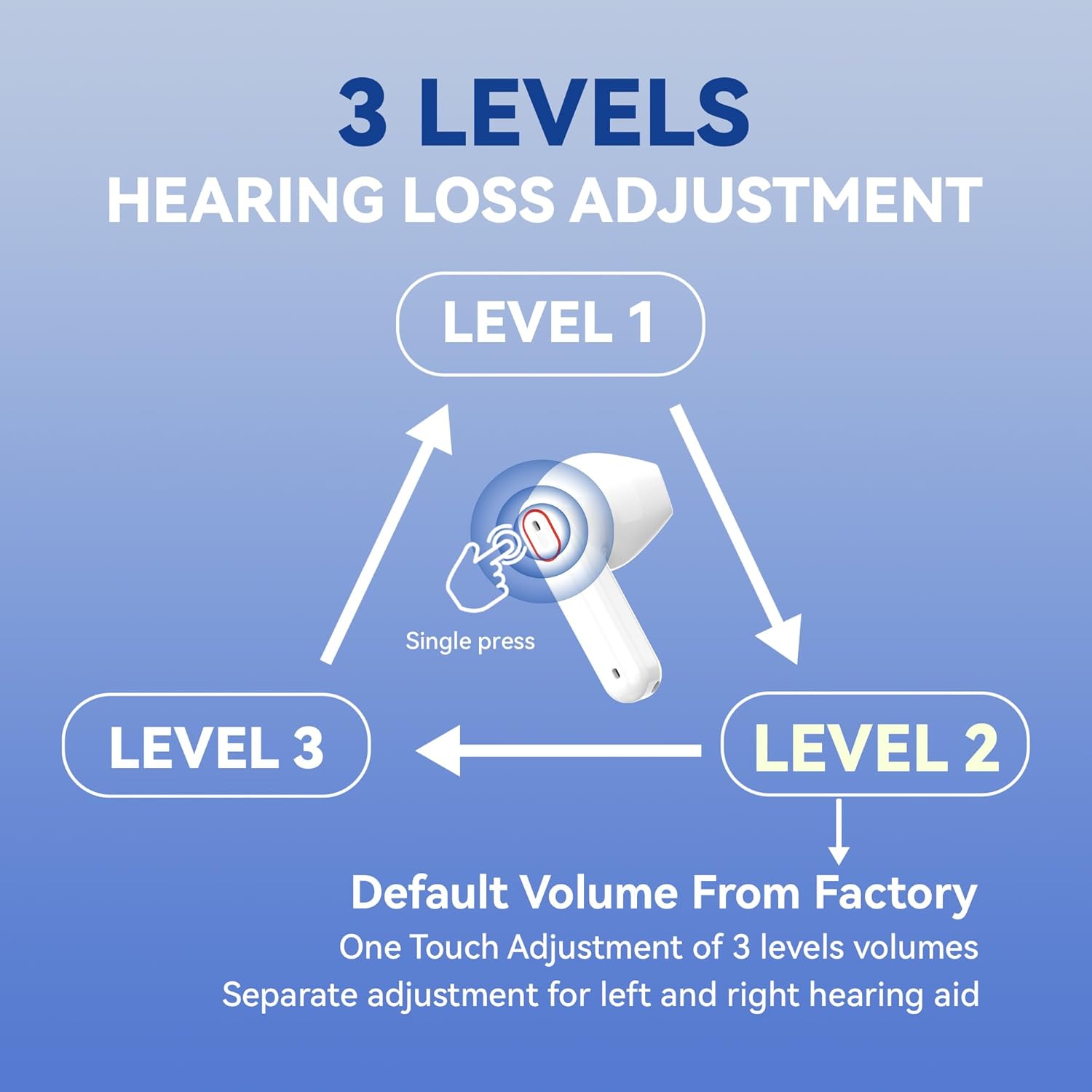
Image: A diagram illustrating the three volume levels (Level 1, Level 2, Level 3) and how to cycle through them with a single press on the earpiece. Separate adjustment is possible for each hearing aid.
- Vienas paspaudimas: Tap the touch control area on either hearing aid to cycle through Level 1, Level 2, and Level 3. A voice prompt will announce the current level.
- The default volume from the factory is Level 1.
- Each hearing aid can be adjusted independently.

Image: Visual representation of the hearing aids' ability to amplify clear sound up to 35dB, suitable for mild to moderate-severe hearing loss.
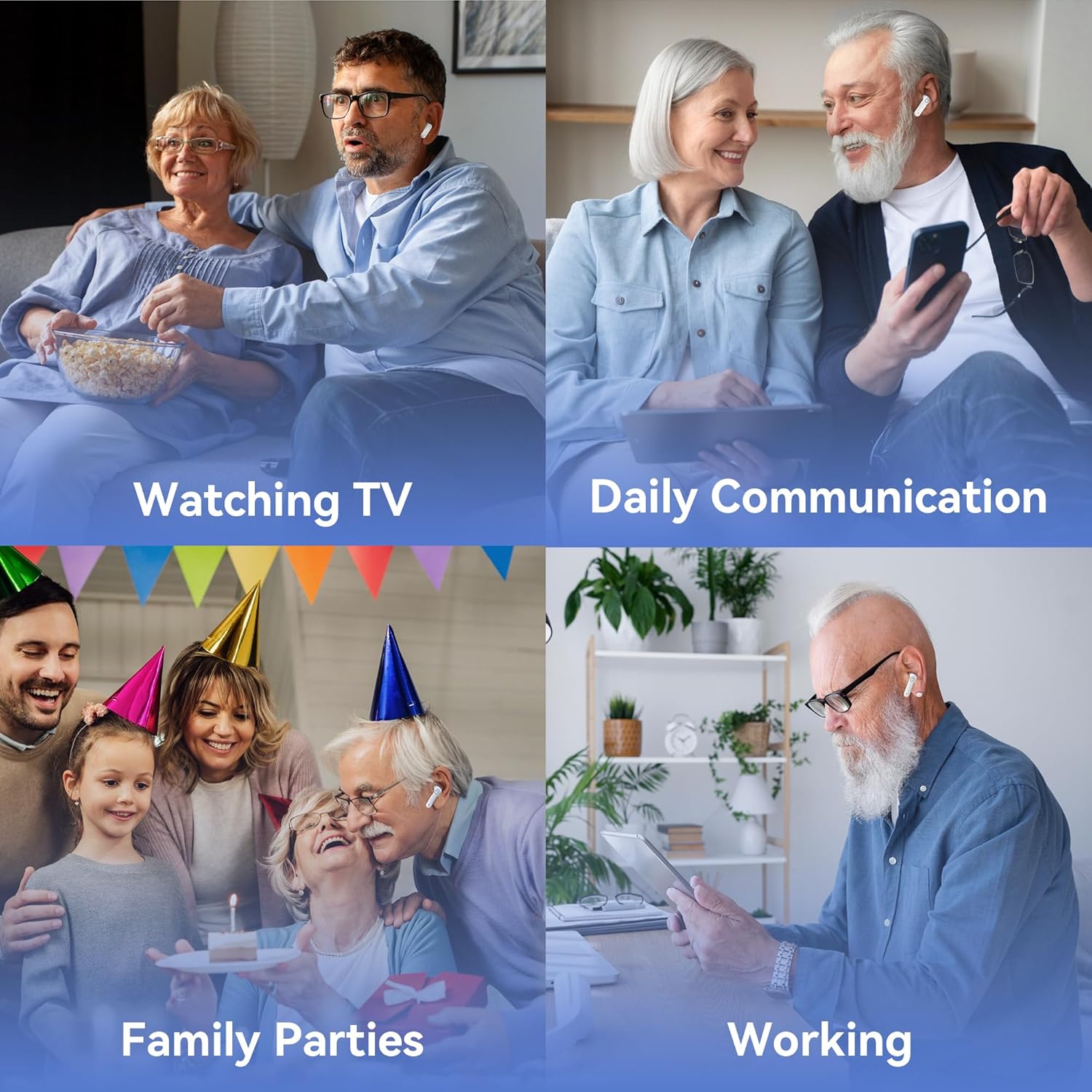
Vaizdas: pvzamples of the DiGGiNGSOUND T015 hearing aids being used in different environments, such as watching TV, during daily communication, at family gatherings, and while working.
Smart Touch Control (Bluetooth Functions)
The hearing aids feature smart touch controls for managing calls and other functions when connected via Bluetooth.
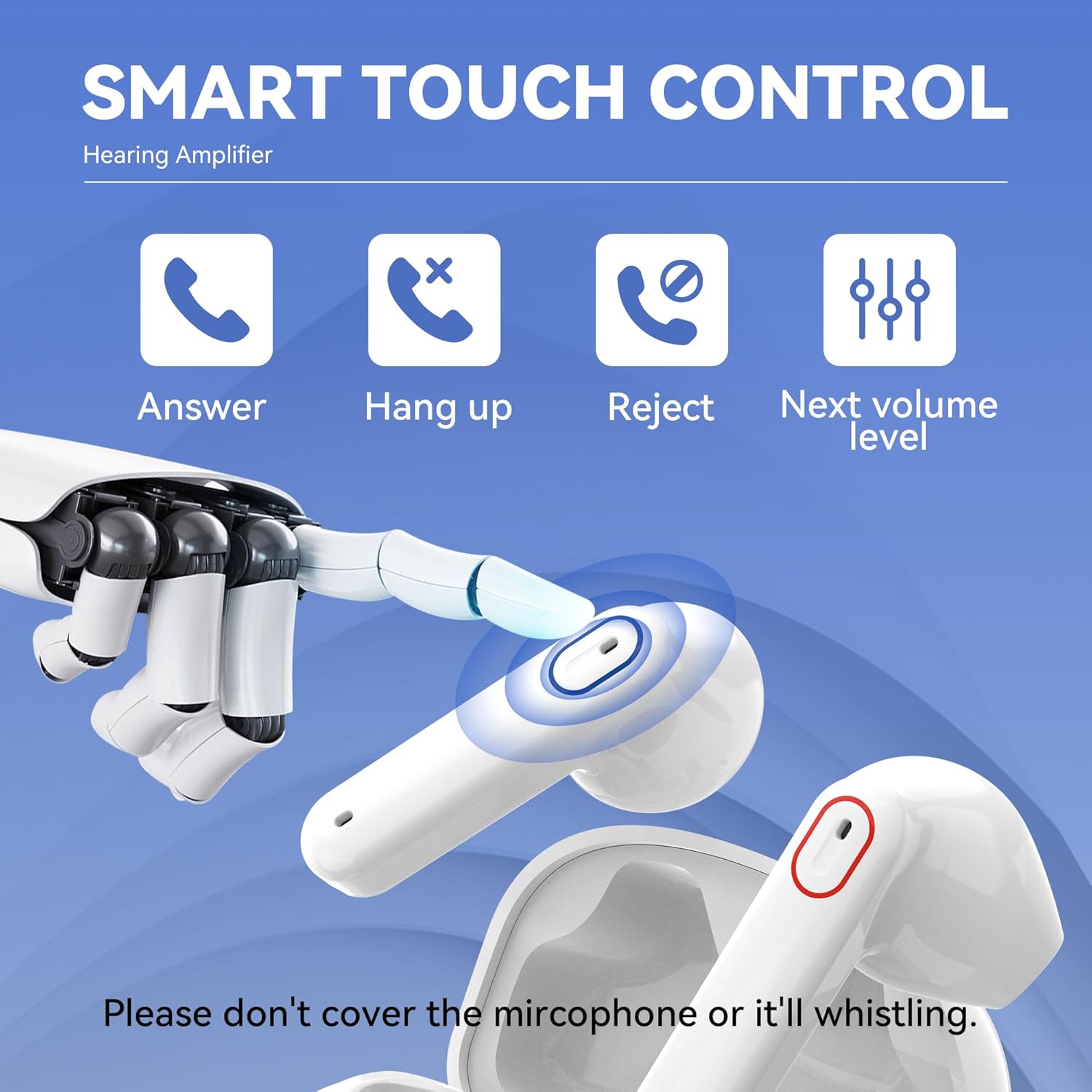
Image: An illustration demonstrating the smart touch control on the hearing aid, showing icons for Answer, Hang up, Reject calls, and adjusting to the Next volume level. It also warns not to cover the microphone.
- Atsiliepti į skambutį: Single press the touch control area.
- Baigti skambutį: Single press the touch control area during a call.
- Atmesti skambutį: Press and hold the touch control area.
- Next Volume Level: Single press to cycle through amplification levels (as described above).
Important: Do not cover the microphone area on the hearing aid, as this may cause whistling or feedback.
Priežiūra ir priežiūra
Tinkama priežiūra užtikrina jūsų klausos aparatų ilgaamžiškumą ir optimalų veikimą.
- Valymas: Use the provided cleaning brush to gently remove any earwax or debris from the earpieces and sound outlets. Wipe the hearing aids and charging case with a soft, dry cloth. Do not use water or cleaning solutions directly on the devices.
- Saugykla: When not in use, store the hearing aids in their charging case to protect them from dust and damage.
- Venkite drėgmės: Keep the hearing aids and charging case dry. Avoid exposure to excessive moisture, humidity, or extreme temperatures.
- Akumuliatoriaus priežiūra: Recharge the hearing aids regularly, even if not used daily, to maintain battery health.
Trikčių šalinimas
Jei kyla problemų, žr. toliau pateiktas dažniausiai pasitaikančias problemas ir sprendimus:
| Problema | Galima priežastis | Sprendimas |
|---|---|---|
| Nėra garso arba silpnas garsas | Low battery; Earwax blockage; Incorrect volume level. | Charge the hearing aids; Clean the earpiece and sound outlet; Adjust to a higher volume level. |
| Švilpimas arba grįžtamasis triukšmas | Improper fit; Microphone covered; Volume too high. | Re-insert the hearing aid for a snug fit; Ensure nothing is covering the microphone; Reduce the volume level. |
| Nepavyksta prisijungti per Bluetooth | Hearing aids not in pairing mode; Bluetooth off on device; Already connected to another device. | Ensure hearing aids are on; Turn Bluetooth off and on again on your device; Disconnect from other devices. |
| Įkrovimo dėklas neįkraunamas | Loose cable connection; Faulty cable/adapter. | Check USB-C cable connection; Try a different USB-C cable or power adapter. |
Jei problema išlieka ir išbandžius šiuos sprendimus, susisiekite su klientų aptarnavimo tarnyba.
Specifikacijos
- Modelis: T015
- Prekinis ženklas: DiGGiNGSOUND
- Spalva: Baltas
- Medžiaga: Silikonas
- Gaminio matmenys: 1.38 x 0.7 x 0.04 colio
- Weight (per earphone): Maždaug 0.15 uncijos
- Ampsušvelninimas: Iki 35dB
- Kanalai: 16-channel digital sound processing
- Įkrovimo laikas: Approximately 2 hours (for case and aids)
- Klausa Amplification Time: Iki 7 valandų
- Muzikos grojimo laikas: Iki 8 valandų
- Skambučio laikas: Iki 5 valandų
- Total Working Time (with charging case): Iki 24 valandų
- Ryšys: Bluetooth
Garantija ir palaikymas
DiGGiNGSOUND products come with a standard manufacturer's warranty. For specific warranty details, please refer to the warranty card included in your product packaging or visit the official DiGGiNGSOUND websvetainę.
For technical support, troubleshooting assistance, or any questions regarding your DiGGiNGSOUND T015 hearing aids, please contact our customer service team:
- El. paštas: support@diggingsound.com
- Websvetainė: www.diggingsound.com
Please have your model number (T015) and purchase information ready when contacting support.


