1. Įvadas
Thank you for choosing the Telefunken 40DTAF724 Android TV. This manual provides essential information for the safe and efficient use of your new television. Please read these instructions thoroughly before operating the device and retain them for future reference.
2. Produktas baigtasview
The Telefunken 40DTAF724 is a 40-inch Full HD (1920 x 1080) Android Smart TV designed to deliver an immersive viewing experience. It features a bezel-less design, HDR10 support for enhanced color and contrast, and integrated Chromecast. With built-in Bluetooth and Wi-Fi connectivity, it is compatible with Google Assistant and Alexa for smart home integration.
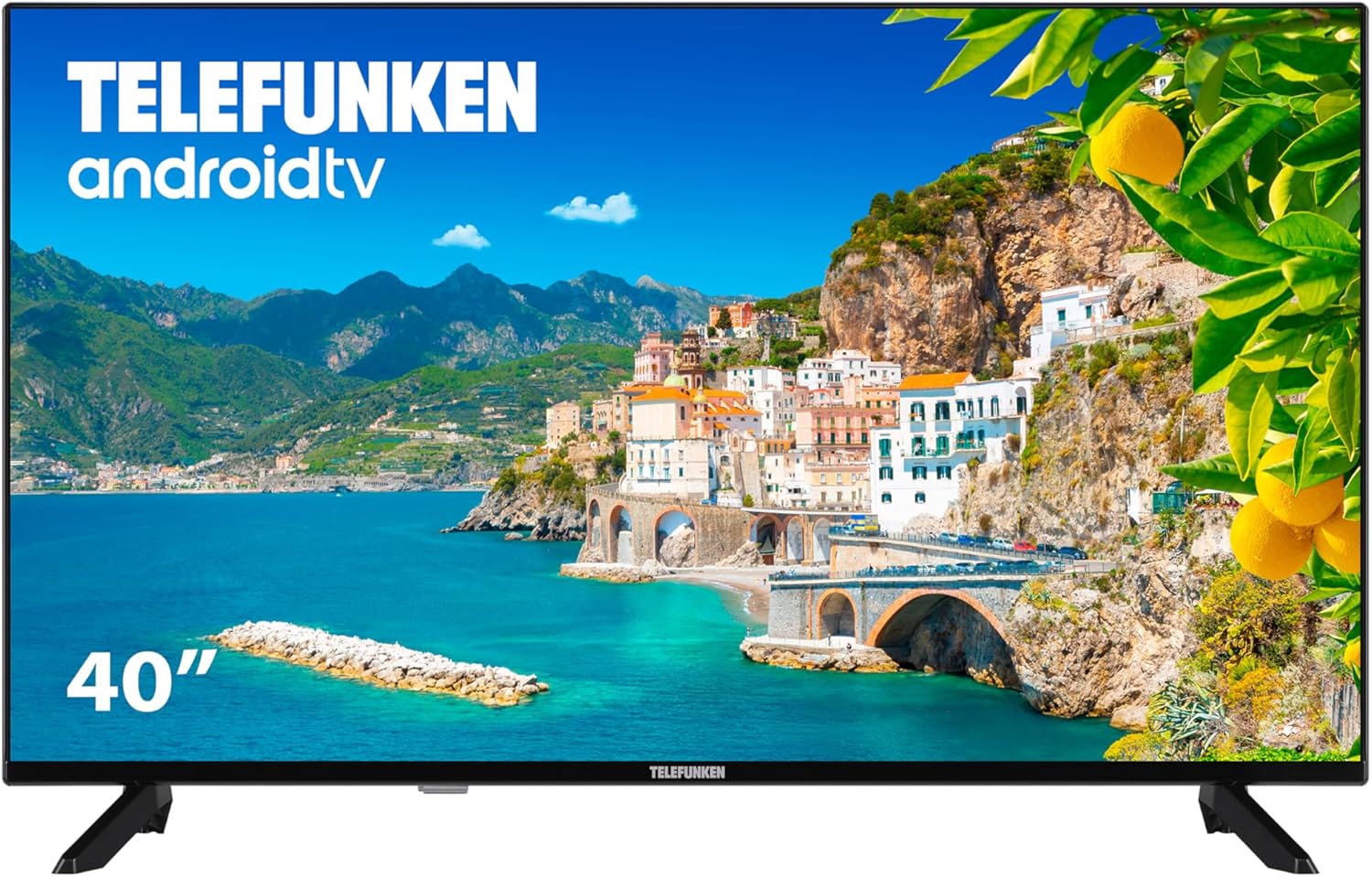
2.1 paveikslas: Priekyje view of the Telefunken 40DTAF724 Android TV, showcasing its bezel-less design and display.
3. Kas yra dėžutėje
Upon unpacking your Telefunken 40DTAF724 TV, please ensure all the following components are present:
- Telefunken 40DTAF724 Android TV Unit
- Nuotolinio valdymo pultas
- Nuotolinio valdymo baterijos
- Vartotojo vadovas (šis dokumentas)
- Maitinimo kabelis
- TV Stands (2 units) and Screws for assembly
4. Sąranka
4.1. Stovo montavimas
Norėdami sumontuoti televizoriaus stovus:
- Atsargiai padėkite televizorių ekranu žemyn ant minkšto, lygaus paviršiaus, kad nepažeistumėte ekrano.
- Sulygiuokite kiekvieną stovą su atitinkamomis varžtų skylėmis televizoriaus apačioje.
- Pritvirtinkite kiekvieną stovą pridėtais varžtais. Įsitikinkite, kad jie tvirtai priveržti.
4.2. Tvirtinimas prie sienos (neprivaloma)
The Telefunken 40DTAF724 is compatible with VESA 100 x 100 M4 wall mounts. Please refer to your wall mount's instructions for proper installation. Ensure the wall can support the TV's weight (8.46 kg) and the mount.

4.1 paveikslas: Šoninė view of the TV with dimensions (90.2 cm width, 56.7 cm height, 16.7 cm depth) and VESA mount details.
4.3. Prietaisų prijungimas
Connect your external devices (e.g., cable box, gaming console, Blu-ray player) to the TV's ports. The TV supports HDMI, USB, Ethernet, and Bluetooth connectivity.

4.2 paveikslas: Galinis view of the TV, illustrating the location of HDMI, USB, Ethernet, and other input/output ports.
For optimal performance, use high-quality HDMI cables for video and audio connections.
5. Naudojimo instrukcijos
5.1. Pirmoji sąranka
After connecting the power cable and turning on the TV for the first time, you will be guided through the initial setup process. This includes:
- Kalbos pasirinkimas
- Tinklo ryšys („Wi-Fi“ arba eterneto)
- Prisijungimas prie „Google“ paskyros (rekomenduojama norint naudotis visomis „Android TV“ funkcijomis)
- Kanalų nuskaitymas
- Sutinku su sąlygomis ir nuostatomis
5.2. „Android TV“ funkcijos
Your Telefunken TV runs on Android TV, providing access to a wide range of apps and services:
- „Google Play“ parduotuvė: Download your favorite streaming apps, games, and more.
- Įtaisytasis „Chromecast“: Cast content from your smartphone, tablet, or computer directly to the TV screen.
- „Google“ padėjėjas: Norėdami ieškoti turinio, valdyti išmaniuosius namų įrenginius ir gauti informacijos, naudokite balso komandas nuotolinio valdymo pulte.
- „Alexa“ suderinamumas: Integrate your TV with Alexa-enabled devices for voice control.
- HDR10: Experience enhanced contrast and a wider range of colors with HDR10 content.
5.3. Nuotolinio valdymo pultas
Pridedamas nuotolinio valdymo pultas leidžia naršyti televizoriaus sąsajoje, reguliuoti nustatymus ir pasiekti išmaniąsias funkcijas. Įdėkite pridėtas baterijas į nuotolinio valdymo pultą, užtikrindami teisingą poliškumą.
6. Priežiūra
Kad užtikrintumėte televizoriaus ilgaamžiškumą ir optimalų veikimą:
- Valymas: Unplug the TV before cleaning. Use a soft, dry cloth to wipe the screen and exterior. Do not use liquid cleaners or sprays directly on the screen.
- Vėdinimas: Užtikrinkite tinkamą vėdinimą aplink televizorių. Neužblokuokite ventiliacijos angų.
- Galia: Atjunkite televizorių nuo elektros tinklo žaibuojant arba kai jis bus nenaudojamas ilgesnį laiką.
7. Problemų sprendimas
Jei kyla problemų dėl televizoriaus, žr. šiuos dažniausiai pasitaikančius sprendimus:
- Nėra galios: Patikrinkite, ar maitinimo laidas tvirtai prijungtas prie televizoriaus ir maitinimo lizdo. Įsitikinkite, kad lizdas veikia.
- Nėra vaizdo / garso: Patikrinkite, ar pasirinktas teisingas įvesties šaltinis. Patikrinkite visas kabelių jungtis (HDMI, antenos ir kt.).
- Nuotolinio valdymo pultas neveikia: Pakeiskite baterijas. Įsitikinkite, kad tarp nuotolinio valdymo pulto ir televizoriaus IR jutiklio nėra jokių kliūčių.
- Tinklo ryšio problemos: Restart your router and modem. Reconnect the TV to the Wi-Fi network or check the Ethernet cable.
- Lėtas našumas: Close unused applications. Clear the cache of frequently used apps. Consider a factory reset if issues persist (note: this will erase all personal data and settings).
For further assistance, please contact Telefunken customer support.
8. Specifikacijos
| Funkcija | Specifikacija |
|---|---|
| Prekės ženklas | Telefunken |
| Modelio numeris | 40DTAF724 |
| Ekrano dydis | 40 colių |
| Ekrano technologija | LED |
| Rezoliucija | 1080p (Full HD 1920 x 1080) |
| Atnaujinimo dažnis | 60 Hz |
| Ypatingos savybės | Chromecast, Bezel-less Design, VESA Wall Mount, HDR10 |
| Ryšys | „Bluetooth“, Ethernet, HDMI, USB, „Wi-Fi“ |
| Krašto santykis | 1.77:1 |
| Gaminio matmenys (plotis x gylis x aukštis) | 90.2 x 16.7 x 56.7 cm |
| Svoris | 8.46 kg |
| Energijos vartojimo efektyvumo įvertinimas | E |
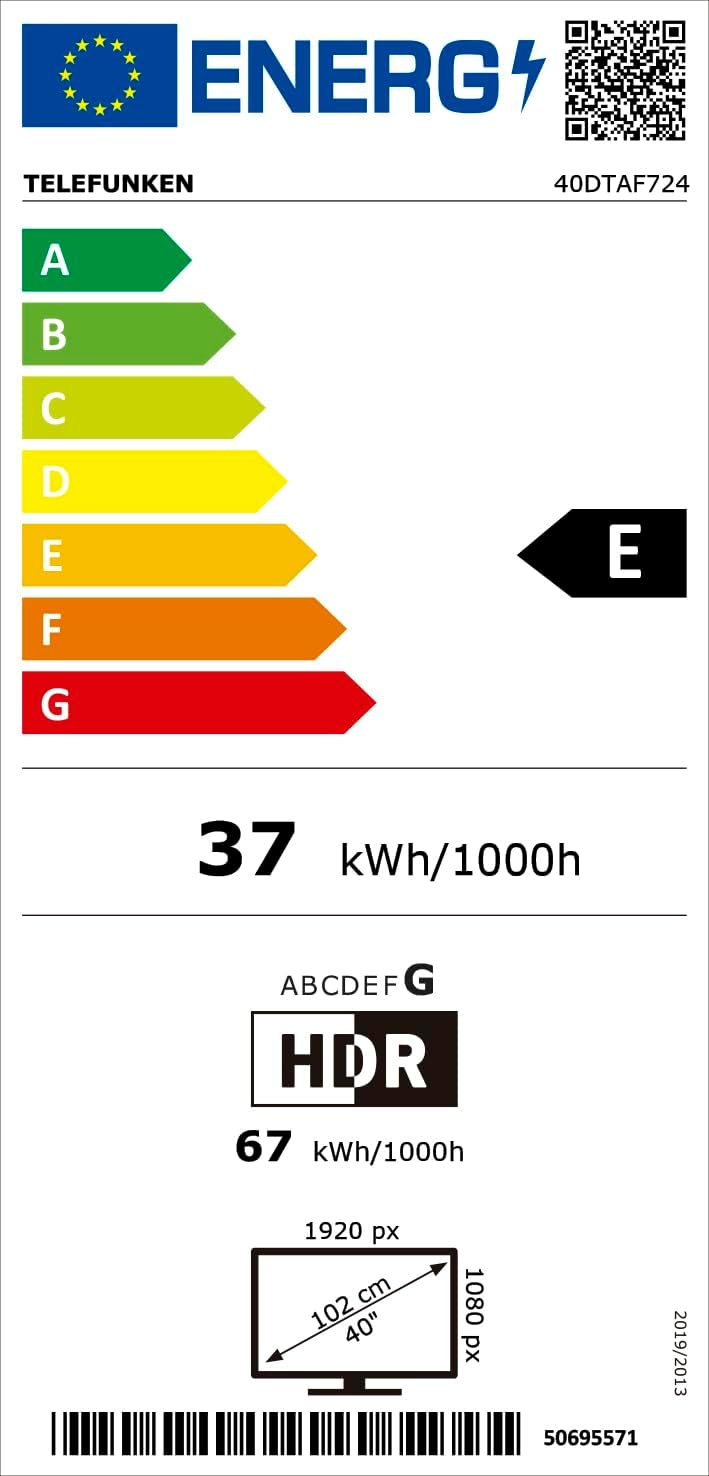
8.1 paveikslas: Energy efficiency label for the Telefunken 40DTAF724 TV, showing its 'E' rating and power consumption.
For more details, scan the QR code or visit eprel.ec.europa.eu/qr/1860952.
9. Garantija ir palaikymas
Your Telefunken 40DTAF724 TV comes with a standard manufacturer's warranty. Please refer to the warranty card included in the packaging for specific terms and conditions. For technical support, service, or warranty claims, please contact your local Telefunken customer service center. Contact information can typically be found on the Telefunken official websvetainėje arba garantijos dokumentuose.


