Įvadas
This manual provides essential information for setting up, operating, and maintaining your TCL 605 smartphone. Please read this guide thoroughly to ensure optimal performance and longevity of your device.
Kas yra dėžutėje
Patikrinkite, ar jūsų prekės pakuotėje yra visi šie daiktai:
- TCL 605 išmanusis telefonas
- USB kabelis
- Cell Phone Cover
- 10W įkroviklis
- SIM kortelės dėklo išstūmimo įrankis
- Ekrano apsauga
Įrenginys baigtasview
Familiarize yourself with the physical components of your TCL 605 smartphone.

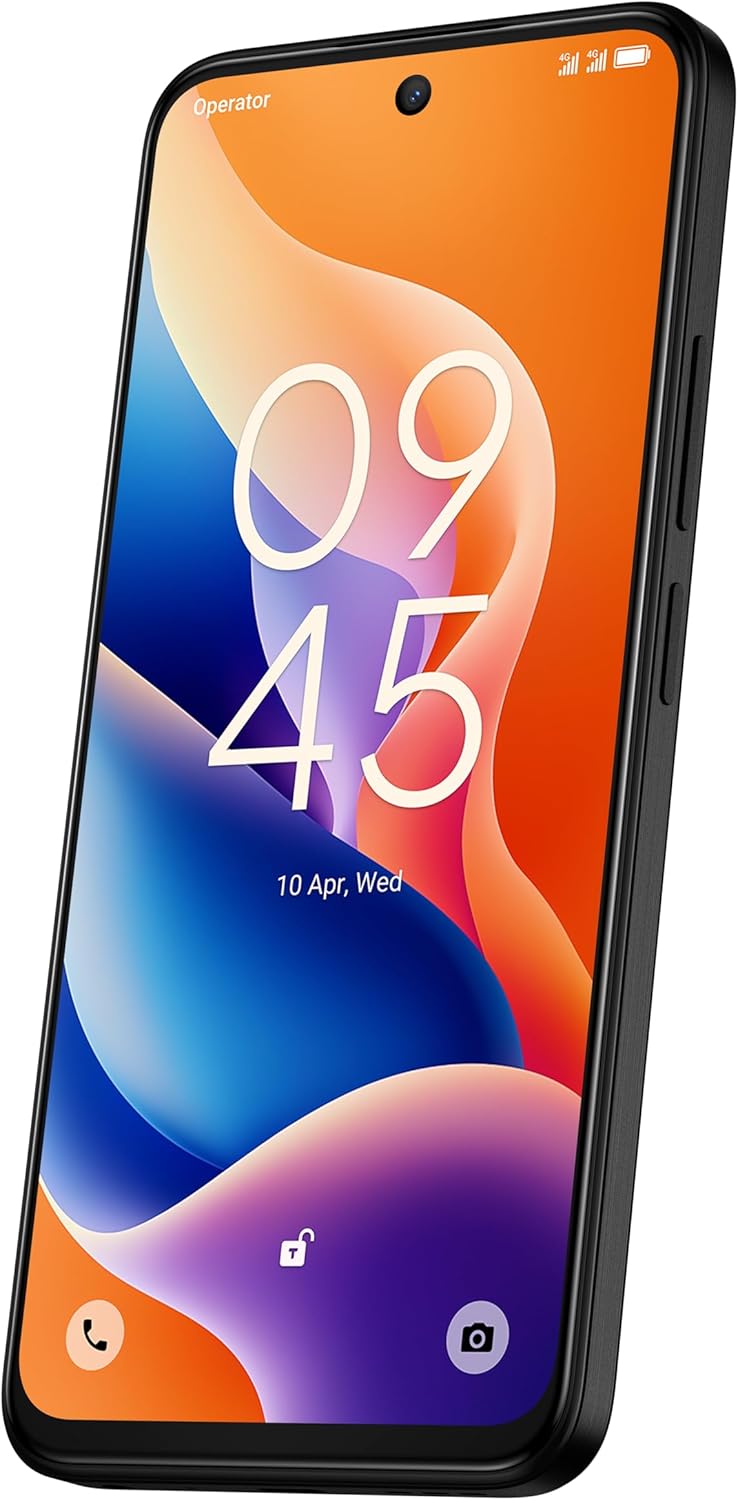
Vaizdas: priekis view of the TCL 605 smartphone, highlighting its 6.7-inch HD+ display and front camera.

Vaizdas: Šoninė view of the TCL 605 smartphone, illustrating the placement of the power button and volume controls.
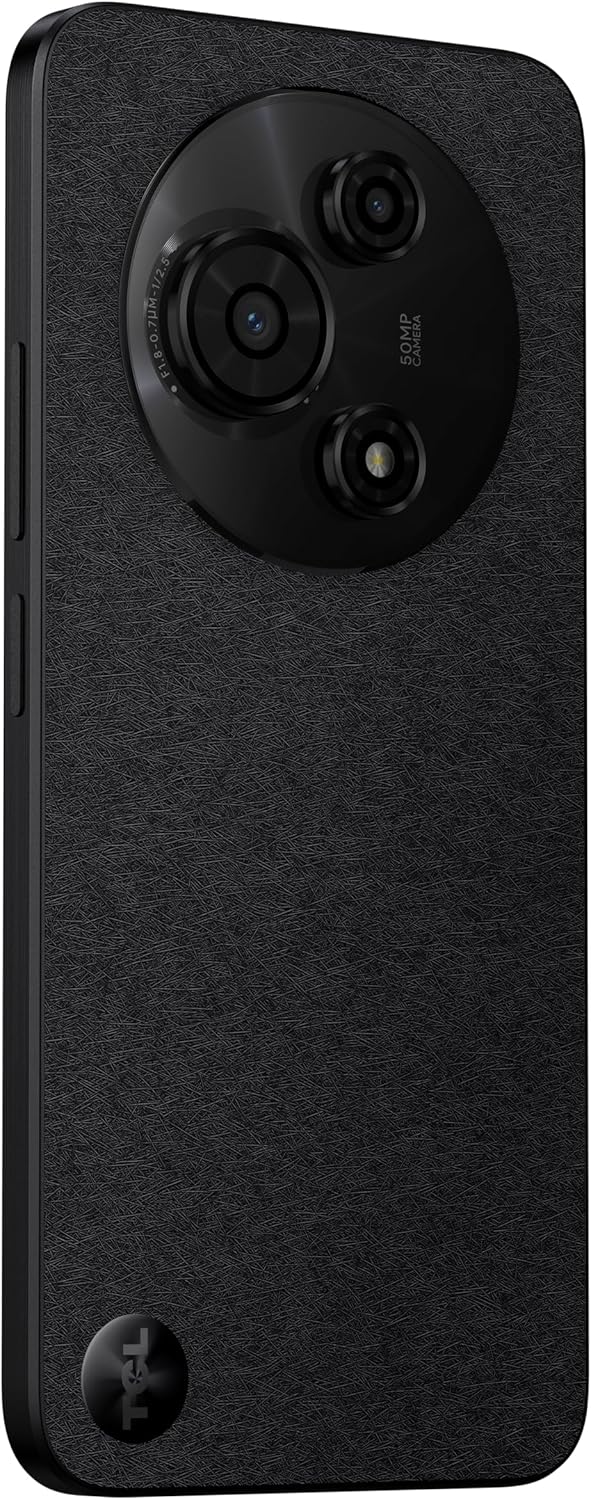
Paveikslėlis: Nugara view of the TCL 605 smartphone, showcasing the distinctive circular camera module housing the 50MP main camera.
Sąranka
1. SIM kortelės įdėjimas
- Suraskite SIM kortelės dėklą savo įrenginio šone.
- Įkiškite SIM kortelės dėklo išstūmimo įrankį į mažą skylutę šalia dėklo ir švelniai paspauskite, kol dėklas iššoks.
- Įdėkite nano-SIM kortelę (-es) ir (arba) „microSD“ kortelę į dėklą auksiniais kontaktais žemyn. Įsitikinkite, kad kortelės tinkamai įstatytos.
- Atsargiai vėl įdėkite dėklą į įrenginį.
2. Pradinis įjungimas
- Paspauskite ir palaikykite maitinimo mygtuką (esantį šone), kol pasirodys TCL logotipas.
- Vykdykite ekrane pateikiamus nurodymus, kad atliktumėte pradinę sąranką, įskaitant kalbos pasirinkimą, „Wi-Fi“ ryšį ir „Google“ paskyros nustatymą.
3. Akumuliatoriaus įkrovimas
Before first use, it is recommended to fully charge your device. Connect the USB cable to the phone's charging port and the other end to the 10W charger. Plug the charger into a power outlet.
Prietaiso valdymas
Ekranas ir navigacija
The TCL 605 features a 6.7-inch HD+ display with a 90Hz refresh rate for smooth scrolling and improved visual fluidity.
- Lietimo gestai: Use standard Android gestures such as tap, swipe, pinch-to-zoom, and long-press for navigation and interaction.
- Pagrindinis ekranas: Tinkinkite pagrindinį ekraną naudodami valdiklius, programėlių nuorodas ir fonus.
- Pranešimai: Braukite žemyn nuo ekrano viršaus, kad pasiektumėte pranešimų skydelį ir greituosius nustatymus.
Našumas ir saugojimas
Your TCL 605 is equipped with an Octa-Core processor and 4GB RAM, expandable up to 14GB with RAM Boost technology, ensuring seamless performance for multitasking. It offers 256GB of internal storage, capable of storing over 100,000 photos.

Image: The TCL 605 smartphone showcasing its 6.7-inch display with a dynamic lock screen, indicating the time and date.
Kameros ypatybės
The TCL 605 features a 50MP hybrid rear camera (main + macro) and a 5MP front camera. It supports HDR mode for vibrant colors.
Fotografavimas ir filmavimas
- Atidarykite programą „Camera“.
- Select your desired mode (Photo, Video, Portrait, Macro, etc.).
- Palieskite užrakto mygtuką, kad nufotografuotumėte arba pradėtumėte / sustabdytumėte vaizdo įrašymą.
- Norėdami reguliuoti didinimą, naudokite ekrane esančius priartinimo valdiklius.
Kameros režimai
- 50MP pagrindinė kamera: Captures high-resolution images with clarity.
- Makro režimas: Allows for detailed close-up shots of small objects.
- HDR režimas: Enhances dynamic range for more vibrant and balanced photos in challenging lighting conditions.
- 5MP priekinė kamera: Idealiai tinka asmenukėms ir vaizdo skambučiams.
Paveikslėlis: detalus view of the TCL 605's circular camera module, emphasizing the 50MP main lens and its surrounding sensors.
Akumuliatoriaus valdymas
The TCL 605 is equipped with a 5200mAh battery, designed for up to 2 days of usage. It supports 18W fast charging.
Patarimai, kaip prailginti baterijos veikimo laiką
- Sumažinkite ekrano ryškumą.
- Išjunkite „Wi-Fi“, „Bluetooth“ ir GPS, kai jų nenaudojate.
- Uždarykite fonines programas.
- Įjungti akumuliatoriaus tausojimo režimą.
Ryšys
Jūsų įrenginys palaiko įvairias ryšio parinktis:
- „Wi-Fi“: Prisijunkite prie belaidžių tinklų, kad galėtumėte naudotis internetu.
- Bluetooth: Susiekite su belaidėmis ausinėmis, garsiakalbiais ir kitais suderinamais įrenginiais.
- NFC (artimojo lauko ryšys): Use for contactless payments and quick data transfer with compatible devices.
- USB: Connect to a computer for data transfer or use with a USB-C accessory.
- GPS: Integruotas GPS, skirtas vietos nustatymo paslaugoms ir navigacijai.
Patvarumas
The TCL 605 features enhanced IP54 durability, proven by a 3-minute water-wash test. This provides protection against dust and splashing water. Note: The phone is not professionally water-resistant but is splash-proof, water-repellent, and dust-proof for everyday use. It has passed a 3-minute water-wash test under specific lab conditions. These features may degrade with daily use. Do not charge the phone in humid conditions. The warranty excludes water damage, including damage from immersion in liquids such as seawater, chlorinated water, or drinks. IP54 rating conditions differ from lab tests.
Produkto savybės baigėsiview
Vaizdo įrašas: Viršijimasview of the TCL 605 smartphone's key features, including its display, storage capacity, seamless performance, camera capabilities, battery life, fast charging, and IP54 durability.
Specifikacijos
| Funkcija | Detalė |
|---|---|
| Modelis | TCL 605 (T517J) |
| Operacinė sistema | Android 15 |
| Ekranas | 6.7-inch HD+ 90Hz (720x1600 resolution) |
| Procesorius | Octa-Core (MediaTek Helio, 2 GHz) |
| RAM | 4GB (expandable to 14GB with RAM Boost) |
| Vidinė saugykla | 256 GB |
| Galinė kamera | 50MP (Main & Macro) + 0.08MP |
| Priekinė kamera | 5 MP |
| Baterijos talpa | 10 000 mAh (5010 milimetrinės)amp Valandos) |
| Įkrovimas | 10W Charger included, supports 18W fast charging |
| Ryšys | „Bluetooth“, NFC, USB, „Wi-Fi“, GPS |
| SIM tipas | Dvi SIM kortelės |
| Matmenys | 0.83 x 7.62 x 16.56 cm |
| Svoris | 380 g |
| Sertifikavimas | ANATEL: 01679250760 |
Trikčių šalinimas
Bendros problemos ir sprendimai
- Įrenginys neįsijungia: Įsitikinkite, kad akumuliatorius įkrautas. Prijunkite įkroviklį ir palaukite kelias minutes, prieš bandydami vėl įjungti.
- Ekranas nereaguoja: Try restarting the device by holding the Power button for approximately 10-15 seconds.
- Programėlės stringa: Išvalykite probleminės programėlės talpyklą („Nustatymai“ > „Programos“ > [Programėlės pavadinimas] > Atmintis > Išvalyti talpyklą). Jei problema išlieka, įdiekite programėlę iš naujo.
- Prastas akumuliatoriaus veikimo laikas: Refer to the "Battery Management" section for tips to optimize battery usage.
- Ryšio problemos („Wi-Fi“ / „Bluetooth“): Toggle Wi-Fi or Bluetooth off and on. Restart your device and/or the router/paired device.
Dėl sudėtingesnių problemų kreipkitės į oficialią TCL pagalbos tarnybą. websvetainėje arba susisiekite su klientų aptarnavimo tarnyba.
Garantija ir palaikymas
Your TCL 605 smartphone comes with a standard manufacturer's warranty. Please refer to the warranty card included in your package for specific terms and conditions.
For technical support, service, or additional information, please visit the official TCL websvetainėje arba susisiekite su jų klientų aptarnavimo kanalais.
To consult product homologation, visit: sistemas.anatel.gov.br/sch


