1. Įvadas
Thank you for choosing the BINNUNE 2.4GHz Wireless Gaming Headset. This manual provides detailed instructions to help you set up, operate, and maintain your headset for an optimal gaming and audio experience across various platforms including PS5, PS4, PC, Mac, and mobile devices via Bluetooth.
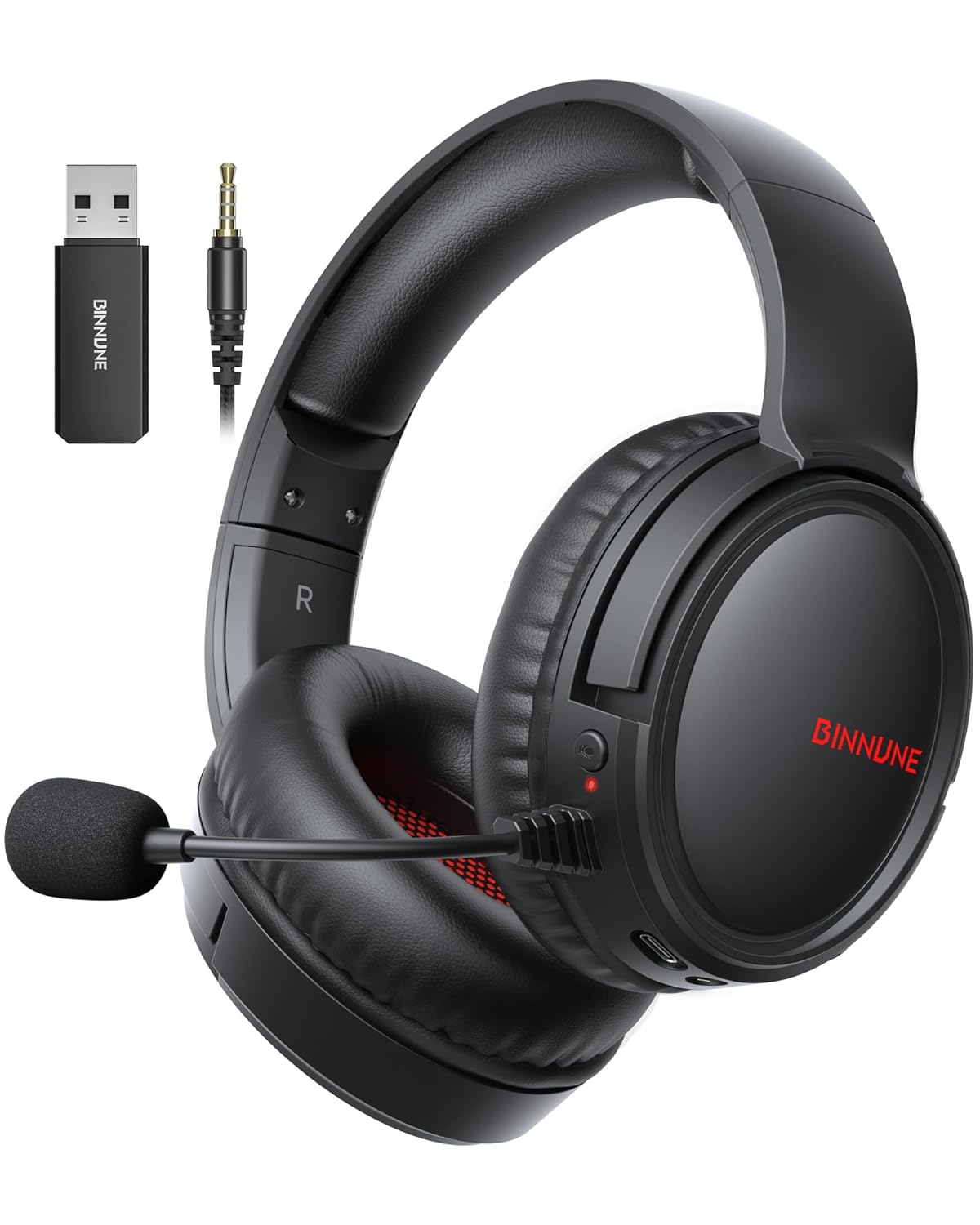
Figure 1: BINNUNE Wireless Gaming Headset (Model BW02-BT) with included accessories.
2. Kas yra dėžutėje
- BINNUNE Wireless Gaming Headset (BW02-BT)
- 2.4 GHz USB raktas
- 3.5 mm garso laidas
- USB-C įkrovimo laidas
- Vartotojo vadovas

Figure 2: All components included with your BINNUNE Gaming Headset.
3. Produktas baigtasview ir valdikliai
Familiarize yourself with the headset's controls and ports for seamless operation.
- Mikrofonas: Dual beamforming microphones with rotatable design for clear communication. Features ENC noise-canceling technology.
- USB-C prievadas: Ausinių įkrovimui.
- 3.5 mm garso lizdas: For wired connection to compatible devices.
- LED indikatorius: Displays power status, charging status, and connection mode.
- Maitinimo mygtukas: Paspauskite ir palaikykite, kad įjungtumėte/išjungtumėte.
- Tūrio ratas: Reguliuoja garso stiprumą.
- Nutildymo mygtukas: Nutildo / išjungia mikrofoną.
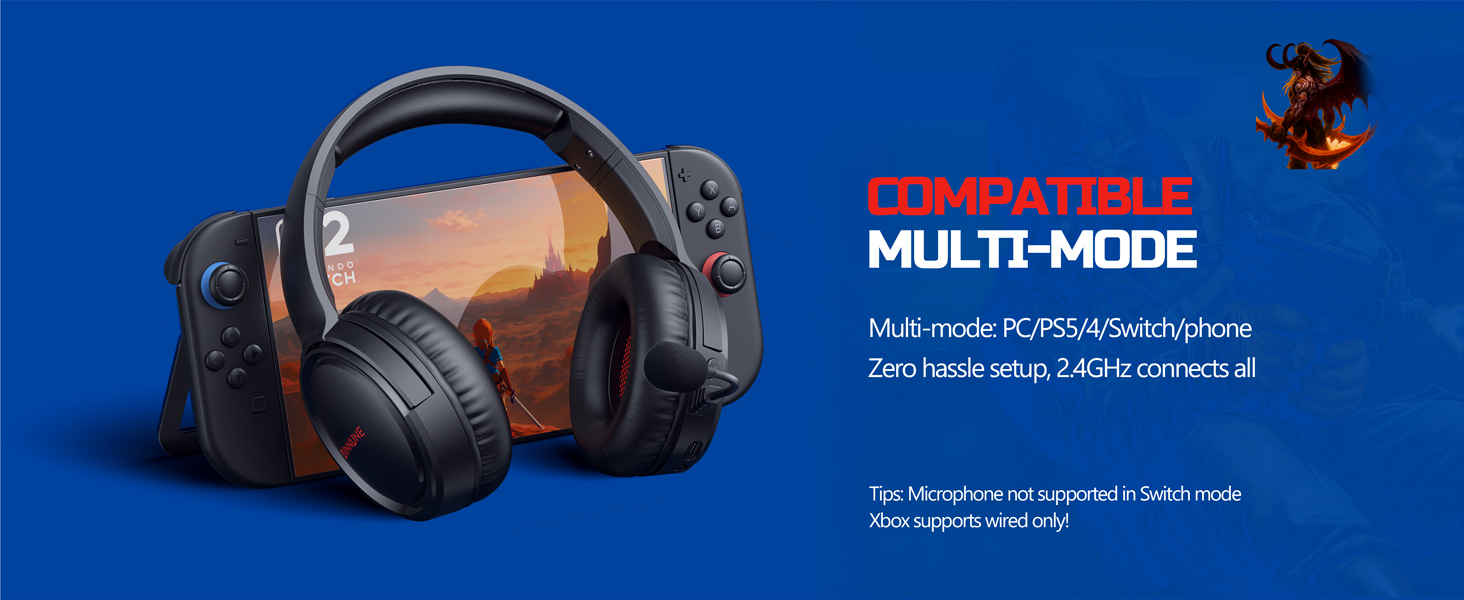
Figure 3: Key controls and ports on the BINNUNE Wireless Gaming Headset.
1 vaizdo įrašas: trumpa apžvalgaview of the BINNUNE Gaming Headset's features and controls.
4. Sąranka ir prijungimas
4.1 Pradinis įkrovimas
Before first use, fully charge your headset. Connect the USB-C charging cable to the headset's USB-C port and the other end to a USB power source. The LED indicator will show charging status and turn off when fully charged. A full charge takes approximately 6 hours.

Figure 4: The headset offers up to 40 hours of battery life on a single charge.
4.2 2.4GHz Wireless Connection (USB Dongle)
This mode provides ultra-low latency audio (≤38ms) for gaming on PS5, PS4, PC, and Mac.
- Plug the 2.4GHz USB dongle into an available USB port on your PS5/4, PC, or Mac.
- Power on your BINNUNE headset by pressing and holding the power button.
- The headset will automatically connect to the dongle. The LED indicator will show a stable light when connected.
Pastaba: The microphone is not available when connected to Nintendo Switch in 2.4GHz mode. Not compatible with XBOX.

Figure 5: The 2.4GHz USB dongle ensures a fast and stable connection.
4.3 Bluetooth ryšys
Use Bluetooth mode for mobile phones, tablets, iPads, and other smart devices.
- Įsitikinkite, kad laisvų rankų įranga įjungta.
- Savo įrenginyje eikite į „Bluetooth“ nustatymus ir įjunkite „Bluetooth“.
- Select "BINNUNE BW02-BT" from the list of available devices to pair.
- The LED indicator will flash during pairing and show a stable light once connected.
Pastaba: Bluetooth mode is not compatible with PS5/4. The microphone is not available when connected to Nintendo Switch in Bluetooth mode.
4.4 Laidinis ryšys (3.5 mm garso kabelis)
For devices that do not support wireless connectivity or when battery is low.
- Prijunkite vieną 3.5 mm garso kabelio galą prie ausinių 3.5 mm garso lizdo.
- Connect the other end to the 3.5mm audio port on your gaming device (e.g., PS5/4 controller, PC, phone).
Pastaba: The microphone may not be available on some devices when using the wired connection.

Figure 6: Multiplatform compatibility of the BINNUNE headset across 2.4G, Bluetooth, and Wired modes.
Video 2: Demonstrating the multi-mode connectivity of BINNUNE Gaming Headsets for PS4/PS5/PC.
5. Naudojimo instrukcijos
5.1 Maitinimo įjungimas/išjungimas
Press and hold the Power Button for 3 seconds to turn the headset on or off. The LED indicator will light up or turn off accordingly.
5.2 Garsumo valdymas
Rotate the Volume Wheel up (+) to increase volume or down (-) to decrease volume.
5.3 Mikrofono naudojimas
The headset features a rotatable microphone. Flip the microphone down to use it. Press the Mute Button to toggle microphone mute on or off. The ENC noise-canceling technology helps ensure clear voice transmission.
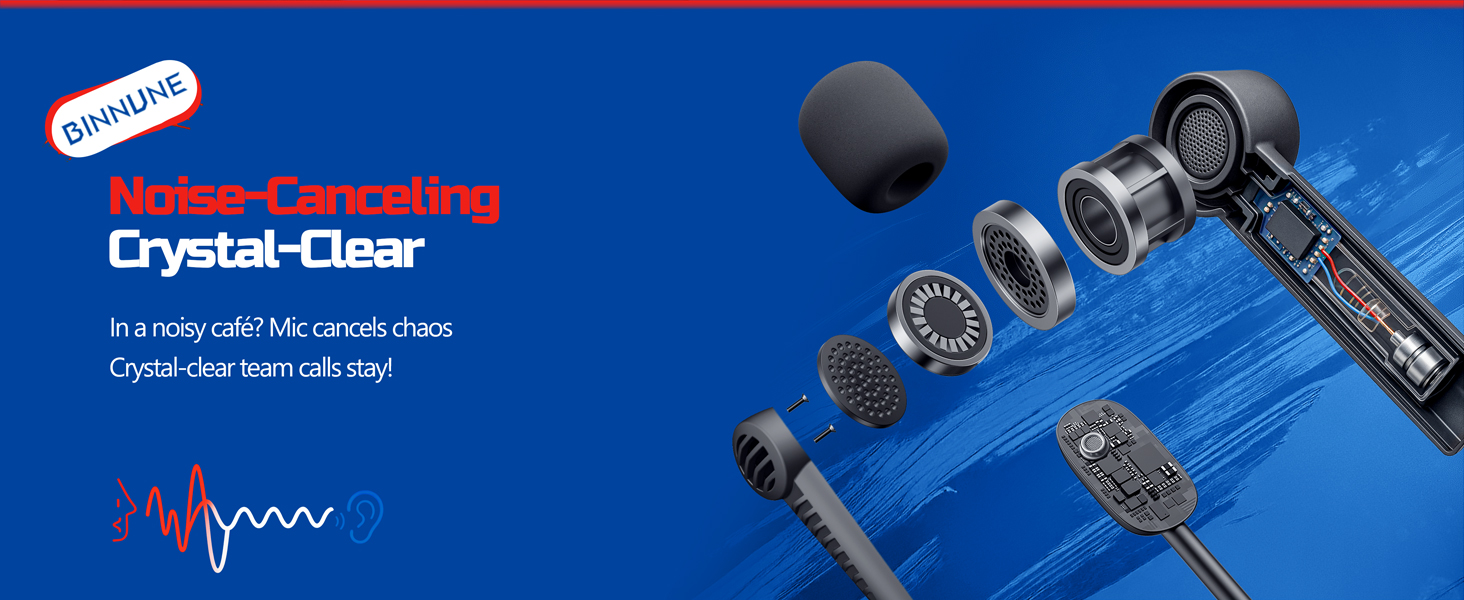
Figure 7: The noise-canceling microphone ensures crystal-clear voice calls by reducing background noise.
5.4 Režimų perjungimas
The headset supports seamless switching between 2.4GHz and Bluetooth modes. Refer to section 4 for specific connection steps for each mode. The headset prioritizes the 2.4GHz connection when the dongle is active.
6. Priežiūra
- Valymas: Ausinėms valyti naudokite minkštą, sausą šluostę. Venkite naudoti abrazyvinius valiklius ar tirpiklius.
- Saugykla: Laikykite ausines vėsioje, sausoje vietoje, toliau nuo tiesioginių saulės spindulių ir ekstremalių temperatūrų.
- Akumuliatoriaus priežiūra: Norėdami pailginti baterijos veikimo laiką, venkite dažnai visiškai iškrauti ausines. Reguliariai jas įkraukite, net jei ilgą laiką nenaudojate.
7. Problemų sprendimas
| Problema | Galima priežastis | Sprendimas |
|---|---|---|
| Nėra garso iš ausinių. | Headset not powered on, low battery, incorrect connection mode, volume too low. | Ensure headset is on and charged. Check connection mode (2.4GHz/Bluetooth/Wired). Increase volume. |
| Mikrofonas neveikia. | Microphone muted, incorrect input device selected on computer/console, compatibility issue in certain modes. | Unmute microphone. Check audio settings on your device to ensure BINNUNE headset is selected as input. Note mode limitations (e.g., Switch, some wired connections). |
| Cannot connect via 2.4GHz dongle. | Dongle not properly inserted, interference, headset too far from dongle. | Ensure dongle is fully inserted. Move closer to the dongle. Try a different USB port. |
| Nepavyksta prisijungti per „Bluetooth“. | Headset not in pairing mode, device Bluetooth off, already connected to another device. | Ensure headset is discoverable. Turn Bluetooth on your device. Disconnect from other devices. |
8. Specifikacijos
| Funkcija | Detalė |
|---|---|
| Modelio pavadinimas | BW02-BT |
| Ryšio technologija | Belaidis (2.4 GHz, „Bluetooth 5.3“), laidinis (3.5 mm lizdas) |
| Garso tvarkyklės dydis | 50 mm |
| Dažnio atsakas | 20 Hz–20 000 Hz |
| Jautrumas | 96 dB |
| Garso delsa (2.4 GHz) | 32 Milliseconds (≤38ms advertised) |
| Baterijos veikimo laikas | Iki 40 valandų |
| Įkrovimo laikas | 6 valandų |
| Mikrofonas | Dual Beamforming with ENC Noise-Canceling |
| Medžiaga | Plastic (Headset), Leather (Ear Cushions) |
| Svoris | 13.4 uncijos |
| Suderinami įrenginiai | Gaming Consoles (PS4, PS5), PC, Mac, Telephones, Laptops, Desktops |
9. Garantija ir palaikymas
BINNUNE products are manufactured with high-quality standards. For any product-related inquiries, technical support, or warranty claims, please refer to the official BINNUNE store or contact their customer service directly.
Aplankykite BINNUNE Store on Amazon Norėdami gauti daugiau informacijos ir palaikymo.


