1. Įvadas
The TechniSat TECHNIRADIO 50 is a compact digital alarm clock radio designed to provide a pleasant start to your day. It features DAB+ and FM radio reception, a large backlit LCD display, dual alarm functions, a headphone jack, and a USB-C power supply. This manual provides detailed instructions for setting up, operating, and maintaining your device.
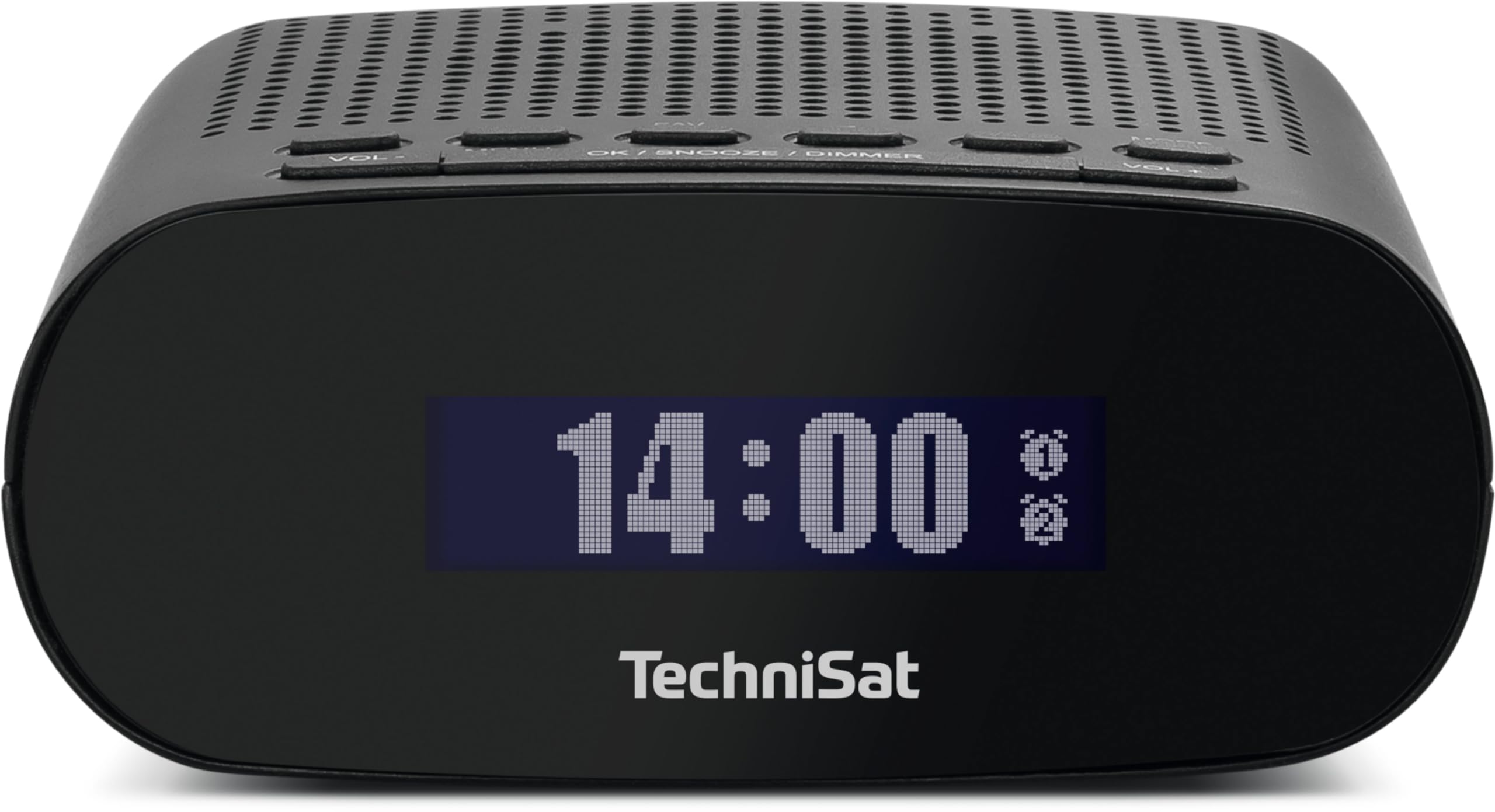
1 pav.: priekis view of the TechniSat TECHNIRADIO 50.
2. Saugos informacija
- Maitinimas: Use only the provided USB Type-C 5V - 1A power supply or a compatible certified adapter.
- Vandens ekspozicija: Do not expose the device to water, moisture, or high humidity. This device is for indoor use only.
- Vėdinimas: Ensure adequate ventilation around the device. Do not cover ventilation openings.
- Valymas: Prieš valydami atjunkite maitinimą. Naudokite minkštą, sausą šluostę. Nenaudokite skystų ar aerozolinių valiklių.
- Temperatūra: Avoid extreme temperatures. Do not place near heat sources or in direct sunlight.
- Aptarnavimas: Nebandykite patys taisyti įrenginio. Visus techninės priežiūros darbus patikėkite kvalifikuotiems specialistams.
3. Pakuotės turinys
Prašome patikrinti, ar pakuotėje yra visi daiktai:
- TechniSat TECHNIRADIO 50 Alarm Clock Radio
- DAB/FM antena
- USB Type-C 5V - 1A Power Supply
- Vartotojo vadovas
4. Produktas baigtasview
4.1. Valdikliai ir ekranas
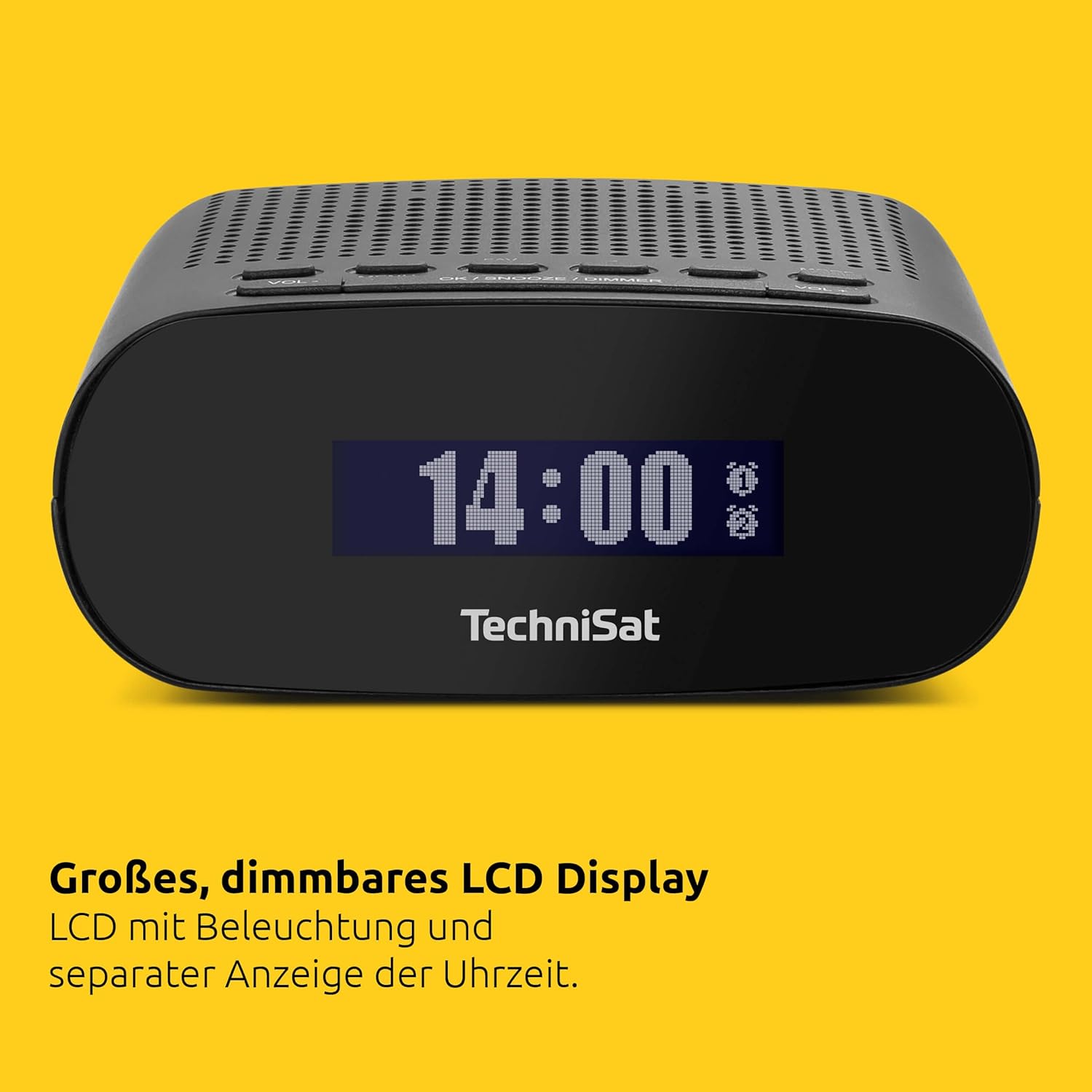
Figure 2: Top controls of the TechniSat TECHNIRADIO 50.
The TECHNIRADIO 50 features an intuitive layout of buttons on its top panel and a clear LCD display on the front.
- Maitinimo mygtukas: Įjungia/išjungia įrenginį.
- GARSUMAS- / GARSUMAS+: Reguliuoja garsumo lygį.
- MENIU: Pasiekia pagrindinį nustatymų meniu.
- INFORMACIJA: Displays information about the current station or settings.
- FAV: Accesses favorite station presets.
- OK / SNOOZE / DIMMER: Confirms selections, activates snooze during an alarm, or adjusts display brightness.
- 1 SIGNALIZACIJA / 2 SIGNALIZACIJA: Sets or activates/deactivates Alarm 1 and Alarm 2.
- MODE: Perjungia DAB+ ir FM radijo režimus.
- SKAN.: Pradeda radijo stočių paiešką.
4.2. Uostai
- USB-C prievadas: Maitinimo šaltinio prijungimui.
- Ausinių lizdas: Privačiam pasiklausymui.
- Antenos įvestis: For connecting the DAB/FM antenna.
5. Sąranka
- Prijunkite anteną: Connect the provided DAB/FM antenna to the antenna input on the device. Extend the antenna fully for optimal reception.
- Prijunkite maitinimą: Plug the USB Type-C power supply into the USB-C port on the back of the radio, then plug the adapter into a wall outlet.
- Pradinis įjungimas: Paspauskite Galia button. The device will power on and may automatically begin scanning for DAB+ stations.
- Kalbos pasirinkimas: If prompted, use the navigation buttons (often VOL+/- or dedicated arrow buttons, if present, otherwise OK/SNOOZE/DIMMER to confirm) to select your preferred language (e.g., English). Confirm your selection.
- Automatinis laiko sinchronizavimas: The radio will automatically synchronize the time and date via DAB+ or FM RDS signals once stations are found.
6. Naudojimo instrukcijos
6.1. Radio Operation (DAB+ / FM)
- Perjungimo režimai: Paspauskite REŽIMAS mygtuką, norėdami perjungti DAB+ ir FM radijo režimus.
- Stočių paieška:
- In DAB+ mode, press NUSKAITYTI to perform a full scan for available digital stations.
- FM režimu paspauskite NUSKAITYTI to automatically tune to the next available station.
- Rankinis derinimas (FM): In FM mode, use the VOL+/- buttons to fine-tune the frequency manually.
- Garso reguliavimas: Naudokite VOL- ir VOL+ buttons to increase or decrease the audio volume.
- Saving Favorite Stations:
- Nustatykite norimą stotį.
- Paspauskite ir palaikykite FAV mygtuką.
- Use the navigation buttons to select a preset number (1-20 for DAB+, 1-20 for FM).
- Paspauskite OK , kad patvirtintumėte ir išsaugotumėte stotį.
- Recalling Favorite Stations: Paspauskite FAV button briefly, then use the navigation buttons to select and recall a saved station.
- Ausinių naudojimas: Plug standard 3.5mm headphones into the headphone jack for private listening. The internal speaker will be muted automatically.
6.2. Signalizavimo funkcijos
The TECHNIRADIO 50 features two independent alarms (Alarm 1 and Alarm 2).
- Signalo nustatymas:
- Paspauskite 1 pavojaus signalas or 2 pavojaus signalas mygtuką.
- Use the navigation buttons to set the alarm time (hours and minutes). Press OK kad patvirtintumėte kiekvieną nustatymą.
- Pasirinkite žadintuvo šaltinį: Radijas (wakes you to a preset station) or Skambutis.
- Choose the alarm frequency: Kasdien, Darbo dienomis (Mon-Fri), Savaitgaliai (Sat-Sun), or Kartą.
- Nustatykite norimą žadintuvo garsumą.
- Confirm all settings to activate the alarm. An alarm icon will appear on the display.
- Signalizacijos įjungimas / išjungimas: Trumpai paspauskite 1 pavojaus signalas or 2 pavojaus signalas mygtuką, kad įjungtumėte arba išjungtumėte žadintuvą.
- Snaudimo funkcija: Kai suskamba žadintuvas, paspauskite OK / SNOOZE / DIMMER button to activate snooze. The alarm will pause for a set period (e.g., 9 minutes) and sound again.
- Signalizacijos išjungimas: Norėdami visiškai sustabdyti žadintuvą, paspauskite Galia button or the corresponding SIGNALAS mygtuką.
- Miego laikmatis:
- Paspauskite MENIU mygtuką.
- Navigate to the "Sleep Timer" option.
- Select the desired duration (e.g., 15, 30, 60, 90 minutes). The radio will play for the selected duration and then automatically turn off.
6.3. Ekrano nustatymai

Figure 3: The large LCD display showing the time.
The large LCD display shows the time, date, and radio information.
- Ryškumo reguliavimas (pritemdymas): Paspauskite OK / SNOOZE / DIMMER button repeatedly (when no alarm is active) to cycle through different brightness levels for the display. This allows for optimal visibility in various lighting conditions, including dimming for sleep comfort.
7. Priežiūra
- Valymas: To clean the device, unplug it from the power source. Use a soft, dry, lint-free cloth to wipe the surfaces. Do not use abrasive cleaners, waxes, or solvents.
- Saugykla: If storing the radio for an extended period, ensure it is clean and dry. Store it in a cool, dry place away from direct sunlight and extreme temperatures.
8. Problemų sprendimas
| Problema | Galima priežastis | Sprendimas |
|---|---|---|
| Nėra galios | Power cable not connected properly; Power outlet not working. | Patikrinkite maitinimo laido jungtį; Pabandykite naudoti kitą maitinimo lizdą. |
| Prastas radijo priėmimas | Antena neištiesta; Silpno signalo zona; Trukdžiai. | Extend the antenna fully; Reposition the radio; Perform a full scan for stations. |
| Signalizacija neskamba | Alarm is not activated; Alarm volume is too low; Incorrect alarm time/frequency. | Ensure alarm is activated (icon visible); Increase alarm volume; Verify alarm settings. |
| Display is too dim/bright | Display brightness setting. | Paspauskite OK / SNOOZE / DIMMER mygtuką ryškumui reguliuoti. |
| Nėra garso iš garsiakalbio | Volume is too low; Headphones are connected. | Padidinkite garsumą; Atjunkite ausines. |
9. Specifikacijos
| Funkcija | Specifikacija |
|---|---|
| Prekės ženklas | TechniSat |
| Modelio numeris | 0000/3997 |
| Spalva | Juoda |
| Ekrano tipas | Skaitmeninis LCD |
| Ekrano dydis | 22 milimetrų |
| Radijo imtuvas | DAB+, FM (su RDS ir PLL) |
| Išankstiniai nustatymai | 20 DAB+, 20 FM |
| Garso išvestis | 1 vatų |
| Jungtys | USB-C (Power), Headphone Jack |
| Ypatingos savybės | Time and Date Display, Dual Alarm Timers, Radio/Buzzer Wake-up, Adjustable Alarm Rhythm, Snooze Function, Sleep Timer, Dimmable Display |
| Maitinimo šaltinis | Electric Cable (USB Type-C 5V - 1A) |
| Įkraunama baterija | Nr |
| Gaminio matmenys (ilgis x aukštis) | 12.5 x 5 cm |
| Medžiaga | Plastikiniai |
10. Garantija ir palaikymas
For warranty information and customer support, please refer to the documentation provided with your purchase or visit the official TechniSat website. The availability of spare parts is typically guaranteed for 1 year from the date of purchase. For specific inquiries or technical assistance, please contact TechniSat customer service directly.


