1. Įvadas
The ADVENTUREMORE AIR Pet ID Tag is a smart identification solution designed to help reunite lost pets with their owners. This tag utilizes a QR code system that, when scanned, provides access to your pet's online profile, enabling quick contact and location alerts. Made from durable and lightweight materials, it offers a comfortable and secure way to protect your beloved companion.

Figure 1: ADVENTUREMORE AIR Pet ID Tags and smartphone scanning functionality.
2. Sąranka ir aktyvinimas
Activating your ADVENTUREMORE AIR Pet ID Tag is a straightforward process. Follow these steps to set up your pet's profile ir užtikrinti tag is ready for use:
- Nuskaitykite QR kodą: Use your smartphone camera to scan the QR code located on the pet ID tag. This will direct you to the tag activation portal.
- Create or Log In to Account: Registruokitės naujai paskyrai arba prisijunkite, jei jau turite.
- Suaktyvinkite Tag: Follow the on-screen prompts to activate your specific tag using the provided ID.
- Edit Pet Profile: Once activated, you can edit your pet's profile. This includes uploading a photo, entering your pet's name, primary information (age, gender), address, health/allergy information, and your contact details (phone number, email).
- Save Information: Ensure all changes are saved to complete the activation process.

Figure 2: Visual guide for the tag aktyvavimo procesas.
Sąrankos vaizdo vadovas
Video 1: Detailed instructions on how to activate and customize your QR code pet ID tag.
3. Pagrindinės savybės
- Lengvas aktyvinimas: Simply scan the QR code with any smartphone camera; no special app download is required.
- Anti-Lost Function: When your pet is lost, a finder can scan the QR code to access your contact information and send you an instant location alert via email or phone call.
- Quick Location Alerts: Receive immediate notifications with your pet's location when the tag yra nuskaitytas.
- Patvari ir lengva medžiaga: Constructed from epoxy and ABS, the tag is lighter and more comfortable for pets than traditional metal tags, ensuring durability and resistance to fading.
- Universalus priedas: The included metal spring buckle allows for easy attachment and removal from pet collars, harnesses, and clothing.
- Privatumo kontrolė: Your personal information is not directly displayed on the tag, enhancing privacy.
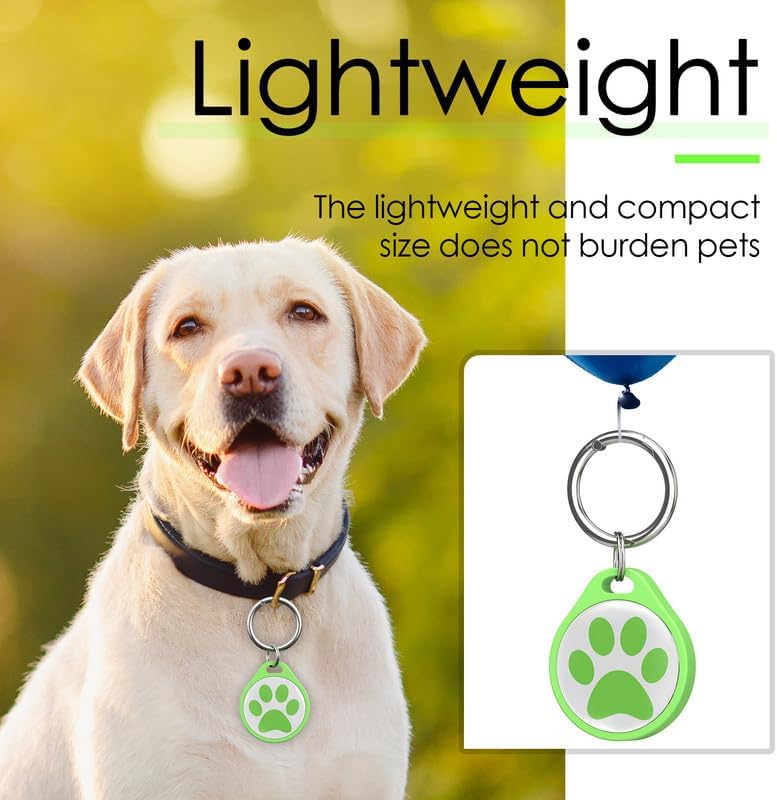
Figure 3: The lightweight design of the pet ID tag ensures comfort for your pet.
4. Naudojimo instrukcijos
Once your ADVENTUREMORE AIR Pet ID Tag is activated and attached to your pet's collar, it operates passively, ready to assist if your pet becomes lost.
Naminių gyvūnėlių savininkams:
- Ensure your pet's online profile is always up-to-date with current contact information and any critical medical details.
- Reguliariai tikrinkite tag's attachment to the collar to prevent accidental detachment.
For Finders of a Lost Pet:
- Locate the QR code on the pet's tag.
- Use any smartphone camera to scan the QR code.
- The scan will direct you to the pet's online profile, displaying the owner's contact information (phone, email) and any important pet details.
- Contact the owner using the provided information. An email alert with the pet's location will be sent to the owner upon scanning.
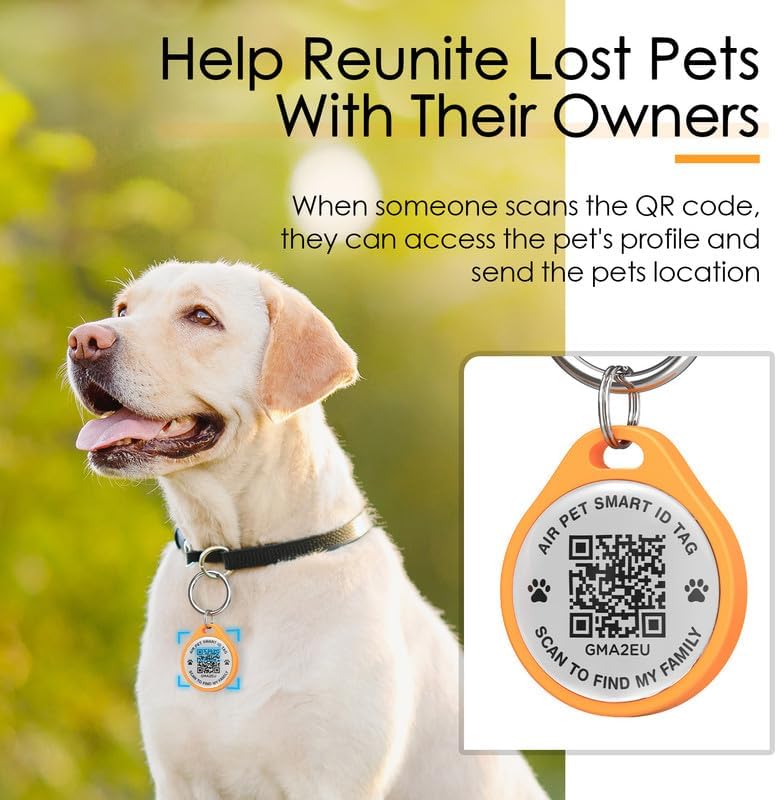
4 pav.: The tag facilitates reuniting lost pets with their owners through QR code scanning.
Usage Video Guide
Video 2: Demonstration of how the QR code pet ID tag works to help find lost pets.
5. Priežiūra
- Valymas: Nuvalykite tag periodiškai su minkštu, damp cloth to remove dirt and grime. Avoid harsh chemicals that may damage the epoxy and ABS material.
- Patikra: Reguliariai tikrinkite tag for any signs of wear or damage, especially to the QR code area and the attachment ring. While durable, extreme conditions or prolonged rough use may affect its integrity.
- Saugykla: Kai nenaudojate, laikykite tags in a clean, dry place away from direct sunlight and extreme temperatures.
6. Problemų sprendimas
- QR kodas nenuskaitomas:
- Ensure the QR code is clean and free from obstructions.
- Skenavimo metu patikrinkite, ar tinkamas apšvietimas.
- Verify your smartphone camera is functioning correctly and focused on the code.
- If the code is scratched or damaged, consider replacing the tag to ensure functionality.
- No Location Alert Received:
- Confirm that your contact information (email, phone number) is correctly entered and up-to-date in your pet's online profile.
- Check your email's spam/junk folder.
- Ensure your phone is receiving notifications and calls.
- Tag Atsiskiria nuo apykaklės:
- Ensure the metal spring buckle is securely closed when attaching the tag.
- For highly active pets, consider using a more robust attachment mechanism if the included ring proves insufficient.
7. Specifikacijos
| Prekės ženklas | ORO |
| Modelio numeris | CPAR-QR-0452-6P-CA-FBA |
| Medžiaga | ABS+Epoxy resin |
| Dydis | 3 cm (skersmuo) |
| Prekės svoris | 2.39 uncijos (visas paketas) |
| Prekių skaičius | 6 (QR code labels), 6 (stainless steel rings) |
| Spalva | Pink, Green, Blue, Orange, Black, White |
8. Garantija ir palaikymas
Specific warranty information for the ADVENTUREMORE AIR Pet ID Tag is not provided in the product details. For any inquiries regarding warranty, product support, or technical assistance, please refer to the seller's contact information on the platform where the product was purchased or visit the official AIR brand store on Amazon.
AIR Store Link: Visit the AIR Store


