1. Įvadas
Thank you for choosing the LENVII R800 Portable 2D Barcode Scanner. This device is designed for efficient and versatile barcode scanning, supporting both 1D and 2D barcodes. It offers multiple connection options including Bluetooth, 2.4G wireless, and wired USB, making it compatible with a wide range of devices and operating systems. This manual provides detailed instructions for setup, operation, and maintenance to ensure optimal performance.

Image 1.1: LENVII R800 Barcode Scanner and included accessories (USB cable, 2.4G wireless receiver).
2. Produktas baigtasview
Familiarize yourself with the components and features of your LENVII R800 scanner.
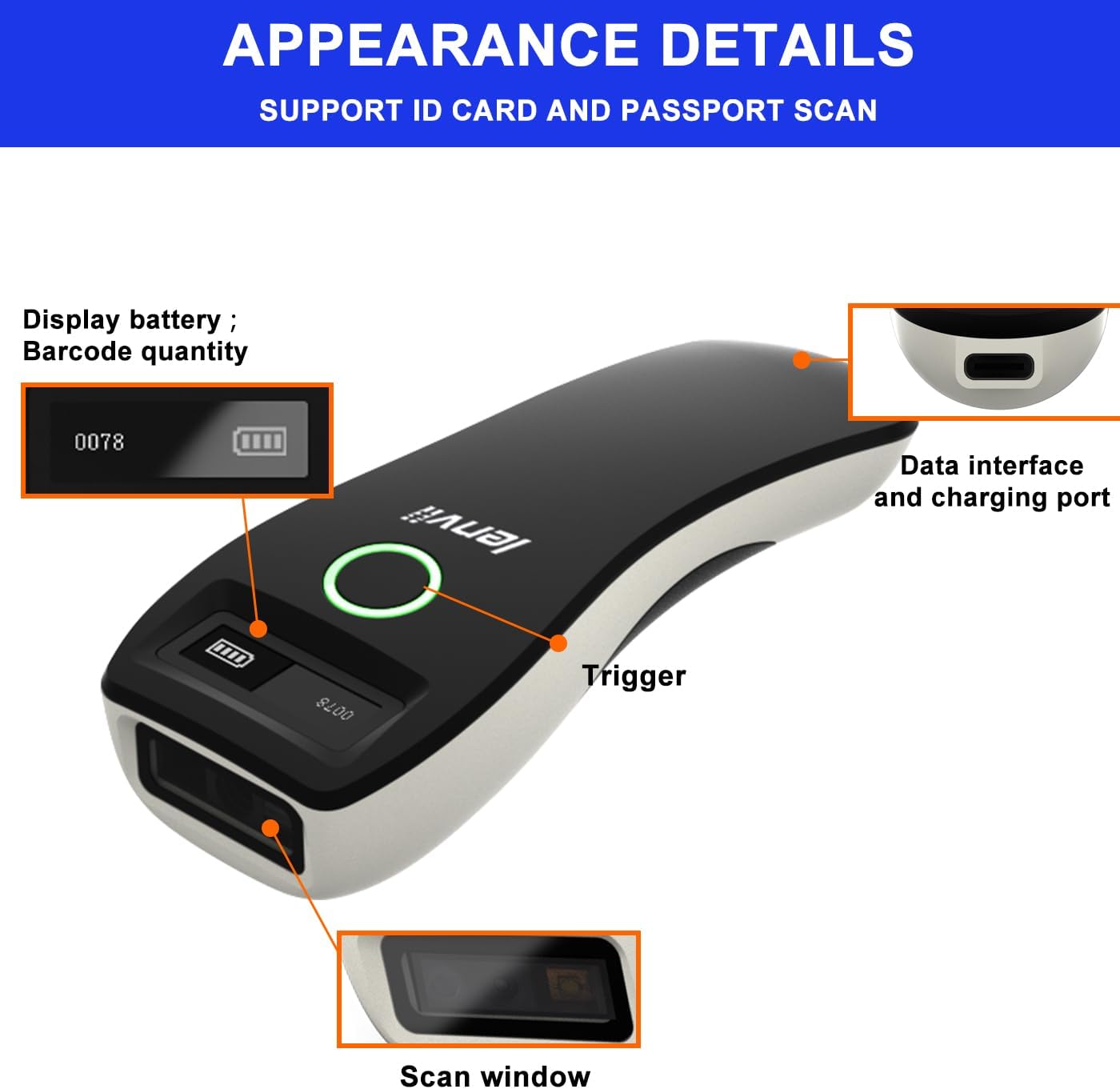
2.1 pav.: Išsamus view of the LENVII R800 scanner, highlighting the display (battery, barcode quantity), data interface/charging port, trigger button, and scan window.
- Ekranas: Shows battery level and scanned barcode quantity.
- Data Interface/Charging Port: Type-C port for wired connection and charging.
- Suaktyvinimas: Button to initiate scanning.
- Nuskaitymo langas: Area through which barcodes are read.
3. Sąranka
3.1 Skaitytuvo įkrovimas
Before first use, fully charge the scanner. Connect the provided Type-C USB cable to the scanner's charging port and the other end to a USB power source (e.g., computer USB port, USB wall adapter). The charging indicator light will show the charging status.
The scanner is equipped with a 1500mAh rechargeable lithium battery.
3.2 Ryšio režimai
The LENVII R800 offers three connection methods:

Image 3.1: Illustration of the three connection modes: 2.4GHz Wireless, USB Wired, and Bluetooth.
3.2.1 2.4G belaidis ryšys
- Insert the 2.4G wireless receiver into a USB port on your computer or host device.
- Turn on the scanner. It should automatically connect to the receiver.
- A successful connection is indicated by a specific sound or light on the scanner.
3.2.2 Bluetooth ryšys
- Įjunkite skaitytuvą.
- Activate Bluetooth on your host device (e.g., smartphone, tablet, laptop).
- Scan the Bluetooth pairing barcode (usually found in the full manual or quick start guide). The scanner will enter pairing mode.
- On your host device, search for Bluetooth devices and select "LENVII R800" (or similar name) to pair.
- A successful connection is indicated by a specific sound or light on the scanner.
3.2.3 Laidinis ryšys
- Connect the scanner to your computer using the provided Type-C USB cable.
- Skaitytuvas veiks kaip laidinis įrenginys ir tuo pačiu metu bus kraunamas.
- No additional drivers are typically required for this plug-and-play connection.
3.3 Suderinamumas
The LENVII R800 scanner is compatible with various operating systems and devices:
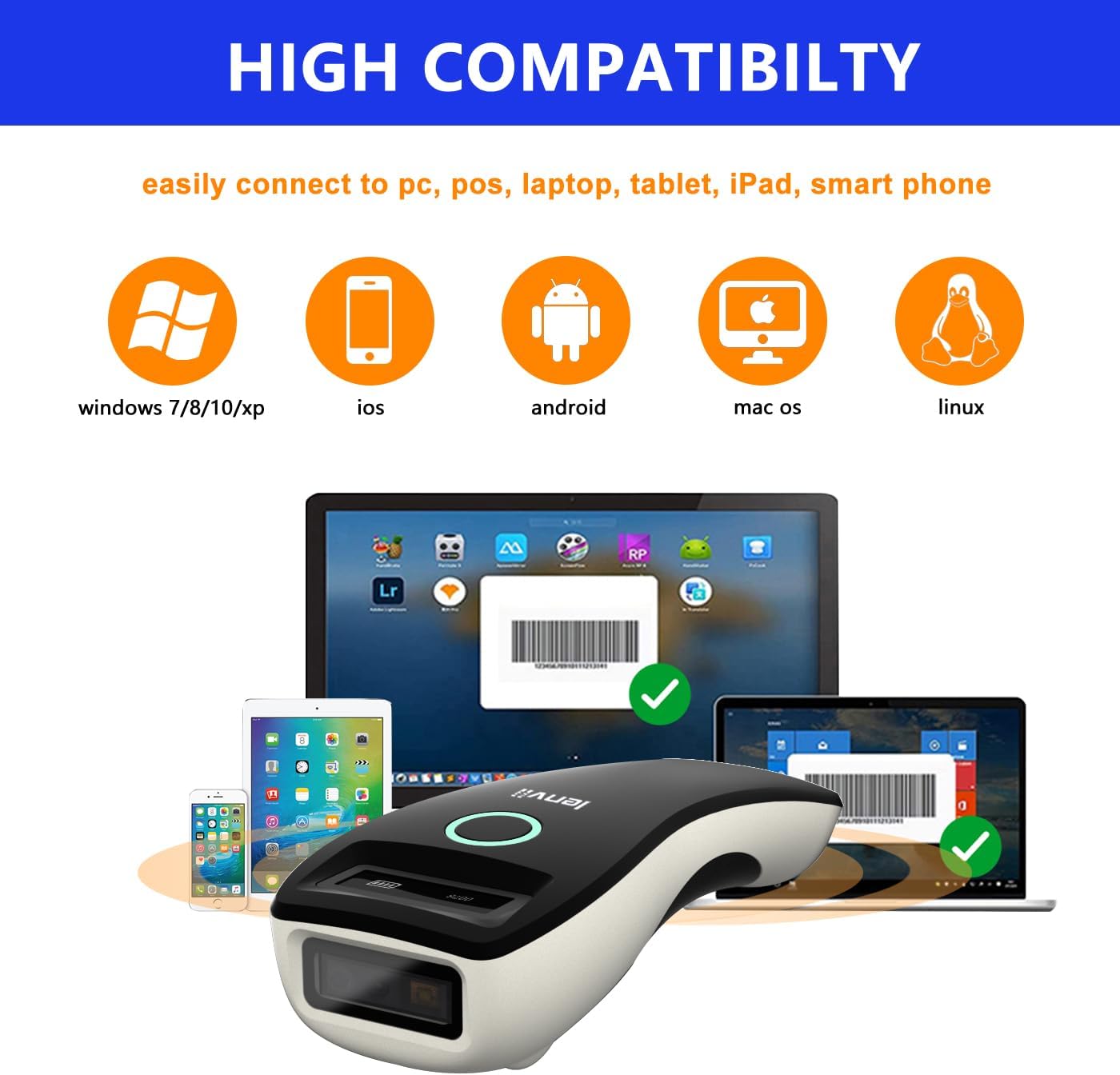
Image 3.2: Compatibility icons for Windows, iOS, Android, Mac OS, and Linux, indicating broad device support.
- Operacinės sistemos: Windows XP/7/8/10, Mac OS, Windows Mobile, Android OS, iOS, Linux.
- Įrenginiai: Laptops, PCs, mobile phones, tablets, iPhones, iPads, POS systems.
4. Naudojimo instrukcijos
4.1 Pagrindinis nuskaitymas
- Ensure the scanner is powered on and connected to your host device via your preferred method.
- Open an application on your host device where you want the scanned data to appear (e.g., a text editor, spreadsheet, or inventory software).
- Point the scan window of the scanner at the barcode.
- Press the trigger button. A successful scan will be indicated by a beep and/or a light confirmation.
- The scanned data will be transmitted to your host device.
4.2 Duomenų perdavimo režimai
Skaitytuvas palaiko du duomenų įkėlimo režimus:

Image 4.1: Depiction of Instant Upload Mode (data sent immediately) and Offline Storage Mode (data stored for later upload).
- Momentinio įkėlimo režimas: Barcodes are transmitted to the connected device immediately after scanning. This is the default mode.
- Saugojimo režimas (neprisijungus): Barcodes are stored in the scanner's internal memory (up to 35,000 EAN 13 codes) and can be uploaded later. This mode is useful when working out of range of the host device. To switch to storage mode and upload data, refer to the full programming manual for specific barcode commands.
4.3 Palaikomi brūkšninių kodų tipai
The LENVII R800 is capable of scanning a wide array of 1D and 2D barcode symbologies:
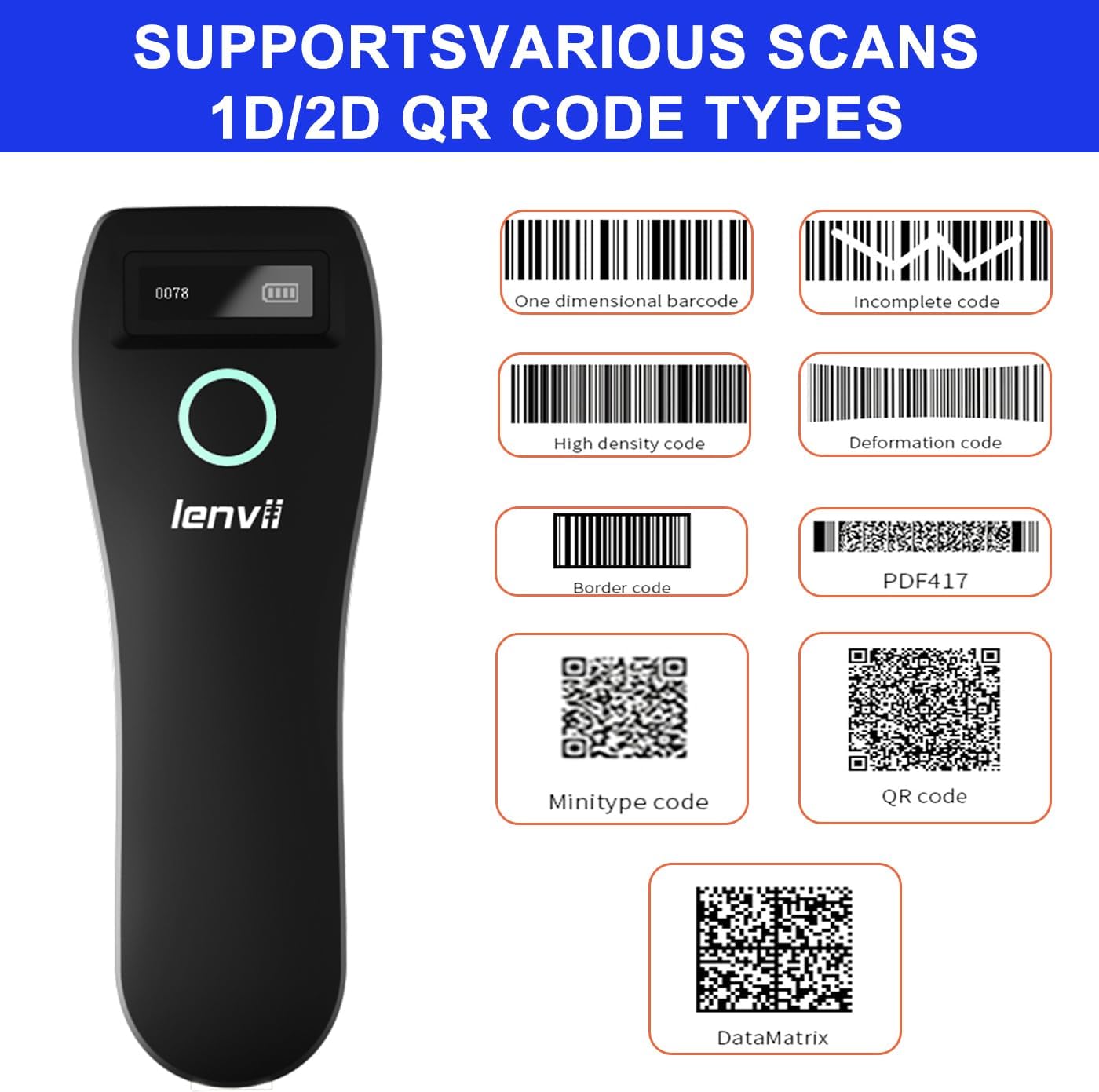
4.2 pav.: pvz.amples of supported barcode types including 1D (e.g., Code 39, Code 128) and 2D (e.g., QR Code, Data Matrix, PDF417).
- 1D brūkšniniai kodai: UPC/EAN/JAN, UPC-A, UPC-E, EAN-8, EAN-13, JAN-8, JAN-13, ISBN/ISSN, Code 39 (with full ASCII), Codabar (NW7), Code 128 & EAN 128, Code 93, Interleaved 2 of 5 (ITF), Appendix 2 of 5 IATA code, MSI/Plessy, Chinese postal code, Code 32 (Italian Pharmacopoeia), RSS 14, RSS Limited, RSS Extension.
- 2D brūkšniniai kodai: QR Code, Data Matrix, PDF417, Aztec, Maxicode, GS1 DataBar Stack.
4.4 Ergonomika ir perkeliamumas
The LENVII R800 is designed for comfortable, one-handed operation and easy portability, making it suitable for various mobile business applications.
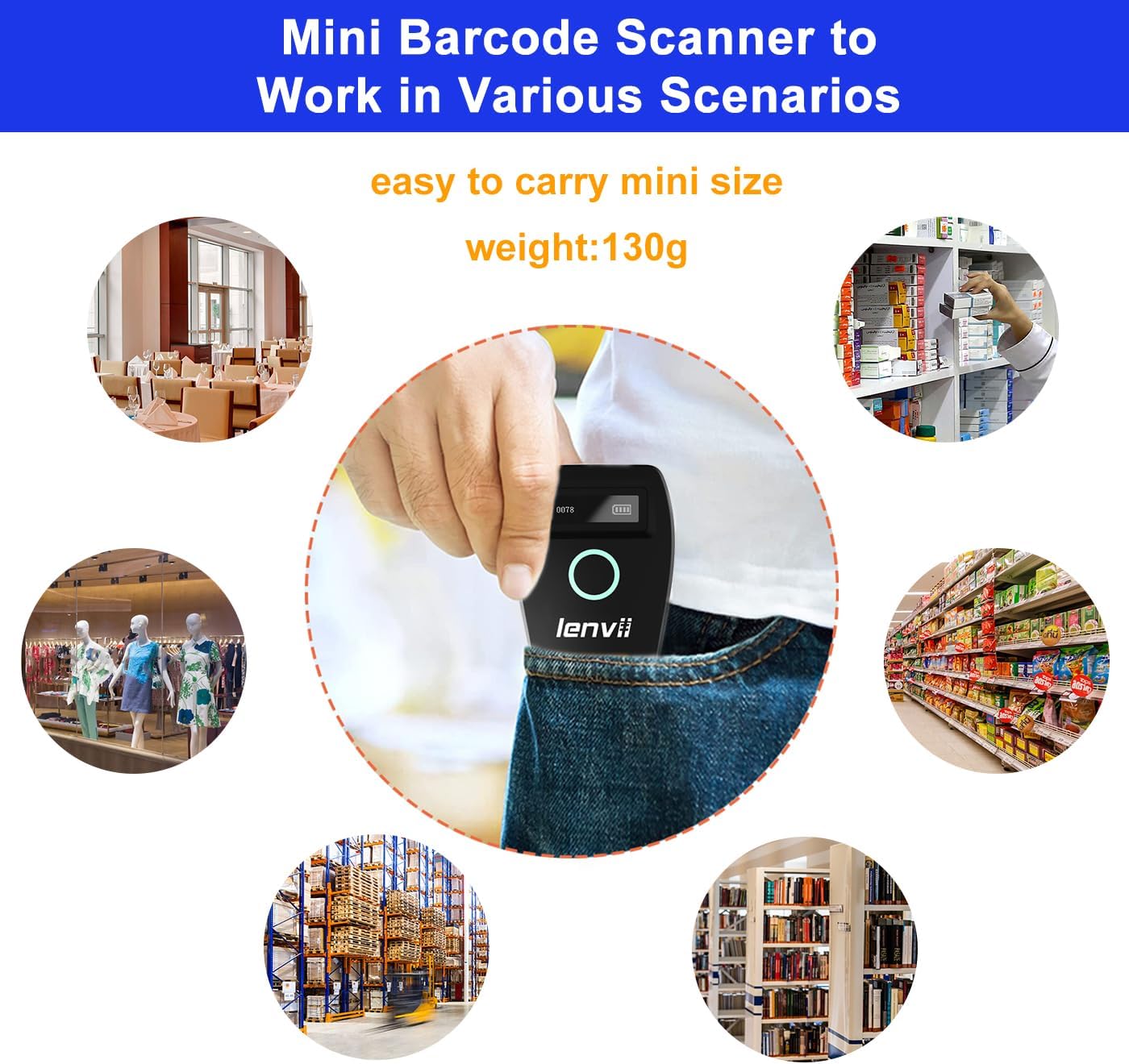
Image 4.3: The compact LENVII R800 scanner shown in different environments, emphasizing its portability and suitability for retail, inventory, and field service.
5. Priežiūra
- Valymas: Use a soft, dry cloth to clean the scanner's exterior. For the scan window, use a soft, lint-free cloth lightly dampnuvalykite švelniu, neabrazyviniu valikliu. Venkite stiprių cheminių medžiagų ar abrazyvinių medžiagų.
- Saugykla: Skaitytuvą laikykite vėsioje, sausoje vietoje, toliau nuo tiesioginių saulės spindulių ir ekstremalių temperatūrų.
- Akumuliatoriaus priežiūra: Norėdami pailginti akumuliatoriaus veikimo laiką, venkite dažnai visiškai jį iškrauti. Jei ilgą laiką nenaudosite, įkraukite akumuliatorių maždaug iki 50 % ir vėl įkraukite kas kelis mėnesius.
- Fizinė apsauga: While designed to withstand drops from 2 meters, avoid unnecessary impacts.
6. Problemų sprendimas
-
Skaitytuvas neįsijungia:
- Ensure the battery is charged. Connect the scanner to a power source using the Type-C cable.
-
Skaitytuvas neprisijungia prie įrenginio:
- 2.4G belaidžiam ryšiui: Ensure the USB receiver is properly inserted and the scanner is within range.
- „Bluetooth“: Ensure Bluetooth is enabled on your host device, the scanner is in pairing mode, and you have selected the correct device from the Bluetooth list.
- For Wired: Patikrinkite USB kabelio jungtį. Išbandykite kitą USB prievadą arba kabelį.
-
Skaitytuvas neskaito brūkšninių kodų:
- Įsitikinkite, kad brūkšninis kodas yra švarus, nepažeistas ir skaitytuvo nuskaitymo diapazone.
- Patikrinkite, ar skaitytuvas palaiko brūkšninio kodo tipą.
- Ensure there is sufficient lighting on the barcode.
- Clean the scan window if it is dirty.
-
Nuskaityti duomenys nerodomi ekrane:
- Ensure the scanner is successfully connected to your host device.
- Verify that an active input field or application is open on your host device to receive the data.
- Check if the scanner is in 'Storage Mode'. If so, switch to 'Instant Upload Mode' or upload stored data.
7. Specifikacijos
| Parametras | Detalė |
|---|---|
| Image (pixels) | 640 pixels (horizontal) * 480 pixels (vertical) |
| Šviesos šaltinis | Aiming: 617 nm LED; Illumination: 4000K LED |
| Vaizdo jutiklis | CMOS |
| Nuskaitymo greitis | 30 kadrų per sekundę |
| Filling Depth | 40-200mm @ UPC / EAN13mil PCS = 90%; 20-250mm @ QR 20mil PCS = 100% |
| Skenavimo kampas | Elevation angle 65°, Tilt angle 30°, Deflection angle 55° |
| Laukas View | Horizontaliai 34°, vertikaliai 28° |
| Skaitymo raiška | Exceeds 5 million |
| Spausdinimo kontrastas | Viršija 25 % |
| Vizualinis indikatorius | Blue LED light, Red charging light, and Buzzer |
| Ryšio režimai | 2.4G, Bluetooth BLE4.0, and Type-C (Wired) |
| Bendravimo atstumas | 2.4G: 100 meters (open air), Bluetooth: 40 meters (open air) |
| Atminties talpa | Up to 512,000 bits (approx. 35,000 EAN 13 codes) |
| Matmenys (L*P*A) | 135 mm * 51 mm * 40 mm |
| Svoris | 104 gramų |
| Medžiaga | ABS + PC |
| Kabelis | C tipo kabelis |
| Įvesties tomastage | 5 VDC ±10 % |
| Darbo srovė | 400 mA |
| Baterija | Įkraunama ličio baterija 1500mAh |
| Įkrovimo būdas | C tipo kabelio įkrovimas |
| Kritimo patvarumas | Can withstand a drop of 2 meters |
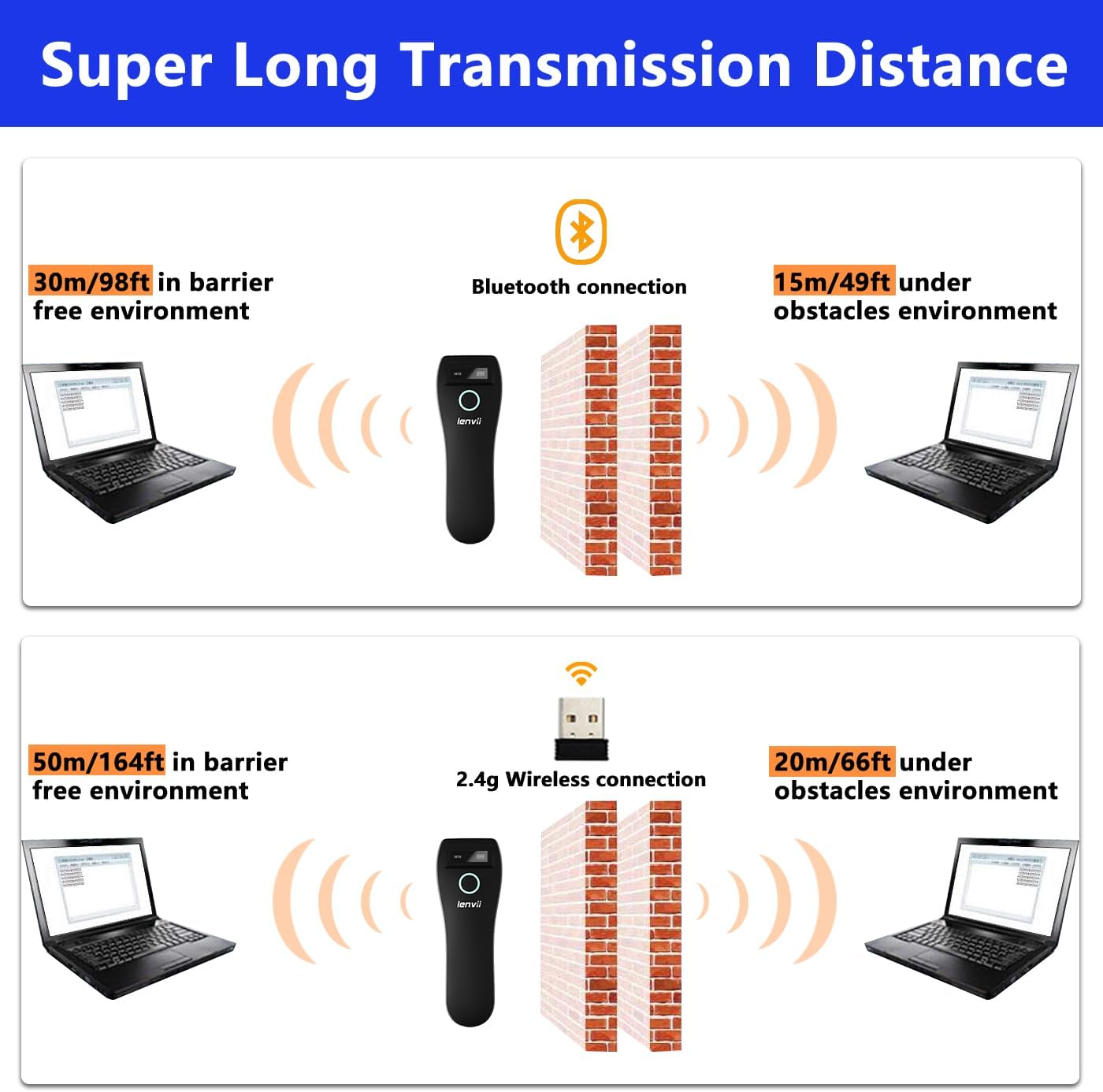
Image 7.1: Comparison of Bluetooth and 2.4G wireless transmission distances in barrier-free and obstacle environments.
8. Garantija ir palaikymas
LENVII products are manufactured to high-quality standards. For warranty information, please refer to the documentation included with your purchase or contact your retailer. For technical support or inquiries, please visit the official LENVII websvetainėje arba susisiekite su klientų aptarnavimo skyriumi.
Daugiau informacijos ir pagalbos išteklių galite rasti apsilankę LENVII Store on Amazon.


