1. Įvadas
This manual provides detailed instructions for the Rapoo V500Pro Full-Size Mechanical Gaming Keyboard. Please read this manual thoroughly before using the product to ensure proper operation and to maximize its features. The V500Pro is designed for both gaming and office use, featuring durable mechanical switches, customizable RGB backlighting, and programmable keys.

Image 1: Rapoo V500Pro Full-Size Mechanical Gaming Keyboard (White version).
2. Sąrankos vadovas
2.1 Pakuotės turinys
- Rapoo V500Pro Mechanical Gaming Keyboard
- USB-C kabelis
- Vartotojo vadovas (šis dokumentas)
2.2 Klaviatūros prijungimas
- Raskite USB-C prievadą klaviatūros gale.
- Prijunkite vieną pateikto USB-C kabelio galą prie klaviatūros USB-C prievado.
- Connect the other end of the USB-C cable (USB-A connector) to an available USB port on your computer or compatible device.
- Jūsų operacinė sistema automatiškai atpažins klaviatūrą. Pagrindinėms funkcijoms paprastai nereikia jokių papildomų tvarkyklių.
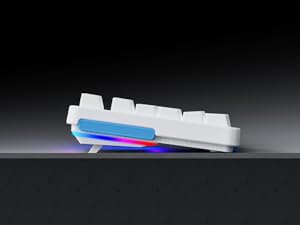
Image 2: Connecting the USB-C cable to the keyboard. The keyboard features an optimized cable management system allowing the cable to be routed to the left, center, or right.
2.3 Kabelių valdymas
The V500Pro features an optimized cable management system on its underside. You can route the USB-C cable to the left, center, or right to suit your desk setup and minimize cable clutter.

Image 3: Underside of the keyboard showing the three-way cable routing channels.
3. Naudojimo instrukcijos
3.1 Mechaniniai jungikliai
The Rapoo V500Pro utilizes brown mechanical switches, offering a tactile feel with a lower audible click compared to blue switches, making them suitable for both gaming and typing in various environments.

Image 4: Detail of the brown mechanical switch, highlighting its design for balanced performance.
3.2 RGB foninio apšvietimo pritaikymas
The keyboard features customizable Rainbow RGB backlighting with 20 lighting modes. You can adjust brightness and speed directly from the keyboard.
- FN + PGUP / PGDN: Perjunkite skirtingus foninio apšvietimo režimus.
- FN + INS: Switch side lights modes (RGB/solid color/solid breathing/off).
- FN + DEL: Switch side lights color (red/orange/yellow/green/cyan/blue/purple/white).
- FN + D: Brightness adjustment (press repeatedly to cycle through levels).
- FN + D: Breathing frequency adjustment (press repeatedly to cycle through speeds).
- FN + ESC (short press): Įjungti / išjungti foninį apšvietimą.
- FN + ESC (long press): Restore default lighting settings.
- FN + V: Switch logo lighting (on/breathing/off).
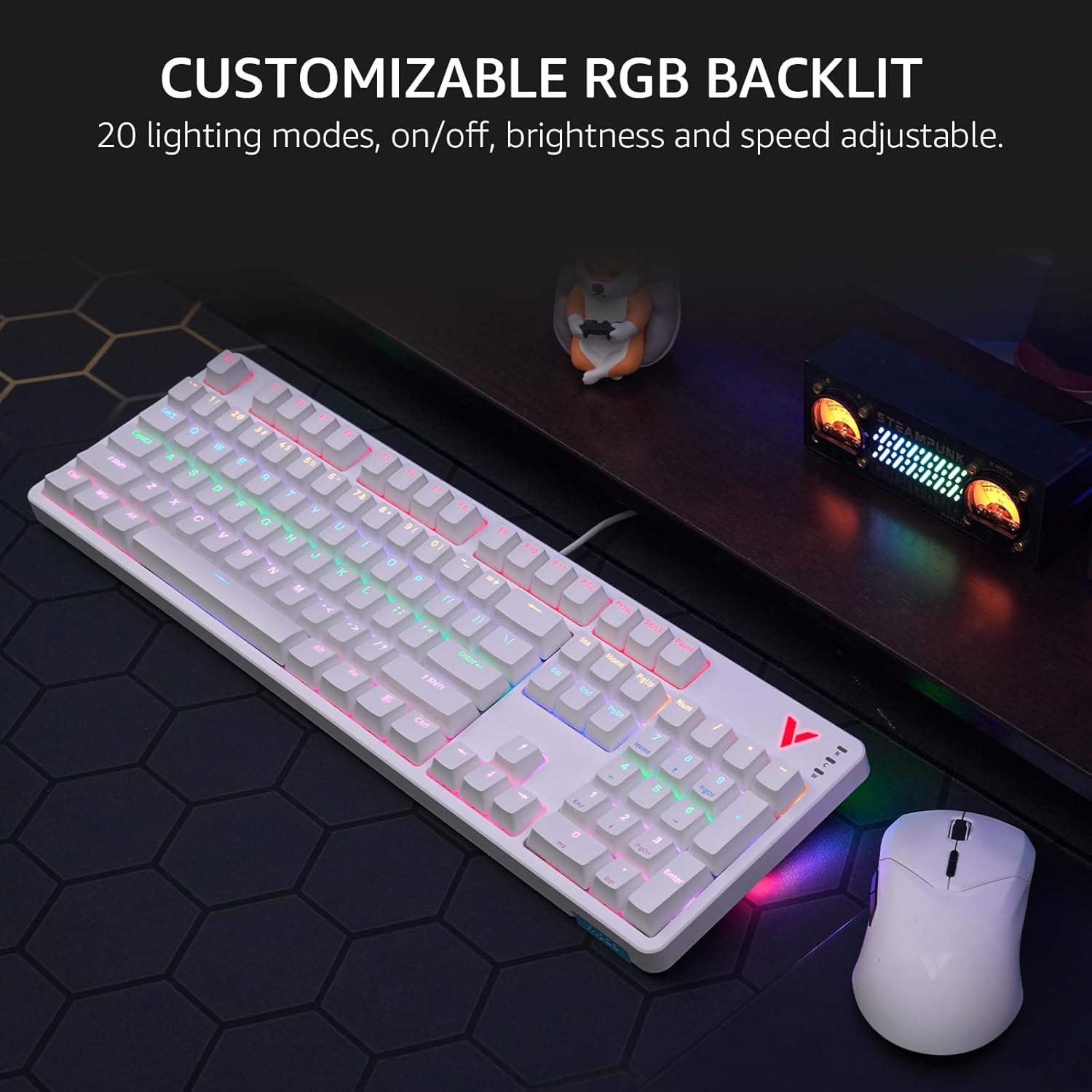
Image 5: The keyboard displaying its customizable RGB backlighting in a typical desktop setup.
1 vaizdo įrašas: metimas per sekundęview of the Rapoo V500Pro keyboard, demonstrating its features including RGB lighting and mechanical switches.
3.3 multimedijos sparčiųjų klavišų
The keyboard includes 12 multimedia hotkeys, accessible by pressing the FN klavišą kartu su F1-F12 keys. These provide quick access to common functions.
| Raktų derinys | Funkcija |
|---|---|
| FN + F1 | Kompiuteris |
| FN + F2 | Skaičiuoklė |
| FN + F3 | Pašto dėžutė |
| FN + F4 | Pagrindinis puslapis |
| FN + F5 | Paieška |
| FN + F6 | Media Player |
| FN + F7 | Ankstesnis takelis |
| FN + F8 | Kitas takelis |
| FN + F9 | Leisti / pristabdyti |
| FN + F10 | Sumažinti garsumą |
| FN + F11 | Padidinti garsumą |
| FN + F12 | Nutildyti |
| FN + Win | „Windows“ klavišų užraktas |

Image 6: Visual representation of the FN key combinations for multimedia and system controls.
3.4 Programmable Keys and On-board Memory
The V500Pro allows for programming 103 keys (excluding the FN key) to assign commands and macros. This functionality is managed through dedicated software (available for Windows operating systems) and stored in the keyboard's on-board memory. This enables users to save profiles and apply them across different devices without re-configuration.

Image 7: The software interface for customizing key functions and creating macros. Note: Keyboard driver available for Windows system only.
3.5 Apsauga nuo šešėlių
The keyboard supports full 104-key anti-ghosting, ensuring that all simultaneous key presses are registered accurately. This is particularly beneficial for complex skill combinations in gaming.
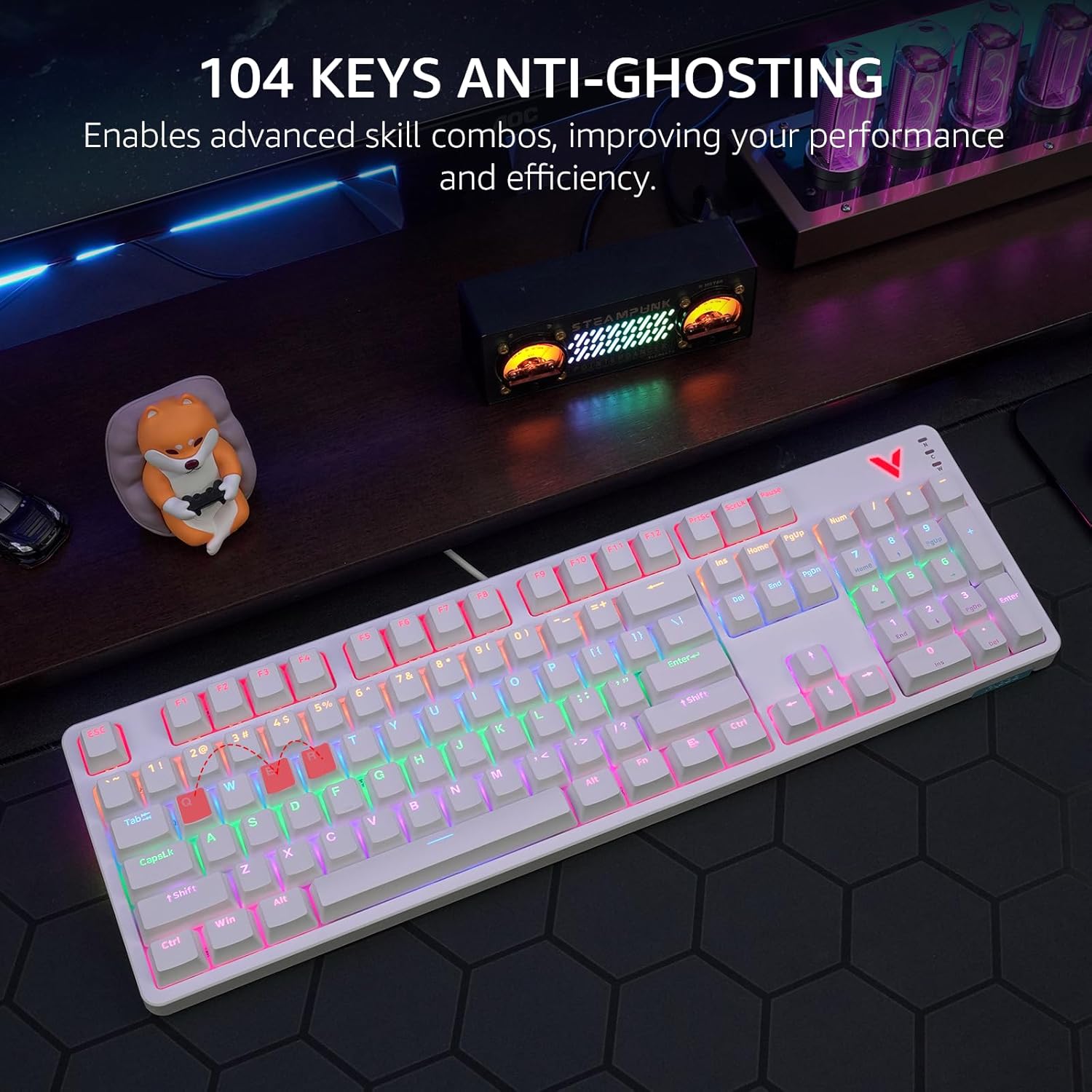
Image 8: Visual explanation of anti-ghosting technology, showing multiple key presses being registered simultaneously.
4. Priežiūra
4.1 Klaviatūros valymas
To clean your Rapoo V500Pro keyboard, follow these steps:
- Prieš valydami atjunkite klaviatūrą nuo kompiuterio.
- Šiek tiek naudokite minkštą, be pūkelių šluostę dampKlaviatūros dangtelius ir korpusą nuvalykite vandeniu arba švelniu valymo tirpalu.
- For deeper cleaning, the top case of the keyboard is removable, allowing easier access to the switches and plate. Gently detach the top case as shown in the product images.
- Venkite purkšti skysčius tiesiai ant klaviatūros.
- Norėdami pašalinti dulkes ir šiukšles iš tarpų tarp klavišų dangtelių, naudokite suslėgtą orą.

Image 9: The removable top case feature, which facilitates cleaning and allows for switching between high and low profile keycap setups.
4.2 Saugykla
Store the keyboard in a dry, cool environment away from direct sunlight and extreme temperatures to prevent damage.
5. Problemų sprendimas
| Problema | Galimas sprendimas |
|---|---|
| Klaviatūra nereaguoja |
|
| Foninis apšvietimas neveikia arba yra netinkamas |
|
| Raktai neregistruojami arba renkami du kartus |
|
6. Specifikacijos
| Funkcija | Detalė |
|---|---|
| Modelis | V500Pro |
| Klaviatūros tipas | Full-Size Mechanical Gaming Keyboard |
| Raktų skaičius | 104 |
| Jungiklio tipas | Rudi mechaniniai jungikliai |
| Foninis apšvietimas | Customizable Rainbow RGB (20 modes) |
| Anti-Ghosting | All 104 Keys |
| Programuojami klavišai | 103 (excluding FN) with On-board Memory |
| Multimedijos spartieji klavišai | 12 (FN + F1-F12) |
| Ryšys | USB-C (laidinis) |
| Medžiaga | Aircraft-grade aluminum alloy frame |
| Gaminio matmenys | 17.4 x 5.29 x 1.58 colio (44.2 x 13.4 x 4 cm) |
| Prekės svoris | 2.42 svaro (1.1 kg) |
| Suderinami įrenginiai | PC, Laptop, Gaming Console, Smart TV |

Image 10: Dimensions and weight of the Rapoo V500Pro keyboard.
7. Garantija ir palaikymas
Rapoo products are designed for durability and performance. For warranty information, technical support, or service inquiries, please refer to the official Rapoo websvetainėje arba susisiekite su vietiniu platintoju. Išsaugokite pirkimo kvitą, jei prireiktų pateikti pretenziją dėl garantijos.
Online resources and software downloads (e.g., for programmable keys) can typically be found on the official Rapoo support page.


