The Swisson XMT-500 is a versatile and robust device designed for professionals in the lighting and entertainment industry. It functions as a comprehensive DMX tester, RDM/Ethernet controller, and measurement tool, providing essential functionalities for setting up, troubleshooting, and maintaining complex lighting systems. Its compact design and intuitive interface make it an indispensable tool for on-site work.
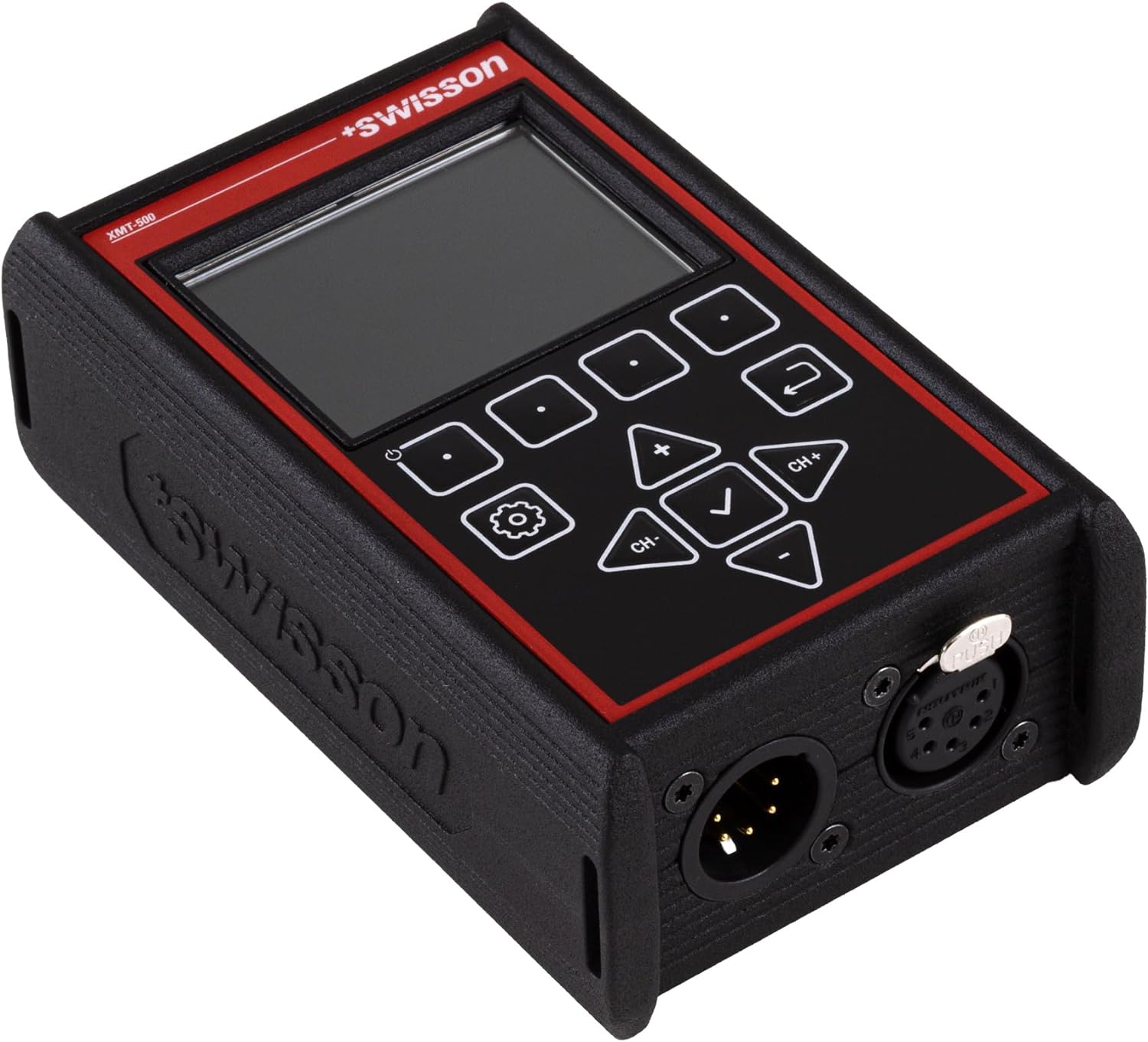
Vaizdas: kampuotas view of the Swisson XMT-500 DMX Tester, showcasing its compact form factor and display.
2. Pagrindinės savybės
Utilize the capability to send or receive values from any Art-Net or sACN channel/universe through the etherCON interface, enabling seamless data exchange and integration within your lighting network for enhanced versatility and control.
Paimk advanątage of the ability to send values to any DMX channel or monitor received DMX signals, offering comprehensive control and monitoring capabilities for your lighting system.
Effortlessly pinpoint and remotely configure RDM-compliant fixtures positioned throughout the rig, ensuring seamless management and customization from a centralized location.
Thoroughly monitor and precisely analyze every timing aspect associated with receiving both DMX and RDM signals, allowing for meticulous observation and optimization of signal transmission processes.
Verify the accurate pin-out configuration of all interconnections within XLR or RJ-45 cables, ensuring proper alignment and compatibility for seamless communication and connectivity between devices.
Vibrant display quality of full-color, sunlight-readable IPS TFT display, providing enhanced visibility and clarity even in bright outdoor conditions, ensuring optimal viewing and usability in various environments.
Equipped with a rechargeable lithium-ion battery and offers the convenience of USB-C charging, providing flexibility and ease of use for powering your equipment on the go.
3. Pakuotės turinys
Upon opening the package, ensure all components are present and in good condition. The Swisson XMT-500 comes with the following items:
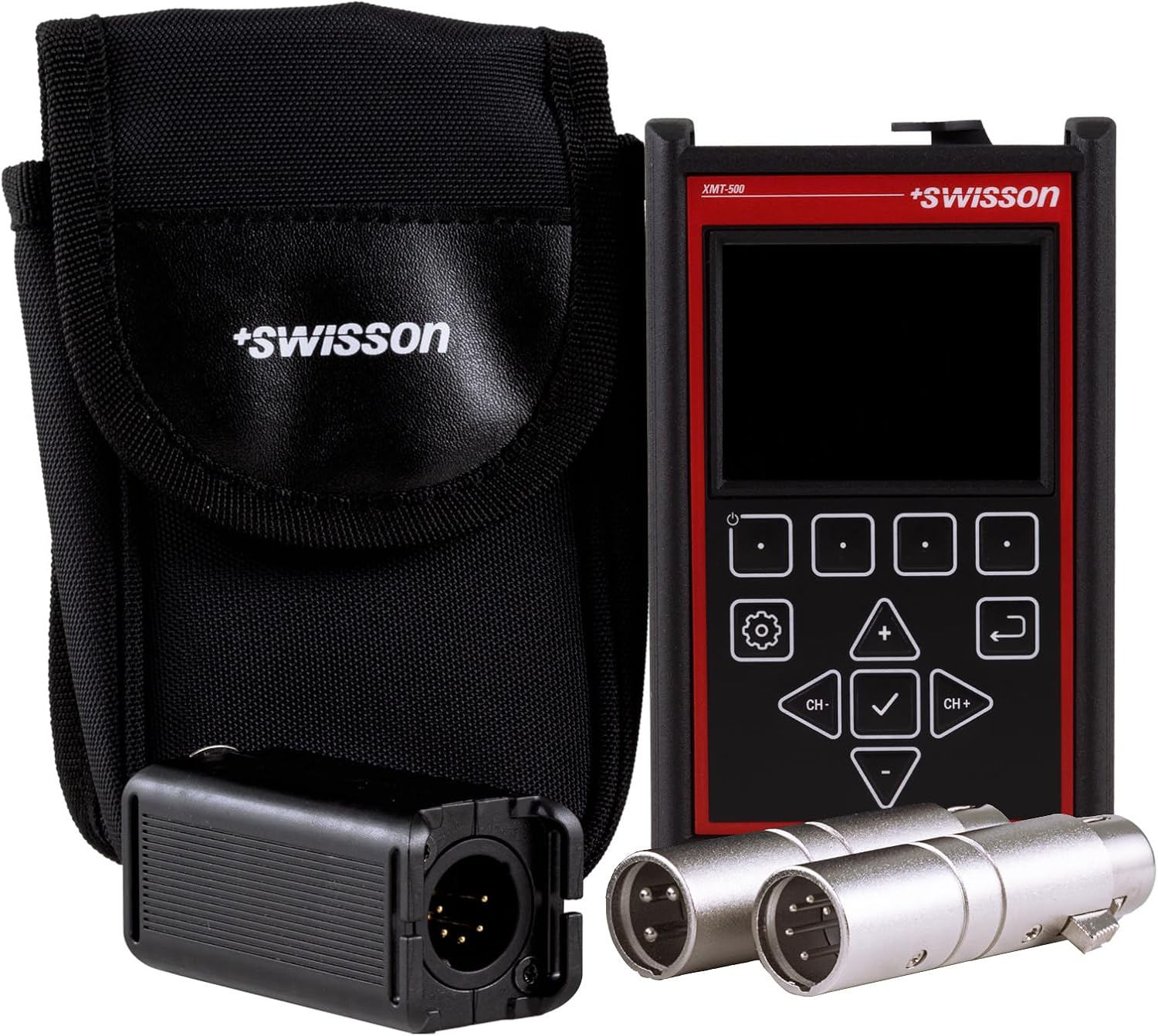
Swisson XMT-500 DMX Tester Unit
Apsauginis nešiojimo krepšys
USB-C įkrovimo laidas
XLR 3-pin Test Adapter
XLR 5-pin Test Adapter
RJ-45 Cable Tester Module
Image: All components included in the Swisson XMT-500 package.
4. Sąranka
Before initial use, ensure the device is fully charged using the provided USB-C cable. Connect the cable to the USB-C port on the side of the XMT-500 and to a compatible USB power source. The device features various ports for different testing and control functionalities:
XLR Ports: Located on one side for DMX signal testing (5-pin and 3-pin).
etherCON Port: Located on the opposite side for Art-Net and sACN communication.
USB-C prievadas: Įkrovimui ir duomenų perdavimui.
Image: Close-up of the XLR input/output ports on the Swisson XMT-500.
Image: Close-up of the etherCON and USB-C ports, with the detachable RJ-45 cable tester module.
5. Naudojimo instrukcijos
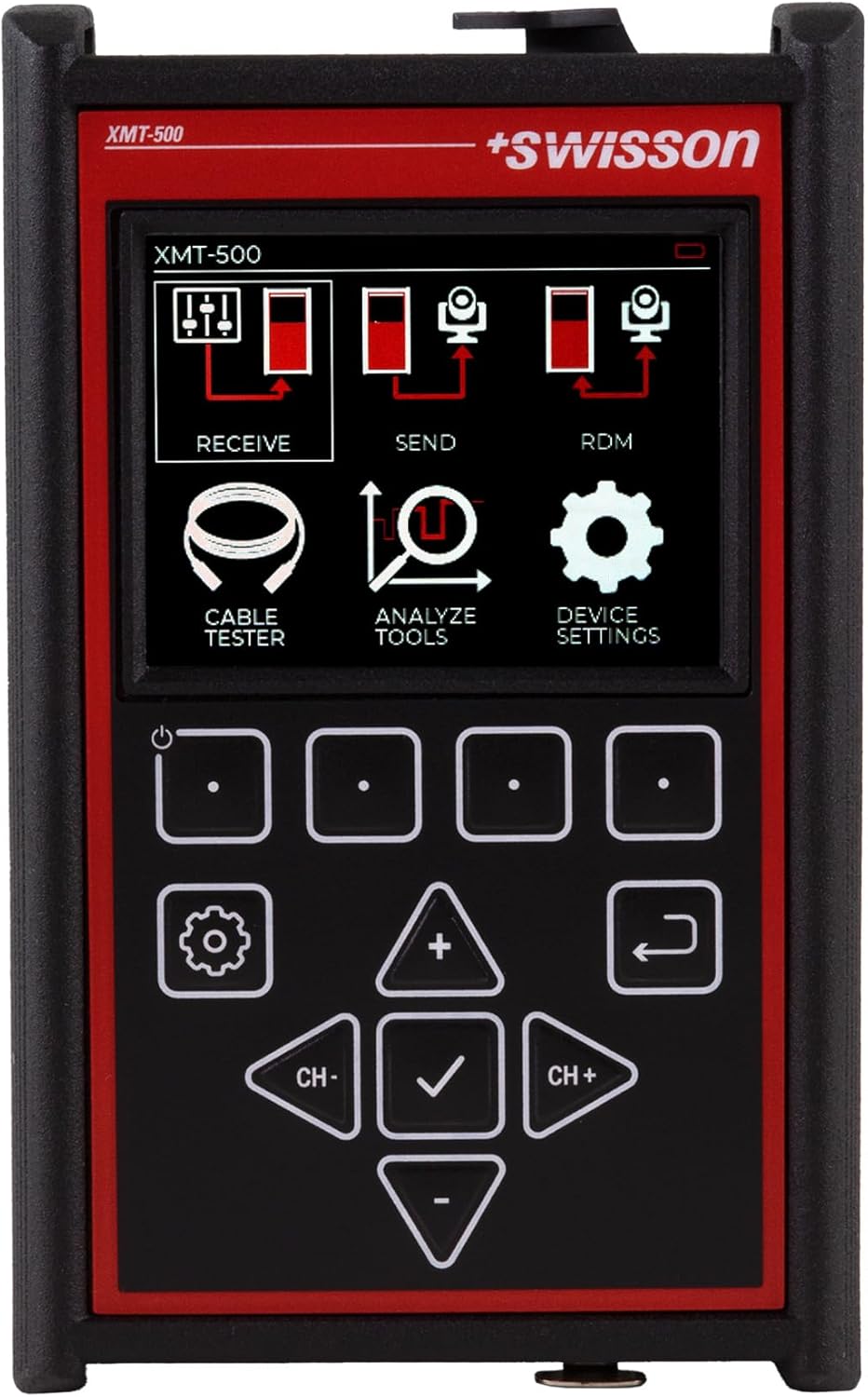
The Swisson XMT-500 features a user-friendly interface with a full-color IPS TFT display and tactile buttons for navigation. Power on the device using the dedicated power button. The main menu provides access to various functions:
Gauti: Monitor incoming DMX or Art-Net/sACN signals.
Siųsti: Generate and send DMX or Art-Net/sACN signals for testing fixtures.
RDM: Discover and configure RDM-compliant devices on the network.
Kabelių testeris: Verify the integrity and pin-out of XLR and RJ-45 cables using the included modules.
Analyze Tools: Access advanced analysis features for signal timing and data.
Įrenginio nustatymai: Configure device parameters, display options, and network settings.
Image: The main menu screen of the Swisson XMT-500, showing various operational modes.
5.1. Cable Testing
To test a cable, navigate to the 'Cable Tester' option from the main menu. Connect one end of the cable to the appropriate port on the XMT-500 and the other end to the corresponding test adapter (XLR or RJ-45 module). The device will automatically analyze the cable's continuity and pin configuration, displaying a 'PASS' or 'FAIL' status along with detailed pin-out information.
Vaizdas: priekis view of the Swisson XMT-500, highlighting the display and control buttons used for navigation.
5.2. Produkto demonstracinis vaizdo įrašas
Video: Official product video demonstrating the features and unboxing of the Swisson XMT-500 DMX Tester, including a brief overview of its functionalities and accessories.
6. Priežiūra
To ensure the longevity and optimal performance of your Swisson XMT-500, follow these maintenance guidelines:
Valymas: Įrenginį valykite minkšta, sausa šluoste. Jei nešvarumai sunkiai įveikiami, naudokite šiek tiek sausą šluostę.amp cloth with mild soap can be used, ensuring no liquid enters the ports or screen. Avoid abrasive cleaners.
Saugykla: Store the device in its protective carrying pouch when not in use to prevent scratches and impacts. Keep it in a cool, dry place away from direct sunlight and extreme temperatures.
Akumuliatoriaus priežiūra: The device is equipped with a rechargeable lithium-ion battery. For best battery life, avoid fully discharging the battery frequently. Charge it regularly, even if not in constant use.
Firmware atnaujinimai: Periodiškai tikrinkite gamintojo websvetainėje, kurioje pateikiami visi galimi programinės įrangos atnaujinimai, kad jūsų įrenginyje būtų naujausios funkcijos ir ištaisytos klaidos.
7. Problemų sprendimas
If you encounter issues with your Swisson XMT-500, consider the following basic troubleshooting steps:
Įrenginys neįsijungia: Ensure the battery is charged. Connect the USB-C cable and try powering on while connected to a power source.
Rodymo problemos: If the screen is unresponsive or shows anomalies, try restarting the device. Ensure the screen is clean and free from debris.
Signal Not Detected: Verify all cables are correctly connected and are not damaged. Ensure the signal source is active and properly configured. Check the selected mode (Receive/Send) on the XMT-500 matches your intended operation.
Cable Test Failure: Re-check the cable for visible damage. Ensure the test adapters are securely connected. Try testing a known good cable to confirm the device's functionality.
For more complex issues or persistent problems, refer to the detailed user manual or contact SIRS-E customer support.
8. Specifikacijos
Specifikacija
Vertė
Prekės modelio numeris
XMT-500
Prekės svoris
1.79 svaro
Pakuotės matmenys
7.4 x 7.4 x 3.5 colio
Baterijos tipas
Lithium-ion (rechargeable via USB-C)
Ekranas
Full-color, sunlight-readable IPS TFT display
Ryšys
XLR (3-pin, 5-pin), etherCON, USB-C
Pasiekiama pirmoji data
23 m. sausio 2024 d
9. Garantija ir palaikymas
For detailed warranty information, please refer to the official documentation provided with your product or visit the SIRS-E website. For technical support, troubleshooting assistance, or service inquiries, please contact SIRS-E customer service.
An electronic version of the full user manual is available for download:
SIRS-E StripFlexLED™ CV serijos 12 V LED juostinė lemputė – 12CVXX-4032 modelis, duomenų lapas SIRS-E StripFlexLED™ CV serijos 12 V LED juostos (modelis 12CVXX-4032) duomenų lapas. Savybės: aukštas CRI (95), 330 liumenų/pėdai, pjaustomi segmentai, UL sertifikatas ir IP68 apsaugos klasė. Pagaminta JAV. Specifikacijos apima įėjimo tūrį.tage, energijos suvartojimas, šviesos diodų tankis, pritemdymo parinktys, aplinkosaugos įvertinimai ir garantija.
LTSYS SE-12-100-500-W1M Intelligent Constant Current LED Driver | DMX512/RDM Discover the LTSYS SE-12-100-500-W1M, an intelligent constant current LED driver featuring DMX512/RDM control, NFC app configuration, ultra-deep 0.01% dimming, and flicker-free operation. Ideal for professional indoor lighting systems.
e:cue SYMPL dmx mazgas – naudojimo informacija Šiame dokumente pateikiama informacija apie „e:cue SYMPL dmx“ mazgo naudojimą ir saugos instrukcijas. Jame aptariamas įrenginio aprašymas, diegimas, tinklo konfigūracija, bandymo režimai, programinės įrangos atnaujinimai ir sertifikatai.