1. Įvadas
This manual provides essential information for the safe and efficient use of your Metz MTD7000Z 40-inch Full HD Smart TV. Please read these instructions thoroughly before operating the device and retain them for future reference. This television combines Full HD resolution with Google TV, offering a comprehensive entertainment experience.
2. Kas yra dėžutėje
Upon unpacking, ensure all components are present and undamaged. The package should contain:
- Televizijos blokas
- Nuotolinio valdymo pultas
- Vartotojo vadovas
- 2x AAA baterijos
- Maitinimo kabelis
- 4 x Varžtai
- 2 x Support Bases

Image: Metz MTD7000Z TV with dimensions and a list of included accessories.
3. Sąranka
3.1 Stovo surinkimas
- Atsargiai padėkite televizorių ekranu žemyn ant minkšto, lygaus paviršiaus, kad nepažeistumėte.
- Align the support bases with the corresponding screw holes on the bottom of the TV.
- Secure the bases using the provided screws. Ensure they are tightened firmly.
3.2 Connecting Power and Antennas
- Prijunkite maitinimo laidą prie televizoriaus maitinimo įvesties, o tada – prie sieninio lizdo.
- Connect your antenna or cable to the DVB-C/T2/S2 input on the TV.
3.3 Pradinis įjungimas ir „Google TV“ sąranka
- Norėdami įjungti televizorių, paspauskite televizoriaus arba nuotolinio valdymo pulto maitinimo mygtuką.
- Follow the on-screen instructions to complete the initial setup, including language selection, network connection (Wi-Fi or Ethernet), and Google account login for Google TV features.
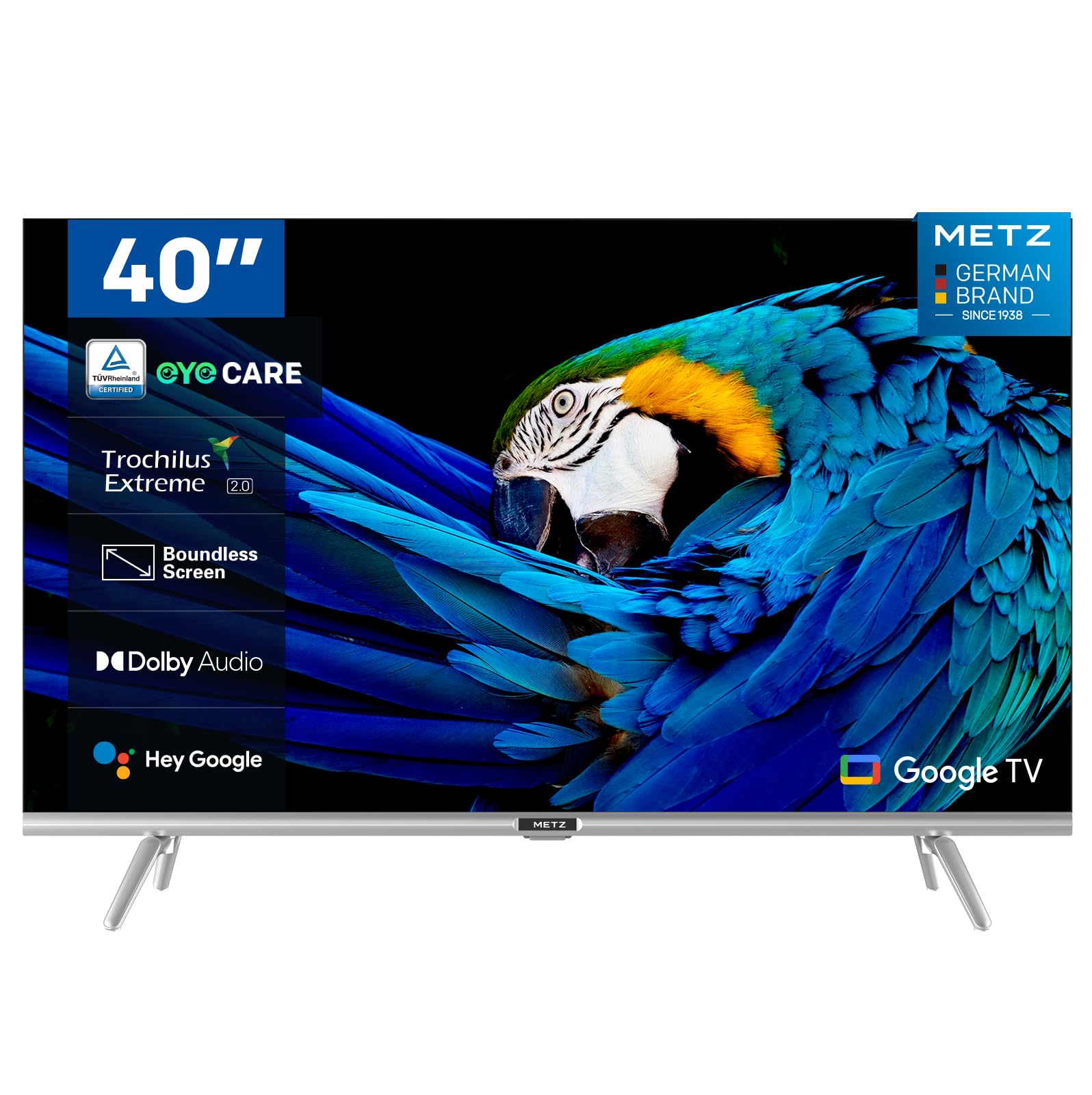
Vaizdas: priekis view of the Metz MTD7000Z 40-inch Full HD Smart TV.
4. Pagrindinės savybės
- Full HD Resolution with HDR10: The Metz MTD7000Z series features Direct LED technology and a 1920x1080 resolution, delivering sharp and realistic images. HDR10 enhances contrast between bright and dark scenes for a more immersive visual experience.

Image: Visual comparison demonstrating improved contrast with HDR10 on the TV.
- Google TV with Voice Control: This TV utilizes Google TV, providing an intuitive interface and integrated Google Assistant for easy voice control. Access a vast library of apps and content.

Image: The Google TV home screen displaying various applications.
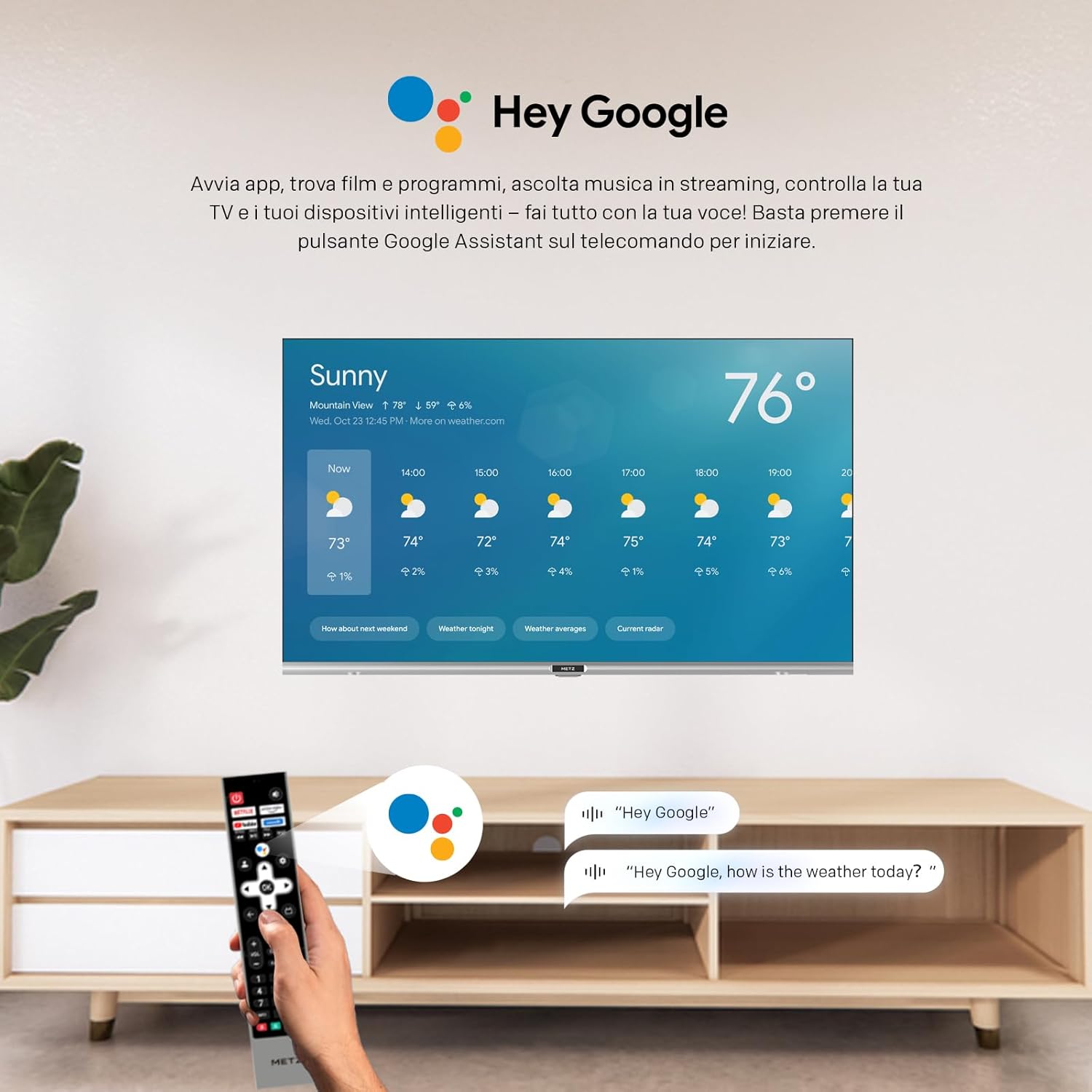
Image: A user using voice commands with the 'Hey Google' feature on the TV.
- Aukščiausia garso kokybė: Equipped with two 8W speakers, this smart TV offers excellent audio quality. Dolby Audio and DTS Studio Sound provide an immersive sound experience.
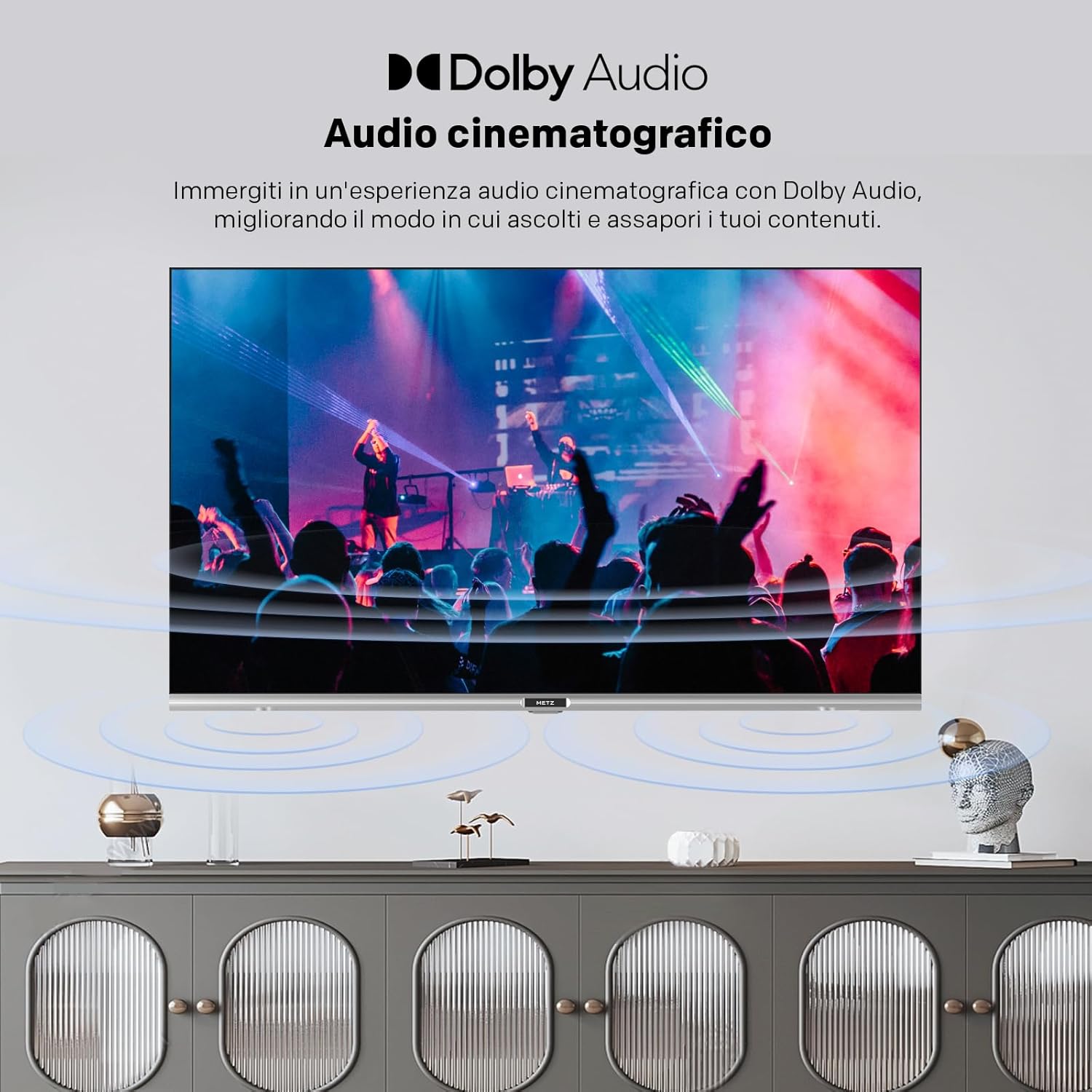
Image: Illustration of cinematic audio experience with Dolby Audio.
- Stabilus ryšys: Dual-band Wi-Fi (2.4GHz & 5GHz) ensures a fast and stable internet connection. Bluetooth 5.0 enhances remote control responsiveness and voice control, facilitating connection with other wireless devices.
- Elegantiškas dizainas: A sophisticated design with a borderless screen, silver decorative bar, and modern lines. The refined touch of Metz integrates perfectly into elegant interiors.
- Akių priežiūros ypatybės: Includes Flicker-Free technology and Low Blue Light emission to reduce eye strain during prolonged viewing.

Image: Demonstrating the flicker-free display of the MTD7000Z.

Image: Explanation of reduced blue light emission for eye comfort.
5. Naudojimo instrukcijos
5.1 Nuotolinio valdymo pulto funkcijos
The remote control allows you to navigate the Google TV interface, change channels, adjust volume, and access various smart features. Familiarize yourself with the button layout for optimal use.
5.2 „Google TV“ naršymas
The Google TV home screen provides personalized recommendations and quick access to your favorite streaming services and apps. Use the directional buttons on your remote to browse content and select applications.
5.3 Kanalų derinimas
After connecting your antenna or cable, access the TV settings to perform an automatic channel scan. This will detect and store all available digital and analog channels.
6. Ryšys
The Metz MTD7000Z offers a variety of ports for connecting external devices:
- HDMI: Connect Blu-ray players, gaming consoles, and other HDMI-enabled devices. The TV features 2 HDMI ports.
- USB: Use the 2 USB ports to connect USB drives for media playback or to power compatible devices.
- S/PDIF: Skaitmeniniam garso išvedimui į garso juostas arba namų kino sistemas.
- LAN: For a wired internet connection, providing stable network access.
- AV IN: Skirta senesniems įrenginiams prijungti naudojant kompozicinį vaizdo ir stereo garso kabelius.
- "Bluetooth 5.0": Connect wireless headphones, speakers, or other Bluetooth accessories.
- Wi-Fi (2.4GHz & 5GHz): Dėl belaidžio interneto ryšio.

Vaizdas: Viršview of available input/output ports on the TV.
7. Specifikacijos
| Funkcija | Specifikacija |
|---|---|
| Prekės ženklas | Metz |
| Modelis | 40MTD7000Z |
| Ekrano dydis | 40 colių (100 cm) |
| Ekrano technologija | LED-LCD, Direct LED |
| Rezoliucija | 1080p Full HD (1920x1080 pixels) |
| Atnaujinimo dažnis | 60 Hz |
| Operacinė sistema | „Android“ („Google TV“) |
| HDR palaikymas | HDR10 |
| Garso technologija | Dolby Audio, DTS Studio Sound |
| Garsiakalbis Wattage | 2x8W |
| Ryšys | Wi-Fi (2.4GHz & 5GHz), Bluetooth 5.0, 2x HDMI, 2x USB, S/PDIF, LAN, AV In |
| Derintuvo technologija | DVB-C/T2/S2 |
| Matmenys (su stovu) | 72.4 x 20.6 x 56.8 cm |
| Svoris | 5.2 kg |
| Viewing kampas | 178 laipsnių |
| Energijos suvartojimas | 39 watts (39 kWh/1000h) |

Image: Energy label for the Metz MTD7000Z TV.
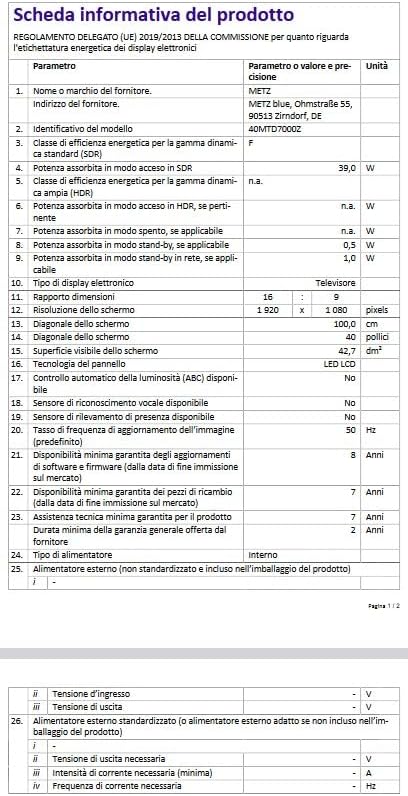
Image: Product information sheet with detailed technical data.
8. Problemų sprendimas
8.1 Nėra galios
- Įsitikinkite, kad maitinimo laidas yra tvirtai prijungtas tiek prie televizoriaus, tiek prie sieninio lizdo.
- Patikrinkite, ar sieninis lizdas veikia, prijungdami kitą įrenginį.
- Norėdami atmesti nuotolinio valdymo pulto problemas, paspauskite maitinimo mygtuką ant paties televizoriaus, o ne tik nuotolinio valdymo pulto.
8.2 Nėra vaizdo arba prasta vaizdo kokybė
- Verify that the correct input source (HDMI, AV, etc.) is selected.
- Patikrinkite visas kabelių jungtis (HDMI, antenos), ar jos nėra atsilaisvinusios ar pažeistos.
- If using an antenna, ensure it is properly positioned and perform a channel scan.
- Televizoriaus meniu reguliuokite vaizdo nustatymus (ryškumą, kontrastą, spalvas).
8.3 Nėra garso arba prasta garso kokybė
- Padidinkite garsumą tiek televizoriuje, tiek visuose prijungtuose išoriniuose garso įrenginiuose.
- Patikrinkite garso kabelio jungtis.
- Įsitikinkite, kad televizoriaus garsas nėra nutildytas.
- Jei naudojate išorinius garsiakalbius, įsitikinkite, kad jie įjungti ir tinkamai sukonfigūruoti.
8.4 Nuotolinio valdymo pultas neveikia
- Pakeiskite nuotolinio valdymo pulto baterijas.
- Įsitikinkite, kad tarp nuotolinio valdymo pulto ir televizoriaus IR jutiklio nėra jokių kliūčių.
- If it's a Bluetooth remote, ensure it's paired correctly.
8.5 Tinklo ryšio problemos
- Iš naujo paleiskite maršrutizatorių ir modemą.
- Check Wi-Fi password and ensure the TV is within range of your router.
- If using a wired connection, ensure the Ethernet cable is securely plugged in.
9. Priežiūra
9.1 Ekrano valymas
- Prieš valydami visada atjunkite televizorių nuo elektros tinklo.
- Ekraną švelniai nuvalykite minkštu, nepūkuotu audiniu (pvz., mikropluošto).
- Įsisenėjusioms dėmėms lengvai nuvalykiteampNuvalykite šluostę vandeniu arba specializuotu ekrano valikliu. Niekada nepurkškite valiklio tiesiai ant ekrano.
- Venkite naudoti abrazyvinius valiklius, alkoholį, benzeną ar skiediklius, nes jie gali pažeisti ekraną.
9.2 Spintos valymas
- Televizoriaus korpusą nuvalykite minkštu, sausu skudurėliu.
- Do not use any liquid or spray cleaners on the cabinet.
9.3 Vėdinimas
- Užtikrinkite tinkamą vėdinimą aplink televizorių, kad jis neperkaistų.
- Neužblokuokite ventiliacijos angų tokiais daiktais kaip laikraščiai, staltiesės ar užuolaidos.
10. Garantija ir palaikymas
Your Metz MTD7000Z Smart TV comes with a manufacturer's warranty. Please refer to the warranty card included in your packaging for specific terms and conditions, including the warranty period and coverage details.
For technical support, service, or further assistance, please contact Metz customer service or visit the official Metz website. Contact information can typically be found in the warranty documentation or on the manufacturer's websvetainę.


