Įvadas
This manual provides detailed instructions for the safe and effective use of your PNI PMR R45 PRO portable radio. Please read this manual thoroughly before operating the device to ensure proper functionality and to prevent damage.
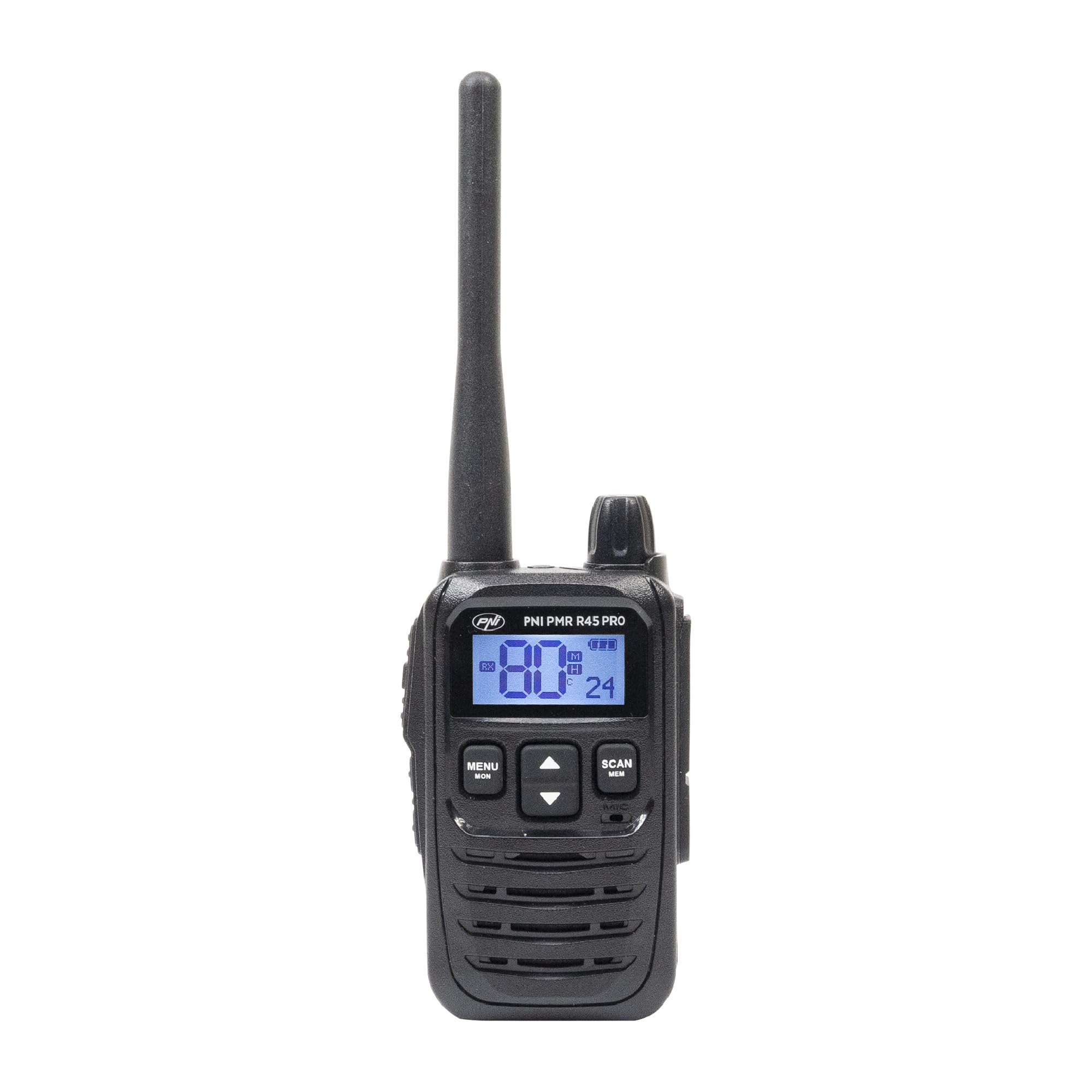
Image: PNI PMR R45 PRO Portable Radio, front view.
Pakuotės turinys
Patikrinkite, ar jūsų pakuotėje yra visi toliau išvardyti daiktai:
- 1 x PNI PMR R45 PRO Radio Station
- 1 x Li-Ion Battery (2000 mAh)
- 1x stalinis įkroviklis
- 1 x Wall Power Supply
- 1 x USB tipo C laidas
- „1 x“ antena
- 1 x diržo segtukas
- 1 x Naudotojo vadovas (šis dokumentas)

Image: All components included in the PNI PMR R45 PRO package.
Sąranka
1. Akumuliatoriaus įdėjimas
- Įsitikinkite, kad radijo imtuvas yra išjungtas.
- Raskite baterijų skyriaus dangtelį radijo imtuvo gale.
- Norėdami atidaryti, stumkite dangtelį žemyn arba atlaisvinkite jį.
- Insert the Li-Ion battery into the compartment, ensuring the contacts align correctly.
- Uždėkite akumuliatoriaus skyriaus dangtelį ir pritvirtinkite.

Image: Open battery compartment of the PNI PMR R45 PRO radio, showing battery insertion.
2. Akumuliatoriaus įkrovimas
- Connect the USB Type C cable to the desktop charger.
- Connect the wall power supply to the USB Type C cable and plug it into a power outlet.
- Place the radio into the desktop charger. Ensure the charging indicator light illuminates.
- Charge the battery fully before first use (approximately 3-4 hours).

Image: PNI PMR R45 PRO radio placed in its desktop charging cradle, connected to a wall adapter via USB-C cable.
3. Diržo spaustuko pritvirtinimas
- Sulygiuokite diržo segtuką su tam skirtais lizdais radijo imtuvo gale.
- Slide the belt clip upwards until it clicks securely into place.

Image: A hand demonstrating the attachment of the belt clip to the back of the PNI PMR R45 PRO radio.
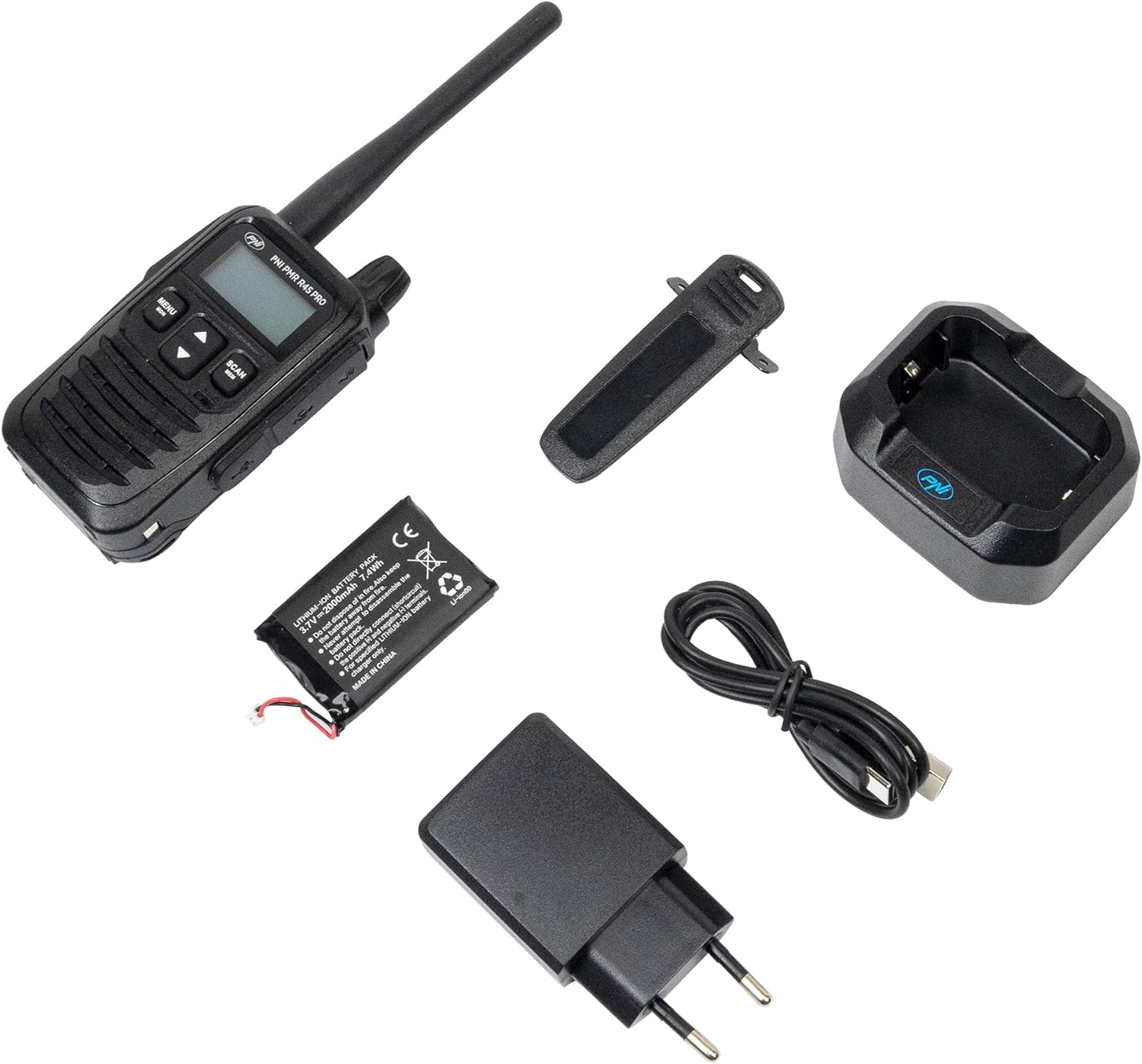
Image: PNI PMR R45 PRO radio with the belt clip securely attached.
Naudojimo instrukcijos
Pagrindinė operacija
- Maitinimo įjungimas/išjungimas: Press and hold the power button (usually combined with volume knob) until the LCD screen illuminates or turns off.
- Garso reguliavimas: Garsumo reguliatorių sukite pagal laikrodžio rodyklę, norėdami padidinti garsumą, prieš laikrodžio rodyklę, norėdami sumažinti.
- Kanalo pasirinkimas: Use the Up/Down arrow buttons to select one of the 99 available channels.
- Tiesioginio ryšio funkcija (PTT): Press and hold the PTT button on the side of the radio to transmit your voice. Release to listen.

Image: A hand holding the PNI PMR R45 PRO radio, with a finger positioned on the Push-to-Talk (PTT) button.

Vaizdas: Šoninė view of the PNI PMR R45 PRO radio, highlighting the PTT button and other side controls.
Išplėstinės funkcijos
- CTCSS/DCS kodai: To ensure private conversations, set the same CTCSS (38 tones) or DCS (104 codes) sub-code on all radios in your group. Refer to the radio's menu for setting these codes.
- VOX funkcija (balsu valdomas pokalbis): Activates transmission automatically when you speak, without needing to press the PTT button. The PNI PMR R45 PRO offers 3 sensitivity levels for VOX. Activate and adjust in the menu.
- Squelch: Suppresses weak signals and background noise. The radio features 5 squelch levels. Higher levels require stronger signals to open the receiver. Adjust in the menu.
- Skenavimo funkcija: Scans through active channels to find ongoing conversations. Activate by pressing the 'Scan' button or through the menu.
- Rogerio pyptelėjimas: An audible tone transmitted when the PTT button is released, signaling the end of your transmission. Can be enabled/disabled in the menu.
- Klaviatūros užraktas: Prevents accidental changes to settings. Activate/deactivate via the menu or a dedicated button.
- Skambėjimo tonai: Choose from 5 selectable call tones to alert other users.
- Laikmatis (TOT): Limits the duration of a single transmission to prevent accidental continuous transmission and conserve battery.
- Užimto kanalo blokavimas (BCL): Apsaugo nuo perdavimo kanalu, kuris jau naudojamas.
- Automatic Power Saver: Extends battery life by reducing power consumption during periods of inactivity.
- Senkančios baterijos indikatorius: An icon or audible alert will notify you when the battery level is low.
Priežiūra
- Valymas: Naudokite minkštą, damp Radijo išorę valykite šluoste. Nenaudokite stiprių cheminių medžiagų ar abrazyvinių valiklių.
- Akumuliatoriaus priežiūra: For optimal battery life, avoid fully discharging the Li-Ion battery frequently. Charge the radio regularly. If storing for extended periods, charge the battery to about 50% and store in a cool, dry place.
- Saugykla: Radijo imtuvą laikykite sausoje vietoje, atokiau nuo ekstremalių temperatūrų ir tiesioginių saulės spindulių.
- Antena: Do not bend or modify the antenna. A damaged antenna can affect performance.
Trikčių šalinimas
| Problema | Galima priežastis | Sprendimas |
|---|---|---|
| Radijas neįsijungia. | Baterija išsikrovusi arba netinkamai įdėta. | Įkraukite bateriją arba tinkamai ją įdėkite iš naujo. |
| Negalima perduoti ar priimti. | Incorrect channel/sub-code, out of range, or low battery. | Patikrinkite kanalo ir CTCSS/DCS nustatymus. Priartėkite prie kitų radijo stočių. Įkraukite bateriją. |
| Prasta garso kokybė arba statinis triukšmas. | Weak signal, high squelch level, or interference. | Sureguliuokite triukšmo slopinimo lygį. Pereikite į vietą, kurioje geresnis signalas. Patikrinkite, ar nėra trukdžių šaltinių. |
| Baterijos veikimo laikas trumpesnis nei tikėtasi. | Frequent transmissions, high volume, or aging battery. | Utilize power-saving features. Reduce transmission time. Consider replacing the battery if it's old. |
Specifikacijos
| Prekės kodas | PNI-R45-PRO |
| Tipas | PMR446 Portable Radio |
| Frequency (UHF) | 446.00625 ~ 446.19375 MHz |
| Kanalai | 99 (16 PMR + 38 CTCSS / 104 DCS) |
| Dažnių keitimo žingsnio | 12.5 kHz (PMR) |
| Apsaugos kodai | 38 CTCSS, 104 DCS |
| Perdavimo galia | 0.5W |
| Maitinimo šaltinis | Li-Ion Battery (2000 mAh) |
| Battery Life (5/5/90 cycle) | Iki 12 valandų |
| Darbinė temperatūra | -26°C ~ +80°C |
| Svoris (su baterija) | 145 g |
| Matmenys (I x A x G) | 55 x 185 x 30 mm (100 mm without antenna) |
| Antenos ilgis | 95 mm |
| Audio Accessory Pins | 2-pin PNI-K |
| Įkrovimo prievadas | C tipo USB |
| Ypatingos savybės | VOX (3 levels), Squelch (5 levels), Scan, Roger Beep, Keypad Lock, TOT, BCL, Low Battery Indicator, Automatic Power Saver, Dual Watch, Channel Monitor, Programmable. |
Garantija ir palaikymas
The PNI PMR R45 PRO portable radio comes with a 2 metų gamintojo garantija nuo pirkimo datos. Ši garantija apima medžiagų ir gamybos defektus normaliai naudojant.
For technical support, warranty claims, or service inquiries, please contact the manufacturer:
- Gamintojas: ONLINESHOP SRL
- El. paštas: comenzi@pni.ro
- Adresas: Olteniei 26A, Piatra Neamt, Neamt 610206, Romania

Image: Bottom label of the PNI DCR45 desktop charger, showing manufacturer information and contact details.


