1. Įvadas
The ProtoArc XKM03 is an ergonomic, foldable Bluetooth keyboard and mouse combo designed for portability and comfortable use across various devices. This manual provides instructions for setup, operation, maintenance, and troubleshooting to ensure optimal performance.

Image: The ProtoArc XKM03 foldable keyboard, ergonomic mouse, and protective carrying case.
Pagrindinės funkcijos:
- Ergonomic Split Design: The keyboard features a V-shape with a 166-degree angle and split keyset to promote a natural typing posture and reduce wrist strain.
- Ultra-Slim and Foldable: The keyboard folds for compact storage and portability, with automatic power on/off upon unfolding/folding.
- Ergonomiška pelė: The wireless mouse is designed with a contoured shape for palm and thumb support, reducing wrist discomfort. It offers adjustable DPI settings up to 2400.
- Kelių įrenginių ryšys: Connects to up to three Bluetooth devices simultaneously, allowing for easy switching between them.
- Platus suderinamumas: Compatible with Mac OS, iOS, Android, and Windows operating systems on iPads, iPhones, tablets, cellphones, and laptops.
2. Pakuotės turinys
- ProtoArc XKM03 Foldable Bluetooth Keyboard
- ProtoArc Ergonomic Bluetooth Mouse
- USB-C įkrovimo laidas
- Vartotojo vadovas
- Dėklas nešiojimui
3. Sąranka ir prijungimas
3.1 Įrenginių įkrovimas
Before initial use, fully charge both the keyboard and the mouse using the provided USB-C charging cable. The charging port for the keyboard is typically located on the side or back edge. The mouse charging port is usually on the front edge.
- Pilnas įkrovimas trunka maždaug 2 valandų.
- The keyboard has a standby time of up to 250 hours on a full charge.
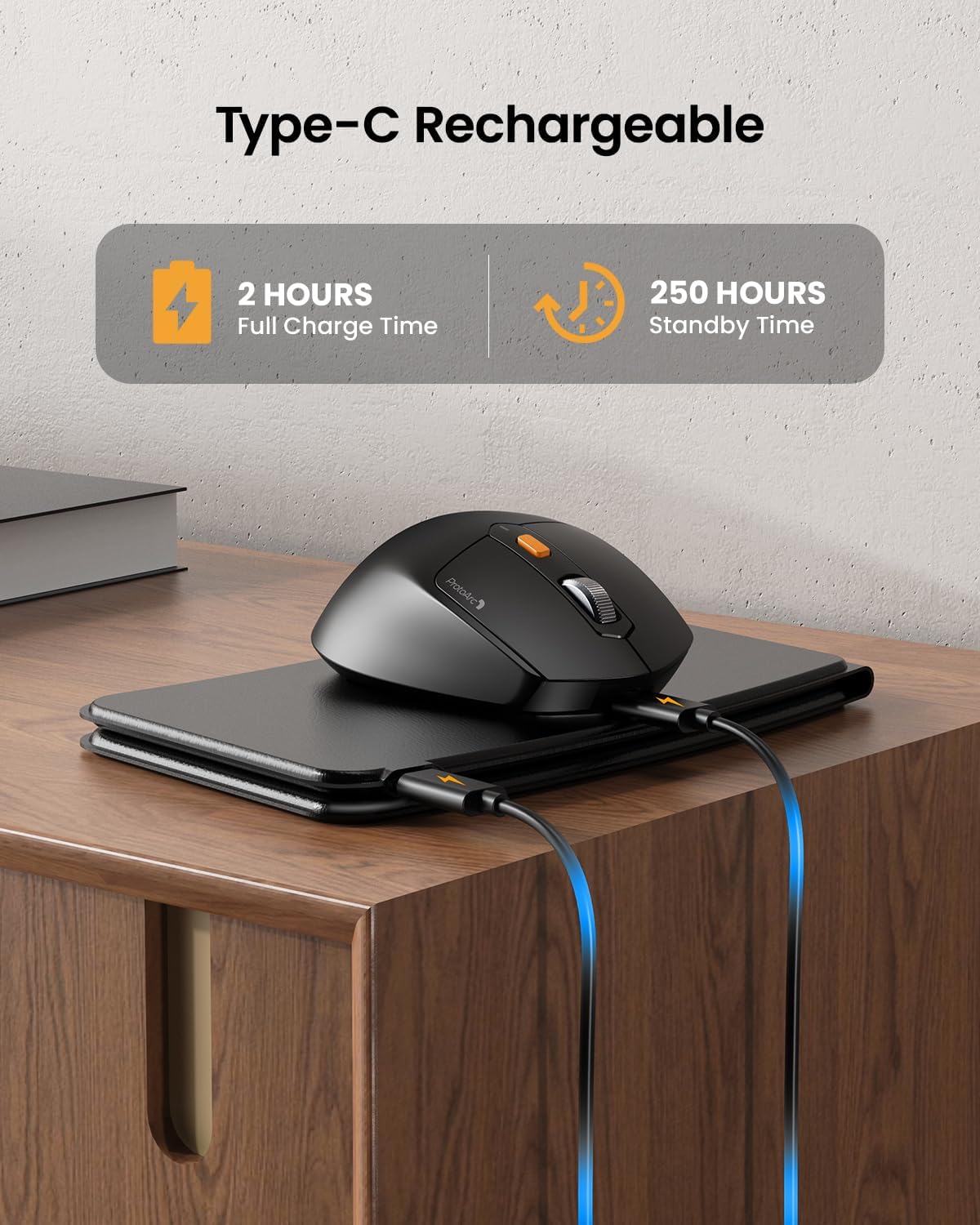
Image: The keyboard and mouse connected to power via USB-C cables for charging.
3.2 Keyboard Bluetooth Pairing
- Unfold the keyboard. This action automatically powers on the keyboard.
- Paspauskite ir palaikykite Fn klavišą ir vieną iš „Bluetooth“ kanalo klavišų (BT1, BT2, arba BT3) for 3-5 seconds until the corresponding indicator light flashes rapidly. This indicates the keyboard is in pairing mode.
- On your device (iPad, tablet, iPhone, laptop), go to Bluetooth settings and search for available devices.
- Pasirinkite „ProtoArc XKM03 Keyboard“ iš sąrašo.
- Prijungus, indikatoriaus lemputė nustos mirksėti ir kelias sekundes šviečia nemirksėdama, o tada užges.
3.3 Mouse Bluetooth Pairing
- Įjunkite pelę naudodami maitinimo jungiklį, esantį jos apačioje.
- Press the Bluetooth pairing button (usually on the underside or top near the scroll wheel) for 3-5 seconds until the indicator light flashes rapidly.
- Įrenginyje eikite į „Bluetooth“ nustatymus ir ieškokite galimų įrenginių.
- Pasirinkite „ProtoArc XKM03 Mouse“ iš sąrašo.
- Prijungus, indikatoriaus lemputė nustos mirksėti.

Image: The keyboard and mouse wirelessly connected to a laptop, tablet, and smartphone, illustrating multi-device capability.
4. Naudojimo instrukcijos
4.1 Klaviatūros naudojimas
The XKM03 keyboard features an ergonomic split design for comfortable typing. An initial adaptation period may be required to become accustomed to the layout.

Image: A user's hands positioned on the V-shaped split keyboard, demonstrating the ergonomic design.
Automatinis įjungimas/išjungimas:
- Išskleiskite klaviatūrą, kad ją įjungtumėte.
- Fold the keyboard to power it off.
- The keyboard also features magnetic closure to prevent accidental unfolding.
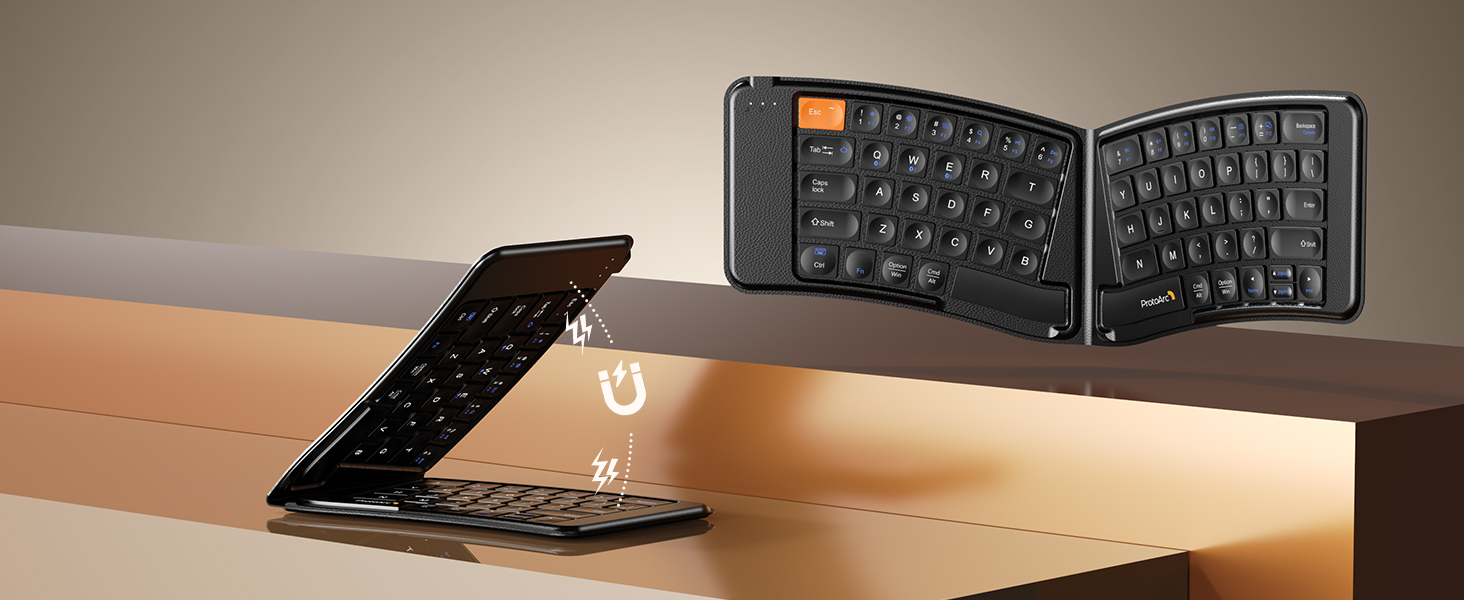
Image: The keyboard shown in both folded and unfolded states, highlighting its magnetic closure mechanism.
4.2 Įrenginių perjungimas
To switch between paired Bluetooth devices, simply press the Fn klavišą kartu su atitinkamu „Bluetooth“ kanalo klavišu (BT1, BT2, arba BT3) that your desired device is paired to.
4.3 Multimedijos funkcijų klavišai
The keyboard includes multimedia function keys. Refer to the keycap legends for specific functions (e.g., volume control, media playback).
- Paspauskite F1-F10 directly to access number 1-0.
- Paspauskite Fn+F1-F12 to activate multimedia functions.
- Paspauskite Shift + F1-F12 to input symbols like !, @, #.
- Paspauskite Fn + Shift + F1-F12 to access F1-F12 functions.
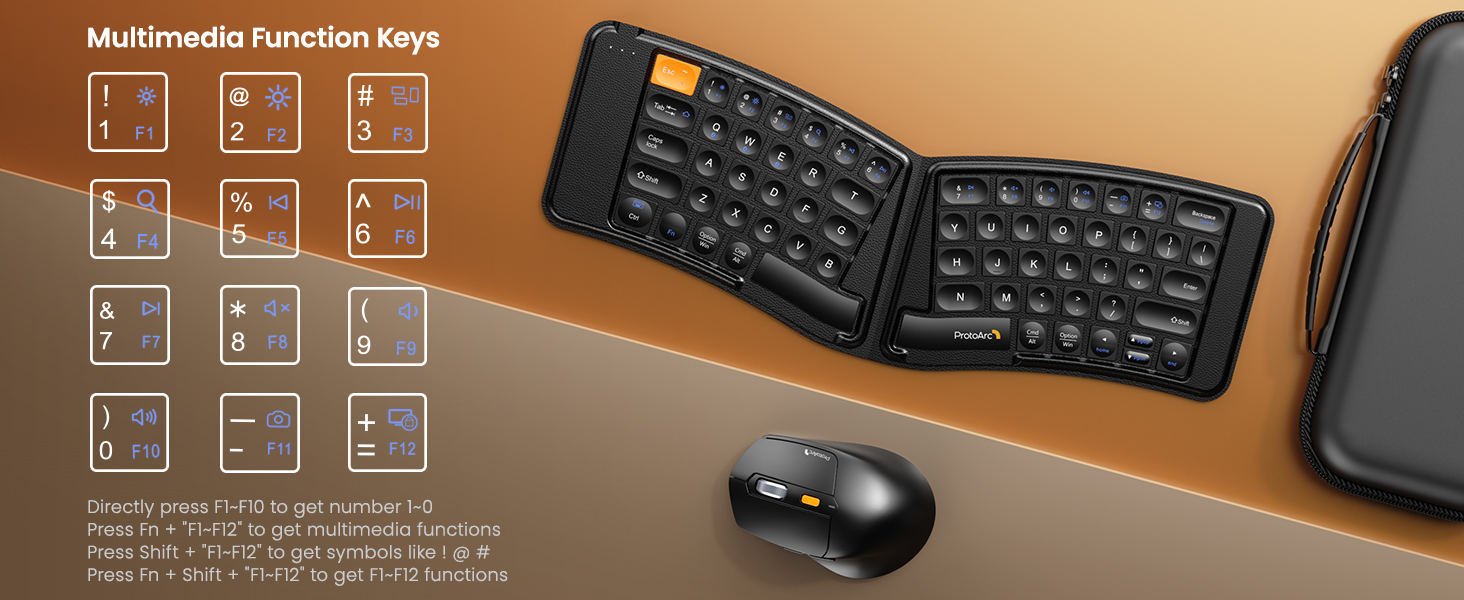
Image: A visual guide to the multimedia function keys and their combinations on the keyboard.
4.4 Pelės naudojimas
The ergonomic mouse provides comfortable navigation. It features adjustable DPI settings and additional navigation buttons.
- DPI reguliavimas: Press the DPI button (usually located behind the scroll wheel) to cycle through different sensitivity levels (e.g., 800, 1200, 1600, 2400 DPI).
- Pirmyn/atgal mygtukai: Use the side buttons for quick navigation in web naršyklės arba file tyrinėtojai.

Image: Diagram illustrating the adjustable DPI settings of the mouse.

Image: Diagram showing the location of the forward and backward buttons on the mouse.
5. Priežiūra ir priežiūra
- Valymas: Use a soft, dry cloth to clean the keyboard and mouse. For stubborn dirt, a slightly damp Galima naudoti šluostę su švelniu muilu, užtikrinant, kad į prietaisus nepatektų skysčio.
- Saugykla: When not in use, fold the keyboard and store both devices in the provided carrying case to protect them from dust and damage.
- Įkrovimas: Recharge the devices when the battery indicator light shows low power. Avoid prolonged exposure to extreme temperatures.
- Medžiaga: The keyboard features a wear-resistant PU leather exterior.

Vaizdas: Stambus planas view of the keyboard's surface, highlighting the PU leather material.
6. Problemų sprendimas
| Problema | Galima priežastis | Sprendimas |
|---|---|---|
| Keyboard/Mouse not connecting via Bluetooth. | Low battery; not in pairing mode; device's Bluetooth is off; interference. |
|
| Keyboard/Mouse frequently disconnects. | Low battery; too far from host device; interference. |
|
| Pelės žymeklis juda nereguliariai arba nereaguoja. | Low battery; dirty sensor; unsuitable surface; incorrect DPI setting. |
|
| Keyboard keys are not responding. | Low battery; keyboard not powered on; connection issue. |
|
7. Specifikacijos
| Funkcija | Detalė |
|---|---|
| Modelio numeris | XKM03 |
| Prekės ženklas | ProtoArc |
| Ryšys | Bluetooth (up to 3 devices) |
| Klaviatūros dizainas | Ergonomic Split, Foldable |
| Pelės DPI nustatymai | 800, 1200, 1600, 2400 |
| Įkrovimo prievadas | USB-C |
| Pilnas įkrovimo laikas | apytiksliai 2 valandas |
| Budėjimo laikas | apytiksliai 250 valandas |
| Suderinama OS | Mac OS, iOS, Android, Windows |
| Dimensions (Folded Keyboard) | Maždaug 7.68 x 5.62 x 0.5 colio |
| Prekės svoris | 1.96 svaro (kombinuotas) |

Image: Diagram showing the folded dimensions of the keyboard.
8. Garantija ir palaikymas
For warranty information and technical support, please refer to the official ProtoArc websvetainėje arba susisiekite tiesiogiai su jų klientų aptarnavimo tarnyba. Kontaktiniai duomenys paprastai pateikiami ant produkto pakuotės arba gamintojo websvetainę.
Gamintojas: ProtoArc


