1. Įvadas
This manual provides instructions for the safe and efficient operation of your ChargeWorx Mini Portable Charger Power Bank, Model CX6896BK. Please read this manual thoroughly before use and retain it for future reference.
2. Produktas baigtasview
The ChargeWorx Mini Portable Charger Power Bank is a compact and versatile charging solution designed for mobile devices. It features a built-in USB-C connector, a 5,000 mAh battery capacity, and an LCD display for monitoring battery levels. The device supports fast charging, dual output, and pass-through charging capabilities.

Image: The ChargeWorx Mini Portable Charger connected directly to the charging port of a smartphone, displaying '100' on its LCD screen.
Pagrindinės funkcijos:
- Integruota USB-C jungtis: Directly connects to compatible devices.
- 5,000 mAh Battery Capacity: Provides extended power for mobile devices.
- LCD Power Indicator: Rodo esamą baterijos procentątage.
- Greitas įkrovimas: Supports 5V/A fast charging.
- Dviguba išvestis: Charge two devices simultaneously using the built-in USB-C connector and the additional USB-C port.
- Pereinantis įkrovimas: Allows charging of a device while the power bank itself is being charged.
- Kompaktiškas ir nešiojamas dizainas: Easily fits into pockets or bags.
- Apsauginis dangtelis: Covers the built-in USB-C connector when not in use.

Image: An internal diagram of the power bank highlighting the digital battery display and the C-type output connector.
3. Pakuotės turinys
- ChargeWorx Mini Portable Charger Power Bank (Model CX6896BK)
- Vartotojo vadovas
4. Sąranka
Pradinis išorinės baterijos įkrovimas:
- Connect a USB-C charging cable (not included) to the USB-C input/output port on the side of the power bank.
- Connect the other end of the USB-C cable to a compatible USB power adapter (e.g., wall charger, computer USB port).
- LCD ekrane bus rodoma įkrovimo eiga, nurodant akumuliatoriaus procentątage.
- Charge the power bank until the LCD display shows 100%.

Image: An internal diagram of the power bank illustrating the USB-C input/output port and its 5000mAh power bank capacity.
5. Naudojimo instrukcijos
Įrenginio įkrovimas:
- Remove the protective cap from the built-in USB-C connector.
- Carefully plug the built-in USB-C connector directly into your device's USB-C charging port.
- Nešiojamoji baterija automatiškai pradės krauti jūsų įrenginį. Nešiojamosios baterijos LCD ekrane bus rodomas likęs akumuliatoriaus įkrovos procentas.tage.
- To stop charging, simply disconnect the power bank from your device. Replace the protective cap when not in use.

Image: A smartphone displaying '75% Charged' while connected to the ChargeWorx power bank, held in a user's hand.
Dviejų įrenginių įkrovimas:
The power bank supports charging two devices simultaneously:
- Connect the first device using the built-in USB-C connector as described above.
- Connect a second device to the power bank's USB-C input/output port using a compatible USB-C charging cable (not included).
- Both devices will charge concurrently.
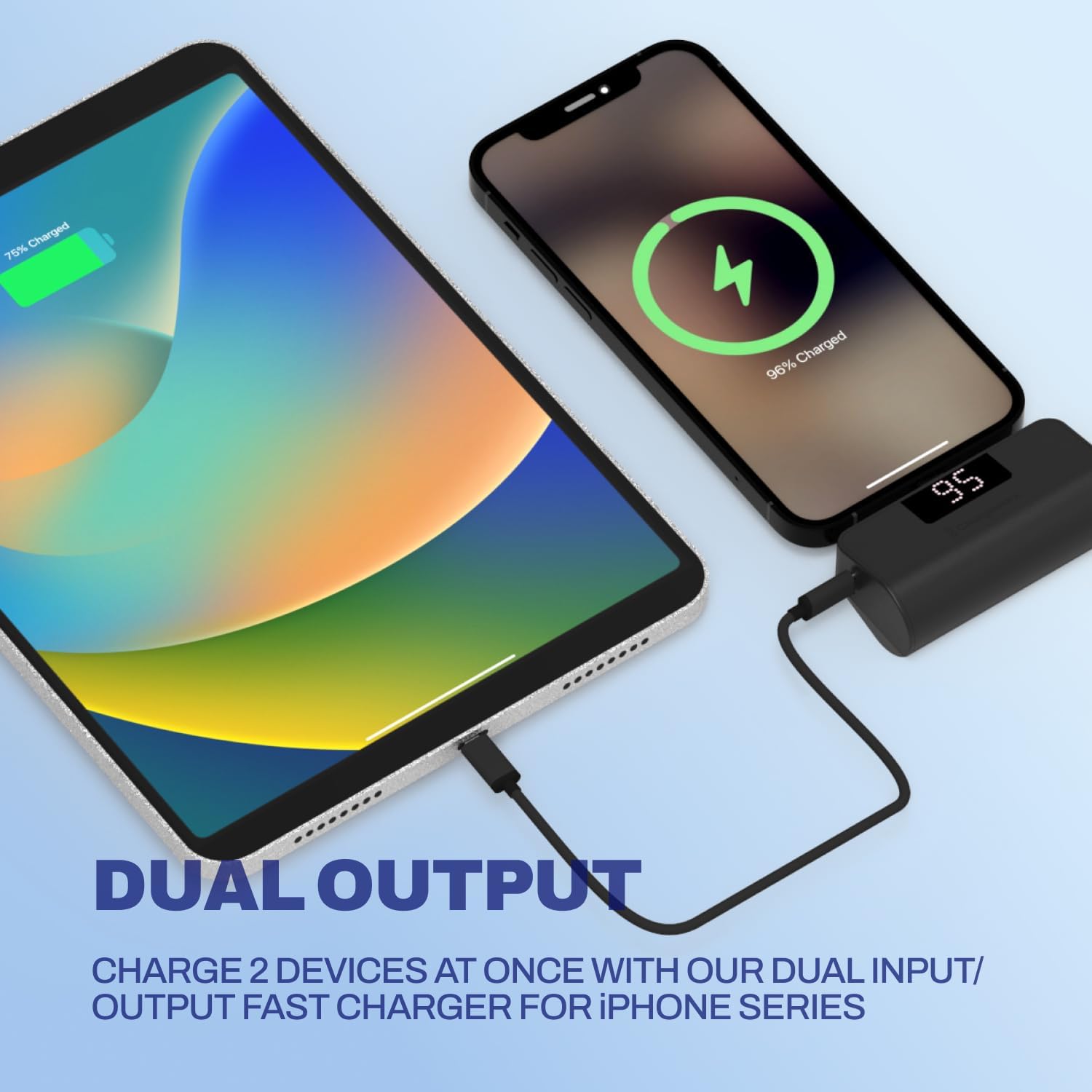
Image: A smartphone and a tablet are shown charging simultaneously, with the smartphone connected directly to the power bank and the tablet connected via a cable to the power bank's additional USB-C port.
Pereinantis įkrovimas:
You can charge a device while the power bank itself is being recharged:
- Prijunkite įrenginį prie maitinimo bloko naudodami integruotą USB-C jungtį.
- Connect the power bank to a power source using a USB-C charging cable plugged into its USB-C input/output port.
- Both the power bank and your connected device will charge.
6. LCD ekrano informacija
The integrated LCD screen provides real-time information about the power bank's battery status. When the power bank is in use (charging a device) or being charged, the display will illuminate and show the current battery percentage nuo 0 iki 100%.

Image: A close-up of the ChargeWorx power bank, highlighting its easy-to-read digital LCD display and the included soft protective cap for the USB-C connector.
7. Saugos informacija
- Nelaikykite išorinės baterijos ekstremaliose temperatūrose, tiesioginiuose saulės spinduliuose ar ugnies vietoje.
- Saugokitės, kad maitinimo blokas nenukristų arba nepaveiktų stipraus smūgio.
- Neardykite, nemodifikuokite ir nebandykite taisyti įrenginio.
- Saugokite maitinimo bloką nuo vandens ir kitų skysčių.
- Ensure the built-in USB-C connector is properly aligned and inserted into your device's port to prevent damage. Avoid applying excessive force or stress to the connector while in use, especially when the device is in a pocket or bag, as this may cause damage to the connector or your phone's charging port.
- Naudokite tik suderinamus įkrovimo laidus ir adapterius.
- Laikyti vaikams nepasiekiamoje vietoje.
8. Priežiūra
- Valymas: Išorinę bateriją nuvalykite minkštu, sausu skudurėliu. Nenaudokite stiprių cheminių medžiagų ar abrazyvinių medžiagų.
- Saugykla: Store the power bank in a cool, dry place away from direct sunlight and moisture. If storing for extended periods, charge the power bank to approximately 50% every three months to maintain battery health.
- Always replace the protective cap over the built-in USB-C connector when not in use to prevent dust and damage.
9. Problemų sprendimas
Maitinimo bankas neįkraunamas:
- Įsitikinkite, kad USB-C įkrovimo laidas yra tvirtai prijungtas prie išorinės baterijos ir maitinimo adapterio.
- Patikrinkite, ar maitinimo adapteris veikia tinkamai ir yra įjungtas į veikiantį elektros lizdą.
- Pabandykite naudoti kitą USB-C laidą arba maitinimo adapterį.
Įrenginys neįkraunamas iš išorinės baterijos:
- Check if the power bank has sufficient charge (refer to the LCD display).
- Ensure the built-in USB-C connector is fully and correctly inserted into your device's charging port.
- If using the additional USB-C port, ensure the cable is securely connected and functional.
- Įsitikinkite, kad jūsų įrenginys suderinamas su USB-C įkrovimu.
- Iš naujo paleiskite įrenginį ir bandykite dar kartą.
Lėtas įkrovimas:
- Ensure both the power bank and your device support fast charging.
- Check if the charging cable and power adapter (if charging the power bank) are rated for fast charging.
- Vienu metu įkraunant kelis įrenginius, gali sumažėti individualus įkrovimo greitis.
10. Specifikacijos
| Modelio numeris | CX6896BK |
| Baterijos talpa | 5000 mAh |
| Jungties tipas | Built-in USB-C, USB-C Input/Output Port |
| Gaminio matmenys | 3.07 x 1.06 x 2.09 colio |
| Prekės svoris | 5.9 uncijos |
| Ypatingos savybės | Auto Shut-Off, Built-in Cable, Digital Display, Over Charging Protection, Pocket Size |
11. Garantija ir palaikymas
For warranty information or technical support, please refer to the official ChargeWorx websvetainėje arba susisiekite su jų klientų aptarnavimo skyriumi. Išsaugokite pirkimo kvitą kaip pirkimo įrodymą bet kokiems garantiniams reikalavimams.

