Įvadas
This manual provides detailed instructions for the EasySMX X15 Wireless Controller. It covers setup, operation, maintenance, and troubleshooting to ensure optimal performance and longevity of your device. The EasySMX X15 is designed for a versatile gaming experience across multiple platforms.
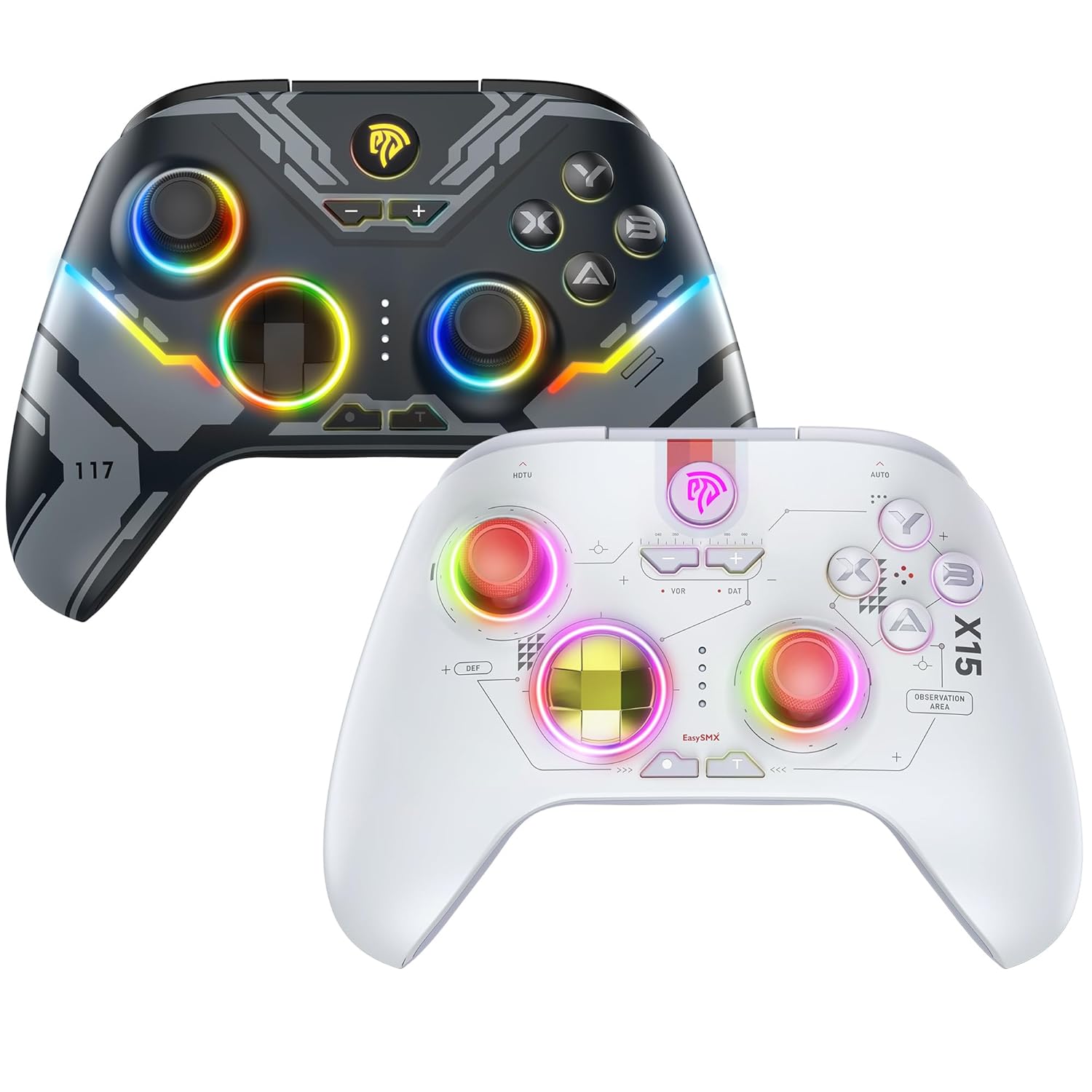
This image displays two EasySMX X15 wireless controllers. The dark gray controller is positioned behind and to the left, while the white controller is in the foreground on the right. Both controllers feature ergonomic designs with illuminated joysticks and face buttons, showcasing their customizable RGB lighting effects. The dark gray controller has a more angular, futuristic design, while the white controller has a cleaner, more minimalist aesthetic with visible circuit-like patterns.
Sąranka
1. Valdiklio įkrovimas
Before first use, fully charge the controller. Connect the supplied USB-C cable to the controller's charging port and the other end to a USB power source (e.g., computer, wall adapter). The indicator lights will show charging status and turn off or change color when fully charged.
2. Prisijungimas prie įrenginių
The EasySMX X15 controller supports both wireless (Bluetooth) and wired connections. Specific button combinations are required for pairing with different devices.
- Belaidis ryšys („Bluetooth“): To pair, press and hold the designated pairing button combination for your specific device (e.g., PC, Nintendo Switch, Android). Refer to the quick start guide included with your controller for exact button sequences for each platform. The controller's indicator lights will flash during pairing and become solid upon successful connection.
- Laidinis ryšys: Connect the controller directly to your device using the USB-C to USB cable. This method is suitable for PCs, PS3, and other compatible systems that support USB input. The controller should be automatically recognized by the system.
Pastaba: For optimal performance, ensure your device's Bluetooth is enabled and updated to the latest drivers if connecting wirelessly to a PC.
Valdiklio valdymas
Pagrindiniai valdikliai
The X15 controller features standard gaming inputs:
- Dvigubos analoginės vairalazdės: Tiksliam judesiui ir kameros valdymui.
- D-Pad: For directional input, often used in menus or 2D games.
- Veido mygtukai (A, B, X, Y): Dėl veiksmų žaidime.
- Pečių mygtukai (L1, R1) ir gaidukai (L2, R2): For various actions, often shooting or accelerating.
- Pradžios / meniu mygtukas: Typically opens in-game menus.
- Pasirinkite/View Mygtukas: Often used for map or secondary functions.
- Namų mygtukas: Returns to the system's main menu.
RGB apšvietimo valdymas
The X15 controller features customizable RGB lighting. To conserve battery life, you can typically toggle the RGB lights on or off using a dedicated button or a specific button combination. Refer to your controller's quick start guide for the exact method.
Priežiūra
Proper maintenance ensures the longevity and performance of your EasySMX X15 controller.
- Valymas: Valdiklį nuvalykite minkšta, sausa šluoste. Jei nešvarumai sunkiai įveikiami, šiek tiek nuvalykite.ampNuvalykite šluostę vandeniu arba švelniu elektronikos valikliu. Venkite stiprių cheminių medžiagų ar abrazyvinių medžiagų.
- Saugykla: Laikykite valdiklį vėsioje, sausoje vietoje, apsaugotoje nuo tiesioginių saulės spindulių ir ekstremalių temperatūrų.
- Akumuliatoriaus priežiūra: Avoid fully discharging the battery frequently. Charge the controller regularly, even if not in use for extended periods, to maintain battery health.
Trikčių šalinimas
If you encounter issues with your EasySMX X15 controller, try the following solutions:
- Valdiklis neprisijungia:
- Įsitikinkite, kad valdiklis įkrautas.
- Verify you are using the correct button combination for pairing with your specific device.
- Paleiskite įrenginį ir valdiklį iš naujo.
- If using Bluetooth, try forgetting the device on your system and re-pairing.
- Pabandykite laidinį ryšį, kad atmestumėte belaidžio ryšio problemas.
- Mygtukai / valdymo svirtys nereaguoja:
- Įsitikinkite, kad valdiklis tinkamai prijungtas.
- Patikrinkite, ar aplink mygtukus / valdymo svirtis nėra fizinių kliūčių ar šiukšlių.
- Test the controller on a different game or device to determine if the issue is game-specific.
- Trumpas baterijos veikimo laikas:
- Prieš naudodami įsitikinkite, kad valdiklis yra visiškai įkrautas.
- Išjunkite RGB apšvietimą, kad pailgintumėte baterijos veikimo laiką.
- Reduce vibration intensity if applicable (check controller settings on your device).
Specifikacijos
| Modelis | X15 |
| Gamintojas | EasySMX |
| Ryšys | Belaidis („Bluetooth“), laidinis (USB-C) |
| Suderinamumas | PC, Steam, PS3, Android Mobile, TV BOX, Tesla, Nintendo Switch, Steam Deck |
| ASIN | B0CWP8V3T |
| Pirmas prieinamas | 2 m. gruodžio 2024 d |
Informacija apie garantiją
EasySMX products typically come with a manufacturer's warranty. Please refer to the warranty card included in your product packaging or visit the official EasySMX website for detailed warranty terms and conditions specific to the X15 controller.
Pagalba klientams
For further assistance, technical support, or inquiries not covered in this manual, please contact EasySMX customer support through their official website or the contact information provided in your product packaging. When contacting support, please have your product model (X15) and purchase details ready.


