1. Produktas baigtasview
The Fanvil KT20 is a self-powered, rebound-type kinetic energy wireless button designed for seamless integration with Fanvil Y501, Y501-Y series, and X305 Big Button IP Phones. Utilizing patented micro-energy harvesting technology, the KT20 operates without the need for batteries, offering a compact and efficient solution for equipment control.
Pagrindinės funkcijos:
- Self-powered: No batteries required.
- Ebelong1.1 Protocol: Ensures reliable wireless communication.
- 433MHz Frequency: Standard wireless operating frequency.
- Compact Design: Small and unobtrusive for various applications.
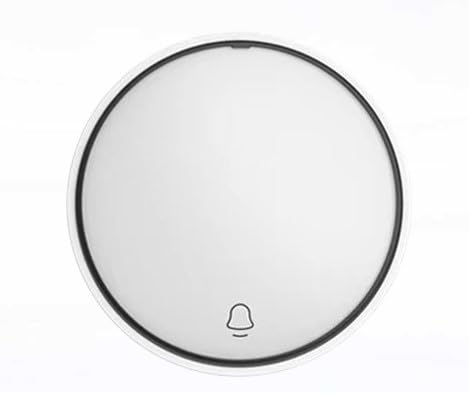
1 pav.: priekis view of the Fanvil KT20 Wireless Key, showing its circular design and bell icon.
2. Sąranka ir susiejimas
The Fanvil KT20 Wireless Key requires pairing with a compatible Fanvil IP Phone (Y501, Y501-Y, or X305 series) to function. Follow the instructions provided with your specific IP Phone model for pairing new wireless devices.
2.1 Pairing Procedure (General Steps):
- Suaktyvinti poravimo režimą: On your Fanvil IP Phone, navigate to the wireless device settings or pairing menu. Activate the pairing mode as instructed in your IP Phone's user manual.
- Initiate Pairing on KT20: While the IP Phone is in pairing mode, press the Fanvil KT20 Wireless Key once. The kinetic energy generated by the press will transmit a pairing signal to the IP Phone.
- Patvirtinkite susiejimą: Your IP Phone should indicate successful pairing. If prompted, confirm the connection on the IP Phone's interface.
Svarbu: Ensure the KT20 is within the operational range of your IP Phone for successful pairing and reliable operation. Refer to your IP Phone's manual for specific range limitations.
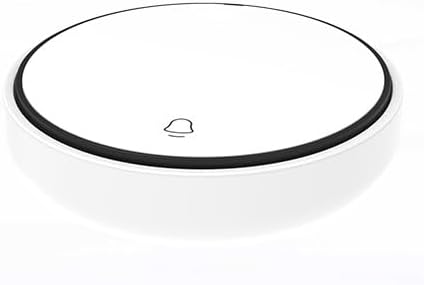
2 pav.: Iš viršaus į apačią view of the Fanvil KT20 Wireless Key, highlighting its compact, circular form factor and the central button area.
3. Naudojimo instrukcijos
Once successfully paired, the Fanvil KT20 Wireless Key operates by a simple press. The specific function performed by the button is configured on the paired Fanvil IP Phone. This can include actions such as opening a door, activating an intercom, or other programmable controls.
- Vienas paspaudimas: A single, firm press of the KT20 button will activate its assigned function.
- Funkcijos konfigūracija: Refer to your Fanvil IP Phone's user manual for detailed instructions on how to assign and customize functions for wireless keys.
The kinetic energy technology ensures that each press generates sufficient power for signal transmission, eliminating the need for external power or battery replacement.
4. Priežiūra
The Fanvil KT20 Wireless Key is designed for low maintenance. Proper care will ensure its longevity and reliable performance.
- Valymas: To clean the device, gently wipe the surface with a soft, dry cloth. Avoid using abrasive cleaners, solvents, or excessive moisture, as these can damage the device.
- Išardymas: Do not attempt to disassemble the device. Unauthorized disassembly will void the warranty and may cause irreparable damage.
- Aplinkos sąlygos: Store and operate the device within recommended temperature and humidity ranges to prevent malfunction.
5. Problemų sprendimas
If you encounter issues with your Fanvil KT20 Wireless Key, refer to the following troubleshooting steps:
- Įrenginys nereaguoja:
- Ensure the KT20 is properly paired with your Fanvil IP Phone. Refer to the 'Setup and Pairing' section and your IP Phone's manual for pairing instructions.
- Verify the KT20 is within the operational range of the IP Phone. Obstacles like thick walls or other electronic devices may interfere with the wireless signal.
- Confirm that the IP Phone is powered on and functioning correctly.
- Operacija su pertraukomis:
- Check for potential sources of wireless interference in the vicinity, such as other 433MHz devices.
- Relocate the KT20 or the IP Phone to improve signal strength and reduce interference.
6. Specifikacijos
| Modelis | KT20 |
| Technologijos | Rebound-type kinetic energy wireless button |
| Belaidis protokolas | Ebelong1.1 |
| Dažnis | 433 MHz |
| Maitinimo šaltinis | Self-powered (no battery required) |
| Suderinamumas | Fanvil Y501, Y501-Y series, X305 Big Button IP Phone |
| Prekės svoris | 8 uncijos |
| Pakuotės matmenys | 4 x 3 x 2 colio |
| Gamintojas | Fanvilas |
7. Informacija apie garantiją
Fanvil products typically come with a limited manufacturer's warranty. For specific warranty terms and conditions, including coverage duration and claim procedures, please refer to the warranty card included with your product or visit the official Fanvil websvetainėje. Rekomenduojama išsaugoti pirkimo įrodymą, jei prireiktų pateikti pretenziją dėl garantijos.
8. Parama
For technical assistance, product inquiries, or support regarding your Fanvil KT20 Wireless Key, please contact Fanvil customer service through their official channels or visit the official Fanvil support website. You may also consult the user manual for your compatible Fanvil IP Phone for additional information regarding wireless key configuration and troubleshooting.


