1. Įvadas
This manual provides detailed instructions for the setup, operation, and maintenance of your CZEview ZY-D1 Babyphone. Please read this manual thoroughly before using the device to ensure proper functionality and safety. The CZEview ZY-D1 is designed to help you monitor your baby with advanced features such as 2K Ultra HD video, AI-powered detection, two-way audio, and environmental monitoring.
2. Pakuotės turinys
- CZEview ZY-D1 Babyphone Camera
- Maitinimo adapteris ir laidas
- Mounting Accessories (for wall mounting)
- Vartotojo vadovas (šis dokumentas)
3. Produktas baigtasview ir Savybės
Čekijos Respublikaview ZY-D1 Babyphone offers a comprehensive monitoring solution with the following key features:
- 2K itin aukštos raiškos vaizdo įrašas: Užtikrina aiškų ir detalų vaizdo stebėjimą.
- 360° AI Tracking: Intelligent AI technology tracks movements, ensuring no blind spots with 355° horizontal and 90° vertical rotation.
- Momentiniai pranešimai: Receive immediate alerts for detected motion, noise, or crying.
- Dvipusis garsas: Bendraukite su savo kūdikiu nuotoliniu būdu naudodami įmontuotą mikrofoną ir garsiakalbį.
- Stable Dual-Band Wi-Fi: Compatible with both 2.4 GHz and 5 GHz Wi-Fi networks for reliable connectivity.
- Infraraudonųjų spindulių nakties vizija: Clear monitoring even in low-light or dark conditions.
- Comfort Night Light & Lullabies: Features a looping night light and 14 pre-installed lullabies to soothe your baby.
- Temperatūros ir drėgmės stebėjimas: Keep track of the nursery environment.
- Miego analizė: Monitor and analyze your baby's sleep patterns.
- Alexa integracija: Seamlessly integrates with Amazon Alexa for voice control and viewing.

1 vaizdas: Čekijos Respublikaview ZY-D1 Babyphone camera, featuring a white body and colorful ears, designed for monitoring infants.
4. Sąranka
4.1 Įjungimas
- Prijunkite pridedamą maitinimo laidą prie fotoaparato maitinimo prievado.
- Įjunkite maitinimo adapterį į standartinį elektros lizdą.
- Kamera įsijungs, o indikatoriaus lemputė rodys jos būseną.
4.2 Programos diegimas
- Scan the QR code provided on the product packaging or in the quick start guide to download the official CZEview programėlė.
- Įdiekite programą savo išmaniajame telefone ar planšetiniame kompiuteryje.
- Registruokitės naujai paskyrai arba prisijunkite, jei jau turite.
4.3 „Wi-Fi“ ryšys
- Atidarykite CZEview app and follow the on-screen instructions to add a new device.
- Select your Wi-Fi network (supports both 2.4 GHz and 5 GHz).
- Įveskite „Wi-Fi“ slaptažodį.
- The app will guide you through pairing the camera with your network. This usually involves scanning a QR code displayed on your phone with the camera lens.
- Prijungus, kameros indikatoriaus lemputė pasikeis ir programėlėje matysite tiesioginį srautą.

2 vaizdas: Illustration of the CZEview Babyphone's compatibility with both 5GHz and 2.4GHz dual-band Wi-Fi for a stable connection.
4.4 Fotoaparato montavimas
Čekijos Respublikaview ZY-D1 Babyphone can be placed on a flat surface or mounted to a wall. If wall mounting, use the provided accessories and ensure the camera is securely fastened at a safe distance from the crib, out of reach of children.
5. Naudojimo instrukcijos
5.1 Tiesiogiai View ir panoraminio/pakreipimo valdymas
- Atidarykite CZEview app and select your camera to view gyvas pašaras.
- Norėdami reguliuoti vaizdo kokybę, naudokite ekrane rodomus valdiklius, kad horizontaliai pasuktumėte (355° horizontaliai) ir pakreiptumėte (90° vertikaliai) kameros objektyvą. viewing kampas.
- The automatic tracking feature will detect and follow moving objects within its field of view.
5.2 Dvipusis garsas

3 vaizdas: A parent using the CZEview app on a smartphone to engage in two-way communication with a baby in a crib.
- Kol vyksta gyvai view, programėlėje palieskite mikrofono piktogramą.
- Kalbėkite į telefono mikrofoną, kad jūsų balsas būtų perduotas per kameros garsiakalbį.
- Release the microphone icon to listen to your baby.
5.3 AI Detection and Notifications

4 vaizdas: Čekijos Respublikaview Babyphone camera positioned near a baby in a crib, highlighting its intelligent AI detection capabilities for motion, noise, and crying.
- Access the detection settings in the app.
- Enable Motion Detection, Noise Detection, and Cry Detection as needed.
- Adjust sensitivity levels to minimize false alarms.
- You will receive instant push notifications on your smartphone when an event is detected.
5.4 Night Vision and Lullabies

5 vaizdas: Čekijos Respublikaview Babyphone emitting a soft glow as a night light, with musical notes floating around a sleeping baby, illustrating its infrared night vision and lullaby features.
- Naktinio matymo funkcija įsijungia automatiškai esant prastam apšvietimui.
- To play lullabies or activate the night light, navigate to the respective controls in the app.
- Select from the 14 available lullabies to soothe your baby.
5.5 Temperatūros ir drėgmės stebėjimas
The app displays real-time temperature and humidity readings from the camera's environment. You can set alerts for specific temperature or humidity ranges.
5.6 Miego analizė

6 vaizdas: A visual representation of a sleep analysis timeline on a smartphone screen, showing snapshots of a baby at different times during sleep.
Čekijos Respublikaview app provides a timeline view of your baby's activity, which can be used to analyze sleep patterns. Review recorded events and snapshots to understand sleep duration and disturbances.
5.7 „Amazon Alexa“ integracija
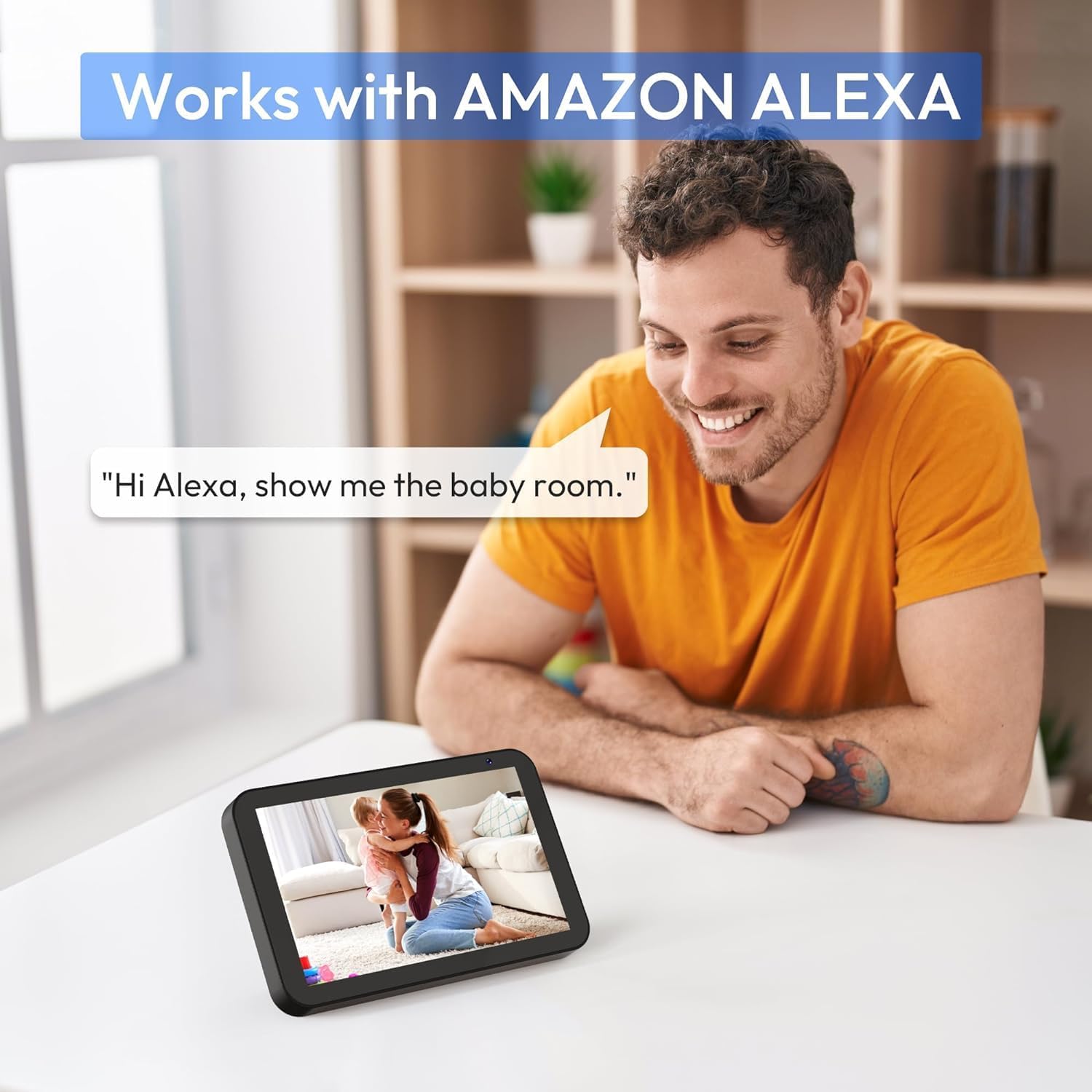
7 vaizdas: A person interacting with an Amazon Echo Show device, displaying the live feed from the CZEview Babyphone, demonstrating Alexa integration.
- Enable the CZEview skill in your Amazon Alexa app.
- Link your CZEview paskyra su „Alexa“.
- Use voice commands such as "Alexa, show me the baby room" to view the camera feed on compatible Alexa devices.
5.8 Multi-User Access and SD Card Recording
- Šeimos bendrinimas: You can invite family members to view the camera feed through the app. Invited users may have limited control functions compared to the primary account holder.
- Vietinė saugykla: Insert an SD card (not included) into the camera's designated slot for local video recording and to enable certain features like playing lullabies directly from the camera.
6. Priežiūra
- Valymas: Kameros objektyvą ir korpusą valykite minkštu, sausu audiniu. Nenaudokite skystų valiklių ar aerozolių.
- Firmware atnaujinimai: Reguliariai tikrinkite programėlę, ar nėra galimų programinės įrangos atnaujinimų, kad užtikrintumėte optimalų našumą ir saugumą.
- Vieta: Ensure the camera is placed in a well-ventilated area and not exposed to extreme temperatures or direct sunlight.
7. Problemų sprendimas
- Nėra galios: Ensure the power cable is securely connected to both the camera and the power outlet. Try a different outlet.
- „Wi-Fi“ ryšio problemos: Verify your Wi-Fi password. Ensure the camera is within range of your router. Restart your router and the camera. Confirm your network is 2.4 GHz or 5 GHz compatible.
- Prasta vaizdo kokybė: Check your internet connection speed. Ensure the camera lens is clean and free from obstructions. Adjust the video quality settings in the app if available.
- Prasta garso kokybė: Ensure there are no obstructions near the camera's microphone or speaker. Check the volume settings in the app.
- Negauti pranešimai: Check app notification settings on your phone and within the CZEview app. Ensure the camera is connected to Wi-Fi.
- Kamera nereaguoja: Unplug the camera, wait 10 seconds, and plug it back in to restart.
8. Specifikacijos
| Funkcija | Specifikacija |
|---|---|
| Modelio numeris | ZY-D1 |
| Belaidžio ryšio technologija | „Wi-Fi“ (2.4 GHz ir 5 GHz) |
| Viewing kampas | 360 Degrees (355° horizontal, 90° vertical) |
| Medžiaga | Plastikiniai |
| Prekės matmenys (I x P x A) | 12.7 x 7.62 x 7.62 cm |
| Ryšio protokolas | Wi-Fi |
| Valdiklio tipas | Amazon Alexa |
| Montavimo tipas | Sieninis laikiklis |
| Spalva | Baltas |
| Sudedamosios dalys | Kabelis |
| Rekomenduojami naudojimo būdai | Babyphone, Baby Monitoring, Night Vision |
9. Saugos informacija
- Laikykite fotoaparatą ir visus priedus vaikams nepasiekiamoje vietoje.
- Do not place the camera or its power cord within 1 meter (3 feet) of the crib or playpen to prevent strangulation hazards.
- Naudokite tik pridėtą maitinimo adapterį. Naudojant nepatvirtintus adapterius, galite sugadinti įrenginį ir panaikinti garantiją.
- Saugokite įrenginį nuo vandens, drėgmės ar ekstremalių temperatūrų.
- Nebandykite patys atidaryti ar taisyti įrenginio. Pagalbos kreipkitės į klientų aptarnavimo tarnybą.
10. Garantija ir palaikymas
For warranty information and customer support, please refer to the warranty card included in your product packaging or visit the official CZEview website. If you encounter any issues not covered in this manual, please contact CZEview klientų aptarnavimas.


