1. Įvadas
This manual provides comprehensive instructions for the safe and efficient operation, maintenance, and troubleshooting of your MOOKA TL2867 H13 HEPA Filter Air Purifier. This device is designed to improve indoor air quality by filtering various airborne particles and odors in large rooms up to 1650 sq.ft.

Figure 1: MOOKA TL2867 Air Purifier
2. Svarbios saugos instrukcijos
- Prieš naudodami prietaisą perskaitykite visas instrukcijas.
- Nenaudokite prietaiso, kurio laidas ar kištukas pažeistas.
- Netieskite laido po kilimu. Neuždenkite laido kilimėliais, bėgiais ar panašiomis dangomis. Laidą laikykite toliau nuo eismo zonos ir ten, kur jis neužkliūtų.
- Nenaudokite lauke arba ant šlapių paviršių.
- Ištraukite kištuką iš elektros lizdo, kai nenaudojate ir prieš valydami.
- Neleiskite vaikams žaisti su oro valytuvu.
- Teiginiai dėl maisto papildų nebuvo įvertinti FDA ir nėra skirti diagnozuoti, gydyti, išgydyti ar užkirsti kelią kokiai nors ligai ar sveikatos būklei.
3. Produktas baigtasview
3.1 Komponentai
- Pagrindinis oro valymo įrenginys
- 3-Stage Filtration Filter (Pre-Filter, H13 HEPA Filter, Activated Carbon Filter)
- Maitinimo adapteris
- Vartotojo vadovas
3.2 Valdymo skydelis ir indikatoriai
The control panel is located on the top of the unit and features several buttons and indicator lights:
- Įjungimo mygtukas (⏻): Turns the unit On/Off. Also cycles through fan speeds when pressed repeatedly.
- AUTO Mode Indicator: Lights up when Auto Mode is active.
- Ventiliatoriaus greičio indikatoriai: Displays current fan speed (Low, High).
- Miego režimo mygtukas (☽): Activates quiet sleep mode and dims indicator lights.
- Filtro atstatymo indikatorius: Lights up red when filter replacement is needed.
- PM2.5 Air Quality Sensor Indicator: Changes color based on real-time air quality:
- Mėlyna: Good Air Quality (85-100% Clean Air)
- Geltona: Moderate Air Quality (70-85% Clean Air)
- Raudona: Poor Air Quality (0-69% Clean Air)

Figure 2: Control Panel with PM2.5 Air Quality Sensor Indicator
4. Sąranka
4.1 Išpakavimas ir pirminė apžiūra
Carefully remove the air purifier from its packaging. Inspect the unit for any signs of damage. Ensure all components listed in Section 3.1 are present.
Video 1: Unboxing and initial setup of the MOOKA Air Purifier, demonstrating how to remove the unit from its packaging and prepare it for use.
4.2 Filtro montavimas
- Atjunkite maitinimo adapterį nuo įrenginio.
- Turn the unit upside down. Locate the two knobs on the base.
- Turn the two knobs to the left and right respectively to unlock the filter cover.
- Pull out the old filter (if replacing) or remove the new filter from its plastic packaging.
- Insert the filter into the unit, ensuring the "FRONT" label faces outwards.
- Replace the filter cover and turn the two knobs back into place to secure it.

Figure 3: Easy steps to replace the air filter.
4.3 Maitinimo jungtis
Prijunkite maitinimo adapterį prie įrenginio DC IN prievado, tada įjunkite jį į standartinį elektros lizdą.
5. Naudojimo instrukcijos
5.1 Maitinimo įjungimas/išjungimas
Paspauskite maitinimo mygtuką (⏻) once to turn the air purifier on. Press it again to turn the unit off.
5.2 Ventiliatoriaus greičio reguliavimas
When the unit is on, repeatedly press the Power Button (⏻) to cycle through the available fan speeds: Low, High, and Auto Mode.
- Mažas greitis: Suitable for continuous, quiet operation.
- Didelis greitis: Provides maximum air purification for quick cleaning.
- Automatinis režimas: The air purifier automatically adjusts the fan speed based on the real-time air quality detected by the PM2.5 sensor.

Figure 4: Air Purifier in Auto Mode, adjusting fan speed based on air quality.
5.3 Miego režimas
Press the Sleep Mode Button (☽) to activate Sleep Mode. In this mode, the fan operates at its lowest speed (15dB) for quiet operation, and all indicator lights are dimmed to ensure an undisturbed environment.
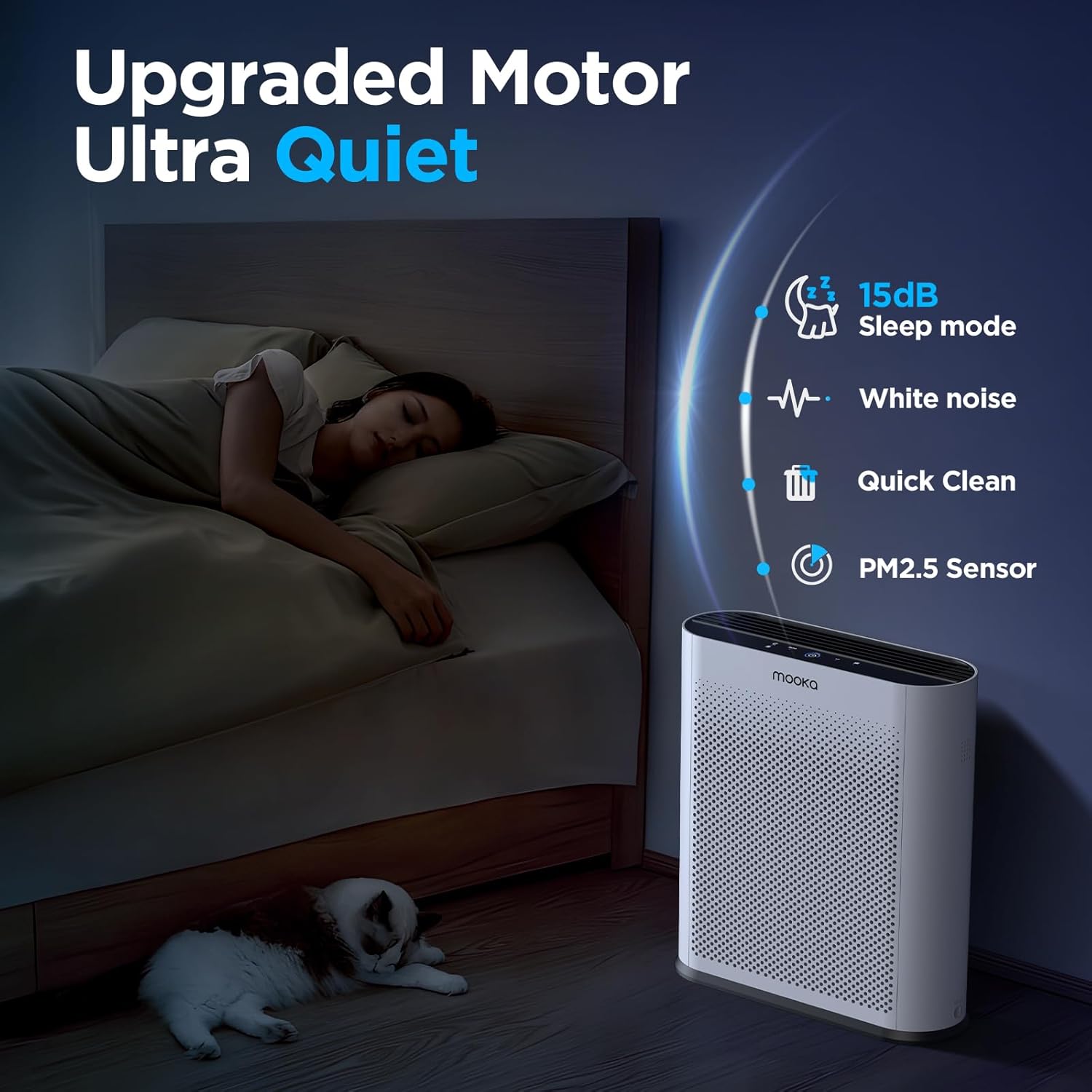
Figure 5: Quiet Sleep Mode for undisturbed rest.
5.4 PM2.5 Air Quality Sensor
The built-in PM2.5 sensor continuously monitors the surrounding air quality. The Power Button's LED ring changes color to indicate the current air quality:
- Mėlyna: Gera oro kokybė
- Geltona: Vidutinė oro kokybė
- Raudona: Prasta oro kokybė
Video 2: Demonstration of the air quality sensor changing colors based on detected air quality levels.
Video 3: Smoke purification test of the MOOKA TL2867 Smart Air Purifier, showing its effectiveness in clearing smoke from an enclosed space and the air quality indicator changing from red to blue.
6. Priežiūra
6.1 Filter Replacement Reminder
The air purifier is equipped with a filter change reminder. When the filter life has expired (approximately every 3-6 months, or 1500 hours of use), the Filter Reset Indicator will light up red.

Figure 6: Filter Change Indicator.
6.2 Filtro keitimas
- Atjunkite maitinimo adapterį nuo įrenginio.
- Turn the unit upside down. Turn the two knobs on the base to unlock the filter cover.
- Išimkite naudotą filtrą.
- Insert a new official MOOKA filter (Ieškokite B0D3D4V1NY on Amazon), ensuring the "FRONT" label faces outwards.
- Replace the filter cover and turn the two knobs back into place to secure it.
- Prijunkite maitinimo adapterį atgal.
- Long press the Filter Reset Indicator button for 3-5 seconds to reset the filter timer. The red light will turn off.

Figure 7: The 3-Stage filtravimo sistema.
6.3 Bendras valymas
Wipe the exterior of the air purifier with a soft, dry cloth. Do not use abrasive cleaners or solvents. Ensure the unit is unplugged before cleaning.
7. Problemų sprendimas
| Problema | Galima priežastis | Sprendimas |
|---|---|---|
| Įrenginys neįsijungia. | No power, power adapter not connected properly. | Ensure the power adapter is securely plugged into the unit and a working outlet. |
| Filter Reset Indicator remains red after filter replacement. | Filtro laikmatis nebuvo nustatytas iš naujo. | Long press the Filter Reset Indicator button for 3-5 seconds until the light turns off. |
| Air quality indicator is always red/yellow despite clean air. | PM2.5 sensor may be dirty or obstructed. | Gently clean the PM2.5 sensor area with a soft, dry cloth. Ensure no obstructions. |
| Neįprastas triukšmas veikimo metu. | Filter not installed correctly, foreign object inside. | Check filter installation. Unplug and inspect for any foreign objects. |
8. Specifikacijos
- Prekinis ženklas: MOOKA
- Modelio numeris: TL2867
- Gaminio matmenys: 13.6" gylio x 5.3" pločio x 16.3" aukščio (34.5 cm x 13.5 cm x 41.4 cm)
- Svoris: 6.77 svarų (3.07 kg)
- Triukšmo lygis: 15 decibelai (miego režimu)
- Aprėpties sritis: Up to 1650 sq.ft. (purifies 3x per hour in 550 sq.ft.)
- Filtro tipas: H13 HEPA Filter with 3-Stage Filtration (Pre-Filter, H13 HEPA, Activated Carbon)
- Ypatingos savybės: PM2.5 Air Quality Sensor, Auto Mode, Sleep Mode, Filter Replacement Reminder
- Sertifikatai: CARB Certified, DOE Certified, ETL Certified
9. Garantija ir palaikymas
For warranty information or customer support, please refer to the official MOOKA website or contact your retailer. Ensure to use official MOOKA replacement filters for optimal performance and to maintain warranty validity.
Protection plans may be available for purchase separately. Please check with your retailer for details on 3-Year or 4-Year Protection Plans.


