1. Įvadas
This manual provides essential information for setting up, operating, maintaining, and troubleshooting your OnePlus 12R PJE110 smartphone. Please read this guide thoroughly to ensure optimal performance and longevity of your device.
The OnePlus 12R is a high-performance 5G smartphone featuring a powerful Octa-core processor, 16GB of RAM, and 256GB of internal storage. It runs on Android 14 with OxygenOS and is equipped with a 5500mAh non-removable battery.
2. Sąranka
2.1 Išpakavimas ir pirminė apžiūra
Atsargiai išimkite visus daiktus iš pakuotės. Įsitikinkite, kad yra šie komponentai:
- OnePlus 12R PJE110 Smartphone
- USB kabelis
- Greito paleidimo vadovas (jei pridėtas)
- Safety Information (if included)
Inspect the device for any physical damage. If any components are missing or damaged, contact your retailer or OnePlus support immediately.
2.2 SIM kortelių įdėjimas
The OnePlus 12R supports Dual SIM functionality. Follow these steps to insert your SIM cards:
- Suraskite SIM kortelės dėklą įrenginio šone.
- Įkiškite SIM kortelės išstūmimo įrankį (jei yra) į mažą skylutę šalia dėklo ir švelniai stumkite, kol dėklas iššoks.
- Place your Nano-SIM cards into the designated slots on the tray, ensuring the gold contacts face downwards and the cut corner aligns correctly.
- Carefully push the SIM card tray back into the device until it is flush with the side.
Note for USA Buyers: This smartphone is not compatible with CDMA networks, including Verizon, Sprint, and US Cellular. Please verify compatibility with your network provider before use.
2.3 Pradinis įjungimas ir sąranka
Norėdami pirmą kartą įjungti įrenginį:
- Paspauskite ir palaikykite maitinimo mygtuką (esantį dešinėje pusėje), kol pasirodys „OnePlus“ logotipas.
- Vykdykite ekrane pateikiamus nurodymus, kad atliktumėte pradinę sąranką, kuri apima kalbos pasirinkimą, prisijungimą prie „Wi-Fi“, „Google“ paskyros nustatymą ir saugos funkcijų konfigūravimą.
2.4 Įrenginio įkrovimas
Before first use, it is recommended to fully charge your device. The OnePlus 12R supports 100W SUPERVOOC fast charging.
- Connect the USB cable to the charging port on the bottom of your phone.
- Kitą USB laido galą prijunkite prie suderinamo maitinimo adapterio (parduodamas atskirai) ir įjunkite jį į maitinimo lizdą.
- Ekrane pasirodys įkrovimo indikatorius.

Vaizdas: OnePlus 12R charging. The device features a 5500 mAh battery and supports 100W charging, capable of reaching 100% in approximately 26 minutes.
3. Prietaiso valdymas
3.1 Pagrindinė navigacija
The OnePlus 12R utilizes a touchscreen interface for most interactions. Physical buttons include:
- Maitinimo mygtukas: On the right side, used to turn the screen on/off, power the device on/off, or restart.
- Garsumo mygtukai: On the left side, used to adjust media volume, call volume, and notification volume.
- Įspėjimo slankiklis: On the left side, used to quickly switch between Ring, Vibrate, and Silent modes.
3.2 Ekrano funkcijos
Your device features a 6.78-inch LTPO4 AMOLED display with a resolution of 1264 x 2780 pixels.
- Dinaminis atnaujinimo dažnis: The display supports a dynamic refresh rate from 1-120 Hz for smooth scrolling and power efficiency.
- High Touch Response: Up to 1000 Hz touch response rate for quick and accurate input.
- Spalvos tikslumas: Compatible with sRGB and Display P3, offering 10-bit color depth and HDR10+ support.

Vaizdas: OnePlus 12R AMOLED ProXDR Display. Key features include 6.78 inches, 2780 x 1264 pixel resolution, 1-120 Hz dynamic refresh rate, and up to 1000 Hz touch response rate.
3.3 Kameros naudojimas
The OnePlus 12R is equipped with a versatile camera system:
- Pagrindinė kamera: 50 MP Sony IMX890 with Optical Image Stabilization (OIS).
- Itin plataus kampo kamera: 8 MP Sony IMX355 with a 112° field of view.
- Makro objektyvas: 2 MP for close-up shots (4 cm focus distance).
- Priekinė kamera: 16 MP asmenukėms ir vaizdo skambučiams.
To access the camera, tap the Camera app icon on your home screen or app drawer. You can switch between different modes (Photo, Video, Portrait, Night, Pro, etc.) by swiping across the screen or selecting from the mode options.

Vaizdas: OnePlus 12R Camera System. Features a 50 MP main camera (Sony IMX890 + OIS), an 8 MP ultra-wide angle camera (112° Sony IMX355), and a 2 MP macro lens (4 cm).
3.4 Ryšys
Jūsų įrenginys palaiko įvairias ryšio parinktis:
- 5G/4G/3G/2G: For cellular data and calls. Ensure your SIM card is active and your plan supports these networks.
- „Wi-Fi“: Prisijunkite prie belaidžių tinklų, kad galėtumėte naudotis internetu. Eikite į Nustatymai > „Wi-Fi“. ryšiams valdyti.
- Bluetooth: Susiekite su belaidėmis ausinėmis, garsiakalbiais ir kitais „Bluetooth“ įrenginiais. Eikite į Nustatymai > Bluetooth ryšiams valdyti.
- GPS: Vietos nustatymo paslaugoms ir navigacijai.
3.5 OxygenOS Overview
The OnePlus 12R runs on OxygenOS, a customized version of Android 14. OxygenOS offers a clean, fast, and customizable user experience. Explore the Nustatymai app to personalize your device, manage notifications, set up gestures, and more.
4. Priežiūra
4.1 Akumuliatoriaus priežiūra
Norėdami pailginti akumuliatoriaus veikimo laiką:
- Venkite ekstremalių temperatūrų.
- Use the provided USB cable and a compatible charger.
- Avoid frequently draining the battery completely or keeping it at 100% for extended periods.
- Utilize battery optimization features in Nustatymai> Baterija.
4.2 Programinės įrangos naujiniai
Regular software updates provide new features, security patches, and performance improvements. To check for updates, go to Nustatymai > Apie įrenginį > „OxygenOS“ versija.
4.3 Prietaiso valymas
Use a soft, lint-free cloth to clean your device. Avoid using harsh chemicals or abrasive materials, which can damage the screen or finish. Do not expose the device to excessive moisture.
4.4 Saugojimo valdymas
Your OnePlus 12R comes with 256GB of internal storage, which is not expandable. Regularly manage your storage by:
- Ištrinti nereikalingus files, nuotraukos ir vaizdo įrašai.
- Nenaudojamų programų pašalinimas.
- Naudojant debesies saugyklos paslaugas atsarginėms kopijoms kurti.
5. Problemų sprendimas
Jei kyla problemų dėl įrenginio, išbandykite šiuos įprastus trikčių šalinimo veiksmus:
5.1 Bendros problemos
- Įrenginys nereaguoja: Paspauskite ir palaikykite maitinimo mygtuką maždaug 10 sekundžių, kad priverstumėte paleisti iš naujo.
- Baterija greitai išsikrauna: Patikrinkite foninių programų naudojimą Nustatymai> Baterija. Reduce screen brightness, disable unused features like GPS or Bluetooth, and ensure apps are updated.
- Tinklo ryšio problemos: Ensure SIM cards are correctly inserted. Try toggling Airplane Mode on and off. Restart the device. Verify network settings in Nustatymai > Mobilusis tinklas.
- Programėlės stringa arba užstringa: Išvalykite programos talpyklą ir duomenis Nustatymai > Programos > [Programos pavadinimas] > Atmintis > Išvalyti talpyklą / Išvalyti duomenisJei problema išlieka, pašalinkite programėlę ir įdiekite ją iš naujo.
5.2 Gamyklinių parametrų atkūrimas
Gamyklinių parametrų atkūrimas ištrins visus duomenis iš jūsų įrenginio ir atkurs pradinius gamyklinius nustatymus. Prieš tęsdami sukurkite visų svarbių duomenų atsargines kopijas.
- Eikite į Nustatymai > Sistemos nustatymai > Atsarginė kopija ir nustatymas iš naujo > Atkurti telefono nustatymus.
- Pasirinkite Ištrinti visus duomenis (atkurti gamyklinius).
- Patvirtinkite savo sprendimą ir, jei būsite paraginti, įveskite ekrano užrakto slaptažodį.
6. Specifikacijos
Detailed technical specifications for the OnePlus 12R PJE110 smartphone:
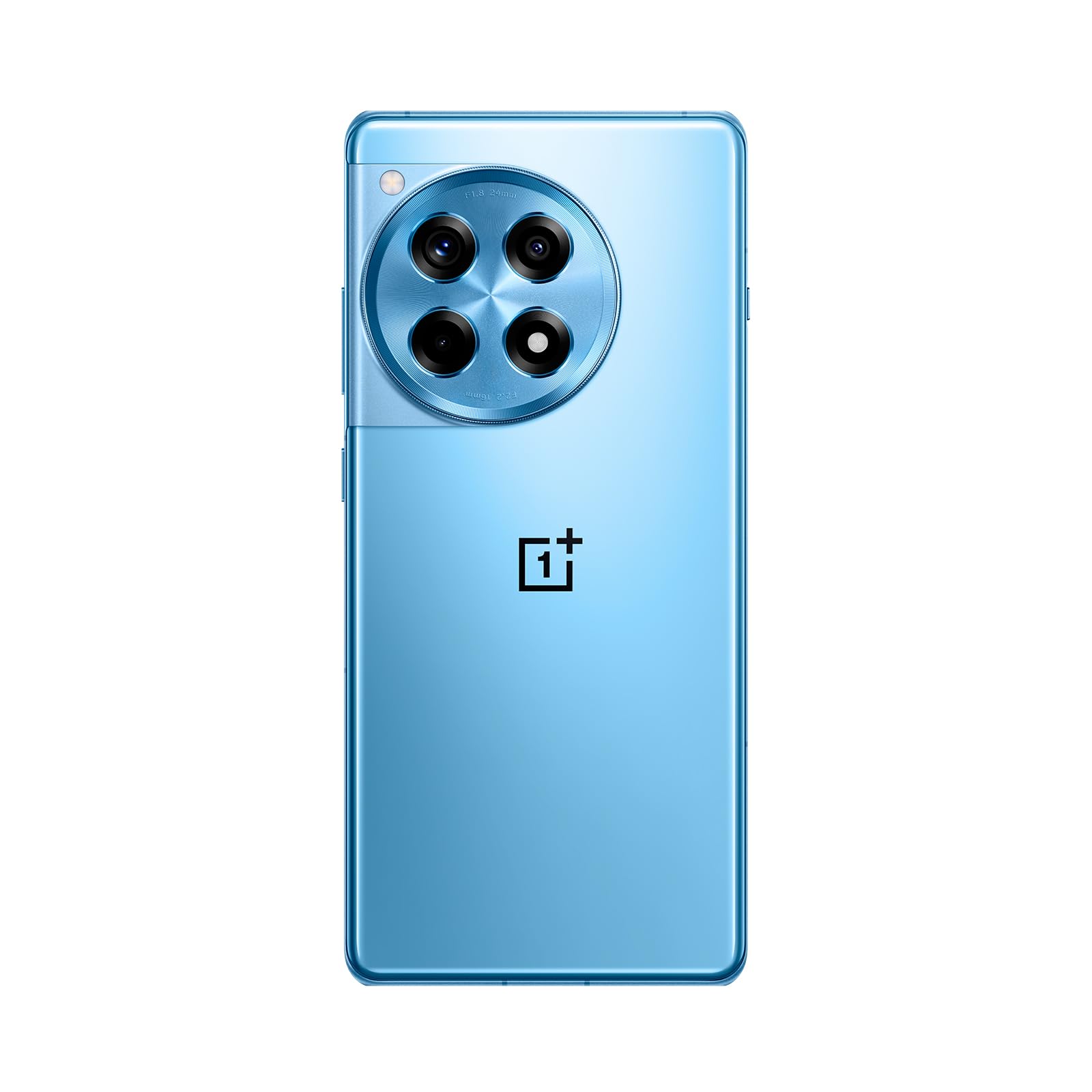
Vaizdas: Priekyje ir gale view of the OnePlus 12R in Cool Blue.
| Funkcija | Specifikacija |
|---|---|
| Modelio pavadinimas | OnePlus 12R PJE110 |
| Operacinė sistema | Android 14, OxygenOS |
| Procesorius | Qualcomm SM8550-AB Snapdragon 8 Gen 2 (4 nm) Octa-core |
| RAM | 16 GB |
| Vidinė saugykla | 256 GB (neišplečiama) |
| Ekranas | 6.78 inches LTPO4 AMOLED, 1264 x 2780 pixels, 1-120 Hz dynamic, 1000 Hz touch response |
| Galinė kamera | 50 MP (main, OIS), 8 MP (ultra-wide), 2 MP (macro) |
| Priekinė kamera | 16 MP |
| Baterija | 5500 mAh (non-removable), 100W SUPERVOOC fast charging |
| Ryšys | 5G, 4G LTE, 3G, 2G, „Wi-Fi“, „Bluetooth“, GPS |
| Matmenys | 6.43 x 2.96 x 0.35 colio (163.30 x 75.27 x 8.8 mm) |
| Svoris | 7.3 uncijos (207 gramų) |
| Garso lizdas | 3.5 mm |
| Dėžutėje | USB kabelis |

Vaizdas: Internal components highlighting the Snapdragon 8 Gen 2 processor and 16GB LPDDR5X RAM.

Vaizdas: Šoninė view of the OnePlus 12R.
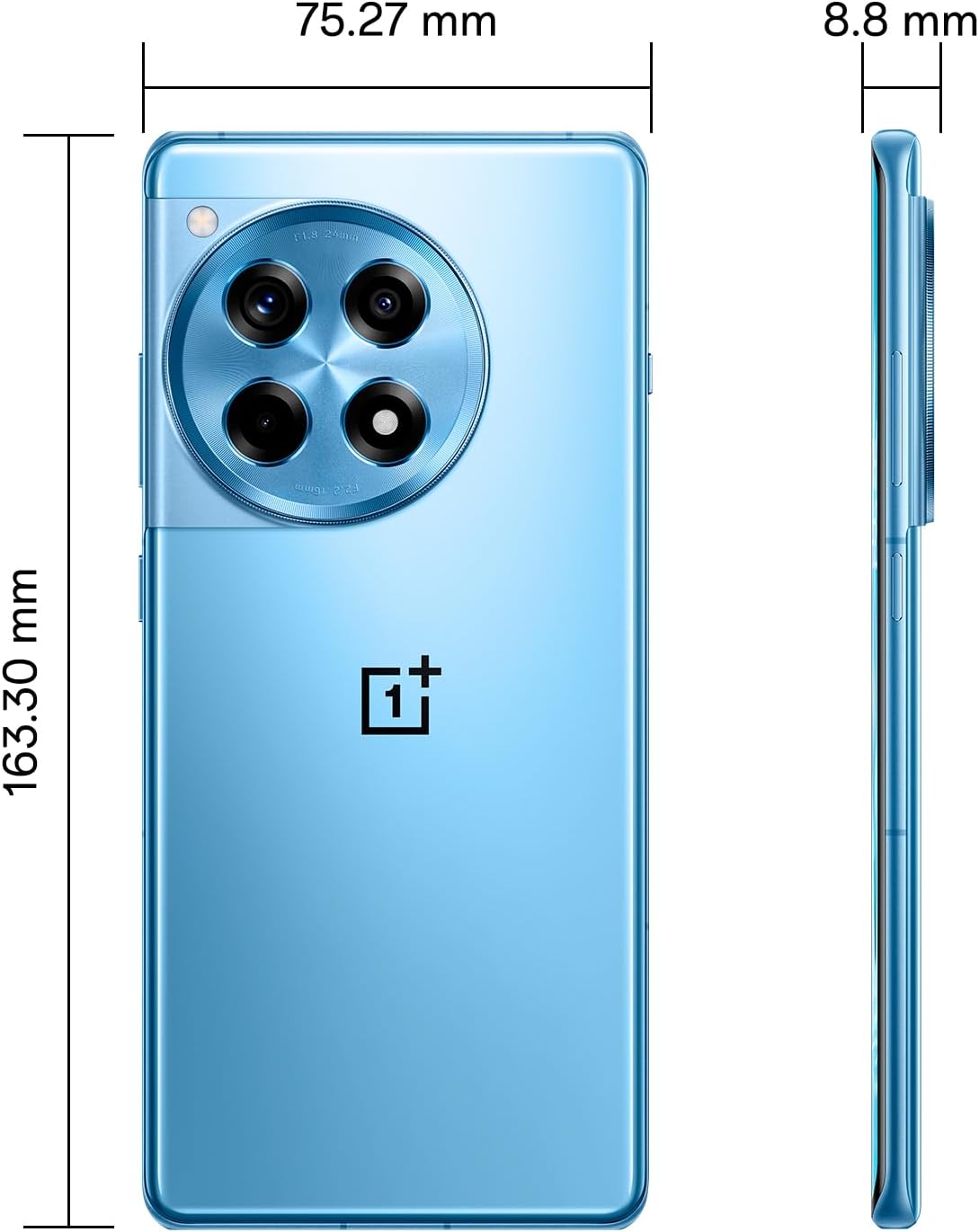
Vaizdas: Atgal view of the OnePlus 12R.

Vaizdas: Priekyje view of the OnePlus 12R.
7. Saugos informacija
Prašome laikytis šių saugos nurodymų:
- Nebandykite patys išardyti ar taisyti įrenginio.
- Use only authorized accessories (chargers, cables, etc.).
- Venkite įrenginio veikimo ekstremaliose temperatūrose, tiesioginiuose saulės spinduliuose ar skysčiuose.
- Keep the device away from medical implants and pacemakers.
- Atsakingai utilizuokite įrenginį ir jo bateriją laikydamiesi vietinių taisyklių.
8. Garantija ir palaikymas
8.1 Informacija apie garantiją
Your OnePlus 12R PJE110 smartphone is covered by a limited warranty. The terms and conditions of this warranty may vary by region and retailer. Please refer to the warranty card included with your product or visit the official OnePlus website for detailed information regarding warranty coverage, duration, and claims process.
8.2 Pagalba klientams
Dėl papildomos pagalbos, techninės pagalbos ar paslaugų klausimų susisiekite su „OnePlus“ klientų aptarnavimo tarnyba oficialiais kanalais:
- „OnePlus“ oficialus Websvetainė: Apsilankykite www.oneplus.com/support DUK, trikčių šalinimo vadovus ir kontaktines parinktis.
- Aptarnavimo centrai: Locate authorized service centers in your region via the OnePlus websvetainę.


