1. Įvadas
Thank you for choosing the MARVO HG9086W-BK Wireless RGB Gaming Headset. This manual provides essential information for setting up, operating, and maintaining your headset to ensure optimal performance and longevity. Please read this guide thoroughly before use.
2. Pakuotės turinys
Patikrinkite, ar pakuotėje yra visi reikalingi daiktai:
- 1 x MARVO HG9086W-BK Wireless RGB Gaming Headset
- 1 x USB belaidis imtuvas
- 1 x nuimamas mikrofonas
- 1 x įkrovimo laidas (USB-C)
- 1 x Vartotojo vadovas
3. Produktas baigtasview
The MARVO HG9086W-BK is a lightweight, ergonomic gaming headset designed for comfort during extended use. It features 40mm drivers for immersive sound, dynamic RGB lighting, and a versatile tri-mode connection system.
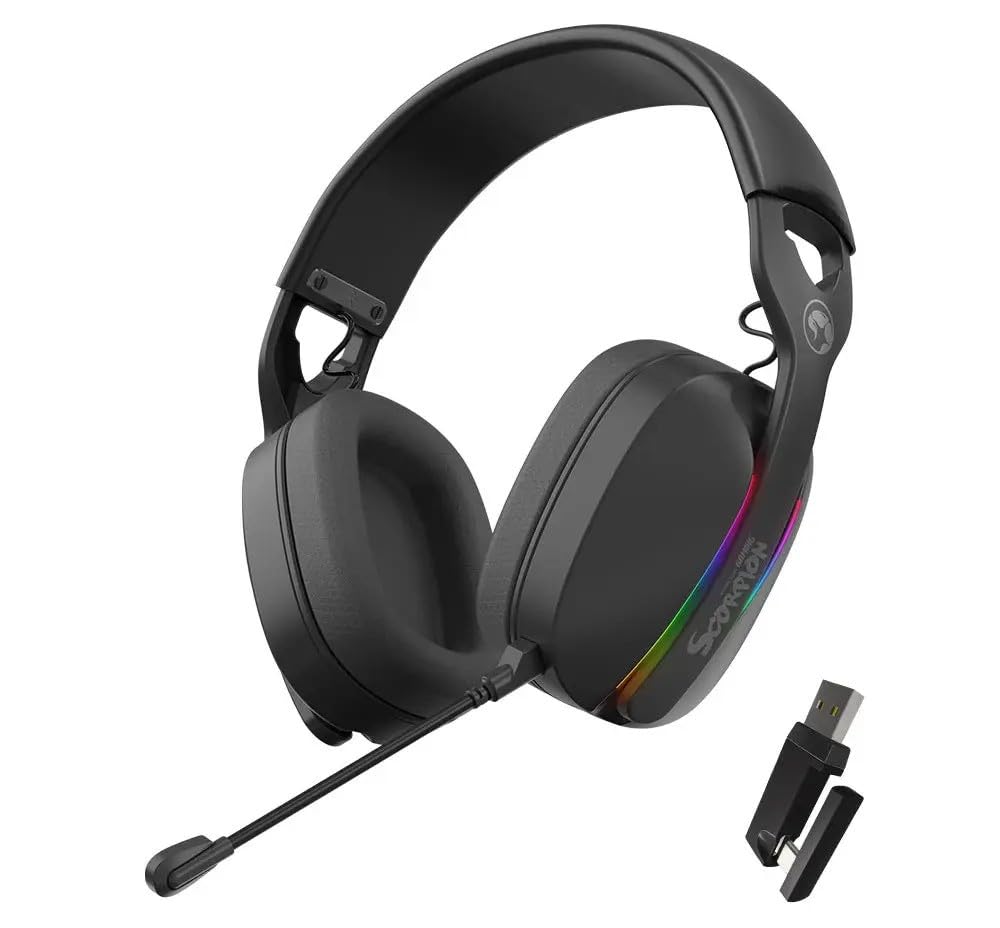
3.1 paveikslas: Priekyje view of the MARVO HG9086W-BK Gaming Headset, showcasing its overall design and earcups.

3.2 paveikslas: Left earcup of the headset, showing control buttons for power, volume, and mode selection.
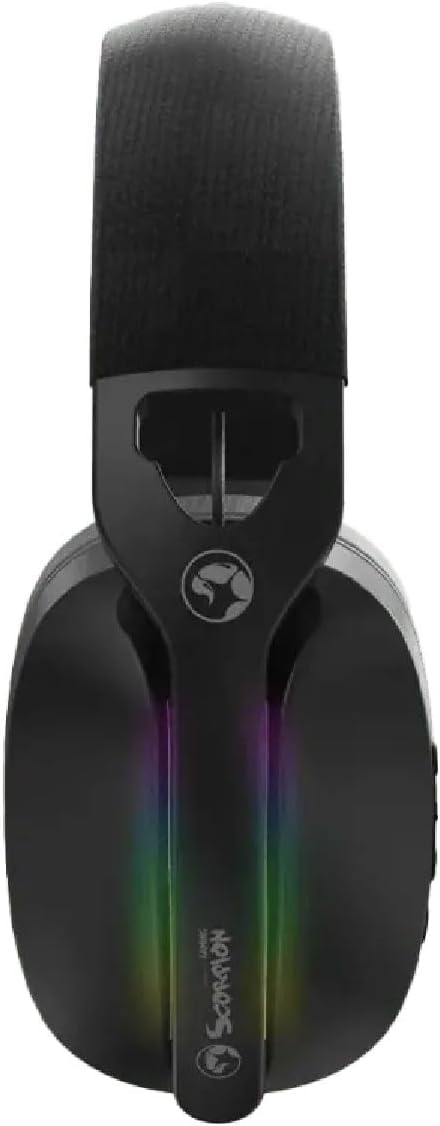
3.3 paveikslas: Į viršų view of the headset, highlighting the adjustable headband and the integrated RGB lighting strip on the earcups.
4. Sąranka ir prijungimas
The HG9086W-BK headset offers three connection modes: 2.4G Wireless, Bluetooth 5.3, and Wired.
4.1. 2.4G Wireless Connection (Recommended for Gaming)
- Insert the USB wireless receiver into an available USB port on your PC or compatible device.
- Įjunkite ausines paspausdami ir palaikydami maitinimo mygtuką, kol užsidegs indikatoriaus lemputė.
- The headset will automatically connect to the receiver. The indicator light will turn solid blue when connected.
- Ensure the headset is selected as the default audio input and output device in your device's sound settings.
4.2. „Bluetooth 5.3“ ryšys
- Įjunkite laisvų rankų įrangą.
- Press and hold the Mode button (or a dedicated Bluetooth button if available) until the indicator light flashes blue rapidly, indicating pairing mode.
- On your device (smartphone, tablet, etc.), go to Bluetooth settings and search for "MARVO HG9086W-BK".
- Pasirinkite ausines, kurias norite susieti. Sėkmingai užmezgus ryšį, indikatoriaus lemputė ims šviesti mėlynai.
4.3. Laidinis ryšys
For wired use, connect a 3.5mm audio cable (not included) from the headset's audio jack to your device's 3.5mm audio port. The headset will function as a passive wired headset. Note that RGB lighting and some wireless functions may not be available in wired mode.
5. Naudojimo instrukcijos
5.1. Maitinimo įjungimas/išjungimas
- Maitinimas: Paspauskite ir palaikykite maitinimo mygtuką maždaug 3 sekundes.
- Išjungti: Paspauskite ir palaikykite maitinimo mygtuką maždaug 3 sekundes.
5.2. Garsumo valdymas
- Pagarsink: Paspauskite garsumo didinimo mygtuką.
- Patildyti: Paspauskite garsumo mažinimo mygtuką.
5.3. Mikrofono naudojimas
- Prijunkite mikrofoną: Insert the detachable microphone into the designated port on the left earcup.
- Nutildyti / įjungti garsą: Use the microphone mute button located on the earcup or the microphone itself.
- Adjust the flexible microphone boom for optimal voice pickup.
5.4. RGB apšvietimas
The headset features dynamic RGB lighting. The lighting typically activates automatically when the headset is powered on. Specific controls for changing RGB modes or turning them off may be available via a dedicated button or software (if applicable). Refer to the product's official website for any software downloads.
6. Įkrovimas
The MARVO HG9086W-BK headset is equipped with a durable battery for extended gameplay. When the battery is low, the indicator light may flash red or an audible alert may sound.
- Connect the included USB-C charging cable to the charging port on the headset.
- Kitą laido galą prijunkite prie USB maitinimo šaltinio (pvz., kompiuterio USB prievado, USB sieninio adapterio).
- The indicator light will typically show red during charging and turn off or change color when fully charged.
Pastaba: Avoid using the headset while charging for optimal battery health, though it may be possible depending on the device.
7. Priežiūra
Tinkama priežiūra užtikrina jūsų ausinių ilgaamžiškumą ir našumą.
- Valymas: Ausines nuvalykite minkšta, sausa šluoste. Ausinių kaušelius šiek tiek nuvalykite.amp Galima naudoti šluostę, tačiau įsitikinkite, kad į garsiakalbių groteles nepatenka drėgmės.
- Saugykla: Laikykite ausines vėsioje, sausoje vietoje, toliau nuo tiesioginių saulės spindulių ir ekstremalių temperatūrų.
- Venkite skysčių: Saugokite ausines nuo vandens ar kitų skysčių.
- Elkitės atsargiai: Venkite ausinių numetimo ir stiprių smūgių.
8. Problemų sprendimas
Jei kyla problemų dėl ausinių, žr. šiuos dažniausiai pasitaikančius sprendimus:
| Problema | Galimas sprendimas |
|---|---|
| Nėra garso iš ausinių |
|
| Mikrofonas neveikia |
|
| Ausinės neprisijungia |
|
| RGB apšvietimas neveikia |
|
9. Specifikacijos
| Funkcija | Specifikacija |
|---|---|
| Prekės ženklas | MARVO |
| Modelio pavadinimas | HG9086W-BK |
| Ryšio technologija | Wireless (2.4G, Bluetooth 5.3), Wired (3.5mm) |
| Formos faktorius | Virš ausies |
| Vairuotojo dydis | 40 mm |
| Mikrofonas | Integrated, Detachable, Omnidirectional |
| Apšvietimas | Dinaminis RGB |
| Prekės svoris | 12.7 uncijos (apie 360 g) |
| Pakuotės matmenys | 7.8 x 7.09 x 3.31 colio |
| Spalva | Juoda |
10. Garantija ir palaikymas
MARVO products are designed for quality and reliability. For warranty information and technical support, please refer to the warranty card included with your product or visit the official MARVO websvetainėje. Išsaugokite pirkimo įrodymą, jei prireiktų pateikti garantinį ieškinį.
For further assistance, you may contact MARVO customer support through their official channels.


